00197458-01_UG_EDM_V2.2_en - 第57页
EDM V2.2 / U ser Guid e Ausgabe 10/2013 E dition 57 5.1.8.1 Changing t he Confi guration Se rver o f One EDM Client In order t o make an E DM Conf iguration Cl ient get i ts configurat ion set f rom another Configur atio…
EDM V2.2 / User Guide Ausgabe 10/2013 Edition
56
5.1.8 Configuration Status Monitor
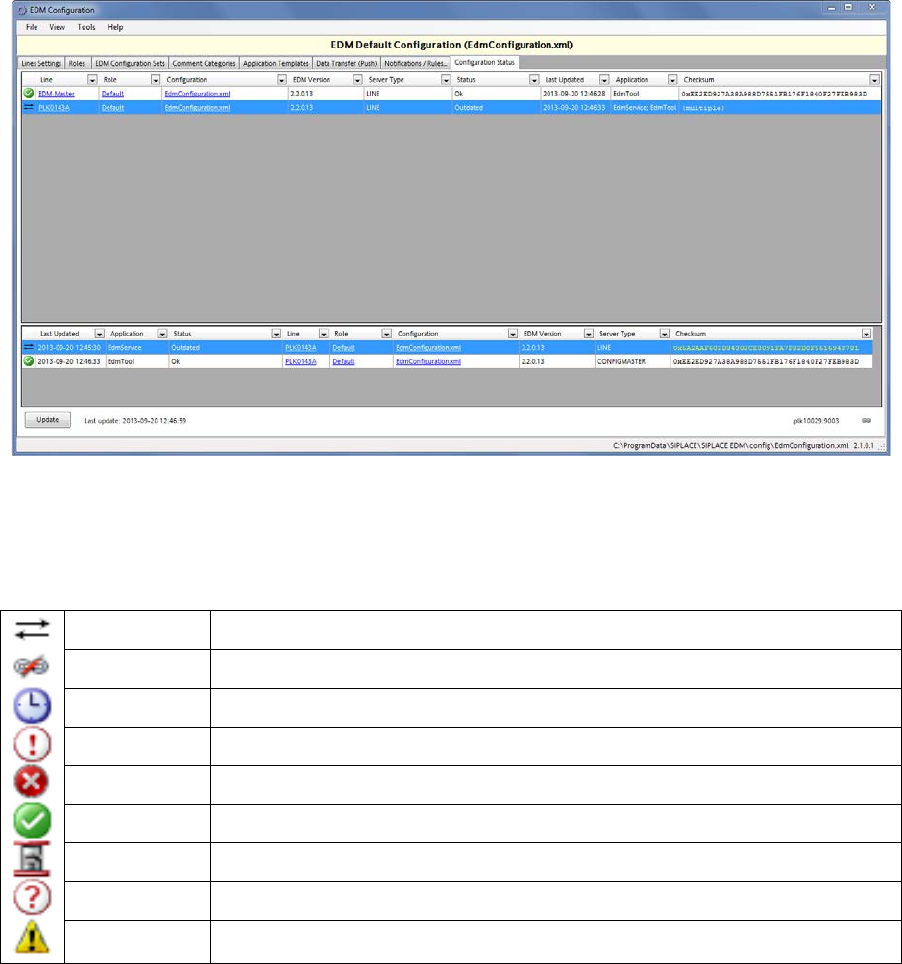
Figure 5-15: Configuration Status
The Configuration Status tab gives some information about the status of the EDM Client
computers (upper pane) and their EDM applications (lower pane). The possible icons are listed in
the following table:
Outdated The configuration is outdated and synchronization is required
Offline No network connection to the client
Timeout The connection to the client has timed out
Unknown The state of the client is unknown / unsupported
Error Unexpected error (see log files)
Ok The client is running and its configuration is up to date
Updating The client is currently applying a new configuration
No Data The client is probably offline or configured incorrectly.
Invalid The client has an invalid configuration
Table 5-1: Configuration status icons
Context menu Send to Line Server
sends a configuration update request (with the current configuration data for this client) to the
selected EDM configuration client. If the client accepts the data may depend on the state of the
application.
Context menu Send all pending changes
sends a configuration update request to all outdated EDM configuration clients.
EDM V2.2 / User Guide Ausgabe 10/2013 Edition
57
5.1.8.1 Changing the Configuration Server of One EDM Client
In order to make an EDM Configuration Client get its configuration set from another Configuration
Server, these steps are required:
► Open the Configuration Status tab of the Configuration GUI on the old Configuration Server
and click the Update button.
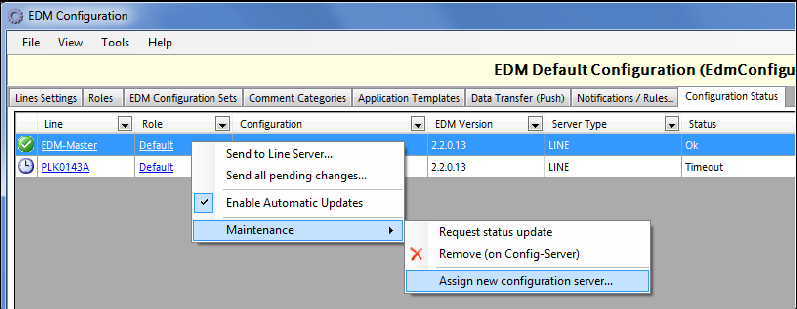
► For each EDM computer in the list of computers (you may select multiple lines at once), open
the context menu and select Assign new configuration server.
Figure 5-16: Change configuration server
► In the text box, change the host name part of the URI to match the new configuration server.
► On the new configuration server, type-in the appropriate settings for the EDM Client's alias and
host name.
EDM V2.2 / User Guide Ausgabe 10/2013 Edition
58
5.1.9 Advanced Settings
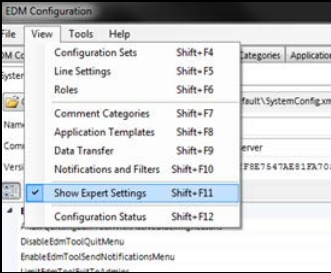
The Advanced Settings view (only visible if Show Expert Settings is active in the View menu)
reveals some in-depth options to tune the system behavior. In chapter 6 you will find detailed
descriptions of these settings.
Figure 5-17: Advanced settings