00197458-01_UG_EDM_V2.2_en - 第6页
6 Part 1: Func tiona lity a nd W ork flow
5
6.2.6.20 Compression Type And Level .......................................................................... 78
6.2.6.21 Client Workflow Configuration ......................................................................... 78
6.2.6.22 Service Remoting Endpoint ............................................................................. 79
6.2.6.23 Application Template Storage .......................................................................... 79
6.2.6.24 SQL Database Access .................................................................................... 79
6.2.6.25 SQL User Name .............................................................................................. 79
6.2.6.26 SQL Password ................................................................................................ 79
6.2.6.27 Starting Point ................................................................................................... 80
6.2.6.28 EDM Vision Data Manager BLOB Extensions ................................................. 80
6.2.6.29 Advanced Vision Data Actions ......................................................................... 80
6.2.7 Configuring Push Mode ................................................................................... 81
6.2.7.1 General Settings .............................................................................................. 81
6.2.7.2 Automatic Push in the Clearing Pool ............................................................... 81
6.2.7.3 User Guidance on the EDM Client ................................................................... 82
6.2.7.4 Protection against Overwriting Current Production Data .................................. 83
6.2.7.5 Settings for the Data Transfer / Push Mode GUI .............................................. 83
6.3 Workflow Configuration ................................................................................... 85
6.3.1 Theory ............................................................................................................. 85
6.3.2 Application ....................................................................................................... 85
6.3.2.1 Syntax and Options ......................................................................................... 85
6.3.2.2 Workflow Modules ........................................................................................... 88
7 Glossary 91
6
Part 1: Functionality and Workflow
EDM V2.2 / User Guide Ausgabe 10/2013 Edition
7
1 Introduction
SIPLACE
®
Engineering Data Manager (EDM) allows for effective and efficient remote storage of
data for SIPLACE Pro. Production data can be distributed to each production line from a central
server. Changes to the data on the lines can be documented, commented, and then sent back to
the central server. The changes made locally can then be assessed by job preparation and
reintegrated into the central database.
This document consists of two parts:
Part 1 addresses the EDM user and describes the functionality of SIPLACE EDM and how to work
with the software.
Part 2 addresses the EDM programmer and/or administrator and describes how to configure the
software. It also contains detailed technical references of the EDM system.
1.1 General
1.1.1 Legend
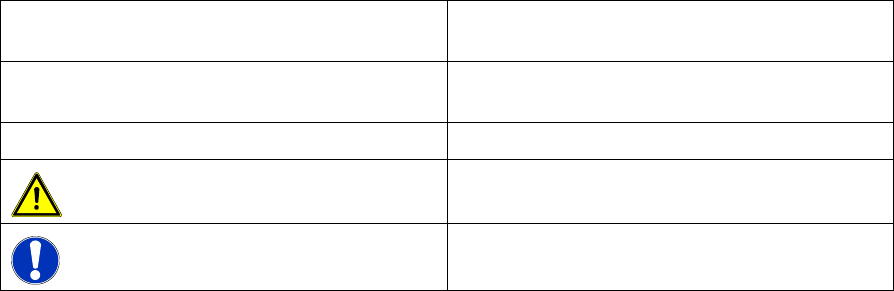
Different symbols and notes have been used to make it easier to read and understand this
document.
Words in bold/italic print This text is a dialog, a dialog box, menu item or
command.
Words in computer print This text is output from the computer, e.g.
messages.
►
Requires an action (e.g. mouse click, open file)
Indicates a warning. The information is
essential for successful working.
Explanatory information.
1.1.2 SIPLACE in World Wide Web (WWW)
Log in to our SIPLACE® homepage at http://www.siplace.com!
► You can choose between the German and English versions.
The different sections contain information about our products, services and contact persons.
In addition, registered customers can also access the SIPLACE User Group. Here you can call up
special information about our placement systems e.g.
● Technical documentation,
● Technical information,
● Spare parts lists etc.