00197458-01_UG_EDM_V2.2_en - 第90页
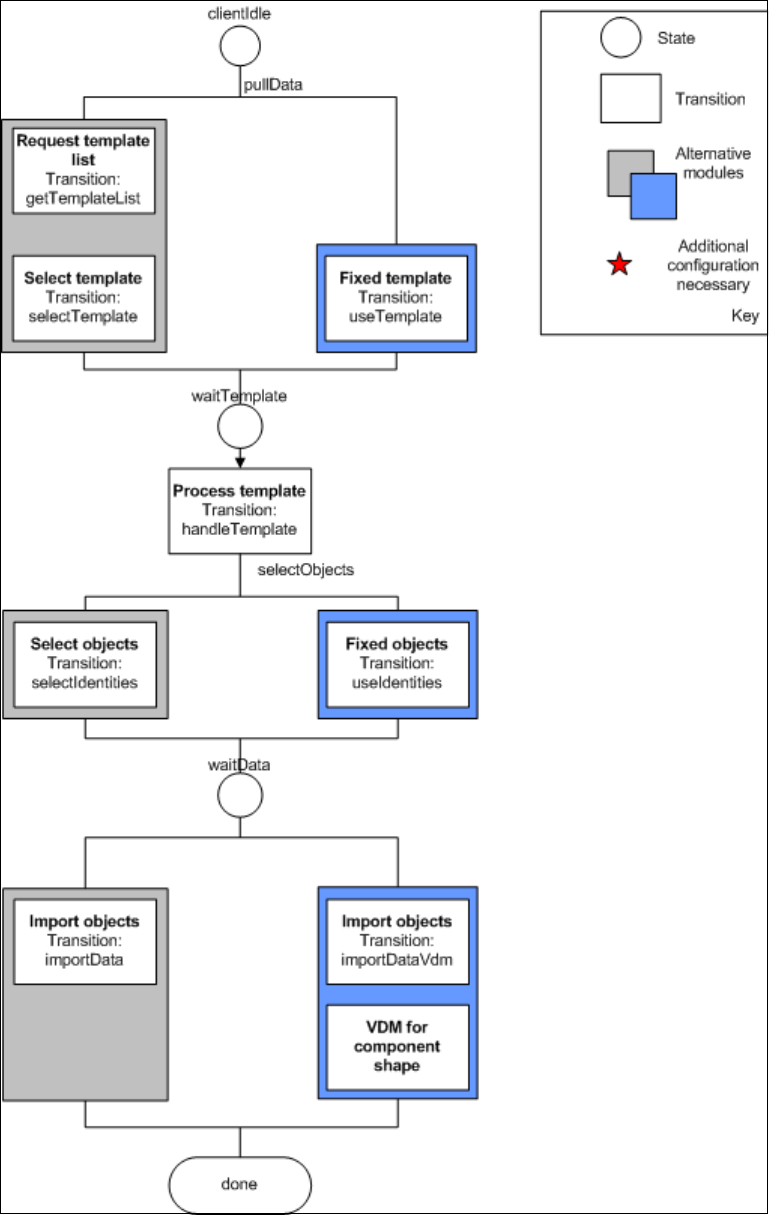
EDM V2.2 / U ser Guid e Ausgabe 10/2013 E dition 90 Figure 6-1 : Current conf iguration options f or client workflows
EDM V2.2 / User Guide Ausgabe 10/2013 Edition
89
Additional Configuration
Some of the modules require that you specify additional settings. The affected modules are labeled
accordingly in Figure 6-1. The custom section of the application configuration was used to make
room for the additional configuration attributes.
The module VDM for CS adds the VDM BLOB handling option to each application template that
affects component shapes. When this module is activated, the Vision data is also transferred for
each component shape pulled.
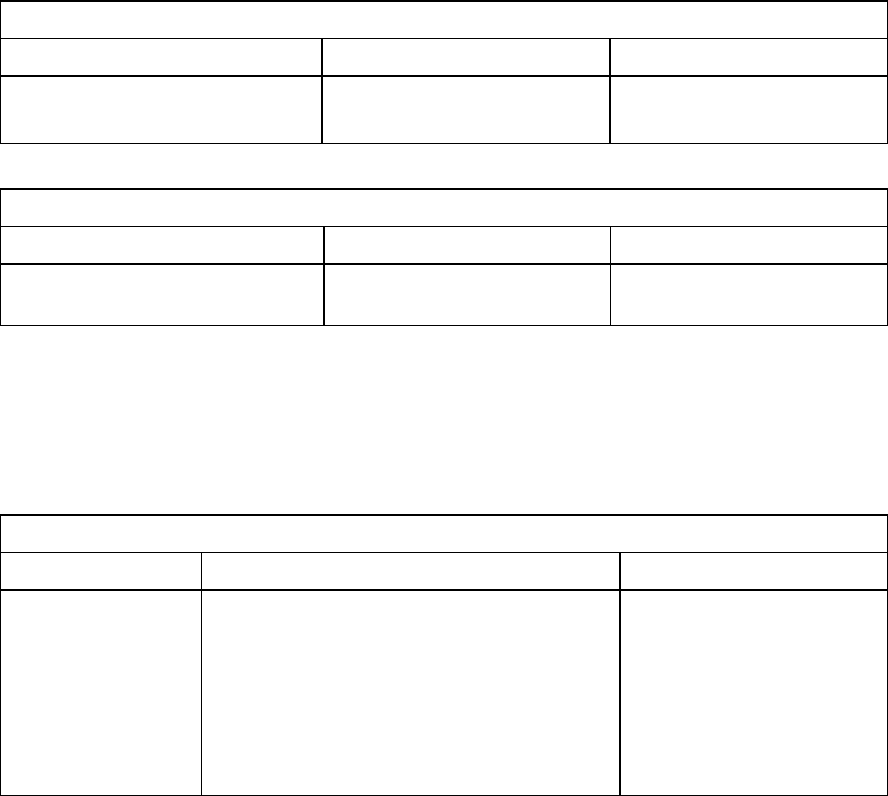
Module: VDM for CS
Key Form Contents
Configure VDM as described.
Table 6-15: Additional settings for "VDM for CS"
Module: Fixed Template
Key Form Contents
templateName String Name of the application
template to be used
Table 6-16: Additional settings for "fixed templates"
Example for Table 6-16:
<customConfig>
<add key="templateName" value="All Component Shapes"/>
</customConfig>
Module: Fixed Objects
Key Form Contents
objectNames A semicolon-separated (";"), full SIPLACE
Pro path. The following generalized
constructs are allowed for the object names:
Type:* - All objects of this type
Type:Path\* - All objects of this type in this
path (not in subfolders of this
path)
List containing the names
of the objects to be
transferred.
Table 6-17: Additional settings for "fixed objects"
Example for Table 6-17:
<customConfig>
<add key="objectNames" value="Import\100.gf;System\12.gf;System\100*"/>
</customConfig>
EDM V2.2 / User Guide Ausgabe 10/2013 Edition
90
Figure 6-1: Current configuration options for client workflows
EDM V2.2 / User Guide Ausgabe 10/2013 Edition
91
7 Glossary
Action A special program component executed in the context of a transition.
Application template Configuration file used to control the data transfer between the Master
Server and Line Servers
BLOB Illumination parameters for line and station
Data preparation
engineer
Main user of the Clearing Pool. Prepares data (i.e. recipes) used in
production later.
EDM Engineering Data Manager
EDM Notifications The EDM Service distributes the change notifications received from the
lines to the appropriate locations. The type of messages sent and the
recipients of the messages can be configured.
Event Triggers a transition
Filter Configuration Part of the workflow description that describes the changes for which no
notification is to be sent to the Master Server. None of the objects affected
by the restrictions defined will appear in the Clearing Pool.
GUI Graphical User Interface
Line Engineer Person responsible for one or more lines
Module One or more transitions that make a certain function available in the EDM
Client workflow
Process A sequence of operations
SPI SIPLACE Pro Interface; a basic component of SIPLACE Pro
State "Memory" of a finite state machine
Transition Switch from one state to another
UML Unified Modeling Language
Workflow IT implementation of a process
Workflow
description
Here: the set of all configuration settings needed for a functioning EDM
installation consisting of client workflow configuration, application
configuration, EDM notifications configuration, filter configuration and
application templates
XML eXtensible Markup Language