00191017-01.pdf - 第118页
4 Data Management User’s Manual Line Computer UNIX 4.3 User Interface of t he Data Manager Software Version 403.xx Edition 06/97 4 - 26

User’s Manual Line Computer UNIX 4 Data Management
Software Version 403.xx Edition 06/97 4.3 User Interface of the Data Manager
4 - 25
NOTE
The consistency check must be performed for all set-ups.
●
After the completion of the consistency check, click on the
arrow button
until the "Anlagen"
directory is closed.
3. Compilation of the "stations"
●
Set
Double-click
->
Default
in the command area.
●
Open the directory
Stationen
by double-clicking.
●
Set
Double-click
->
Compiler
in the command area.
●
Select the station file xx.st by double-clicking.
The selected station file is passed to the compiler.
Upon the successful completion of the compilation, a corresponding message is displayed.
NOTE
The compilation must be performed for all stations.
4.3.5 Quitting the Data Manager
When the main window of the Data Manager is closed, the latter is no longer active.
●
Click on
FILE
-->
Quit
in the main window of the Data Manager.
The main window and all
open windows of the data partners are closed.
Upon restarting the Data Manager, the main window and all previously open windows of the
data partners are restored.

4 Data Management User’s Manual Line Computer UNIX
4.3 User Interface of the Data Manager Software Version 403.xx Edition 06/97
4 - 26
User’s Manual Line Computer UNIX 4 Data Management
Software Version 403.xx Edition 06/97 4.4 User Interface of Print and Update Server
4 - 27
4.4 User Interface of Print and Update Server
The user interface of the print and update server basically serves to log on (activate) and log off (deactivate)
the physical devices available within the LC system, such as printers, floppy disk and magnetic tape drives.
Moreover, data carriers can be prepared (formatted) for data saving operation.
4.4.1 Starting the Print and Update Server
●
Click on SERVICES -> Equipment on the menu bar of the desktop.
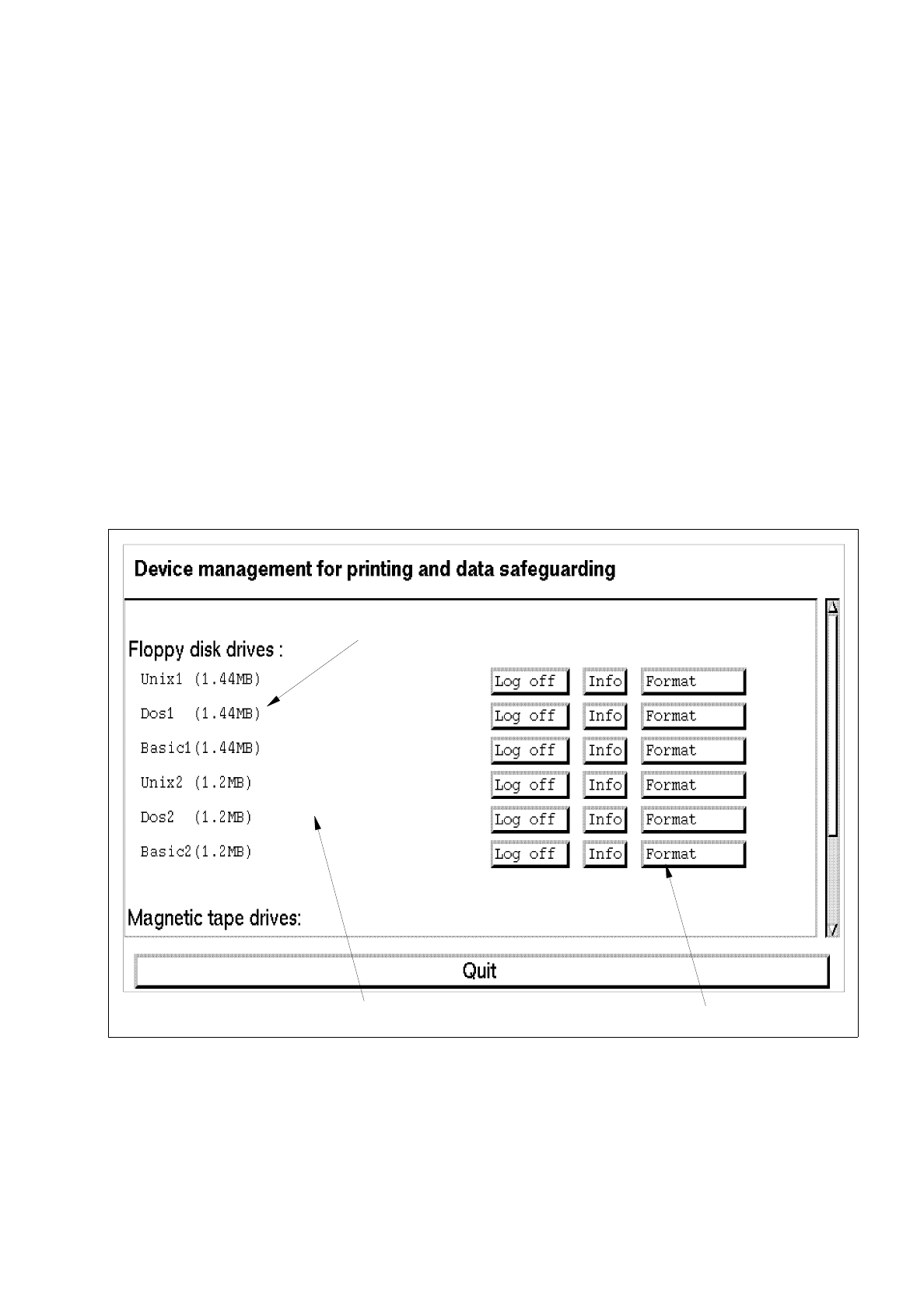
The main window of the print and update server is opened (see Fig. 4.4.1).
4.4.2 Main Window of Print and Update Server
The various areas of the main window and their functions are described in the following.
Fig. 4.4.1 Main Window "Print and Update Server"
The main window of the print and update server is subdivided as follows:
-
display area
-
command area
device name
command area
display area