7OM-1603-006_w - 第79页
7OM-1603 2-10 Chapter 2 : 2. Menus for Automatic Operation 2.3.2 "T est Mode" T ab Sheet The corresponding window makes it possible to set parameters for the test mode. "Test Mode" Tab sheet (Second P…
7OM-1603
Chapter 2 : 2. Menus for Automatic Operation
2-9
2.3.1 "Opr.Mode" Tab Sheet
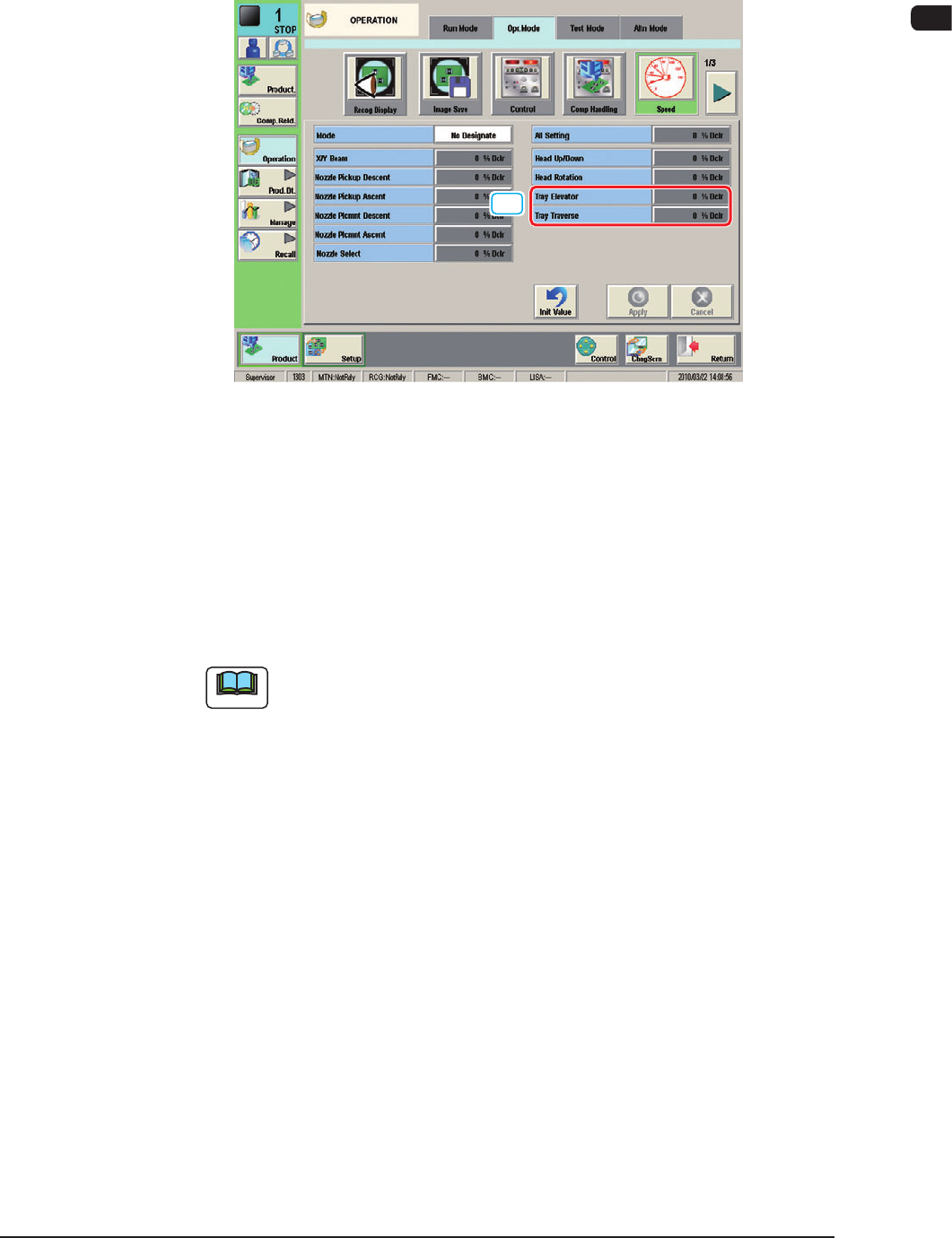
When the [Speed] button is pressed in the "Opr.Mode" tab sheet the following
window appears.
[1]
"Opr.Mode" tab sheet (1/3) F7B9
[1] Tray Elevator
This button can be used to set the rate of the elevator speed reduction.
Setting Range : 0 to 99 %
Tray Traverse
This button can be used to set the rate of the traverse speed reduction.
Setting Range : 0 to 99 %
Note
When the rate of the traverse speed reduction is to be designated, change
the "Mode" setting from "No Designate" to "Designate".
1109-005
7OM-1603
2-10
Chapter 2 : 2. Menus for Automatic Operation
2.3.2 "Test Mode" Tab Sheet
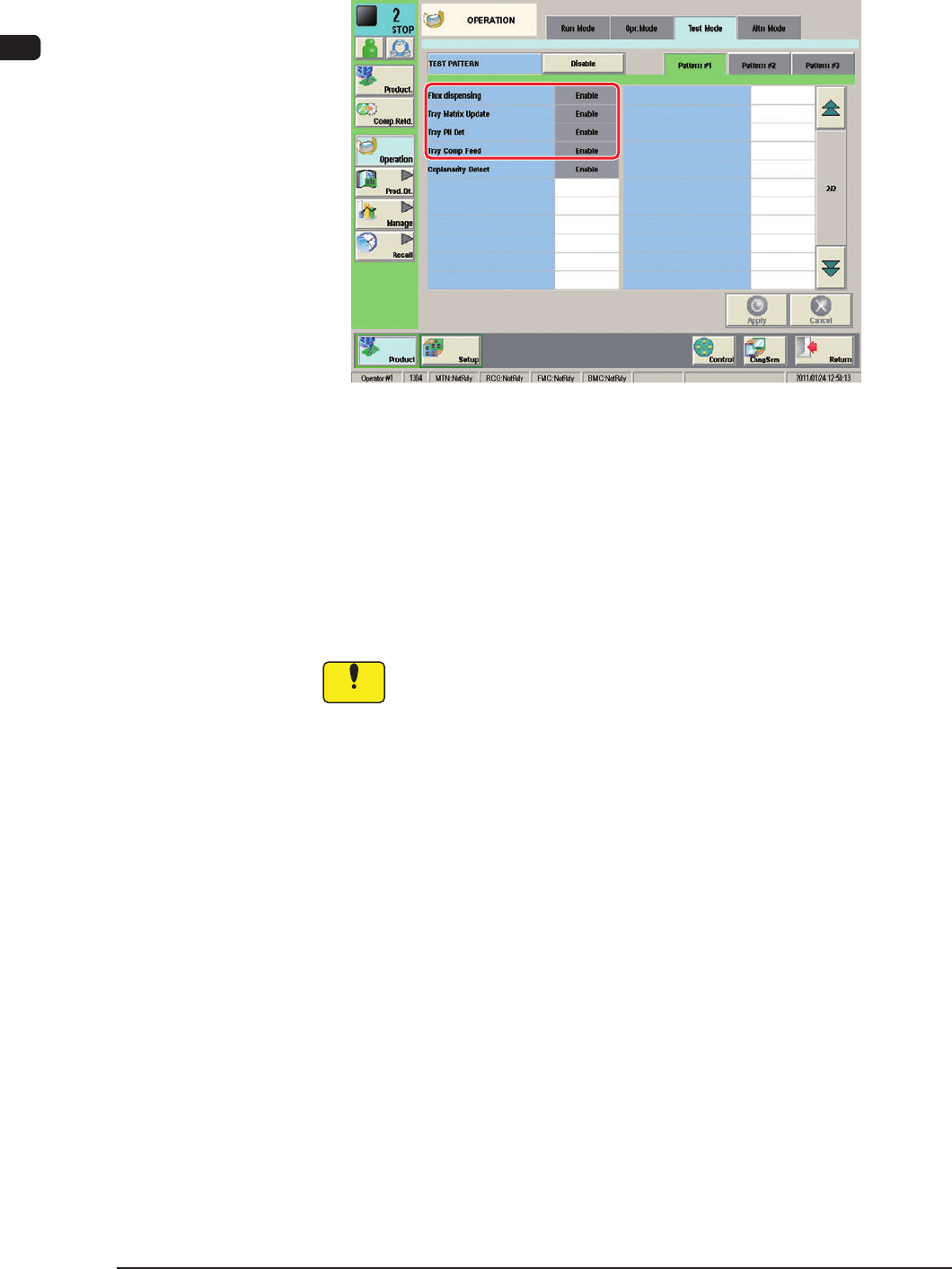
The corresponding window makes it possible to set parameters for the test mode.
"Test Mode" Tab sheet (Second Page) F7B10
Test Patterns
Set the contents of the test mode.
The following shows the items related to the multi-layer tray feeder.
Tray Matrix Update Dsbl.
Tray Pll Det Dsbl.
Tray Comp Feed Dsbl.
Notice
Wrong selections (test run in wrong modes) will cause various
decienciessuchascomponentpicksbyvacuumnozzles,
scattering of components, or collision with the chute, etc.
1109-005
7OM-1603
Chapter 2 : 2. Menus for Automatic Operation
2-11
2.3.3 "Altn Mode" Tab Sheet
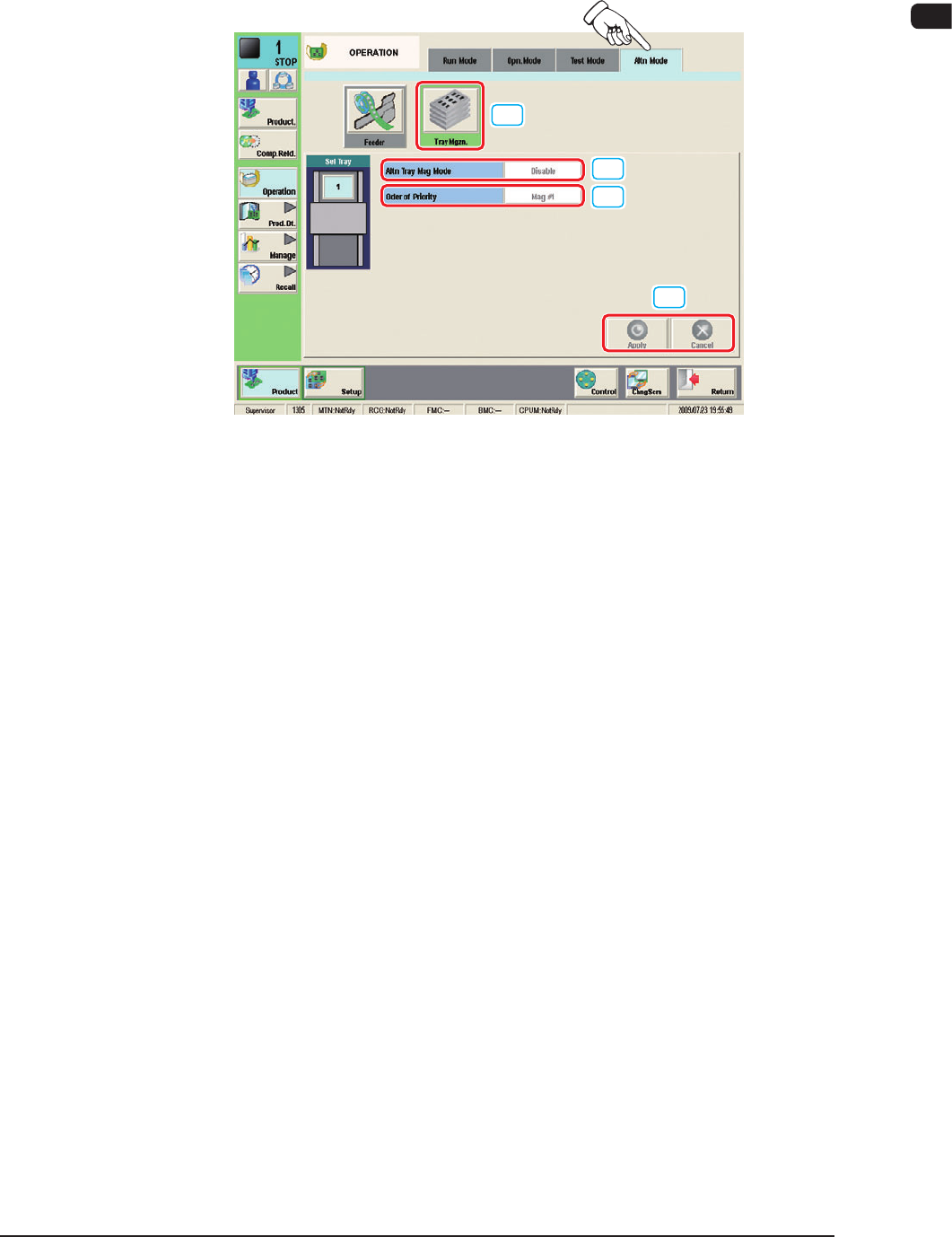
The corresponding window makes it possible to set parameters for the magazine
alternate mode.
[1]
[2]
[3]
[4]
"Altn Mode" Tab sheet (Multi-Layer Tray Feeder #1 Used) F7B11
[1] [Tray Mgzn.] Button
When pressed, this button opens the "Altn Tray Mag" window.
[2] Altn Tray Mag Mode
[Enable] Button
: When selected, this button validates the magazine
alternate mode.
[Disable] Button
: When selected, this button invalidates the
magazine alternate mode.
[3] Order of Priority
[Mag #1] Button
: When this button is pressed, the components in
Magazine #1 are used prior to the others.
[Mag #2] Button
: When this button is pressed, the components in
Magazine #2 are used prior to the others.
[4] [Apply], [Cancel] Button
Using these buttons, the parameter set in the [2] or [3] is reected on the
machine operation or cancelled.
1102-003