1OM-1625-004_w.pdf - 第120页
1OM-1603 2-19 4. Exiting from the System Program : Chap.2 1003-003 4.3 Locking the Power Breaker Note When the machine is not to be used for a long period of time, lock the power breaker with the padlock. Procedure (1) P…
1OM-1603
2-18
4. Exiting from the System Program : Chap.2
1012-005
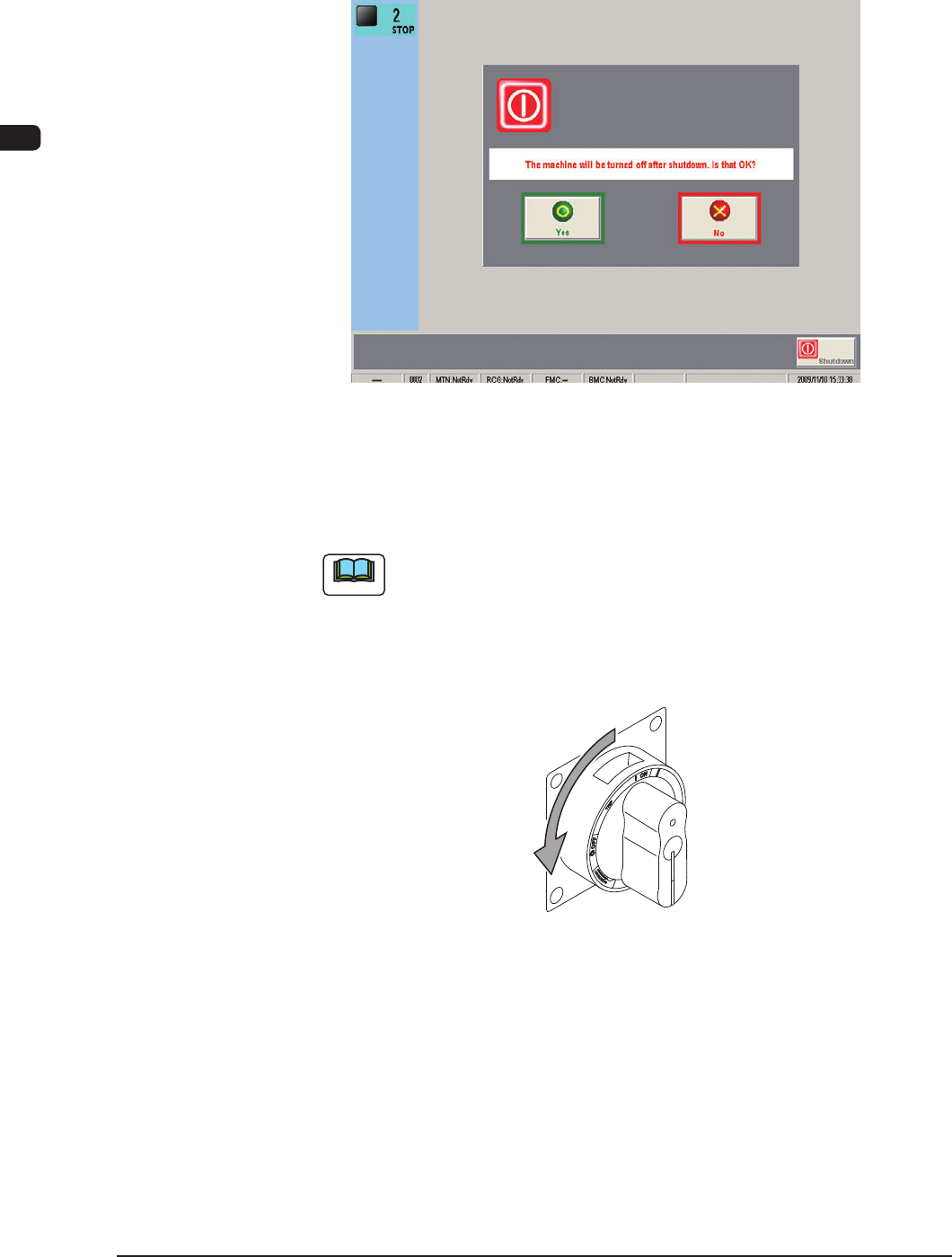
(2) Press the [Shutdown] button in the TOP window.
(The conrmation dialog box opens, asking the operator if the power to the
machine must really be shut down or not.)
F1B14
(3) Press the [Yes] button.
(The power to the machine will be turned OFF after the shutdown
processing.)
Note
When the [No] button is pressed, the shutdown processing is cancelled and
the TOP window is returned.
(4) Set the lever of the power breaker to the "OFF" position. The lever of the
power breaker is located on the front side of the machine.
F1B15
1OM-1603
2-19
4. Exiting from the System Program : Chap.2
1003-003
4.3 Locking the Power Breaker
Note
When the machine is not to be used for a long period of time, lock the power
breaker with the padlock.
Procedure
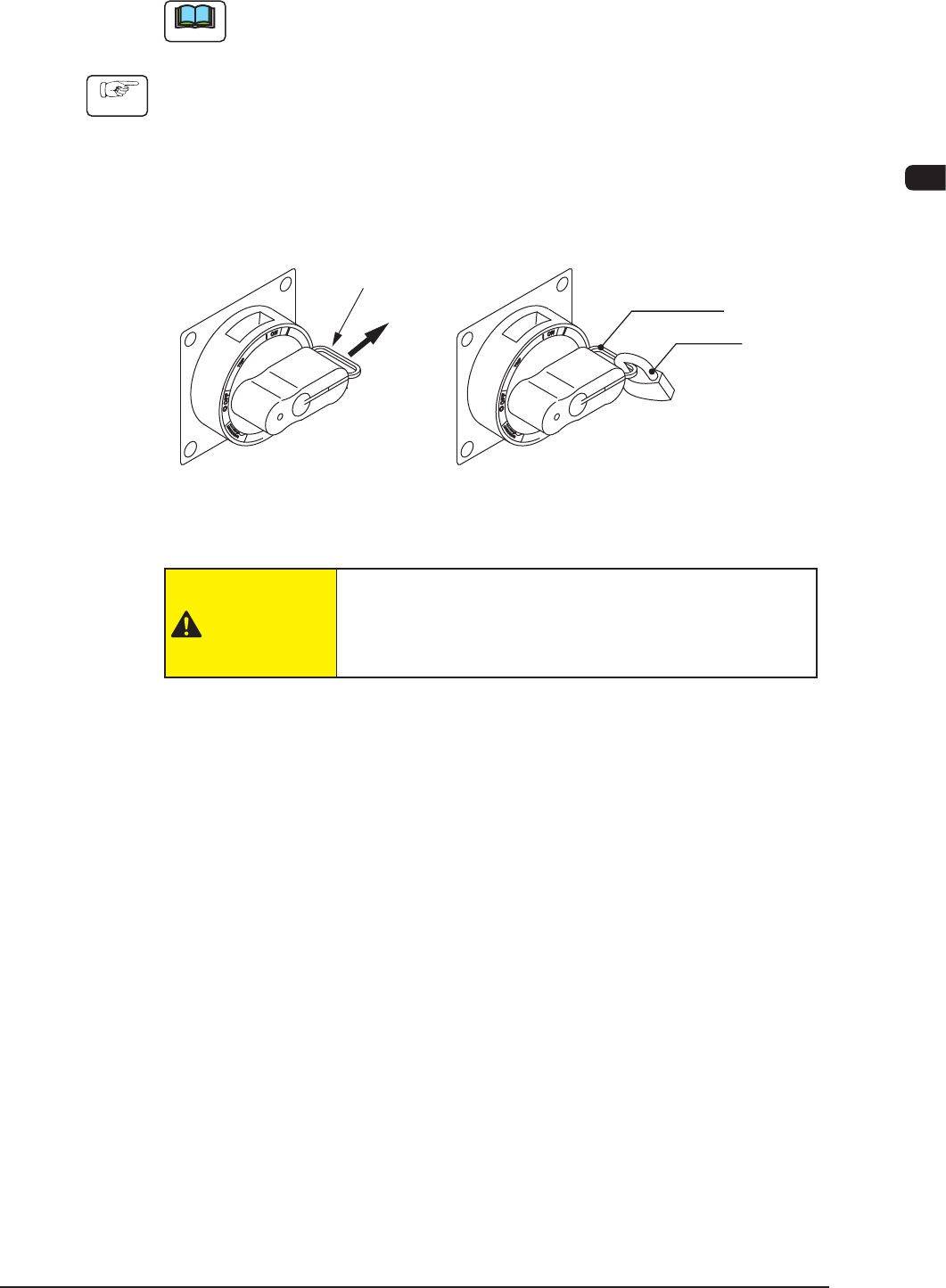
(1) Pull out the lock lever of the power breaker in Direction A (indicated in the
gure below).
(Be sure not to release your hand from the lock lever. Otherwise, the lock
lever will pull back in place.)
(2) Engage the shackle of the padlock through the lock slot and lock the crank.
A
Lock Lever
Lock Lever
Padlock
Locking the Power Breaker
F1B16
CAUTION
The padlock key should be kept in such a way that
nobody except the personnel in charge of maintenance can
supervise it.

1OM-1603
2-20
4. Exiting from the System Program : Chap.2
1003-001