1OM-1625-004_w.pdf - 第132页
1OM-1603 3-9 1. Automatic Operation : Chap.3 1012-005 1.3.3 "Product" Window Procedure (1) Press the [Product] button on the T OP window . (The "Product" window appears on the touch screen.) F1C8 (2) …
1OM-1603
3-8
1. Automatic Operation : Chap.3
1012-004
1.3.2 Login Operation
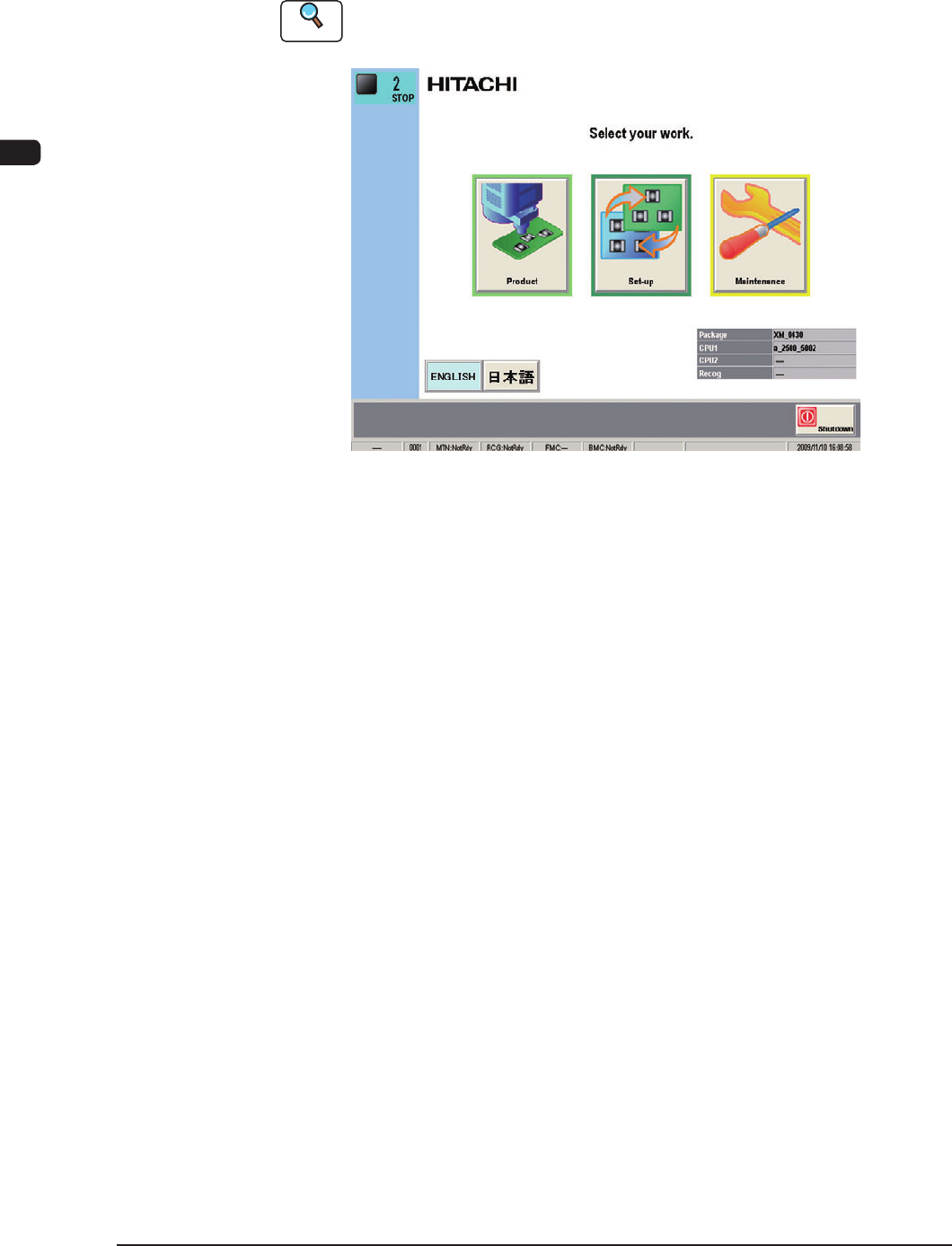
After the self-diagnostics program is completed, the [POWER ON] button
turns
yellowish green and the TOP window appears on the touch screen.
Reference
Refer to "1.1 TOP Window" in "Chapter 2" for detailed information on the TOP
window.
F1C7
1OM-1603
3-9
1. Automatic Operation : Chap.3
1012-005
1.3.3 "Product" Window
Procedure
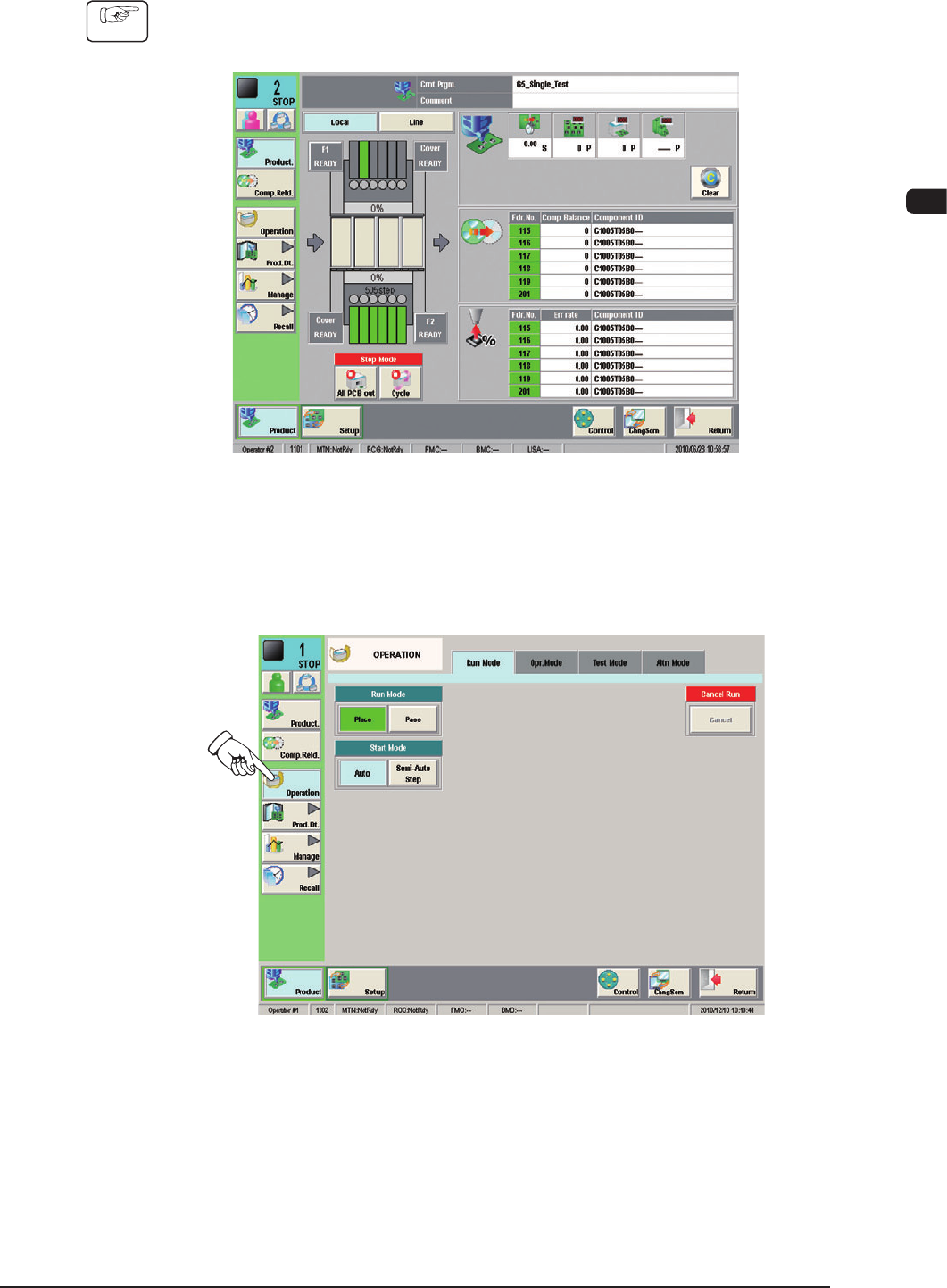
(1) Press the [Product] button on the TOP window.
(The "Product" window appears on the touch screen.)
F1C8
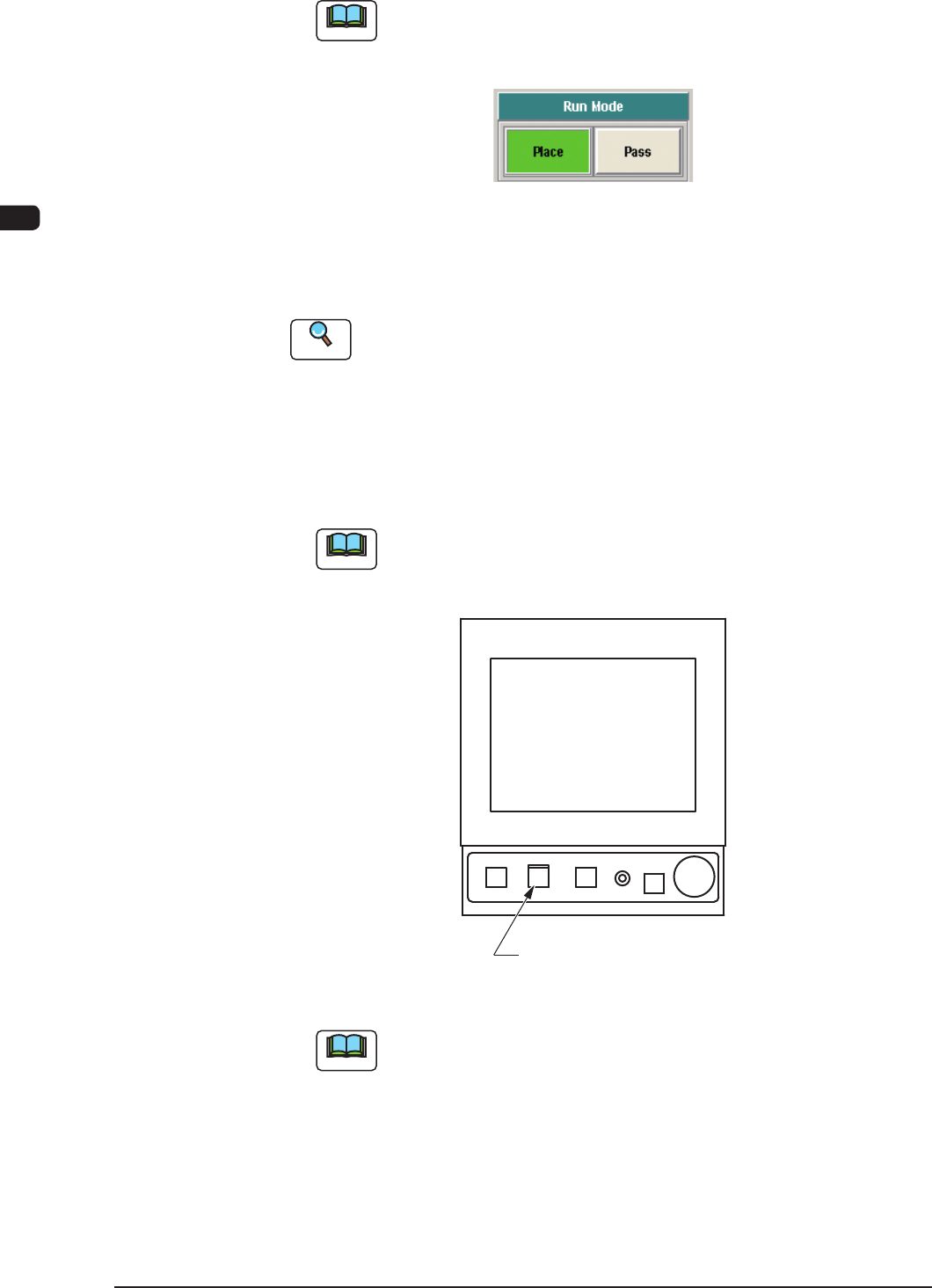
(2) Press the [Operation] button on the "Product" window.
(The "Run Mode" window appears as an initial one of the "OPERATION"
window.)
F1C9
1OM-1603
3-10
1. Automatic Operation : Chap.3
1012-004
(3) Press the [Place] button (entitled "Run Mode").
Note
Press the [Pass] button (entitled "RUN MD") to set the "Pass" mode.
When the machine is set in the "Pass" mode, it just carries the PCB to the
output machine without placing any components on the PCB.
F1C10
(4) Change the pattern program to the one for the automatic operation for the
product to be produced.
Reference
Refer to "2. Program Change Operation" for details.
(5) Press the [START] button twice on the operation panel.
(When the [START] button is pressed once, the button ashes. Then,
when the [START] button is pressed again while the button is ashing, the
automatic operation (machine) is started.)
Note
In the case that the machine operation is not available when the [START]
button is pressed the rst time, a management information message is
displayed.
[
START
]
Button
F1C11
Note
(a) The [START] button does not icker when a window other than
the "Product" window is active. Therefore, the automatic operation
cannot be started.
(b) When the PCB positioning section is already loaded with a PCB, the
machine discharges the PCB without placing any components on it.