1OM-1625-004_w.pdf - 第141页
1OM-1603 3-18 2. Program Change Operation : Chap.3 1012-005 2.3 Program Change Operation 2.3.1 Selection of Run Mode Set the "Run Mode" on the "Run Mode" tab sheet in the "OPERATION" window.…

1OM-1603
3-17
2. Program Change Operation : Chap.3
1012-001
(6) Connect the connector of the cart to the connector on the machine side and
set the connector xing lever in place.
Notice
When the bank feeder change cart must be pushed into the
machine, push it straight such that the guide on the machine side
can be located inside the cart arm.
(7) Press the Feeder Ready switches of the machine.
(The feeder base starts moving up and the LED of the Feeder Ready switches
starts ickering, indicating that the feeder base is being activated.)
(8) Press the Feeder Ready switches of the machine.
The feeder READY switch LED is turned ON and the feeder base is
clamped.
1OM-1603
3-18
2. Program Change Operation : Chap.3
1012-005
2.3 Program Change Operation
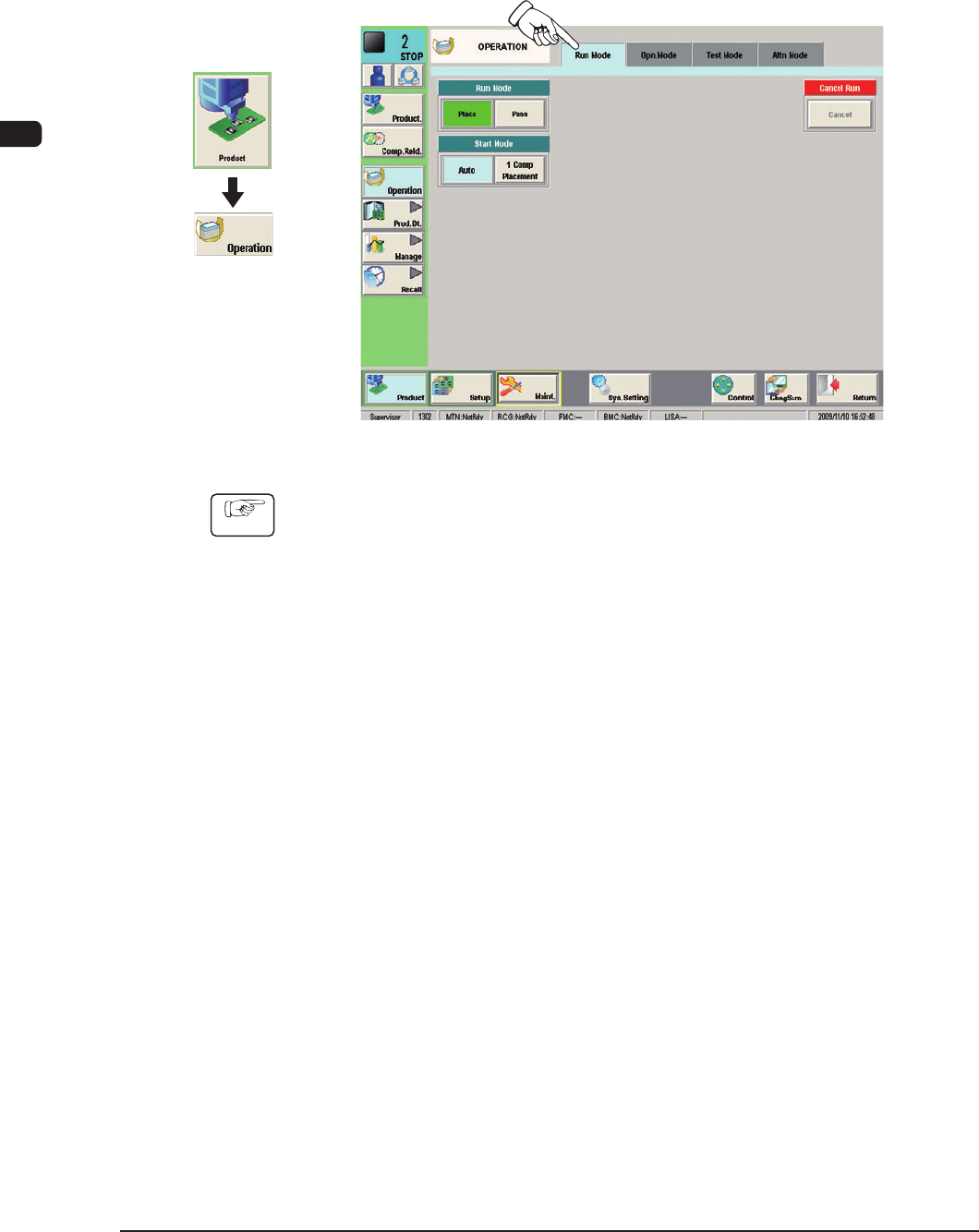
2.3.1 Selection of Run Mode
Set the "Run Mode" on the "Run Mode" tab sheet in the "OPERATION" window.
F1C14
Procedure
(1) Press the [Run Mode] tab on the "OPERATION" window.
(2) Press the [Place] button on the "Run Mode" tab sheet.
Graphic
Development
1OM-1603
3-19
2. Program Change Operation : Chap.3
1012-005
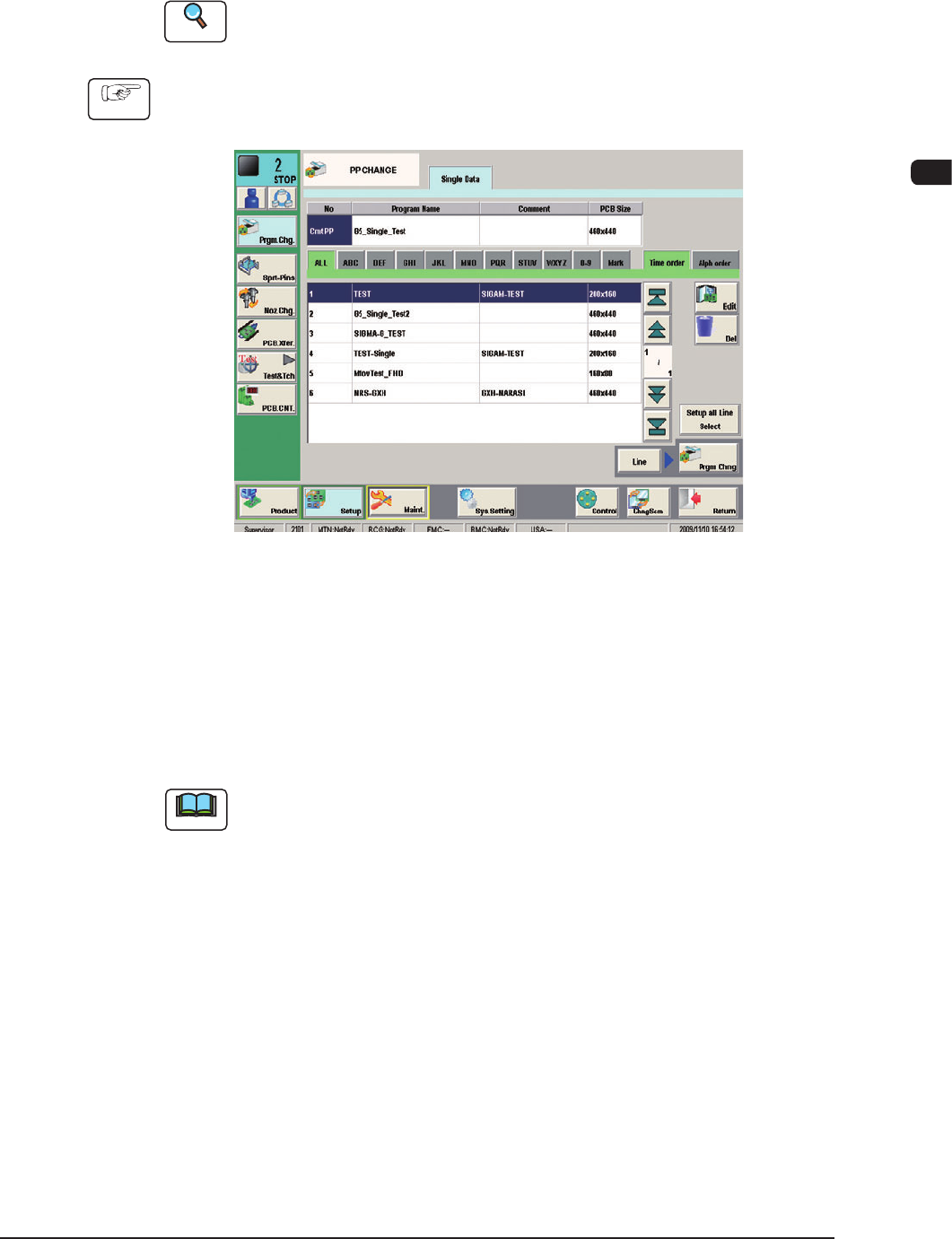
2.3.2 Selection of Operation Mode
Using this window, the pattern program is changed.
Perform the support pin stock area editing before the pattern program change.
Reference
Refer to "Chapter 6: Product Change Menu" in Volume 2, for the details of the
stock area editing.
Procedure
(1) Press the [Setup] button on the common menu bar.
(The "PP CHANGE" window appears.)
F1C15
(2) Selecttheprogramnametobespeciedasacurrentone(productionmodel).
(The corresponding pattern program will be selected and the line turns blue.)
(3) Press the [Prgm. Chng] button.
Within 10 seconds, press the [START] button on the operation panel.
(The current pattern program will be changed to the selected one.)
Note
(a) If an error is found in the pattern program, the program change operation is
not executed.
In this case, correct the pattern program and perform the program change
operation again.
(b) When the conveyor width change, support pin change and nozzle change
are performed at the same time, press the [Setup all Line Select] button and
set each of them as required.
(c) When the pattern program change is performed in the entire line, press the
[Line] button and them press the [Prgm Chng] button.