1OM-1625-004_w.pdf - 第162页
1OM-1603 3-39 5. Stop, Interruption, and Restart of Operation : Chap.3 5. Stop, Interruption, and Restart of Operation 5.1 Stop of Machine Operation 5.1.1 T emporary Stop (Pause) with [STOP] Button When you want to check…

1OM-1603
3-38
4. PCB Replenishment : Chap.3
4.1.2 PCB Manual Removal Procedures
Procedure
(1) Stop the machine.
(2) Remove the PCB from the buffer section.
Notice
Do not bump the PCB against the transfer PCB detection sensor. Doing
so might damage the sensor, which might disable the normal PCB
transfer.
1007-003
1OM-1603
3-39
5. Stop, Interruption, and Restart of Operation : Chap.3
5. Stop, Interruption, and Restart of Operation
5.1 Stop of Machine Operation
5.1.1 Temporary Stop (Pause) with [STOP] Button
When you want to check the placement condition after the automatic operation
has been started, press the [STOP] button on the operation panel to temporarily
stop the automatic operation.
Note
(a) When the [START] button is pressed after conrmation of the placement
condition, the automatic operation restarts.
(b) When a wrong pattern program is specied as the current one (production
model), press the [STOP] button to temporarily stop the automatic
operation and follow the instructions described in "5.2 Interruption of
Automatic Operation" to interrupt the automatic operation.
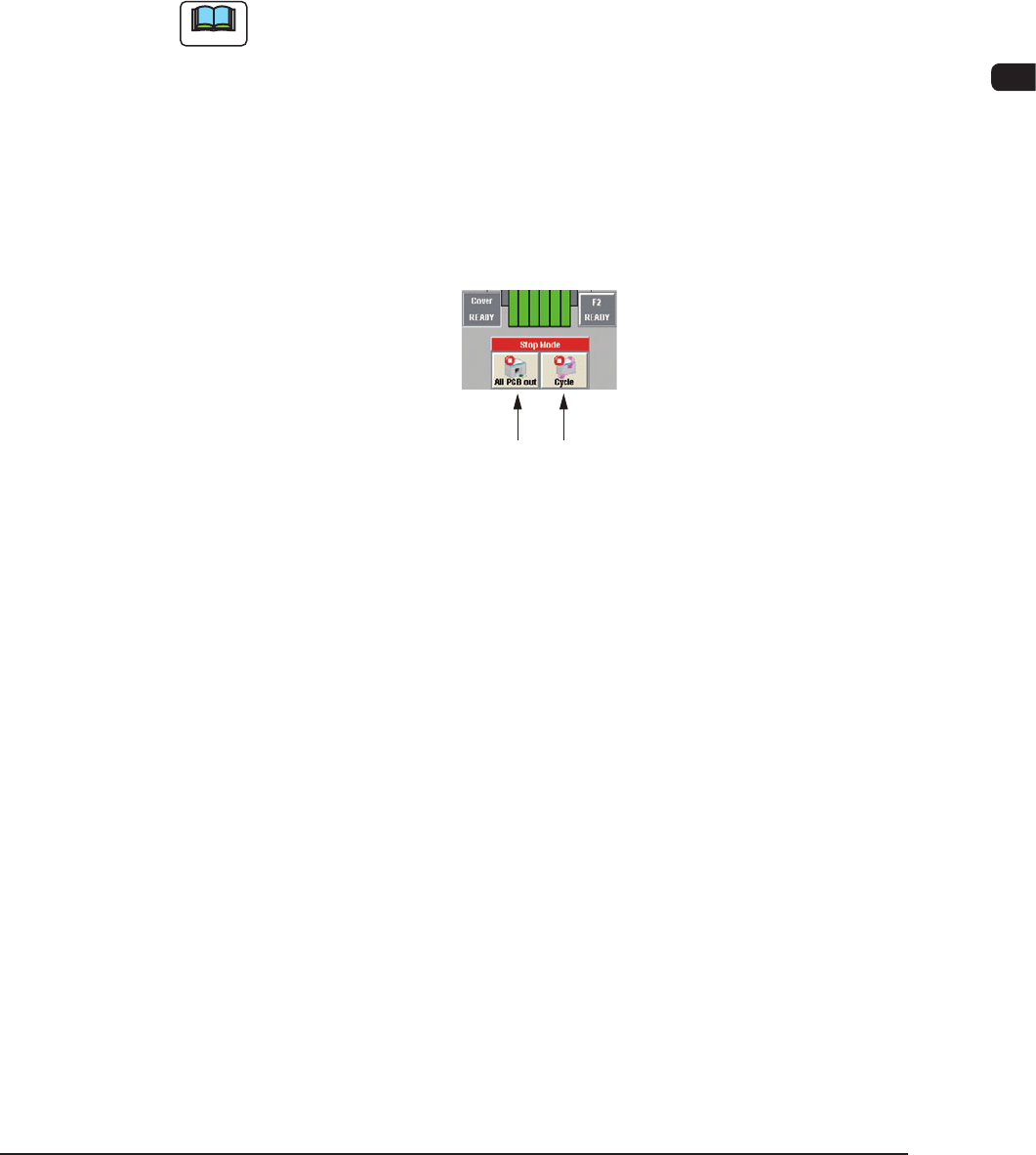
5.1.2 Method based on Stop mode
[All PCB out] Button
[Cycle] Button
F1C29
Stop with [All PCB out] Button
When the [All PCB out] button in the operation window is pressed, the
machine discharges the PCB after the production of the unnished PCB is
completed. After that, the automatic operation stops.
At this time, the green lamps of the [START] button on the operation panel
and the light tower extinguish.
Stop with [Cycle] Button
When the [Cycle] button is pressed on the operation window, after the
on-going component placement operation on the PCB is completed, the
green lamps of both the [START] button and the light tower are turned OFF
and the automatic operation stops.
1007-004
1OM-1603
3-40
5. Stop, Interruption, and Restart of Operation : Chap.3
5.2 Interruption of Automatic Operation
5.2.1 Interruption with [Cancel] Button
When it was found that a wrong pattern program is specied as the current one
(production model) and the production must be interrupted, follow the steps below
to interrupt the automatic operation.
Procedure
(1) Press the [STOP] button on the operation panel.
(The automatic operation stops temporarily.)
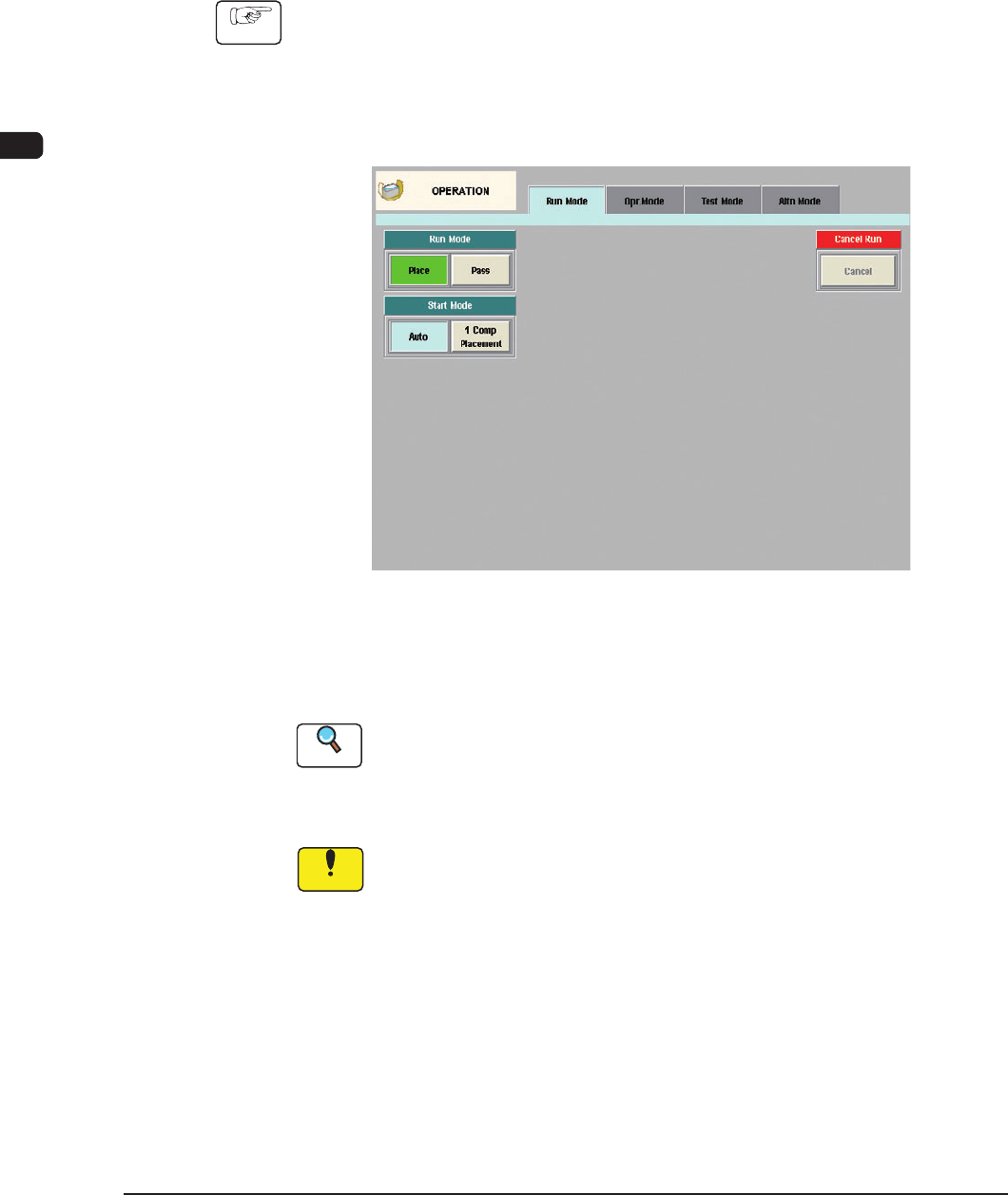
(2) Press the [Operation] button on the Product menu.
(The "OPERATION" window appears.)
F1C31
(3) Press the [Cancel] button.
(The automatic operation is interrupted.)
Reference
When the automatic operation is interrupted, the "WARM START" window
appears.
To continue the automatic operation from this interrupted mode, refer to "5.3
Resumption of Production through Warm Start Procedure" for details.
Notice
When a normal restart operation is performed after the continuous
operation has become impossible during component placement, the PCB
in the middle of process is discharged to the output machine, producing
a defective PCB.
Be sure to perform the reset operations through the "WARM START"
procedure.
1012-005