1OM-1625-004_w.pdf - 第169页
1OM-1603 3-46 5. Stop, Interruption, and Restart of Operation : Chap.3 (3) When the components have been placed on the PCB, select the [Not Place] button. When the components have not been placed on the PCB, select the […
1OM-1603
3-45
5. Stop, Interruption, and Restart of Operation : Chap.3
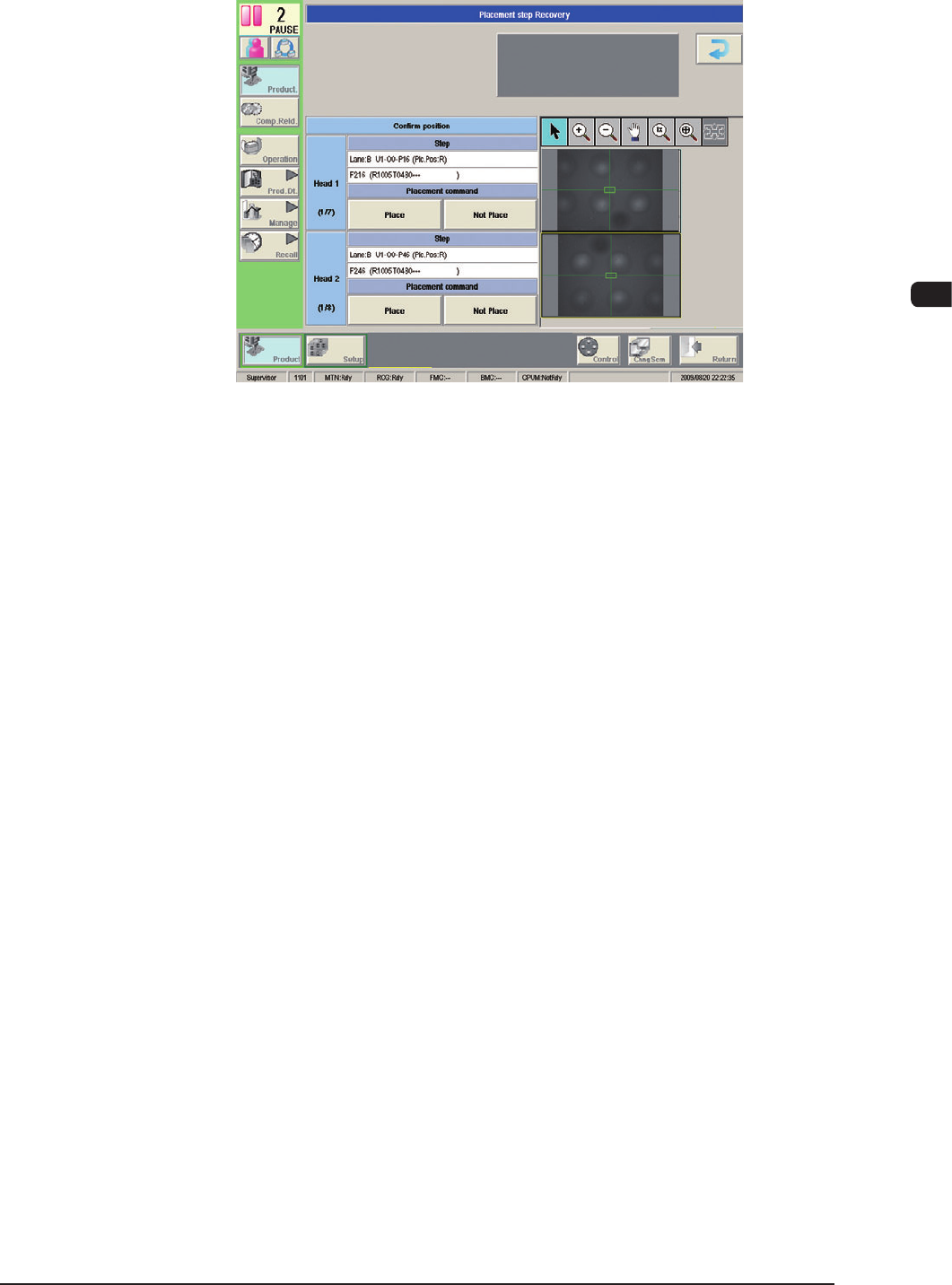
(2) Press the [Plc Pos Move] button.
(The "Placement Position" window will be displayed.)
F1C38
1007-004
1OM-1603
3-46
5. Stop, Interruption, and Restart of Operation : Chap.3
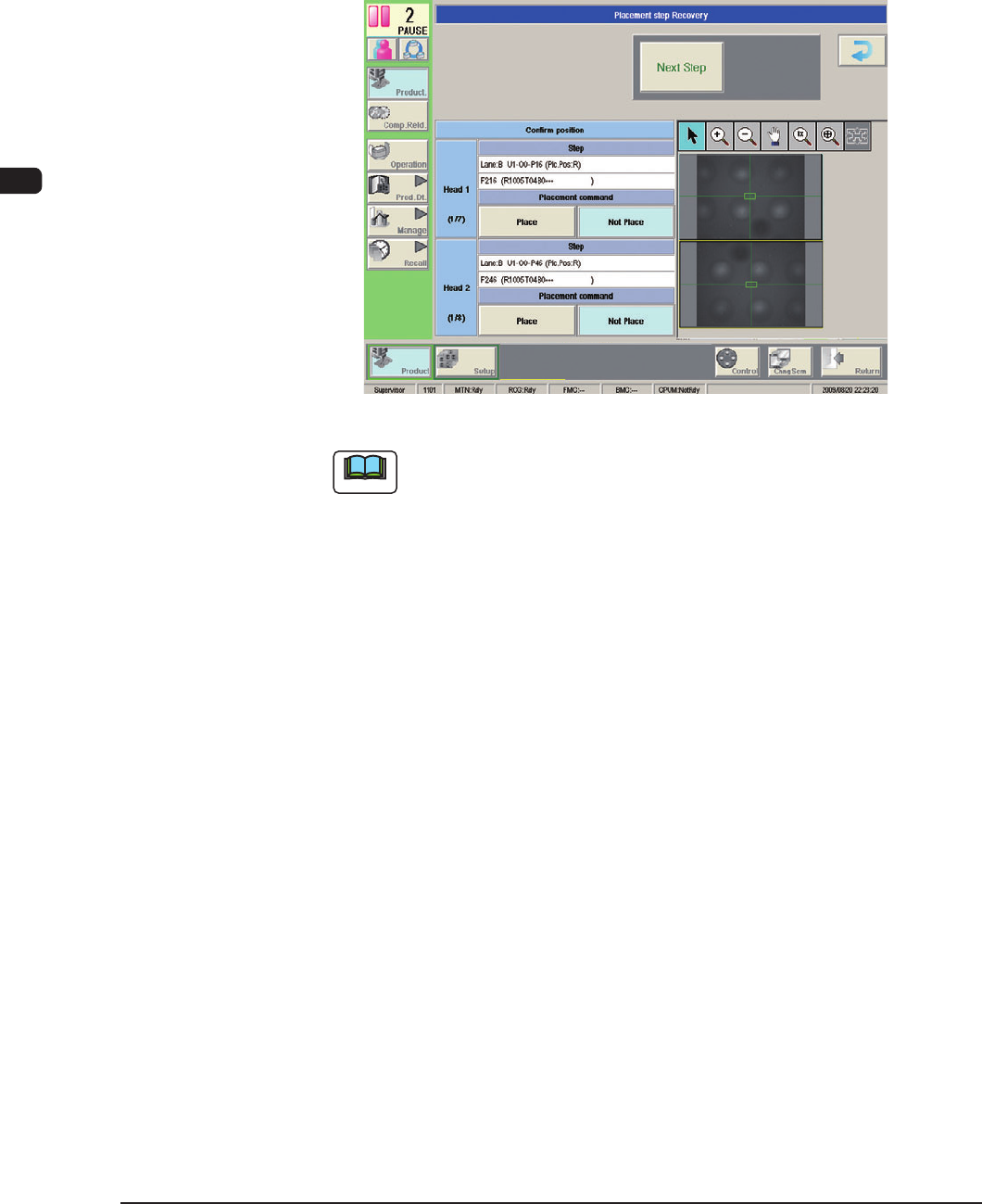
(3) When the components have been placed on the PCB, select the [Not Place]
button. When the components have not been placed on the PCB, select the
[Place] button.
(When the [Place] or [Not Place] button is pressed, the [Next Step] button
becomes available. When the [Next Step] button is pressed, the procedure
goes to the next step.)
F1C39
Note
(a) When an error occurs during the component placement, an "ERROR"
window appears.
Check the contents in the "ERROR" window and remove the cause
of the error. After that, perform a placement step recovery operation
again.
(b) To open the "Placement step Recovery" window again after the
"Product" window (the window that appears after the [PRODUCT]
button is pressed), follow the steps below.
•
Press the [Placement Recovery] button in the "Run Mode" window.
(Operation Sequence: [Product] Button → [Operation] Button →
[Run Mode] Button)
•
When "RECOVERY START ENABLE" is displayed in the
"Operator Message" eld, press the [START] button on the
operation panel.
1012-005
1OM-1603
3-47
5. Stop, Interruption, and Restart of Operation : Chap.3
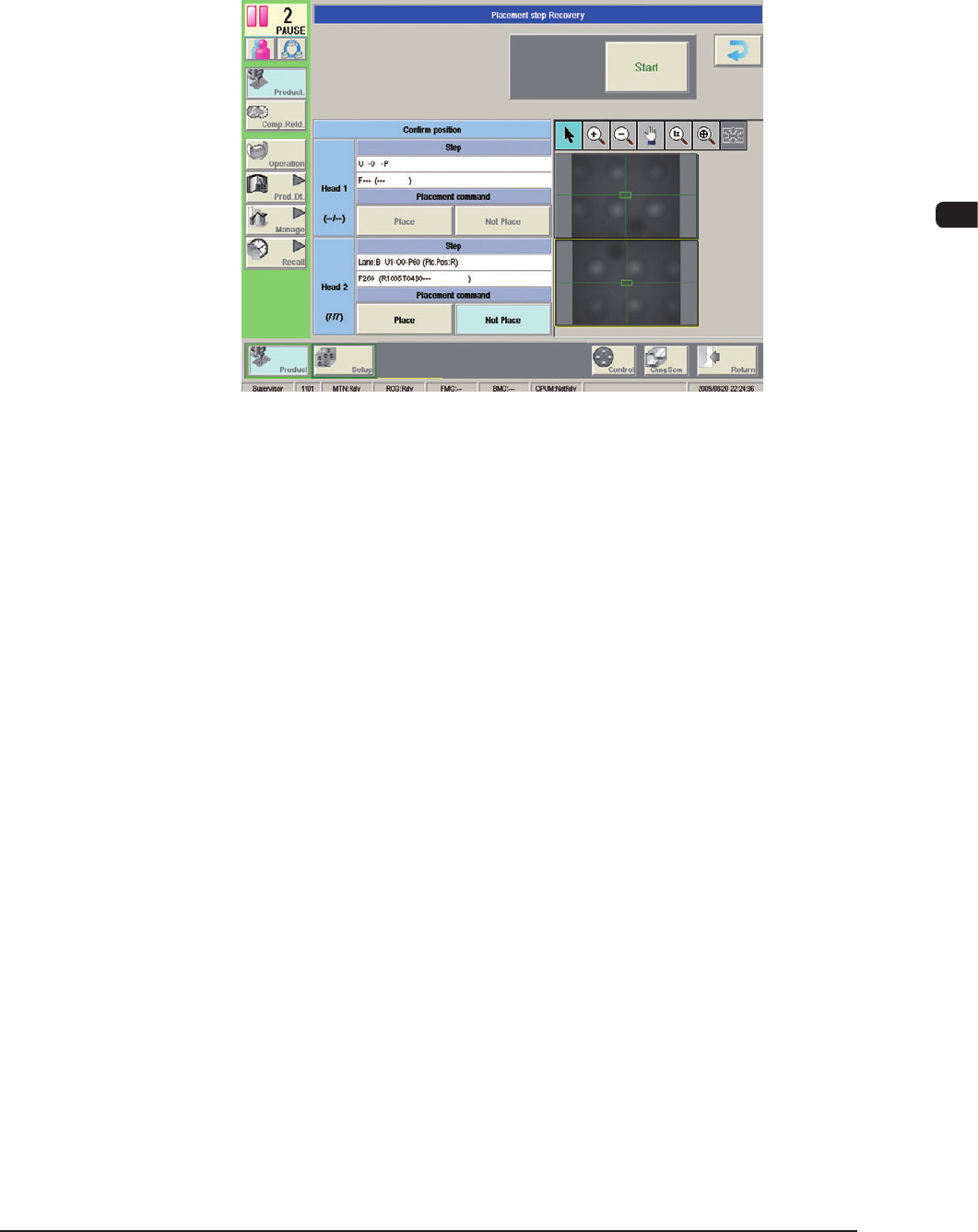
(4) Follow Steps (2) and (3) for all displayed steps.
(5) When the "Check OK" appears for the component placement status in all the
steps, press the [START] button.
(The operation will be re-started).
F1C40
1012-005