1OM-1625-004_w.pdf - 第173页
1OM-1603 3-50 6. Running-In Operation : Chap.3 6. Running-In Operation When the machine has been stopped for a long period of time, check the performance of the machine. For the performance check of the machine, a runnin…
1OM-1603
3-49
5. Stop, Interruption, and Restart of Operation : Chap.3
5.5.2 Logout
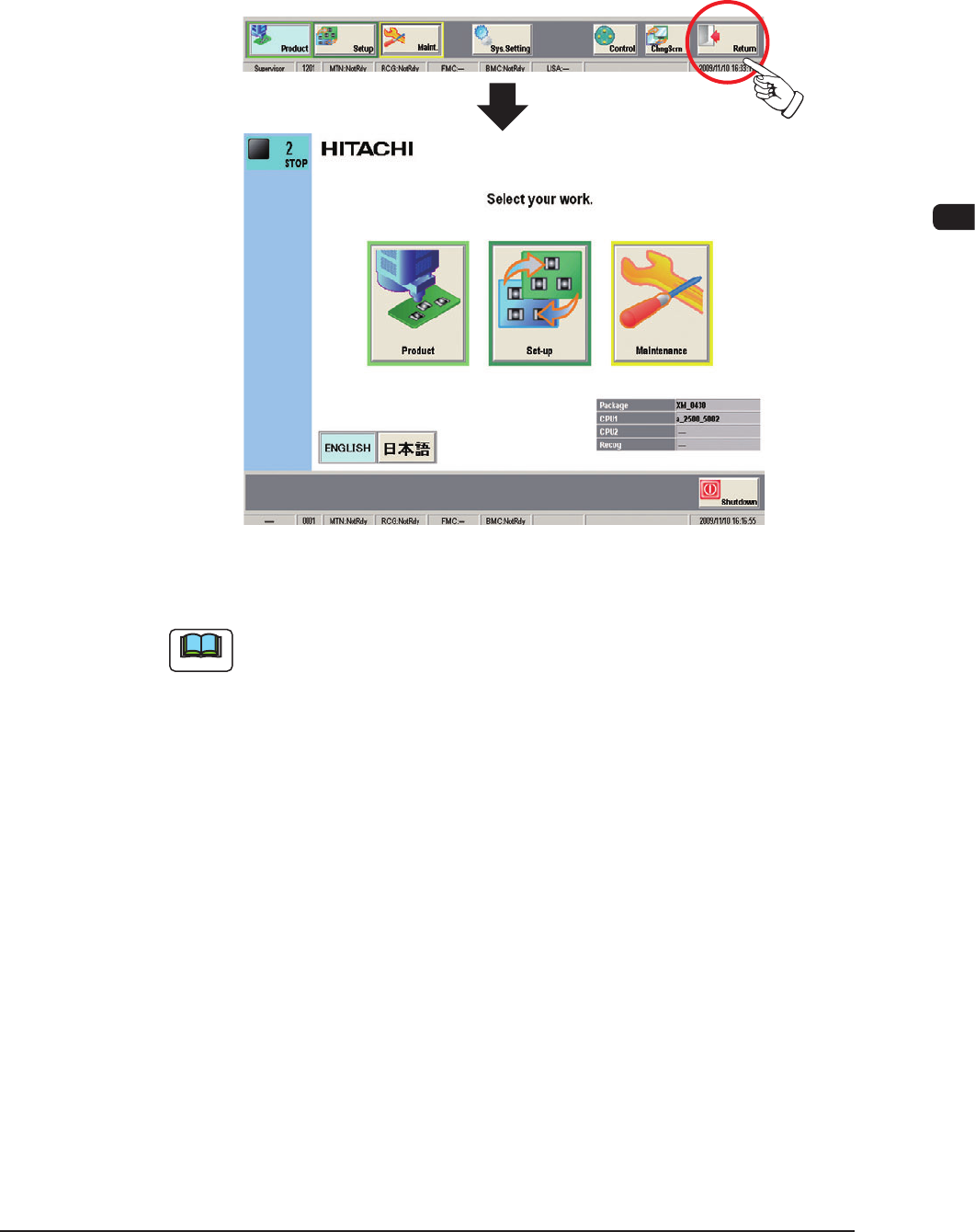
When the operation window is closed, press the [Return] button in the common
menu. When the [Return] button is pressed, the operation window is closed and
the TOP window is returned.
The TOP window opens.
F1C42
Note
(a) When an edit window such as the "Pattern Program" edit window is
displayed, follow the specied steps to close the window before the [Return]
button is pressed.
(b) When the power to the machine is to be turned OFF after the logout, press
the [Shutdown] button.
Refer to "5.2 Interruption of Automatic Operation" in "Chapter 3" for
details.
1012-005
1OM-1603
3-50
6. Running-In Operation : Chap.3
6. Running-In Operation
When the machine has been stopped for a long period of time, check the
performance of the machine.
For the performance check of the machine, a running-in operation for approx. 30
minutes in advance is required.
Notice
Observethefollowingtopreventanydeciencyintherunning-in
operation.
•
Do not set any PCB to be produced on the machine.
•
The feeders on the feeder base can be loaded with components.
However, it should be noted that the settings of the test run
(described hereinafter) must be correctly made.
Procedure
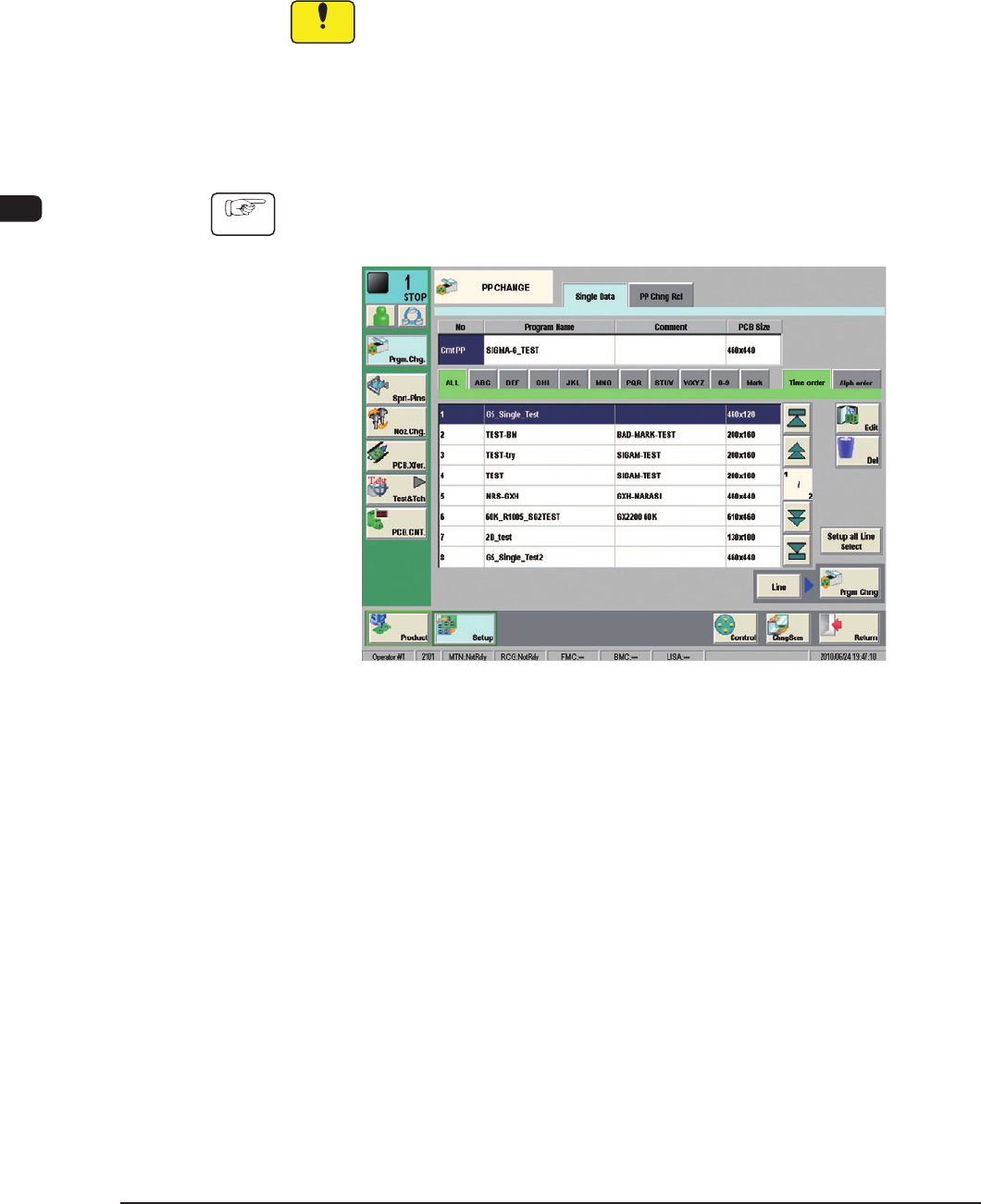
(1) Select the desired pattern program in the "PP CHANGE" window ("SETUP"
submenu) and press the [Prgm. Chg.] button.
F1C43
1007-004
1OM-1603
3-51
6. Running-In Operation : Chap.3
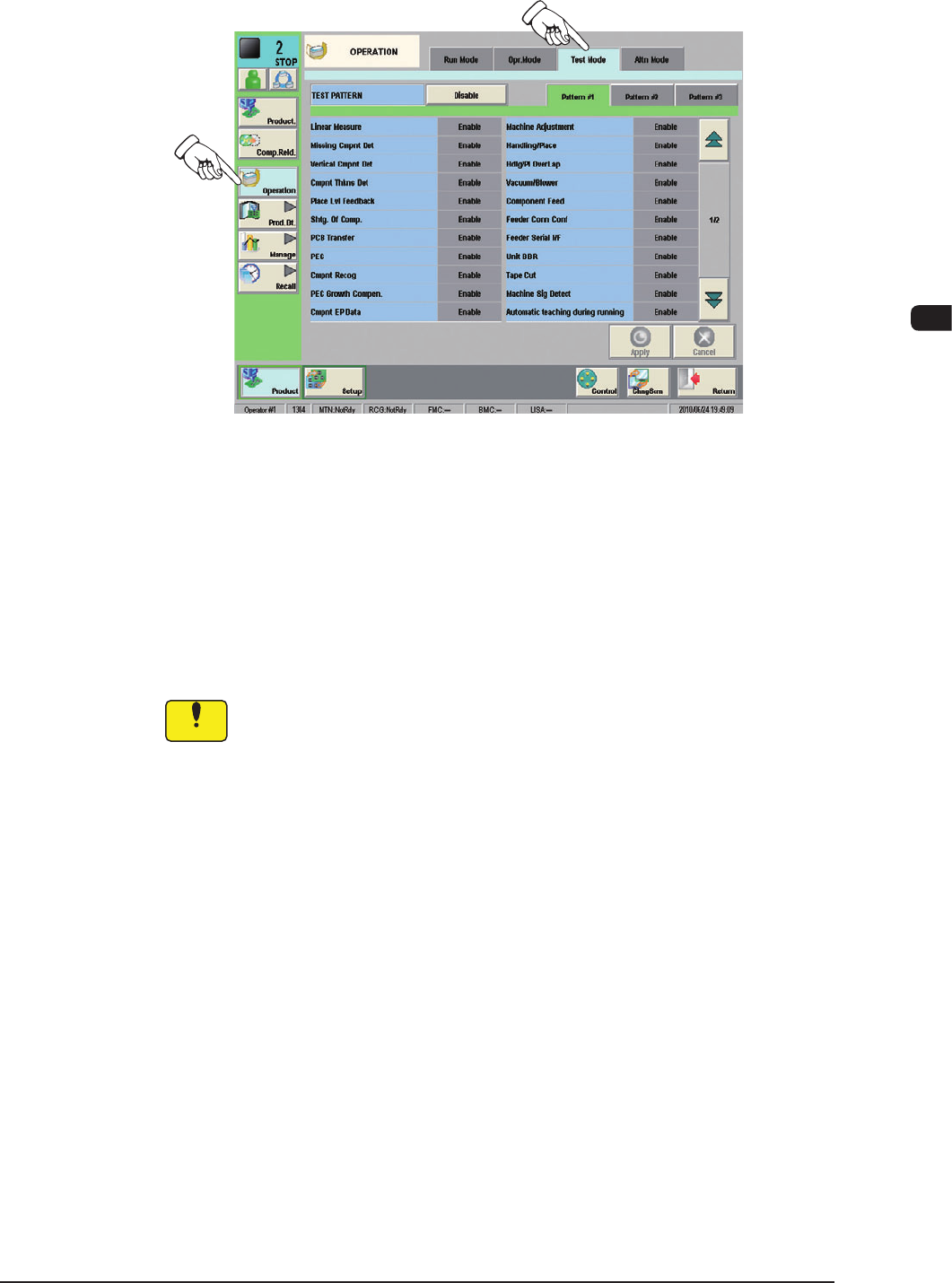
(2) Display the "Test Mode" tab sheet by pressing the [Test Mode] tab on the
"OPERATION" window.
F1C44
(3) Press one of the pattern buttons for a test run on running-in operation.
(Example: [Pattem #3] Button)
(4) Specify the test mode for the running-in operation by selecting the options
(located under the pattern selection buttons) and press the [Apply] button.
(The specied test pattern is applied to the running-in operation.)
Recommended Selection :
Turn all the items to be "Green".
Notice
Wrong selections (test run in wrong modes) will cause various
decienciessuchascomponentpicksbyvacuumnozzles,scatteringof
components, or collision with the chute, etc.
1007-004