1OM-1625-004_w.pdf - 第175页
1OM-1603 3-52 6. Running-In Operation : Chap.3 1 Select the pattern 3 Determine the pattern 2 Select the operation F1C45 (5) Press the [ST AR T] button twice on the operation panel. (The running-in operation starts.) (6)…
1OM-1603
3-51
6. Running-In Operation : Chap.3
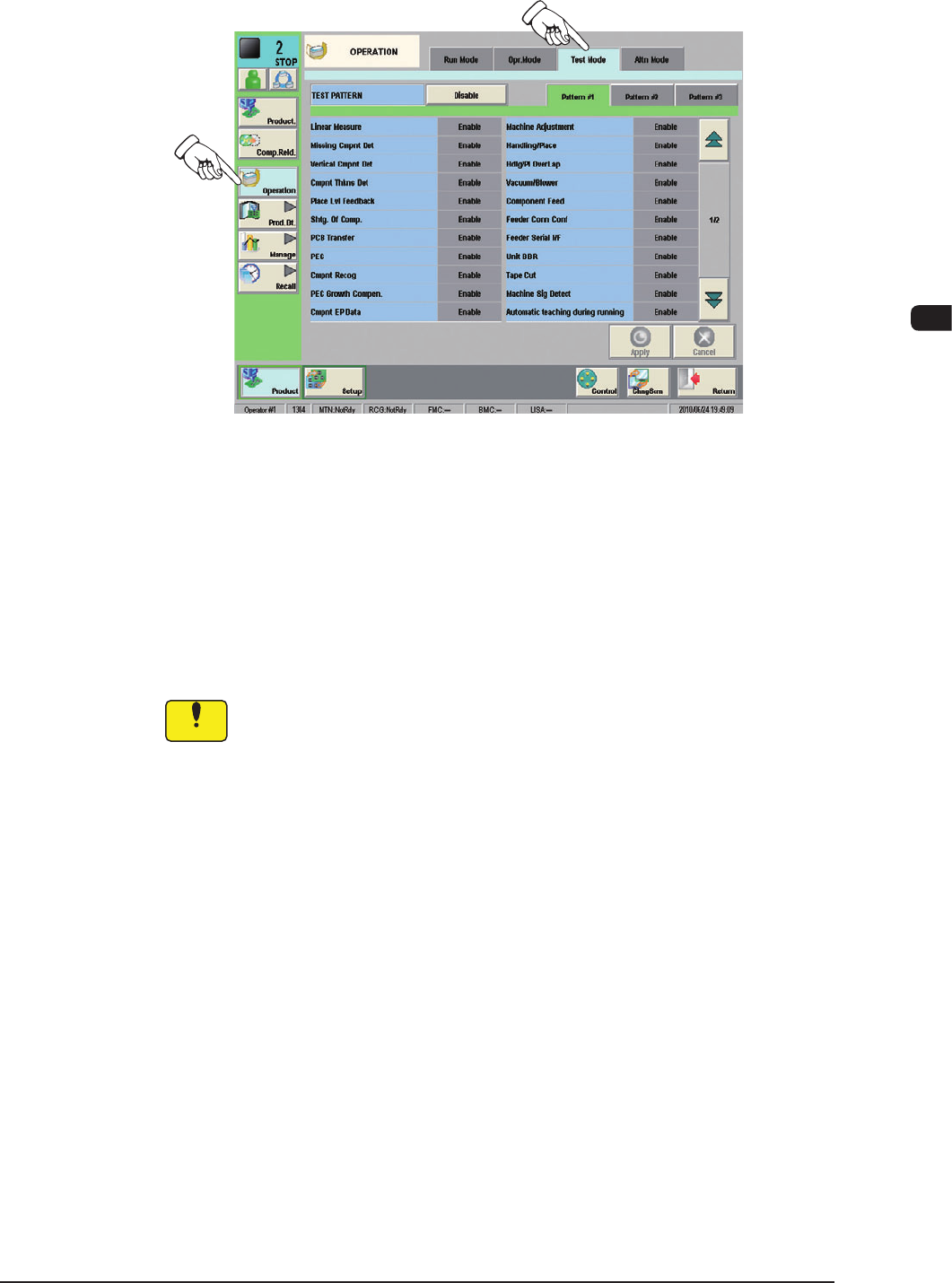
(2) Display the "Test Mode" tab sheet by pressing the [Test Mode] tab on the
"OPERATION" window.
F1C44
(3) Press one of the pattern buttons for a test run on running-in operation.
(Example: [Pattem #3] Button)
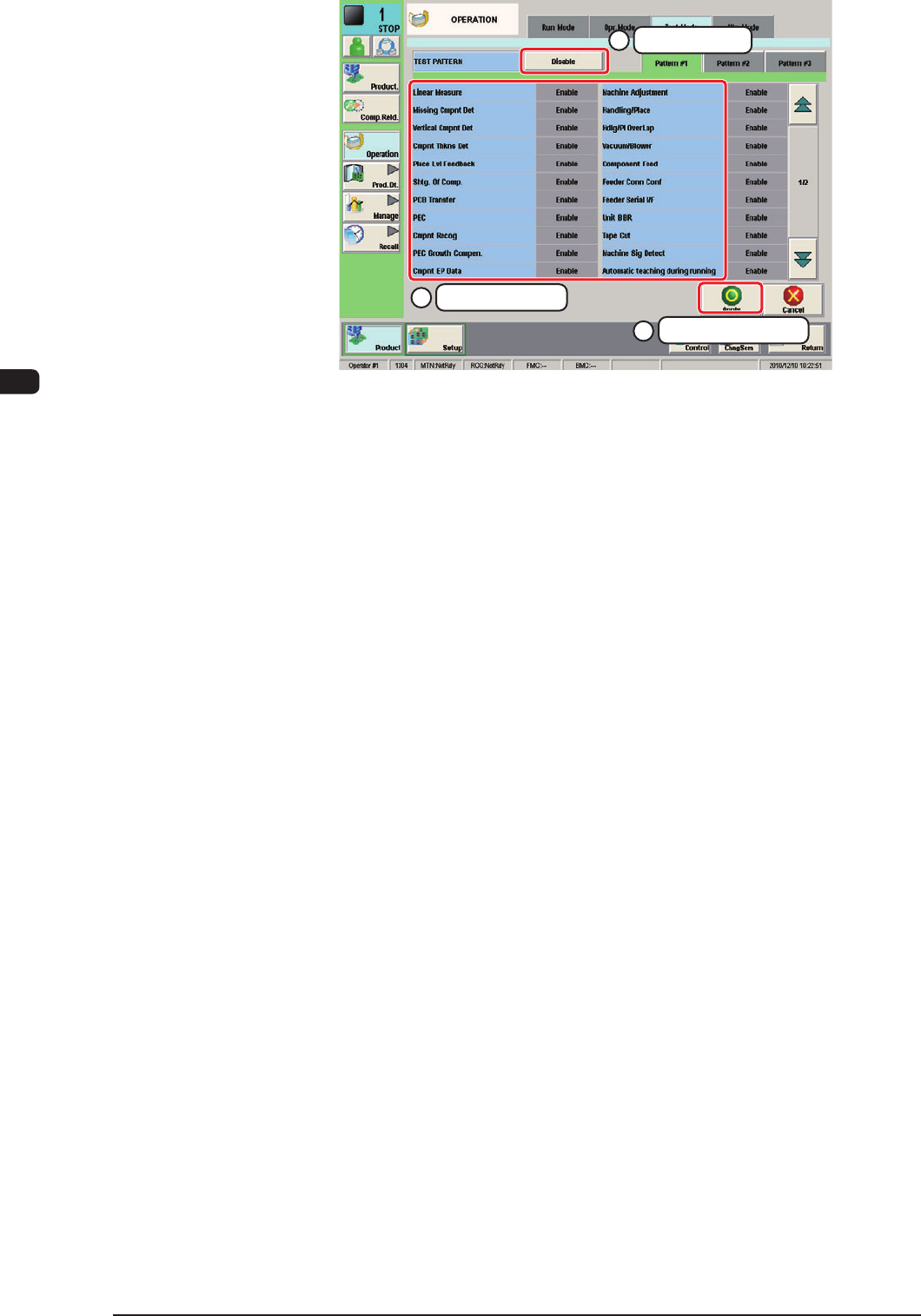
(4) Specify the test mode for the running-in operation by selecting the options
(located under the pattern selection buttons) and press the [Apply] button.
(The specied test pattern is applied to the running-in operation.)
Recommended Selection :
Turn all the items to be "Green".
Notice
Wrong selections (test run in wrong modes) will cause various
decienciessuchascomponentpicksbyvacuumnozzles,scatteringof
components, or collision with the chute, etc.
1007-004
1OM-1603
3-52
6. Running-In Operation : Chap.3
1
Select the pattern
3
Determine the pattern
2
Select the operation
F1C45
(5) Press the [START] button twice on the operation panel.
(The running-in operation starts.)
(6) To stop the running-in operation, press the [STOP] button on the operation
panel.
(7) To exit from the test mode, press the [Disable] and the [Apply] buttons in the
"MODE SET" window.
("TEST RUN: # (Pattern No.)" disappears from the "Status Indicator" eld
located at the upper area of the window and the normal mode resumes.)
1012-005

1OM-1603
1007-003 4-A
Chapter 4
Basic Information
This chapter describes the basic information.
1.Specications
2. List of Vacuum Nozzle Types
3. Measured Noise Value