CM88Maintenace1 - 第163页
Page 1-125 REGULAR MAINTENANCE 1 C N 0 1 C N 2 5 C N 0 0 C N 1 3 C N 2 0 C N 5 1 C N 2 7 C N 5 S W 1 C N 4 C N 1 9 C N 2 3 C N 2 4 C N 5 0 C N 2 6 C N 1 4 C N 2 8 C N 2 9 C N 3 0 C N 3 1 C N 3 2 C N 3 3 C N 3 4 N R 1 N R…
Page 1-124
3Y3C-E-MMD01-A12-02
1-8 Replacing Batteries
NOTICE
The lithium battery is used for this product.
For replacing and casting off the battery, remove it following the procedure on the
next page.
∗ When the battery for the backup is used up, [Recognition data, machine param-
eter, and mount data] may be broken.
1-8-1 Type and Usage of the Batteries to be Used
Station name : CM88S-M/M1/MU, CM88C-D
3Y3C-120TE
.oN eludoM epyT rekaM .onmetI
lanimoN
egatlov
esU
1
XEYMCS
)XEWMCS(
muihtiLATIHSUSTAMFHI/0332LVhAm05,V0.3
dnaatadtnuomehtfopukcaB
.cte,retmearapenihcam
2XE9MRPmuihtiLATIHSUSTAMFHI/0332LVhAm05,V0.3
egamiehtfopukcaB
atadnoitingocer
Page 1-125
REGULAR
MAINTENANCE
1
C
N
0
1
C
N
2
5
C
N
0
0
C
N
1
3
C
N
2
0
C
N
5
1
C
N
2
7
C
N
5
S
W
1
C
N
4
C
N
1
9
C
N
2
3
C
N
2
4
C
N
5
0
C
N
2
6
C
N
1
4
C
N
2
8
C
N
2
9
C
N
3
0
C
N
3
1
C
N
3
2
C
N
3
3
C
N
3
4
N
R
1
N
R
2
C
N
1
8
C
N
8
C
N
7
C
N
T
E
S
T
3
C
N
T
E
S
T
4
CNTEST 1
CNTEST 2
CN2
CN1
CN21
CN22CN17
CN11
CN12
CN9
CN10
CN15
CN1
CN2
CN3
OPT1OPT2OPT3OPT4OPT5
OPT6OPT7
CN1
CN2
CN3
CN1
CN2
CN3
CN4
CN4
CN2
CN1
CN3
CN5
CN
10
CN
9
CN
7
CN
6
CN1CN2
CN3
CN4
CN5
CN6
CN2
CN3
CN4
CN5
CN
8
N
C
G
N
D
1
1
2
V
G
N
D
2
G
N
D
1
+
5
V
+
2
4
V
-
1
2
V
+
1
2
V
+
5
V
G
N
D
3
+
2
4
V
-
1
2
V
+
1
2
V
GND
2
GND
1
+
5
V
C
N
C
G
N
D
3
+
2
4
V
-
1
2
V
G
N
D
2
+
1
2
V
G
N
D
1
+
5
V
N
C
L
N
F
G
E
C
5
5
C
A
N
F
M
0
C
K
C
M
M
7
C
A
M
C
M
A
E
R
P
R
M
7
E
Q
E
L
L
Z
E
A
S
C
M
W
E
E
P
U
0
2
E
1
G
N
D
+
5
V
N
C
G
N
D
1
G
N
D
+
5
V
Replacing Batteries
3Y3C-E-MMD01-A12-02
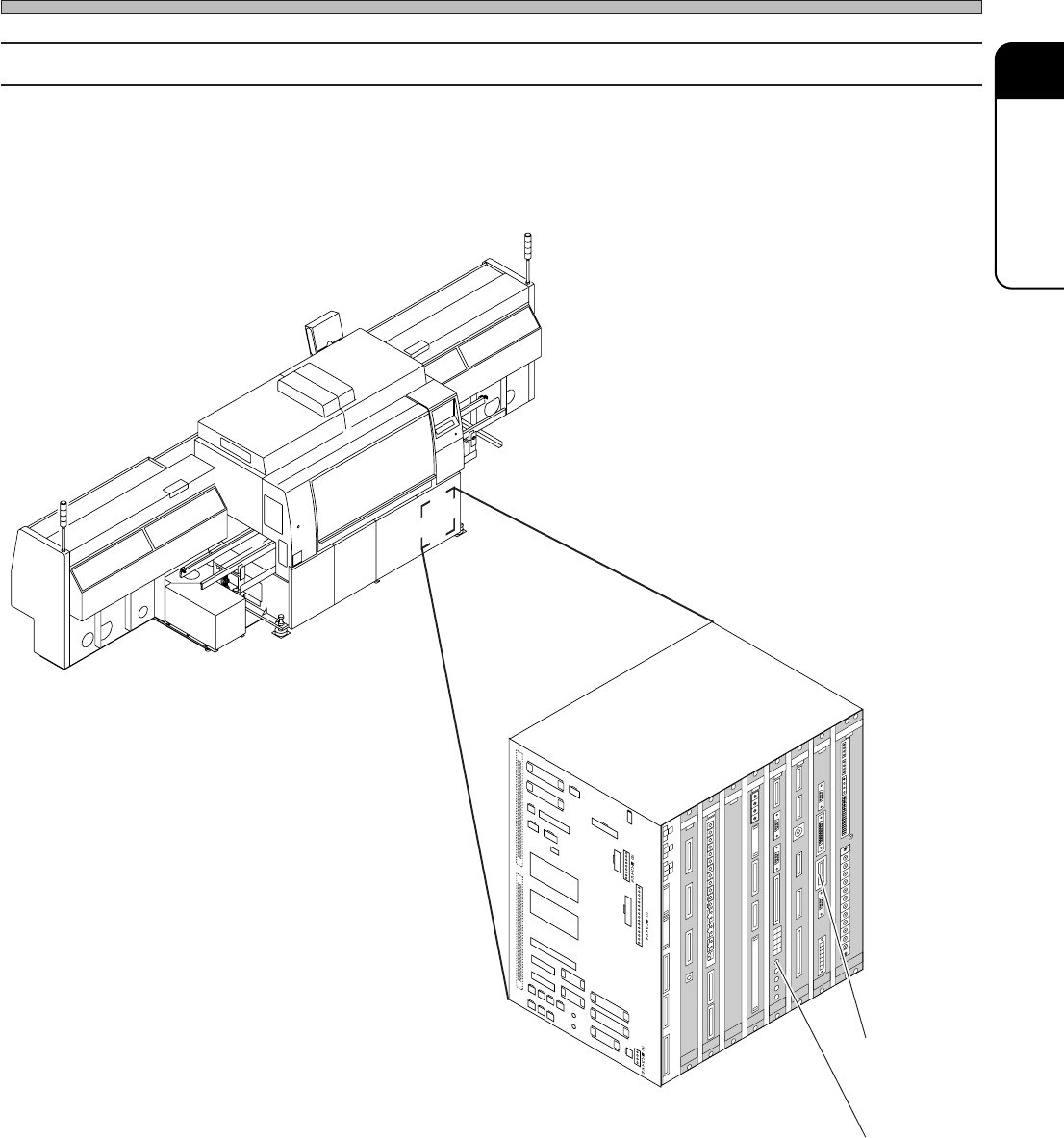
1-8-2 Battery Locations
4G3C-AA01
3Y3C-109E
[CPU-BOX]
1. SCMYEX
(SCMWEX)
2. PRM9EX
∗ This is described with the illustration of CM88S-M.
Page 1-126
3Y3C-E-MMD01-A12-02
Replacing Batteries
1-8-3 Replacing SCMYEX (SCMWEX) Battery
1) Save the machine data and the machine parameter to the floppy disk.
2) Turn off the power.
3) Remove two screws at the upper and lower positions, and remove the SCMYEX (SCMWEX)
board.
4) Remove the battery set to the board.
5) Set the new battery.
6) Set the SCMYEX (SCMWEX) board and turn on the power.
7) Load the machine data and the machine parameter.
1-8-4 Replacing PRM9EX Battery
1) Save the machine data and the machine parameter to the floppy disk.
2) Turn off the power.
3) Remove two screws at the upper and lower positions, and the PRM9EX board.
4) Remove the battery set to the board.
5) Set the new battery.
6) Set the PRM9EX board and turn on the power.
7) Load the machine data and the machine parameter.
8) Install the recognition software.