00198156-01_AI_Long-Board-Option_EN.pdf - 第27页
Installing 2.1.2 Installation SIRIO Station Software setting Assembly Instructions E by SIPLACE 27 ► Go to the single calib ration set tings. Selec t the conve yor func tion 1 . ► Select Save the machine data for conveyo…
Installing
SIRIO Station Software setting 2.1.2 Installation
26 Assembly Instructions E by SIPLACE
2.2
2.2 SIRIO Station Software setting
SIRIO Station Software setting
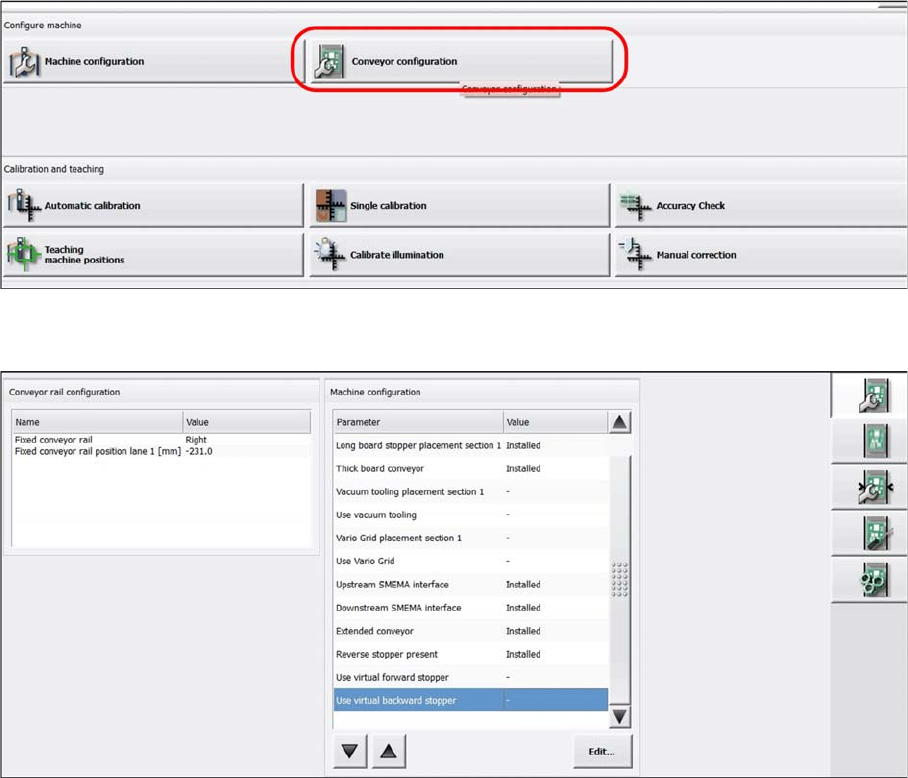
► Start up the machine and perform a reference run.
► In the station software, select Conveyor configuration.
The following entries are displayed:
▪ Long board stopper placement section 1: Installed (Auto detect)
▪ Thick board conveyor: Installed (Auto detect)
▪ Reverse stopper present: Installed (Auto detect)
▪ For Extended conveyor: Installed (Has to be selected manually)
Installing
2.1.2 Installation SIRIO Station Software setting
Assembly Instructions E by SIPLACE 27
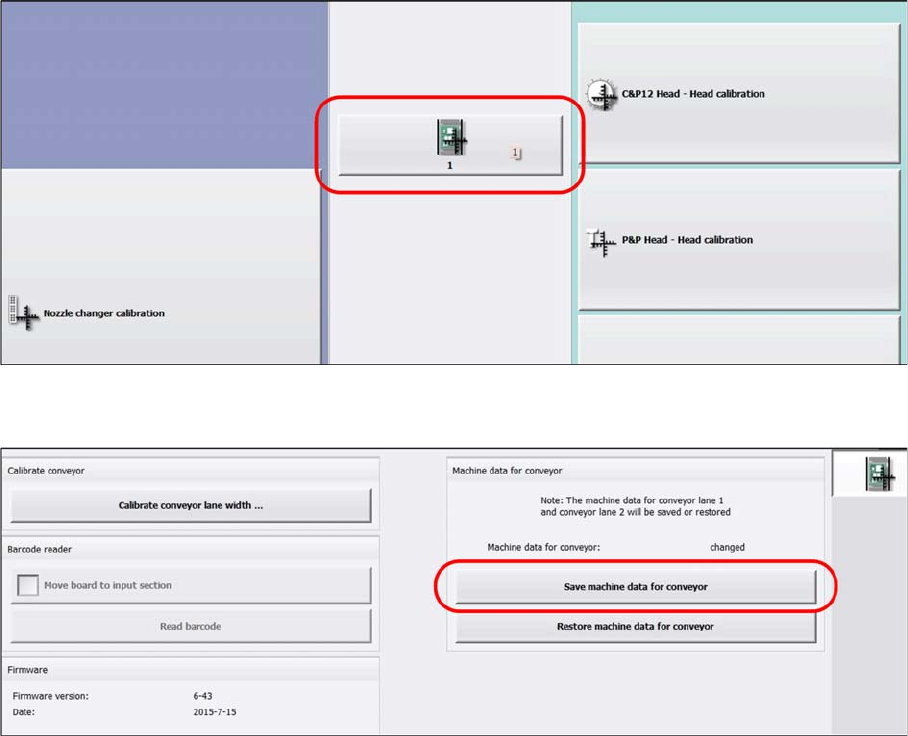
► Go to the single calibration settings. Select the conveyor function 1.
► Select Save the machine data for conveyor.
Installing
Settings in SIPLACE Pro 2.1.2 Installation
28 Assembly Instructions E by SIPLACE
2.3
2.3 Settings in SIPLACE Pro
Settings in SIPLACE Pro
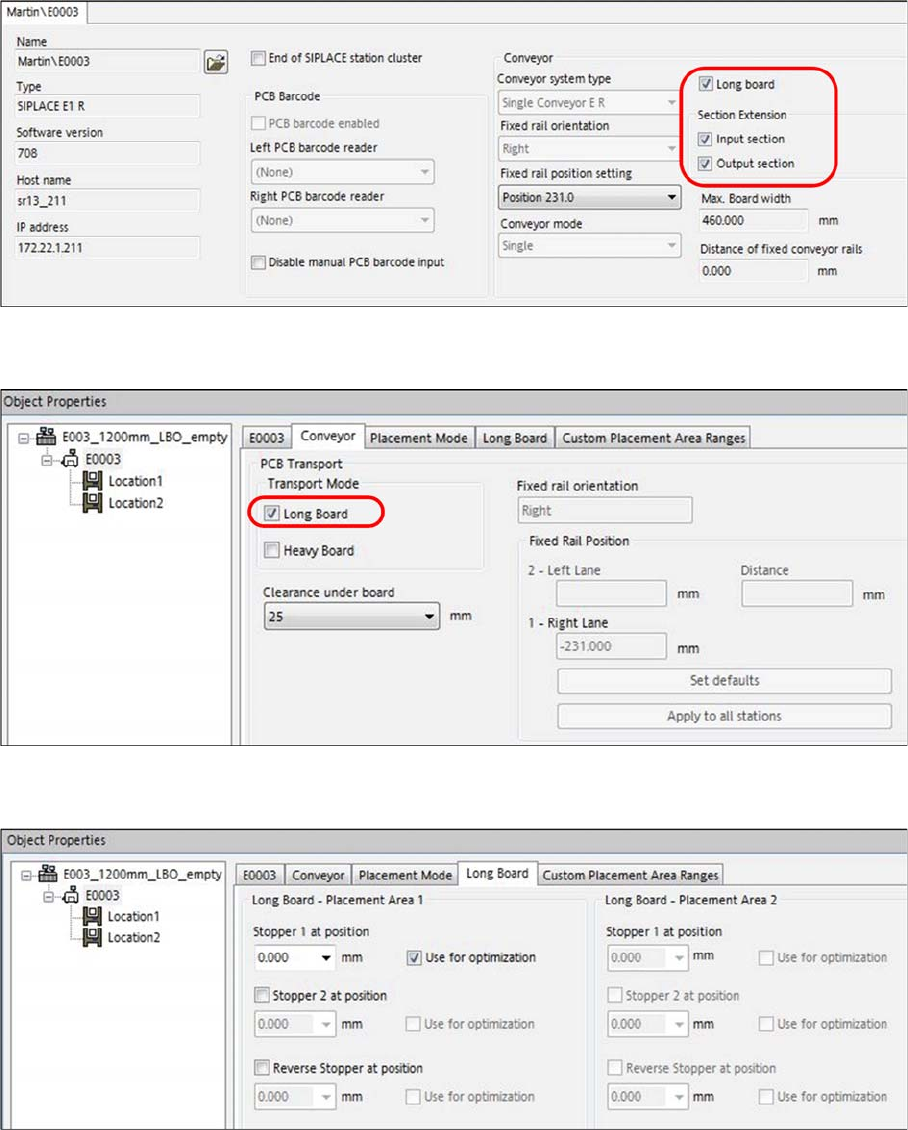
► For the machine with LBO option installed, go to the line setup for the machine station.
► Select the following: Long Board, Input section and Output section.
► In the machine setup, select Long Board under Conveyor - PCB Transport – Transport Mode.
► When producing PCB with standard lengths from 50 mm up to 460 mm, select Stopper 1 at position
for optimization.