00198156-01_AI_Long-Board-Option_EN.pdf - 第28页
Installing Settings in SIPLACE Pro 2.1.2 Installation 28 Assembly Instructions E by SIPLACE 2.3 2 . 3 S e t t in g s in S I P L A C E P r o Settings in SIPLACE Pro ► For the machine with LBO option in stalled, go to t he…
Installing
2.1.2 Installation SIRIO Station Software setting
Assembly Instructions E by SIPLACE 27
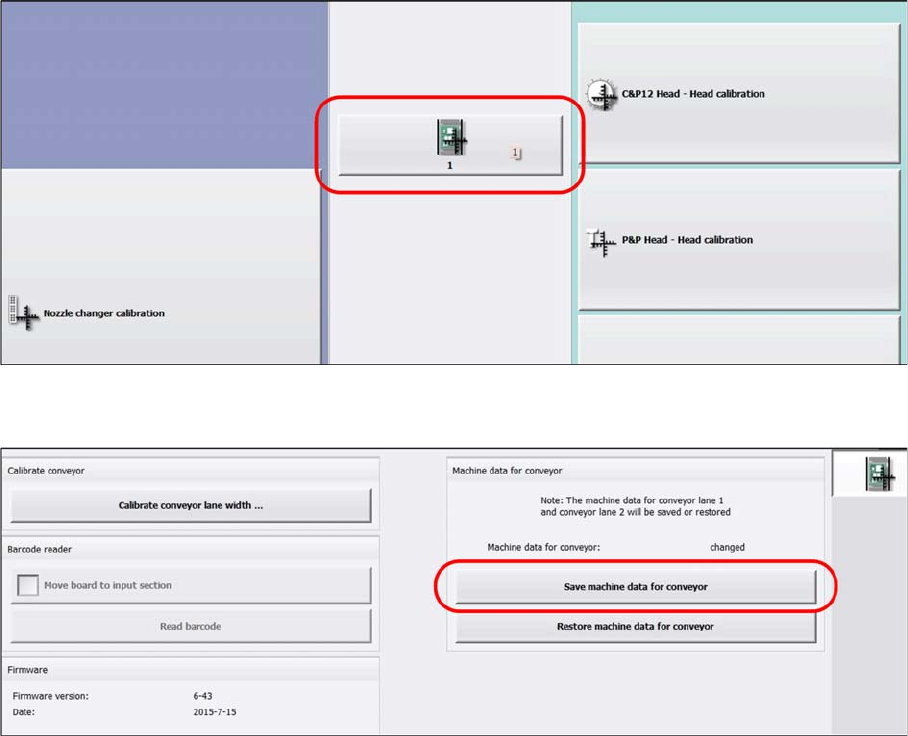
► Go to the single calibration settings. Select the conveyor function 1.
► Select Save the machine data for conveyor.
Installing
Settings in SIPLACE Pro 2.1.2 Installation
28 Assembly Instructions E by SIPLACE
2.3
2.3 Settings in SIPLACE Pro
Settings in SIPLACE Pro
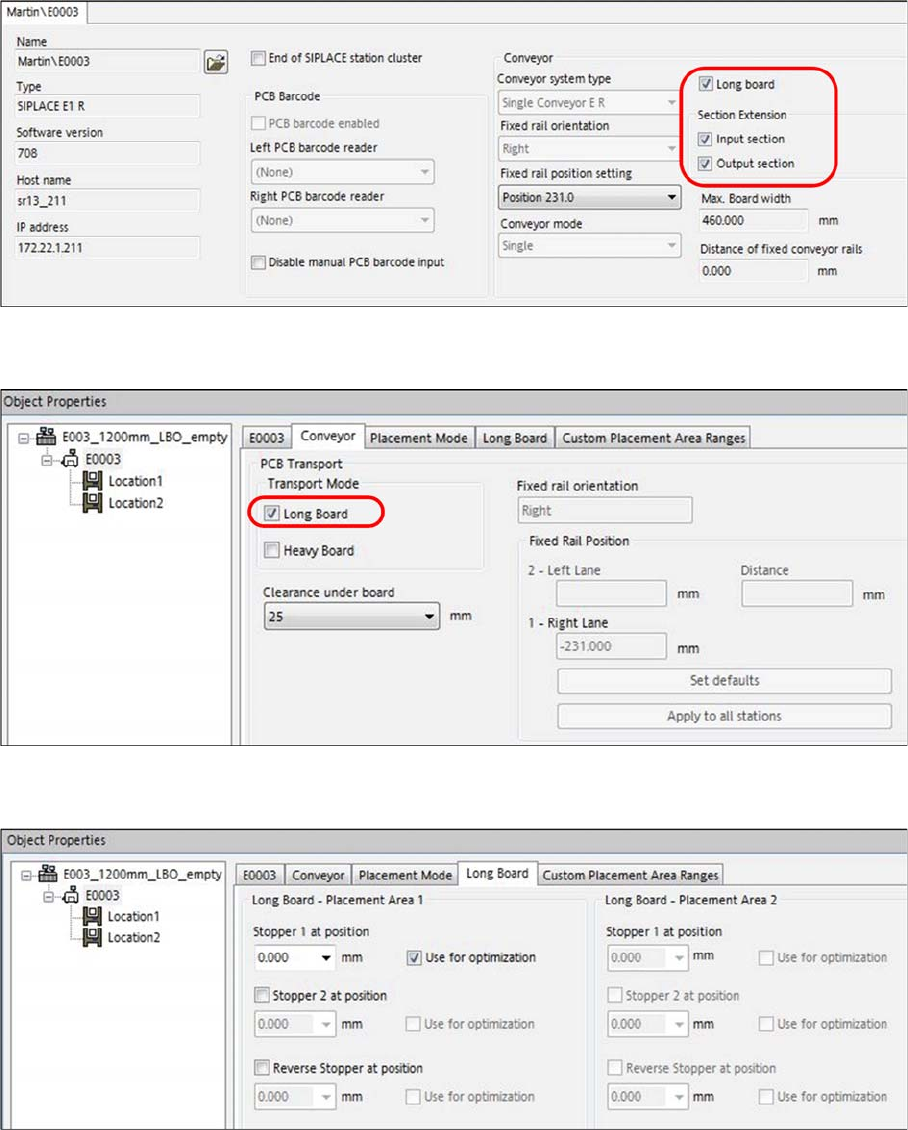
► For the machine with LBO option installed, go to the line setup for the machine station.
► Select the following: Long Board, Input section and Output section.
► In the machine setup, select Long Board under Conveyor - PCB Transport – Transport Mode.
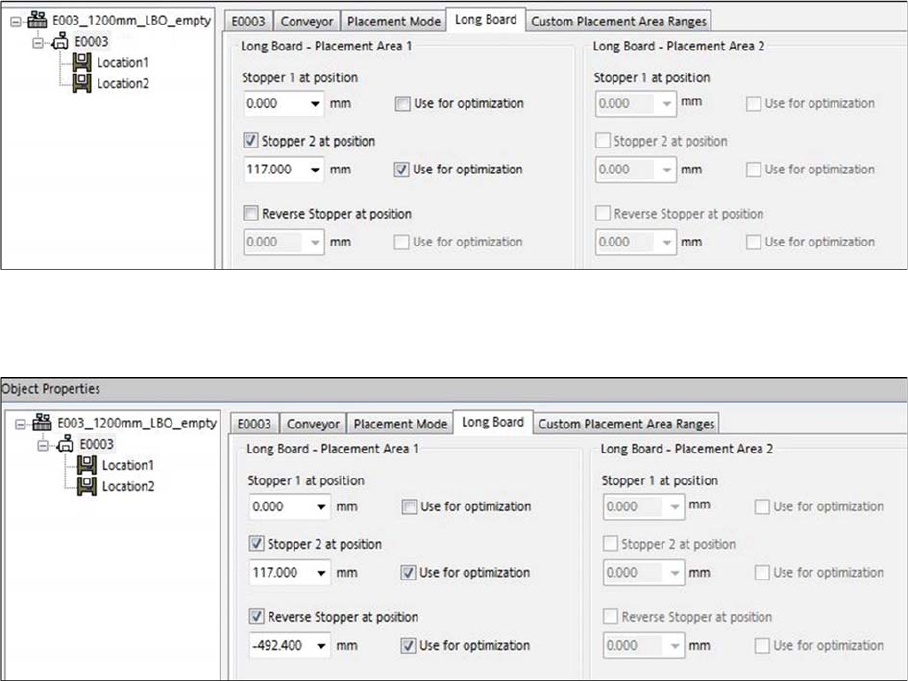
► When producing PCB with standard lengths from 50 mm up to 460 mm, select Stopper 1 at position
for optimization.
Installing
2.1.2 Installation Settings in SIPLACE Pro
Assembly Instructions E by SIPLACE 29
► When producing LBO PCBs with lengths from 461 mm up to 610 mm length, select Stopper 2 at po
-
sition for optimization.
► When producing with LBO PCBs with lengths from 611 mm to 1030 mm (1200 mm), select Stopper
2 at position and Reverse stopper at position for optimization.