YS100_Ope_E.pdf - 第113页
2-46 2 asic operation 4 Insert all the required pallets into the correct magazine shelves. n NOTE • Labelswithblackandsilvernumbersareafxedtobothsidesofthemagazinetoshowtheshelfnumberand prevent in…
2-45
2
asic operation
4.3.2 Setting the pallet in the magazine
1
Place the magazine on a flat and level surface.
2
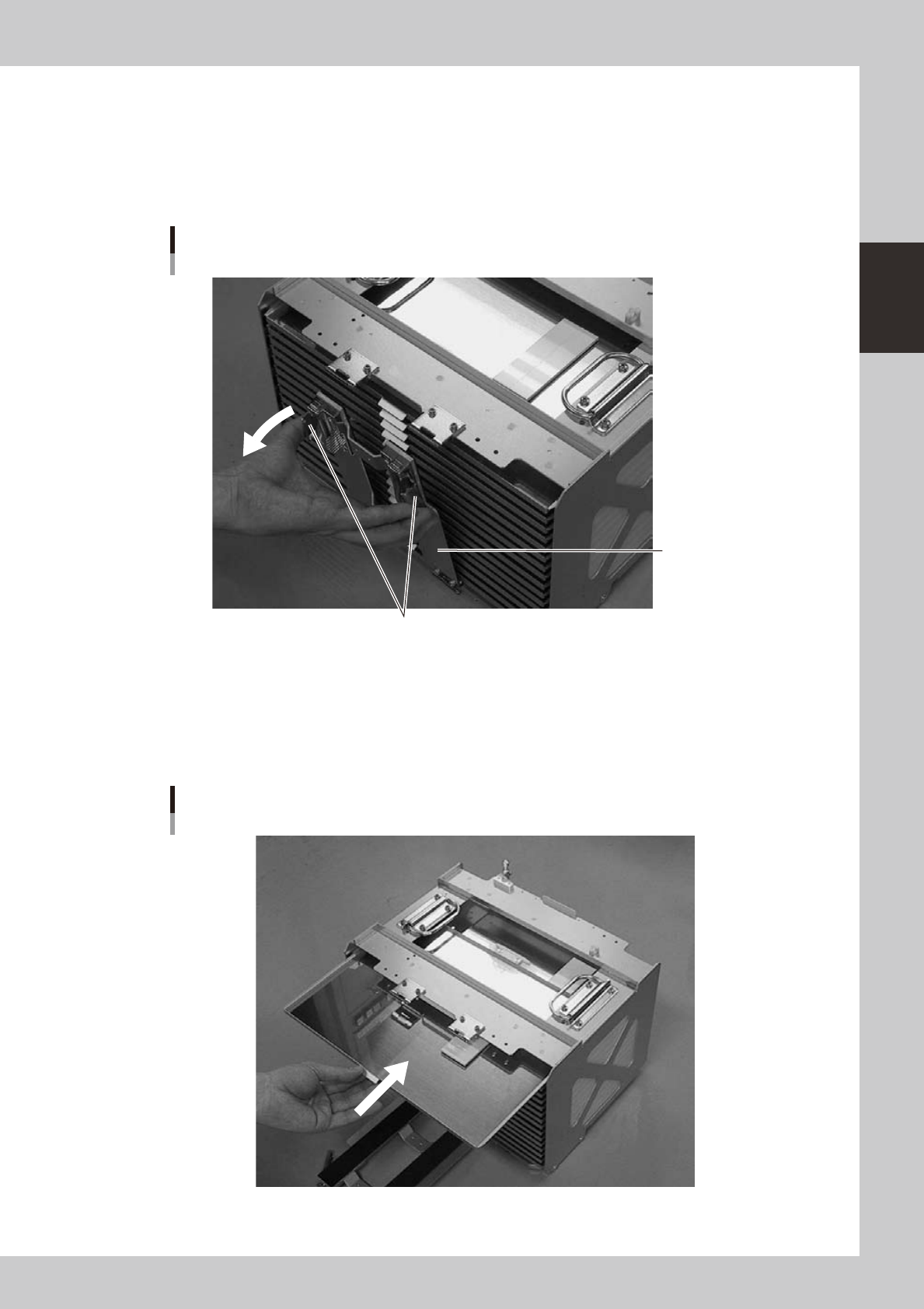
Open the pallet retainer door.
Open the pallet retainer door while depressing the latch levers.
Pallet retainer door
Latch levers
Pallet retainer door
23220-L1-00
3
Insert the pallet.
While keeping the pallet level, insert it into the correct magazine shelf. The pallet pullout piece should
be on the inner side. Insert it gently inwards until it contacts the pallet retainer rod on the opposite side.
(If replacing a pallet, first extract the previous (used) pallet from the magazine before inserting the new
pallet inside.)
Inserting the pallet
23221-L1-00
2-46
2
asic operation
4
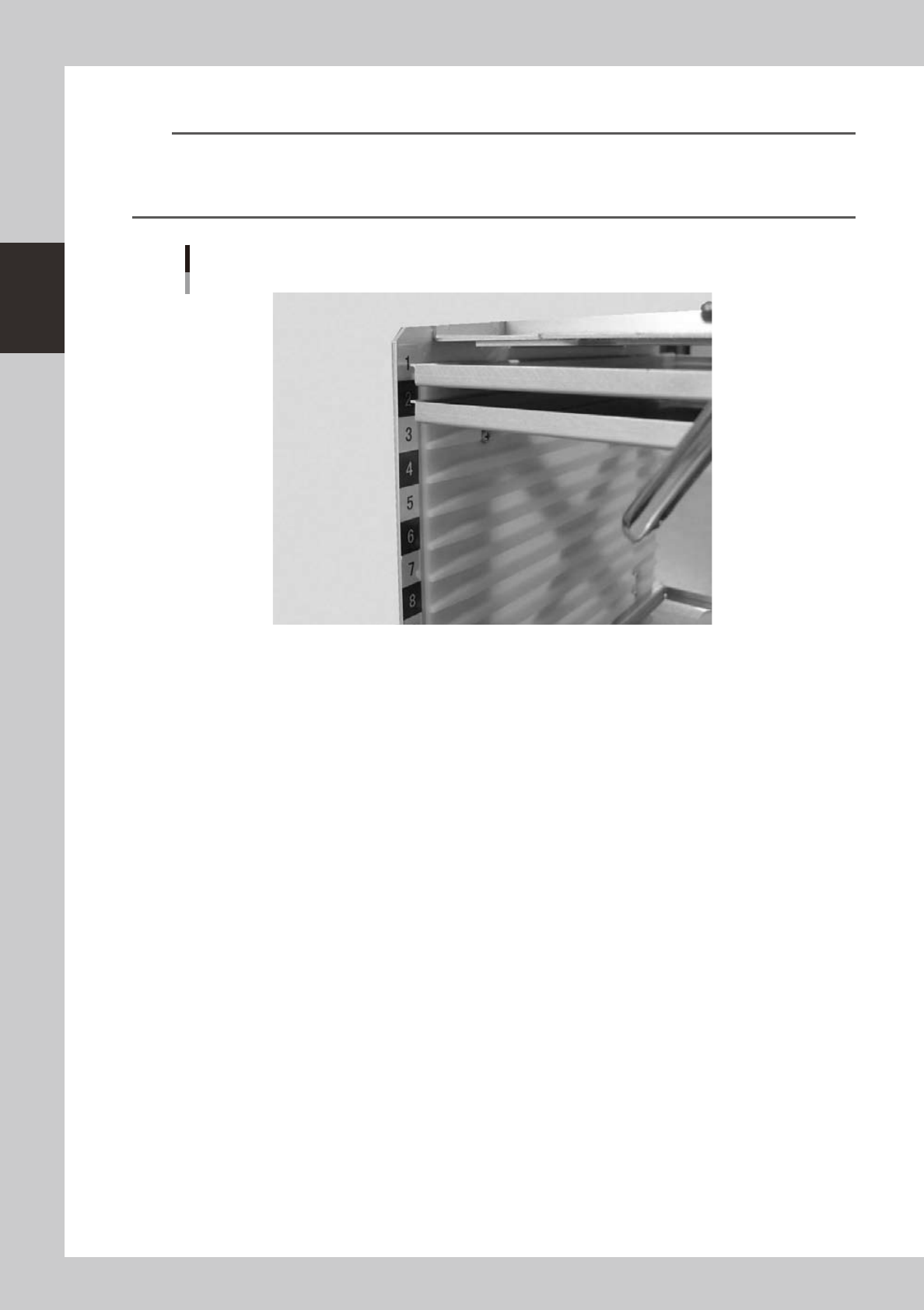
Insert all the required pallets into the correct magazine shelves.
n
NOTE
• Labelswithblackandsilvernumbersareafxedtobothsidesofthemagazinetoshowtheshelfnumberand
prevent inserting a pallet into the wrong position.
• Insertthepalletintotheshelfthatwassetinthe"PalletNo.Start"and"PalletNo.End"parametersinthe[Parts]-[Tray]
information.
Pallet insertion shelf number
23222-L1-00
5
Close the pallet retainer door.
Close the door while depressing the latch levers.
2-47
2
asic operation
4.3.3 Replacing a magazine or pallets during operation (dYTF)
The dYTF allows you to replace a magazine or pallets even when the mounter is operating. You can make setup
for tray components without decreasing the rate of production. (Magazine being used during operation cannot
be replaced.)
This section explains how to replace a magazine or pallets.
1
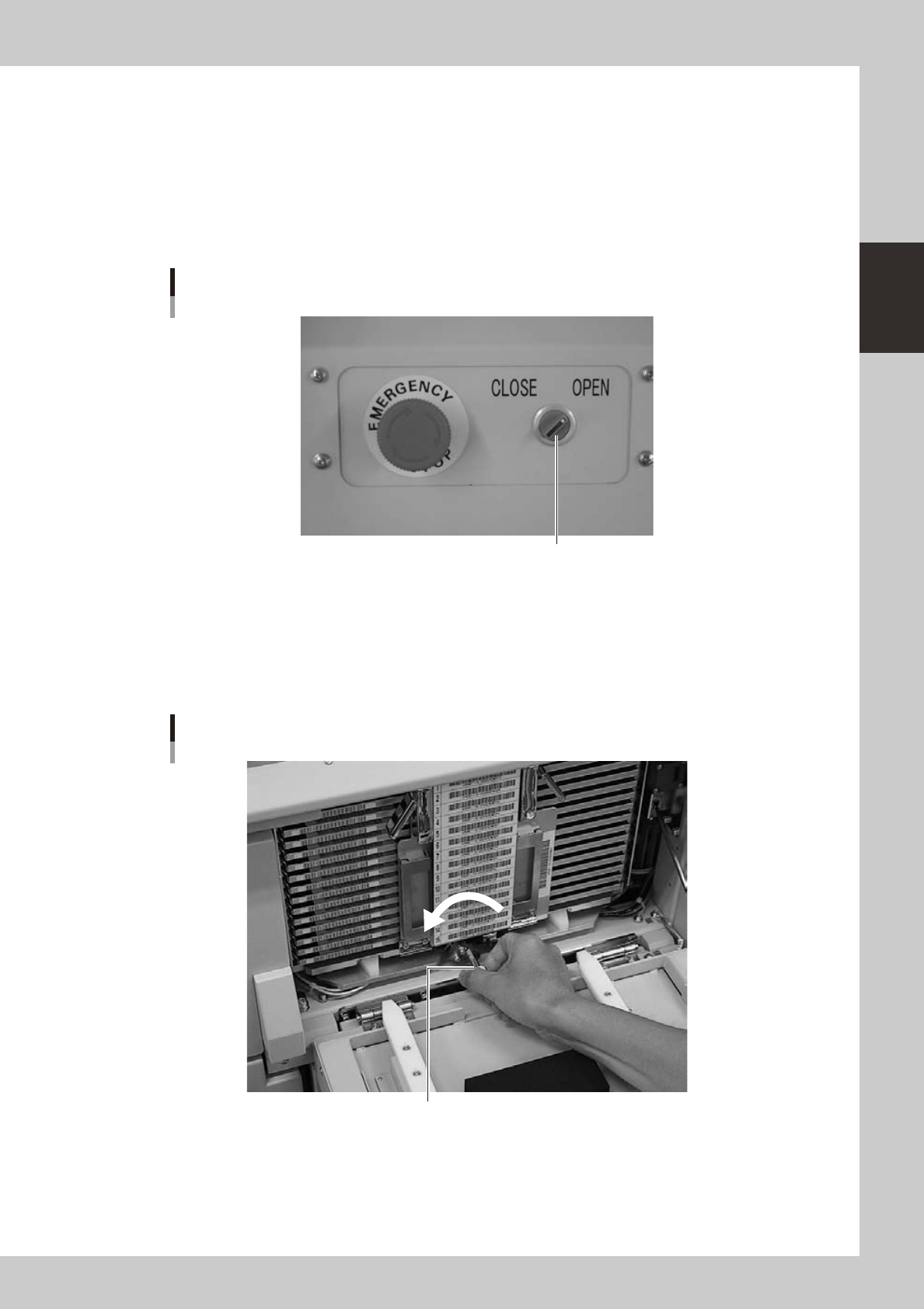
Set the door switch for the magazine you want to replace to "OPEN".
The magazine door unlocks and the door switch lamp turns off.
Door switch
Door switch
23223-L1-00
2
Open the magazine door.
Pull down the handle to open the magazine door for the magazine you want to replace.
3
Unclamp the magazine.
Turn the clamp lever to the left while pulling it.
Magazine clamp
Turn the clamp lever to the left to unclamp the magazine.
23225-L1-10