YS100_Ope_E.pdf - 第117页
2-50 2 asic operation 5. Settings on the mounter side After installing the tape feeders and the tray changer in the surface mounter , you must make settings for the mounter . 5.1 Setting the "Package" paramet…

2-49
2
asic operation
6
Insert the new magazine.
Align the grooves in the bottom of the magazine with the guides on the inner side of the magazine door,
and slowly insert in until the magazine stops.
7
Clamp the magazine.
While pulling the clamp lever, turn it to the right to clamp the magazine.
8
Press the indicator buttons.
Press the indicator buttons for the pallets that have been newly set.
9
Close the magazine door.
0
Return the door switch to "CLOSE".
The magazine door is closed and the door switch lamp lights up.
c
Automatic operation stops due to an error if an instruction to replace the currently used pallet is issued while you are
exchanging a magazine or pallets.
2-50
2
asic operation
5. Settings on the mounter side
After installing the tape feeders and the tray changer in the surface mounter, you must make settings for the
mounter.
5.1 Setting the "Package" parameter.
Tape feeder :
Set the "Package", "Tape Type" and "Feed Pitch" parameters.
Wide multi-stick feeder :
Set the "Package", "Feeder Type", and "Feed Timer Offset" parameters.
Tray changer :
Set the "Package" and "Feed Type" parameters.
1
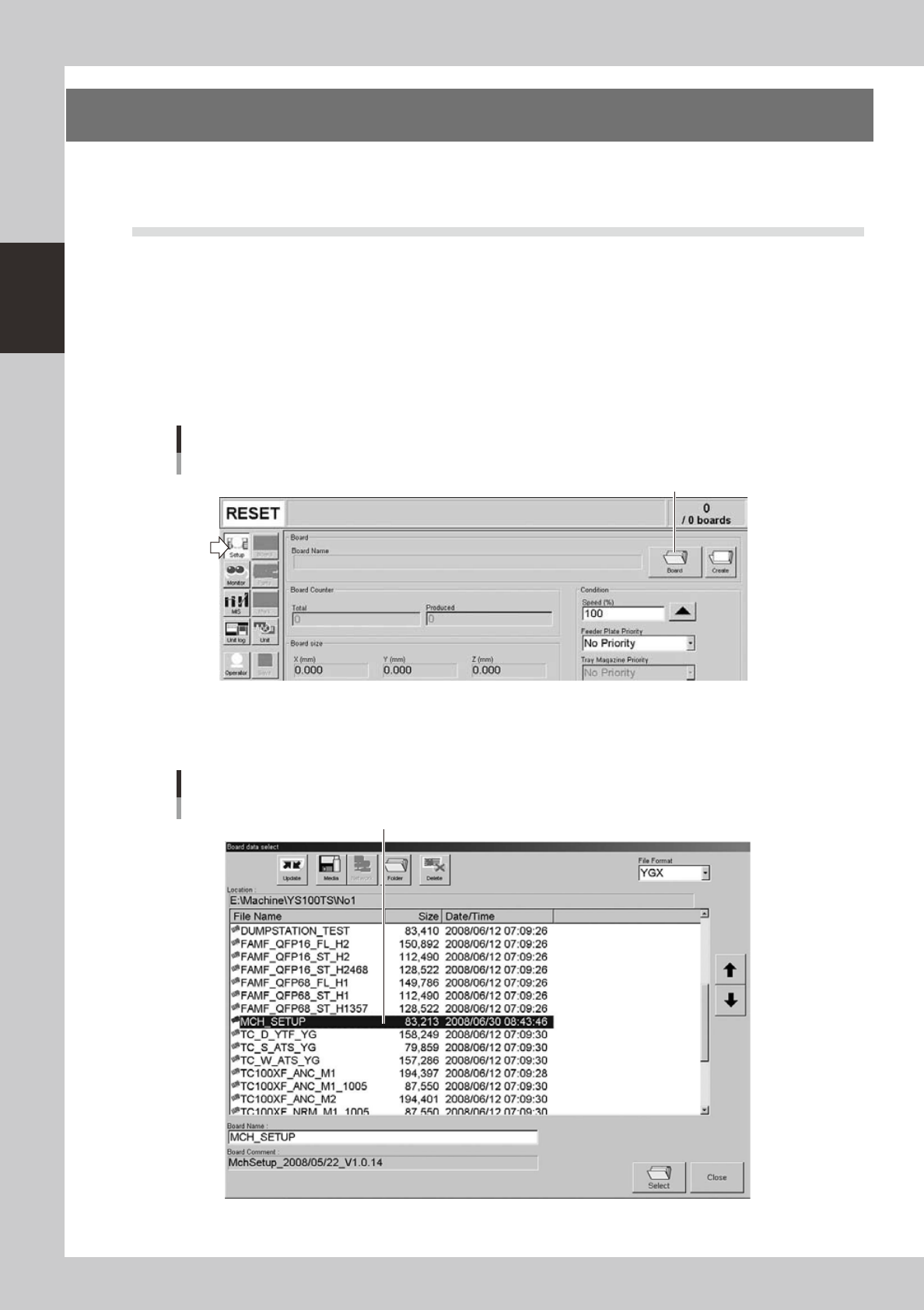
Open the "Board data select" screen.
On the Setup screen, press the [Board] to open the "Board data select" screen.
Setup screen
[Board] button
[Board] button
24224-L1-00
2
Select the board data.
Select the board data in the list and press the [Select] button.
"Board data select" screen
Select the board data.
24225-L1-00
2-51
2
asic operation
3
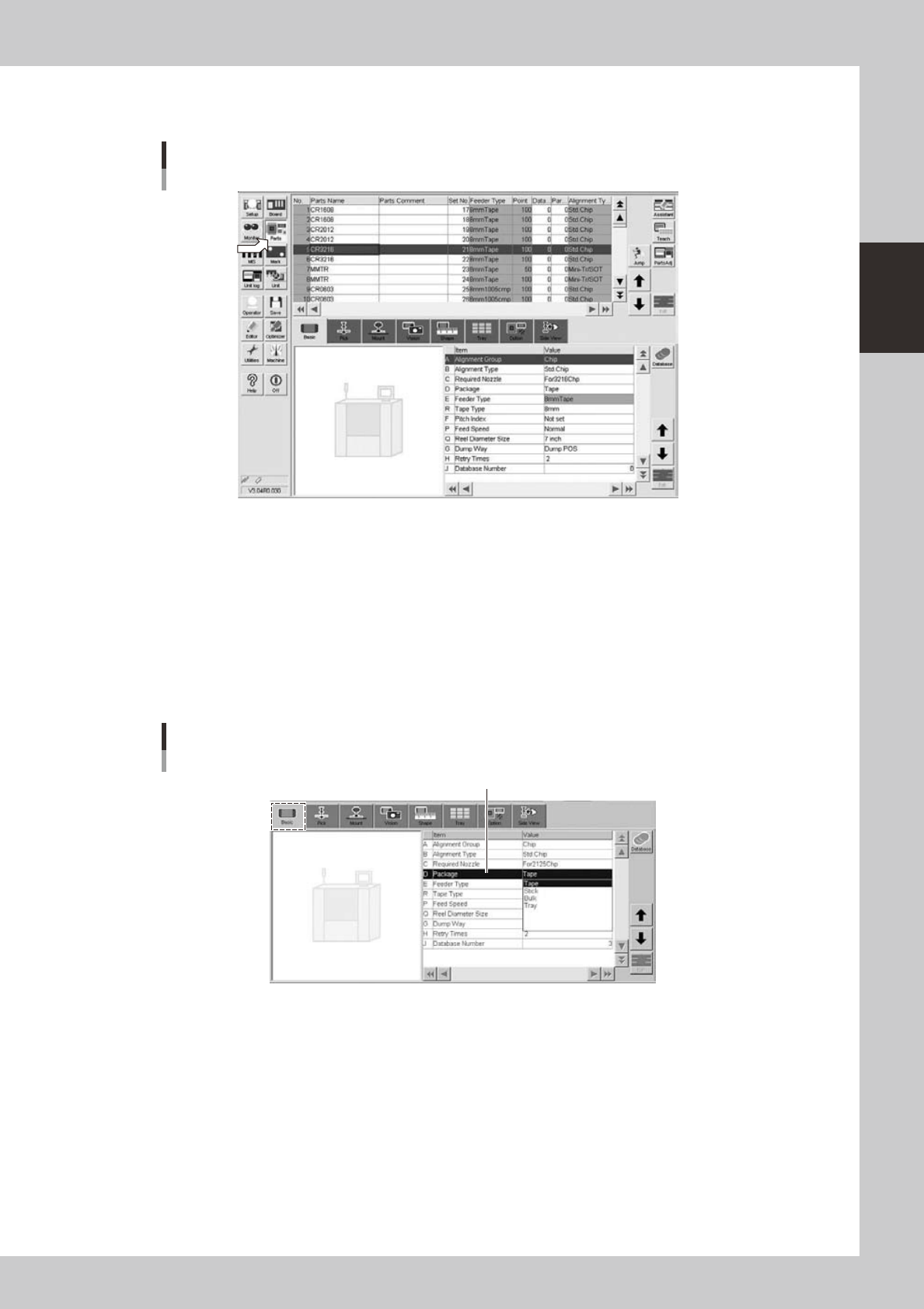
Open the Parts screen.
Press the [Parts] button to open the Parts screen and select the component from the upper list.
Parts screen
24226-L1-00
4
Display the basic parameters.
Select the [Basic] tab to display the basic parameters.
5
Set the "Package" parameter.
Double-click the "Package" parameter field and select an appropriate package from the drop-down
list.
• Tape components: Tape
• Stick components: Stick
• Tray components: Tray
[Parts]-[Basic] screen
"Package" parameter
"Package"
24227-L1-00