YS100_Ope_E.pdf - 第49页
1-14 1 Part names and functions 4.1.2 Feeder exchange carriage T he feeder exchange carriage allows feeder setup in ad vance for the next production boards. T he feeders on the feeder exchange carriage can be c hanged at…
1-13
1
Part names and functions
n
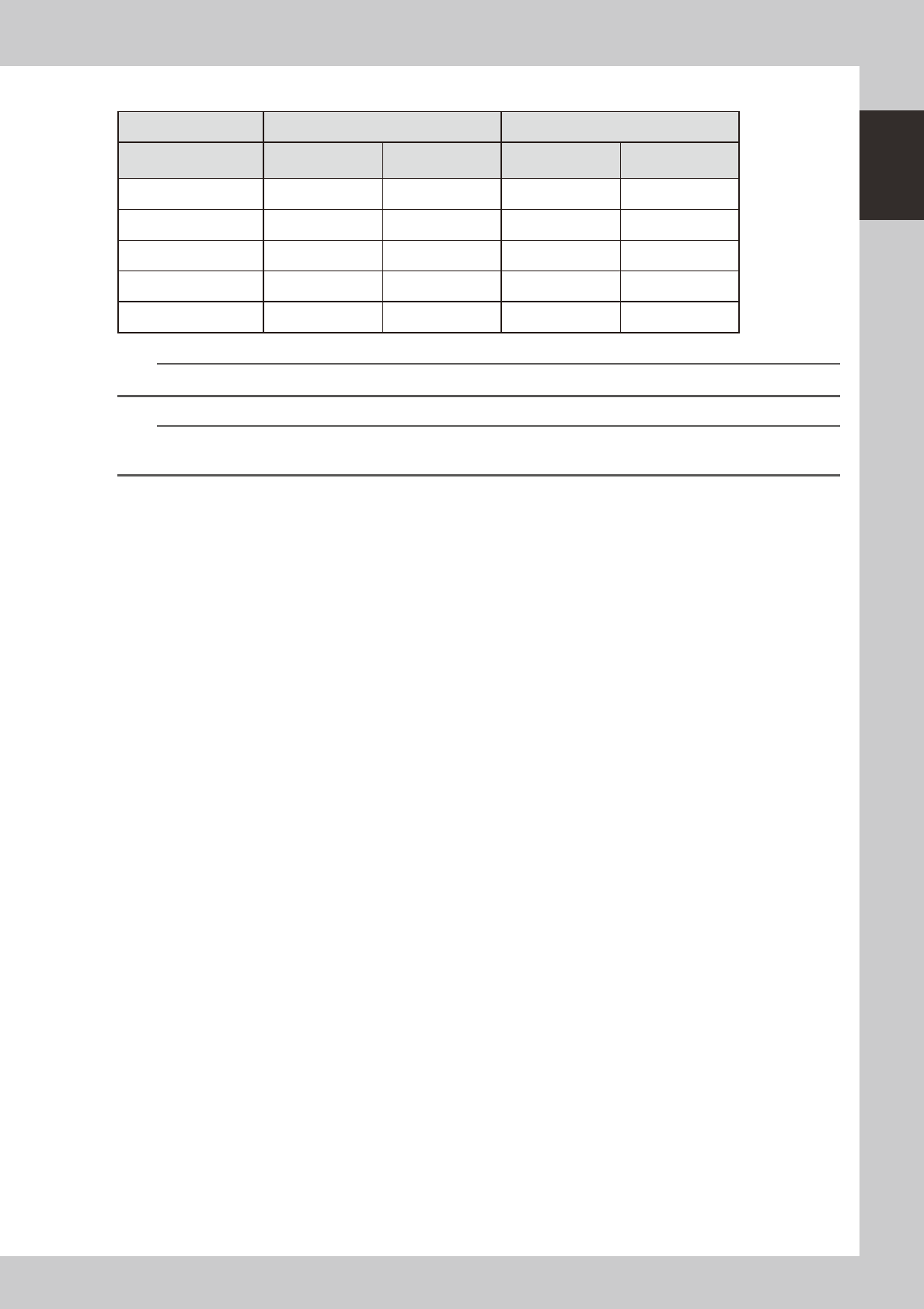
Number of max. feeders
Standard type or dYTF type sATS type
Layout
24-feeder bank
16mm pitch
32-feeder bank
12mm pitch
24-feeder bank
16mm pitch
32-feeder bank
12mm pitch
FL (Front, left side) 24 32 24 32
FR (Front, right side) 24 31 24 31
RL (Rear, left side) 24 31 24 (12mm pitch) 24
RR (Rear, right side) 24 32 --- ---
Total 96 126 72 87
n
NOTE
Rear feeder plate of sATS type is a fixed plate with 12mm pitch feeder installation holes.
n
NOTE
Accessible feeder positions may differ from the above when the Feeder Definition parameter in component
information is set to "Teach" or "Relative".
1-14
1
Part names and functions
4.1.2 Feeder exchange carriage
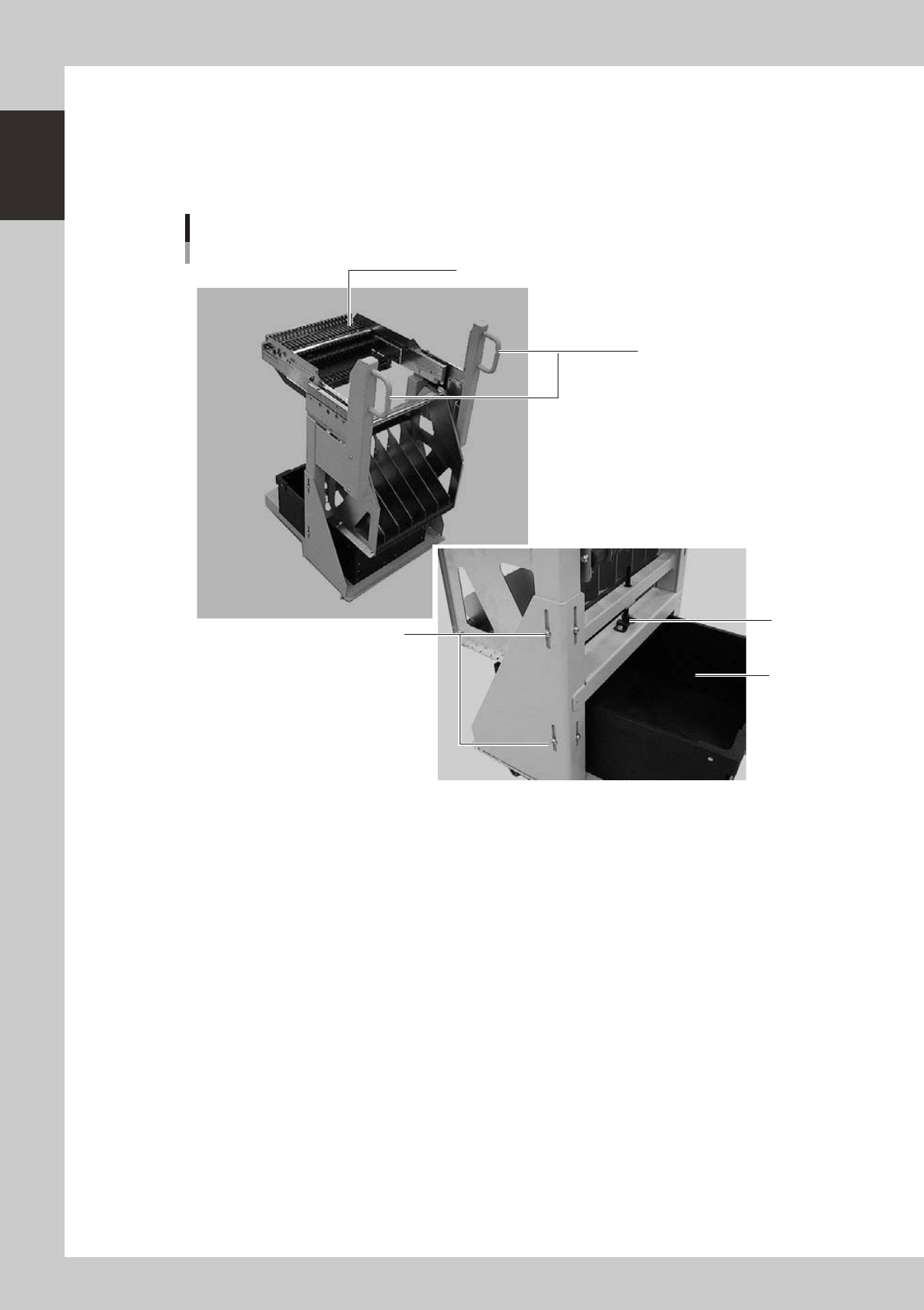
The feeder exchange carriage allows feeder setup in advance for the next production boards. The feeders on
the feeder exchange carriage can be changed at one time.
n
Feeder exchange carriage
1
2
5
3
4
External view of feeder exchange carriage
23118-L1-00
1. Handle
Use this handle to move and position the feeder exchange carriage.
2. Feeder plate
Up to 24 SS feeders (8mm) can be installed on this feeder plate.
3. Vertical clamp bolts
If necessary to adjust the feeder plate height, loosen these bolts and change their clamping positions. (8 places)
4. Empty tape dump box (option)
This box is for catching empty tape after components have been picked up.
5. Height adjustment bolt
After loosening the vertical clamp bolts, turn this bolt to adjust the feeder plate height.
1-15
1
Part names and functions
4.2 Supplying components from trays
There are two types of external tray changers. One type, called "dYTF", supplies tray components using its pick
& place head and relay station. The other type, "sATS", utilizes a head of the connected surface mounter.
4.2.1 dYTF main unit
Major part names and their functions of dYTF are explained below.
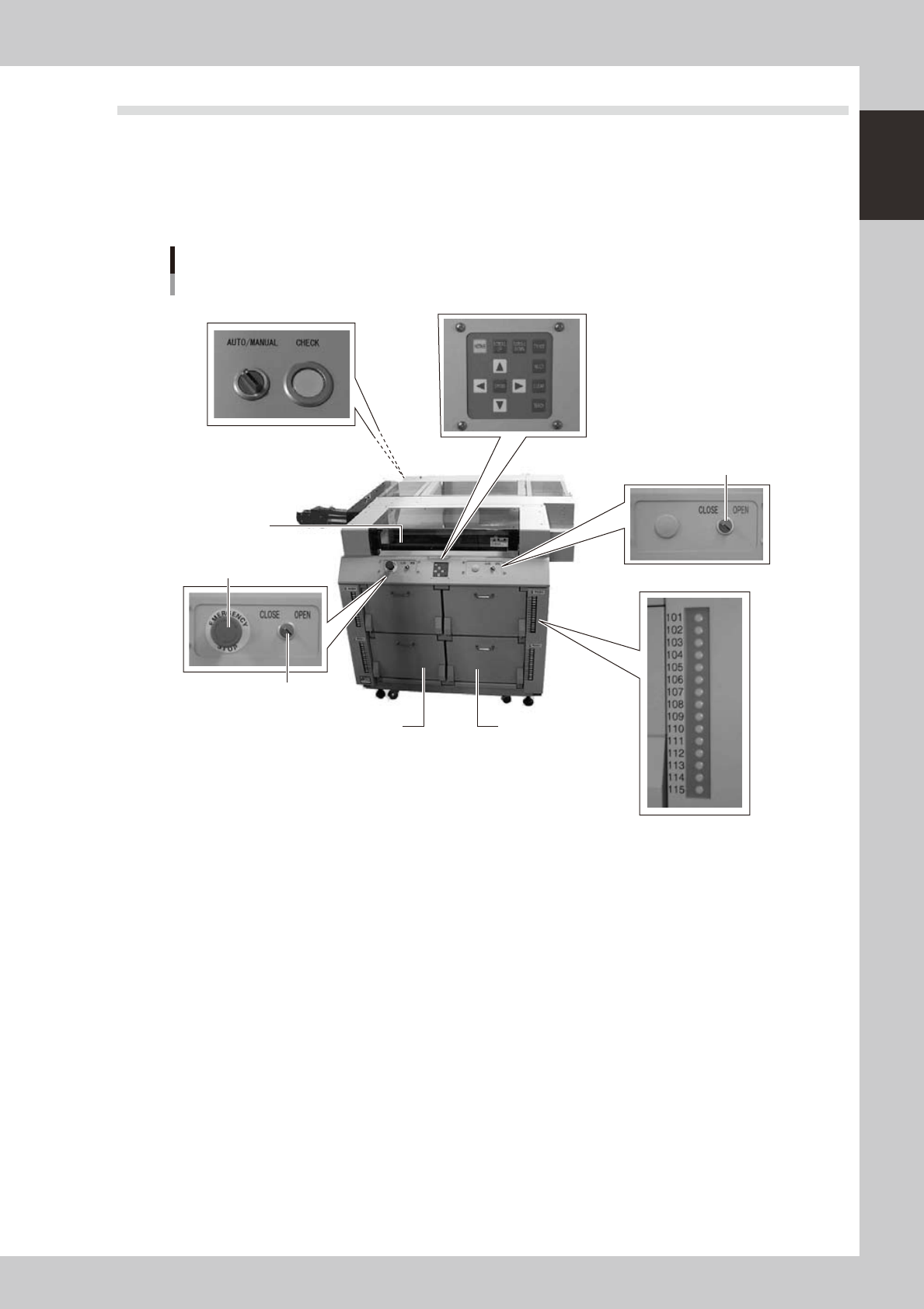
dYTF main unit
Magazine door side
7. Pallet indicator
1. Safety cover
2. Magazine door (stage 1)
3. Magazine door (stage 2)
4. Emergency stop button
5. Door switch (stage 1)
5. Door switch (stage 2)
6. Teaching panel
8. Conveyor operation switch
23120-L1-00
1. Safety cover
When this cover is opened with the power on, it triggers emergency stop. Keep this cover closed during operation.
2. Magazine door (stage 1)
Open this door when replacing a pallet or a magazine on stage 1. The upper door is for Magazine 1 and the lower door
is for Magazine 2.
3. Magazine door (stage 2)
Open this door when replacing a pallet or a magazine on stage 2. The upper door is for Magazine 1 and the lower door
is for Magazine 2.
4. Emergency stop button
Pressing this button triggers emergency stop, the same as the emergency stop buttons on the mounter.
5. Door switch
Placing this switch in "OPEN" unlocks the magazine door, so you can open it. When this switch is in "CLOSE", the door
is locked and the door switch lamp lights up.
6. Teaching panel
Use the operation keys on this panel when teaching the tray component positions on a pallet.