YS100_Ope_E.pdf - 第93页
2-26 2 asic operation 3.4.2 Conveyor width Adjust the convey or width to match the board width to be produced. 1 Select the board data. See the description in "1. Starting produc tion" in Chapter 3. n NOTE Wh…
2-25
2
asic operation
3.4 Adjusting the conveyor unit setup
When the board type to be produced is changed, the conveyor unit setup must be adjusted, and the feeders
prepared to match that board type. This section describes how to change the conveyor unit setup.
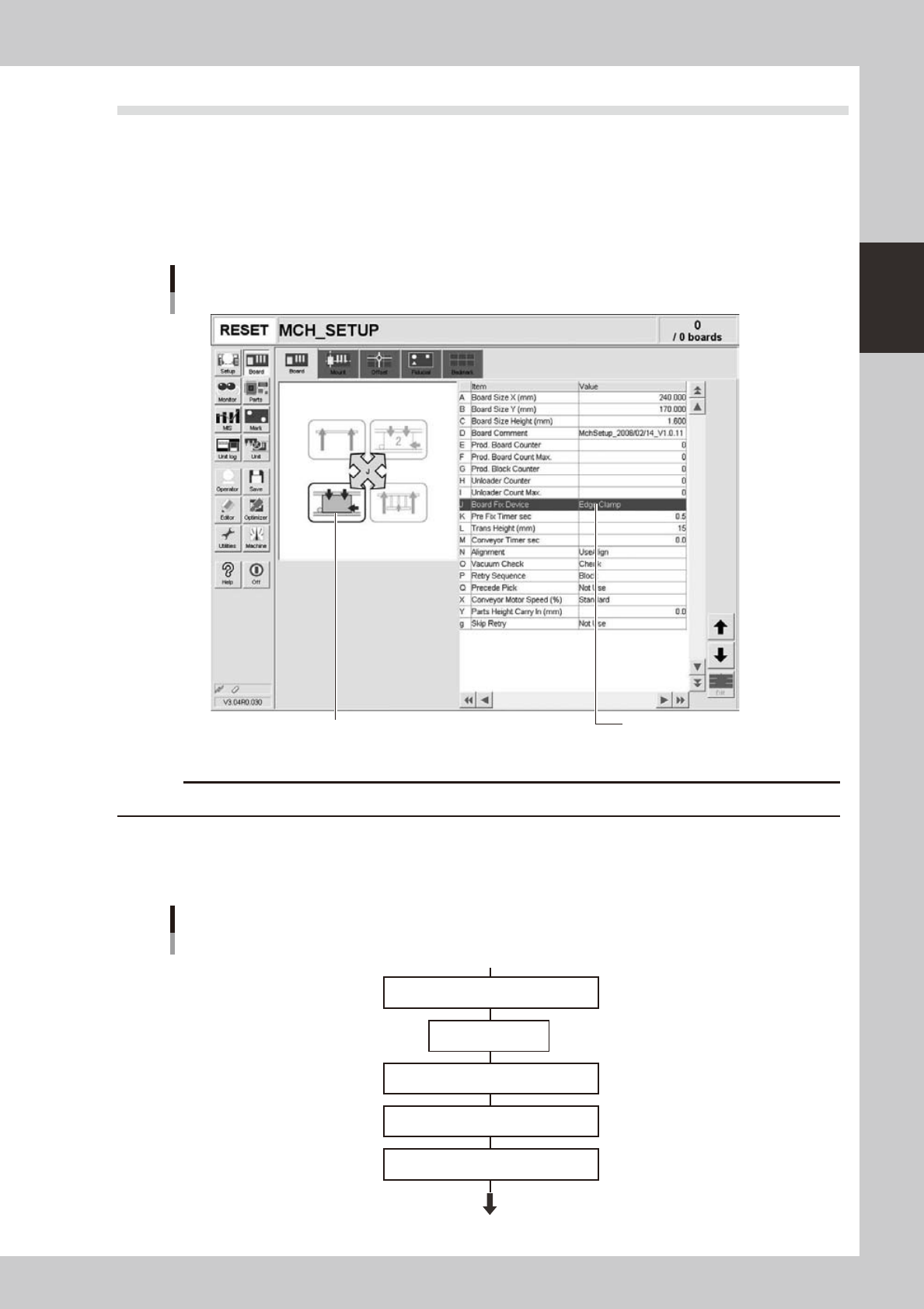
Board clamping method
Select "Edge Clamp" for the board clamping method. This method clamps a board by pushing up its edges against the
board hold plates. Push-up pins are also used to support the board at points other than its edges.
Board clamping method
Checking board clamp method
Illustration shows how board is clamped on the conveyor.
24218-L1-00
c
Conveyor's board sensors may fail to detect a production board if it has a slit or cutout.
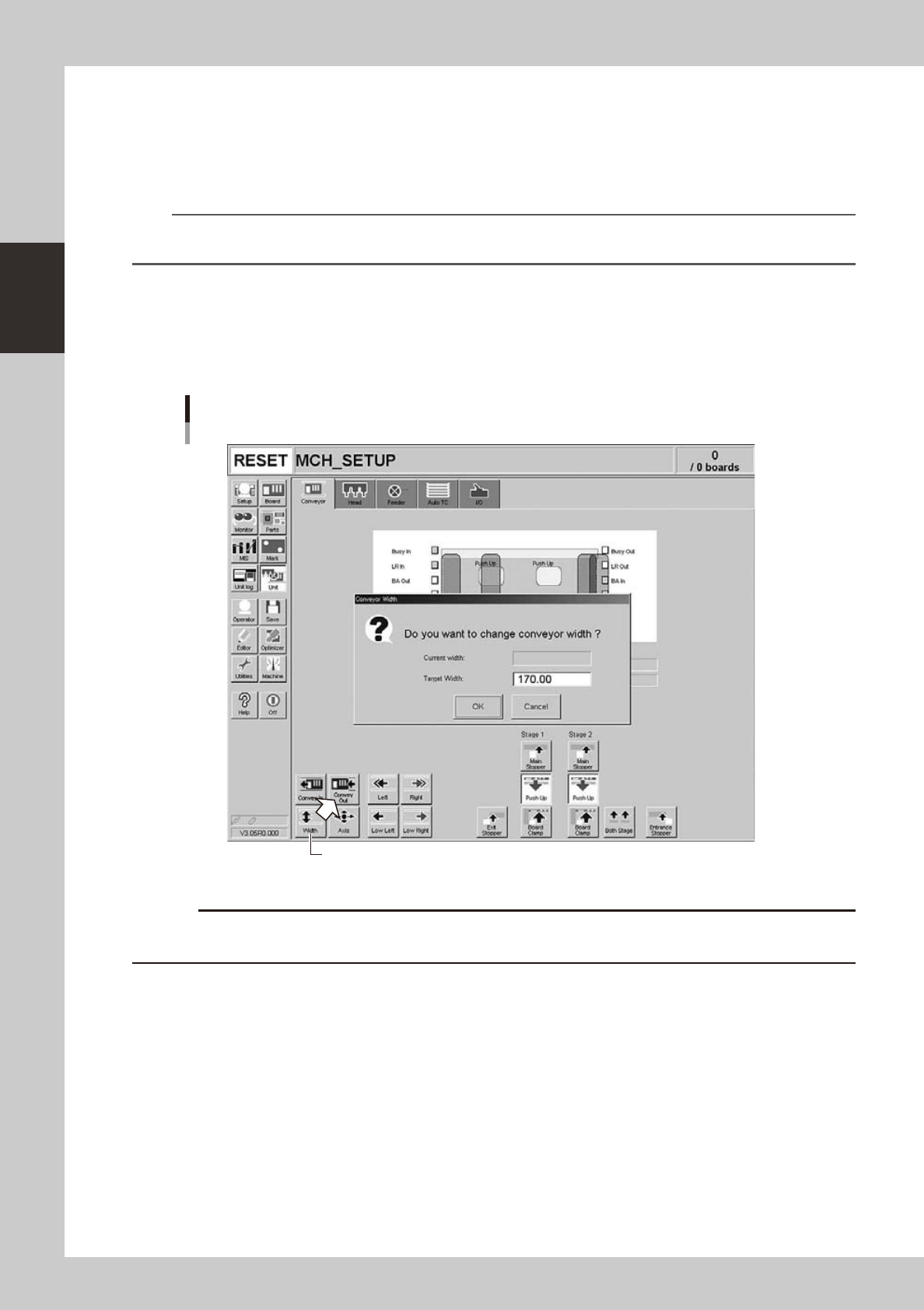
3.4.1 Conveyor unit setup flow
Set up the convey units as shown in the flowchart below.
Start operation
Flowchart for conveyor unit setup
Adjust conveyor width
Press emergency stop
button
Raise main stopper
Adjust push-up pin positions
Edge Clamp
Adjust board hold plate
23203-L1-00
2-26
2
asic operation
3.4.2 Conveyor width
Adjust the conveyor width to match the board width to be produced.
1
Select the board data.
See the description in "1. Starting production" in Chapter 3.
n
NOTE
When the conveyor width is set in the board data, the conveyor width will be automatically adjusted. Skip the
following steps.
2
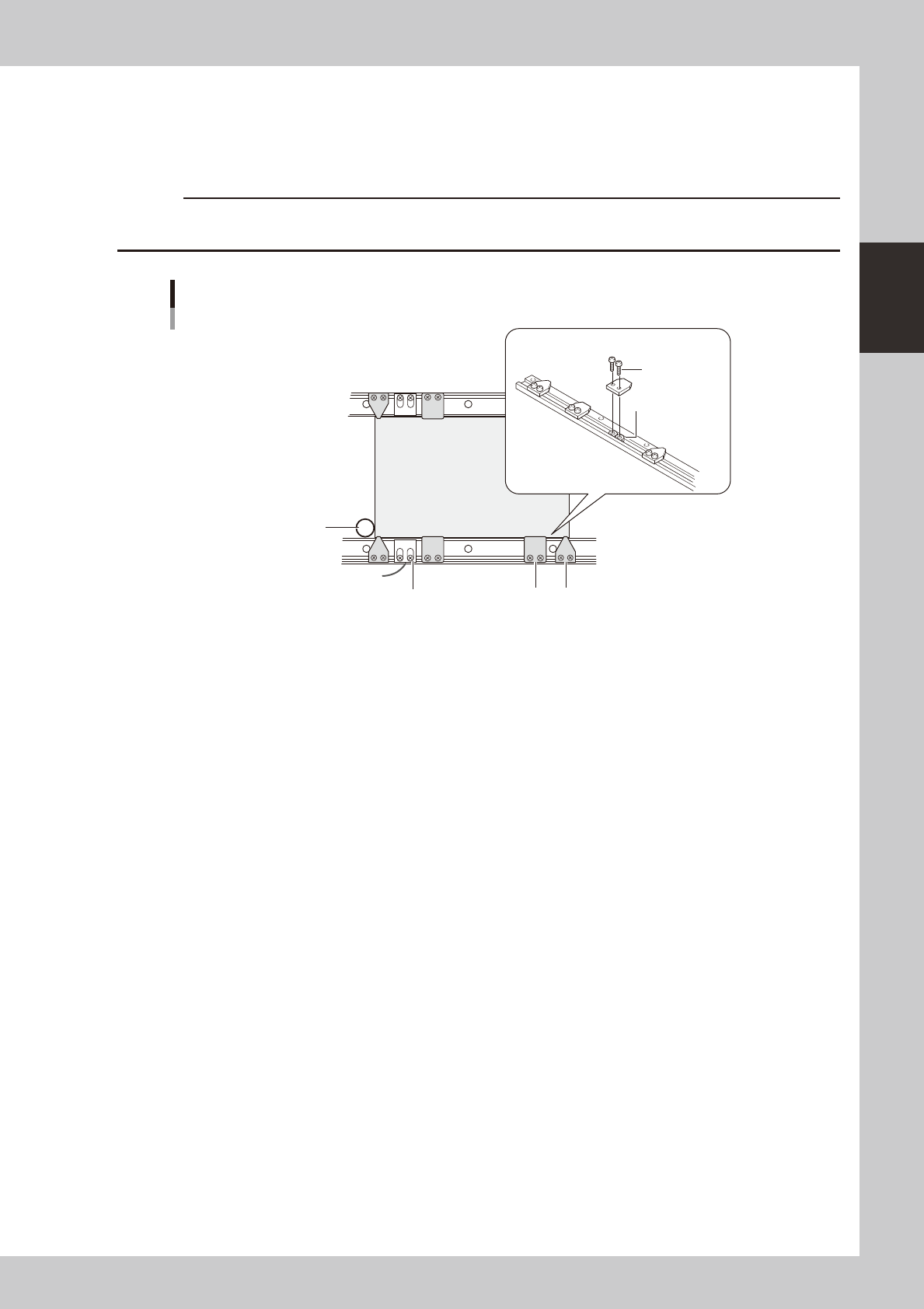
Open the [Unit]-[Conveyor] screen.
3
Press the [Width] button.
The "Conveyor Width" dialog box appears. Check the conveyor width (units: mm) and press the [OK]
button. The conveyor rail automatically changes to the specified width.
[Width] button
"Conveyor Width" dialog box
24219-L1-00
c
the conveyor width.
2-27
2
asic operation
3.4.3 Board hold plates
The board hold plates hold both edges of the board from above when the board is secured in the mounting
position. These board hold plates are installed with M3 screws on the conveyor rails. Arrange them at roughly
equal spacing along the length of the board.
c
Board
Phillips screw
(M3)
Fiber sensor holder
Main stopper
Board hold plate installation
Movable conveyor rail side
Fixed conveyor rail side
Board hold plate
Board hold plates
M3 nut
23205-L1-00