00197192-02_VD_EDM_2.1_DE_EN.pdf - 第25页
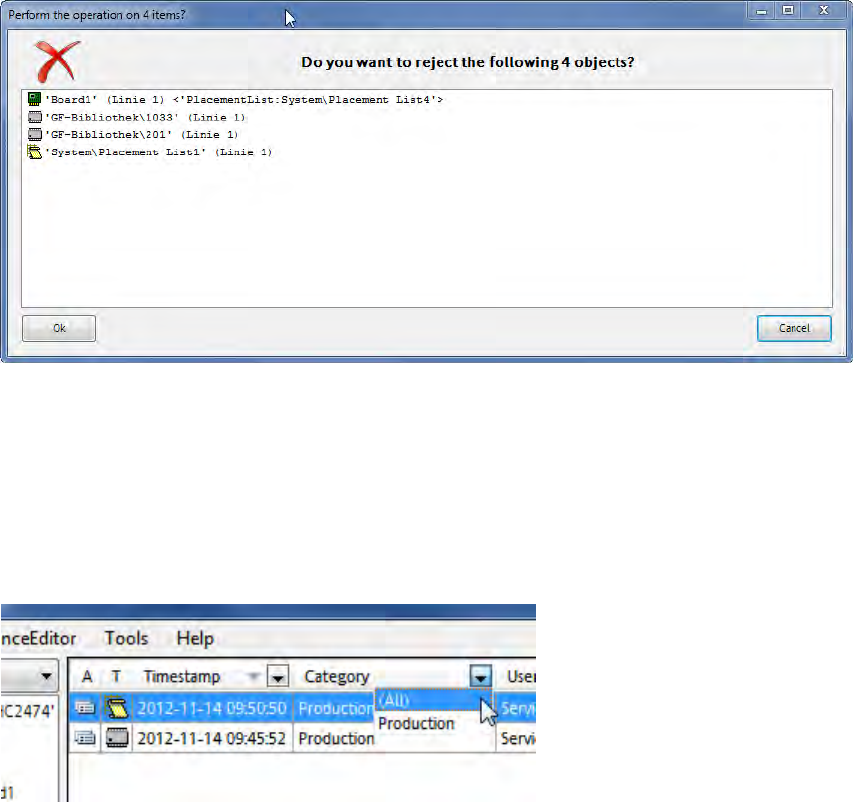
EDM V2.1 / Versio n Desc ription Ausgabe 11/2012 Edit ion 25 W hen multiple obj ects are r ejec ted, a dial og is dis pla yed, in whic h the rej ection h as t o be conf irm ed or cancel ed : Figure 4- 23 : Confirmati on …
EDM V2.1 / Version Description Ausgabe 11/2012 Edition
24
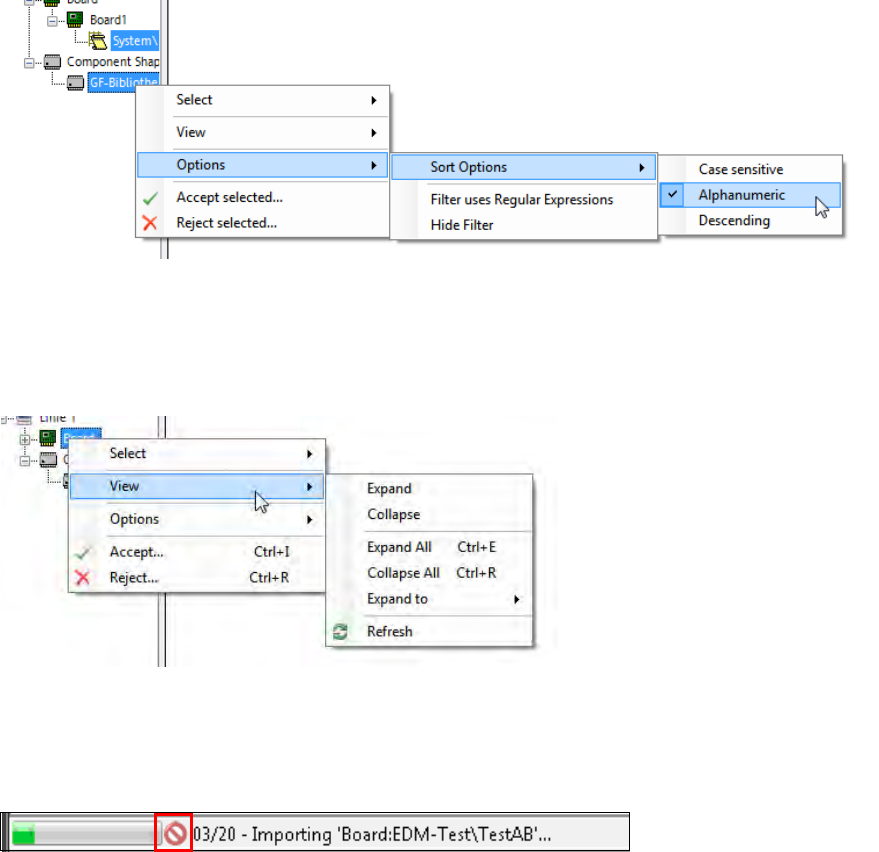
Via the Options – Sort Options menu entry the objects can be sorted Case sensitive,
Alphanumeric or Descending:
Figure 4-20: Sort Options
In the View menu entry, settings can be made for the tree structure (Expanding / Collapsing).
On a single node, the Extended Difference Editor can be displayed for the selected object in the
Show Differences menu entry:
Figure 4-21: Show Differences for a single object – Expanding / Collapsing tree view
When multiple objects are imported, a dialog is displayed, in which the import has to be confirmed.
During the import of multiple objects, the batch import progress is displayed in the status bar of the
Clearing Pool:
Figure 4-22: Batch import progress
The batch import may be canceled by pressing the red icon, after the current import has been
completed.
EDM V2.1 / Version Description Ausgabe 11/2012 Edition
25
When multiple objects are rejected, a dialog is displayed, in which the rejection has to be confirmed
or canceled:
Figure 4-23: Confirmation dialog
4.4.3 Filtering Notifications
In the column header of the notification view in the Clearing Pool values can be selected to filter the
notification list. By clicking on a column header, the displayed notifications may be sorted in
ascending or descending order.
Figure 4-24: Filter values
► Select any of the available filter values or All to display all entries.
EDM V2.1 / Version Description Ausgabe 11/2012 Edition
26
4.4.4 Additional Grouping Options
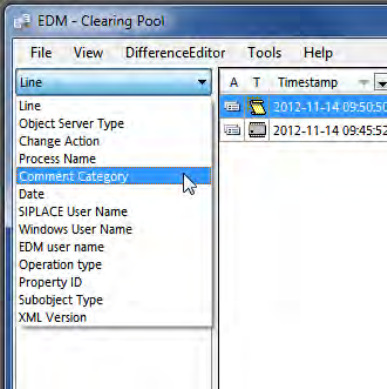
In an EDM environment with several lines it may happen that one and the same object is changed
on more than one line and by different users. For a better overview, some additional grouping
options are now available to change the hierarchy of the tree view in the Clearing Pool:
Figure 4-25: Grouping options
Depending on the number of the existing change notifications in the Clearing Pool and the selected
grouping, building the tree may take some time.
4.5 EDM Notifications
The EDM notifications subsystem converts the change notifications received from the lines into a
user-readable form and distributes them to the appropriate locations. The type of messages sent
and the recipients of the messages can be configured.
More information about this can be found in the EDM Installation Manual, section 5.3.7
Notifications/Rules… .