SIPLACE Line Computer UNIX.pdf - 第148页
4 Data Management Us er Manual Line Computer UNIX 4.5 File Display Use r Interface Software Version 5 02.xx 10 /2000 Issue 146 I t I I 4.5.2 Main Window of File Display In the fol lowing, the areas o f the main window an…
User Manual Line Computer UNIX 4 Data Management
Software Version 502.xx 10/2000 Issue 4.5 File Display User Interface
145
I
t I I
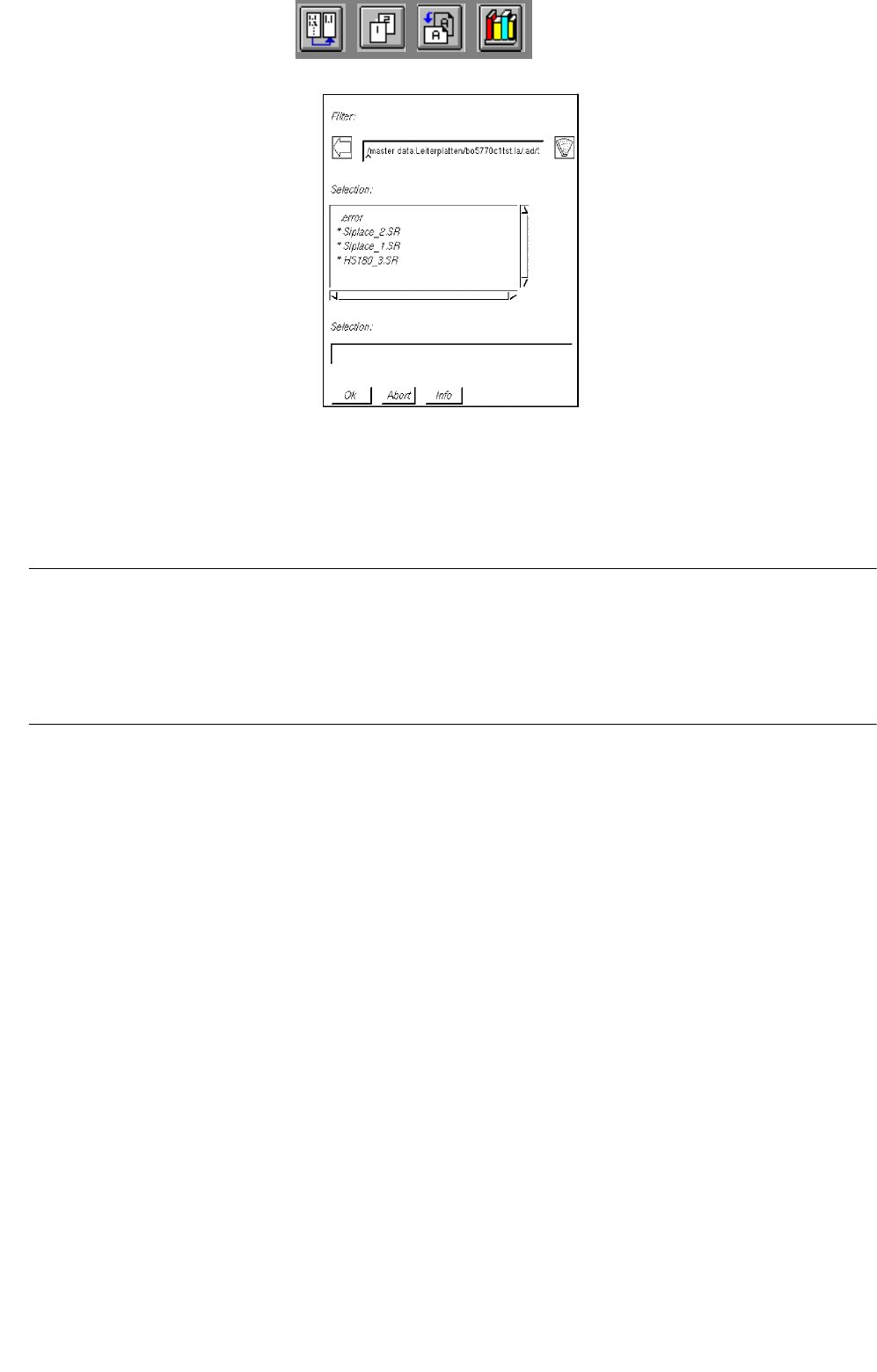
● Select error file .error by double-clicking.
The main window of the File Display containing the contents of the error file ".error" is opened.
The status bar of the main window displays the complete directory path in which the error file is
located (see
Fig. 4.5.1).
NOTE
All error messages and warnings that occurred during a producibility check (machine-, set-up- and cluster
compile) are logged to the "all.error" file. The main window of the File Display containing the contents of said
file can be opened directly via the Job Control user interface (see chapt. 14, section 14.2.3.2), thus making a
search of the directory structure containing the error file unnecessary.
4 Data Management User Manual Line Computer UNIX
4.5 File Display User Interface Software Version 502.xx 10/2000 Issue
146
I
t I I
4.5.2 Main Window of File Display
In the following, the areas of the main window and their functions are explained.
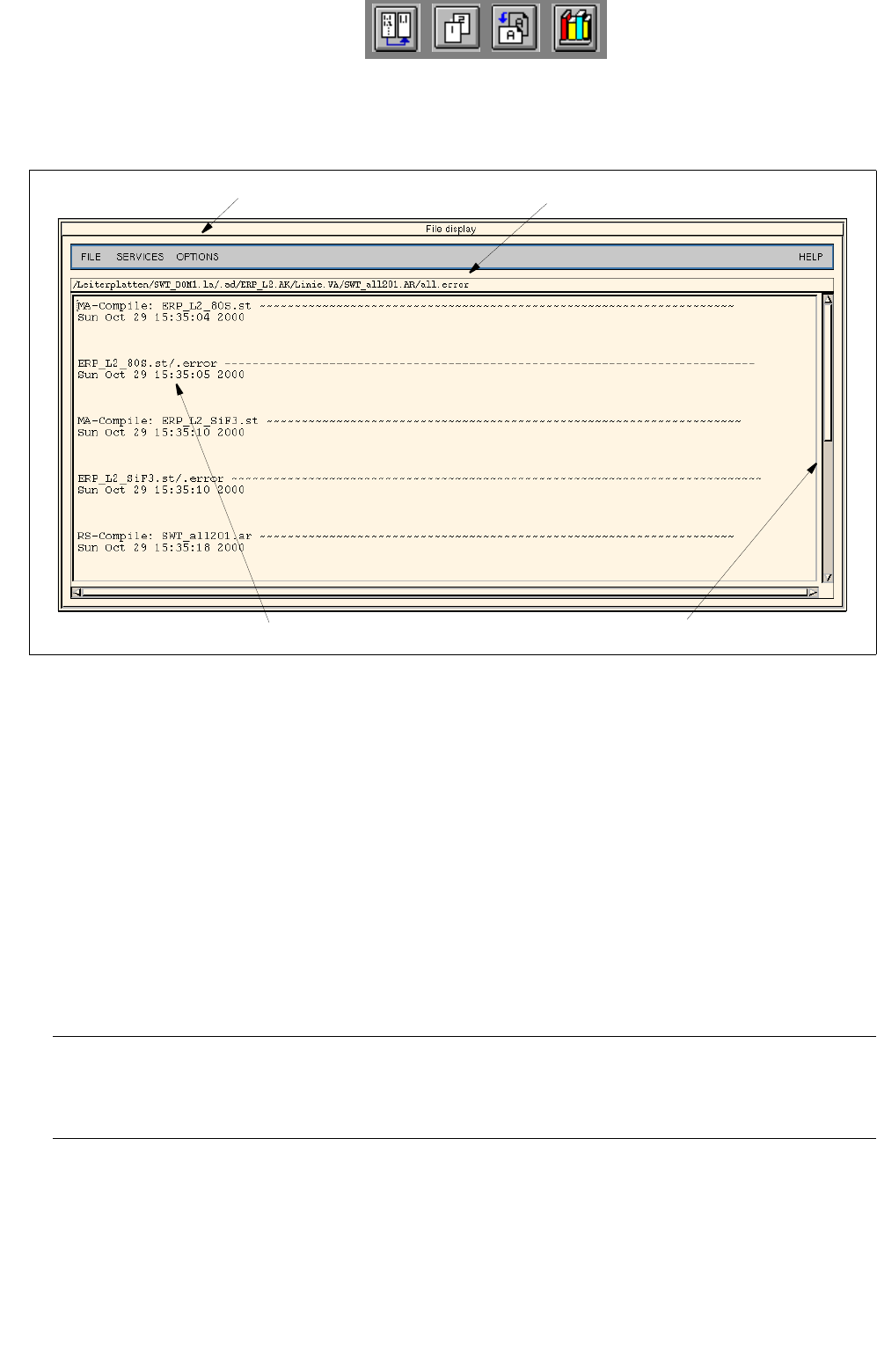
Fig. 4.5.1 Main Window "File Display - Error File"
The main window is subdivided as follows:
- Menu bar
- Status bar
- Display area
Menu bar
The menu bar contains the menus "FILE", "SERVICES", "OPTIONS", and "HELP". The first menu option of
the "FILE" menu is explained in
section 4.5.2.1. The "SERVICES" menu is described in section 4.5.2.2 and
the "OPTIONS" menu in section 4.5.2.3.
NOTE
Since the functions and operation of the "FILE" and "HELP" menus are similar to those in other application
programs of the line computer, they are described comprehensively in chapt. 2 of this manual.
Status bar
The status bar displays the complete path in which the opened file is stored.
menu bar
display area
scroll bar
status bar

User Manual Line Computer UNIX 4 Data Management
Software Version 502.xx 10/2000 Issue 4.5 File Display User Interface
147
I
t I I
Display area
This area shows the contents of the open file which may be edited, if necessary, provided the file is not write-
protected.
NOTE
Edited files may be saved via FILE --> Save or FILE --> Save as. In the case of a write-protected file (e.g. a
line configuration list) these menu items cannot be selected.
If the file contains more information than can fit in the display area, the contents can be scrolled by means of
the vertical scroll bar.