SIPLACE Line Computer UNIX.pdf - 第369页
User Manual Line Computer UNIX 12 Production Tools / Station and Li ne Conf iguration Software Vers ion 502.xx 10/2000 Issue 12.1 Configuration Editor 367 I t I I 12.1.3.4 Main Window of Machine Options Editor "Head…
12 Production Tools / Station and Line Configuration User Manual Line Computer UNIX
12.1 Configuration Editor Software Version 502.xx 10/2000 Issue
366
I
t I I
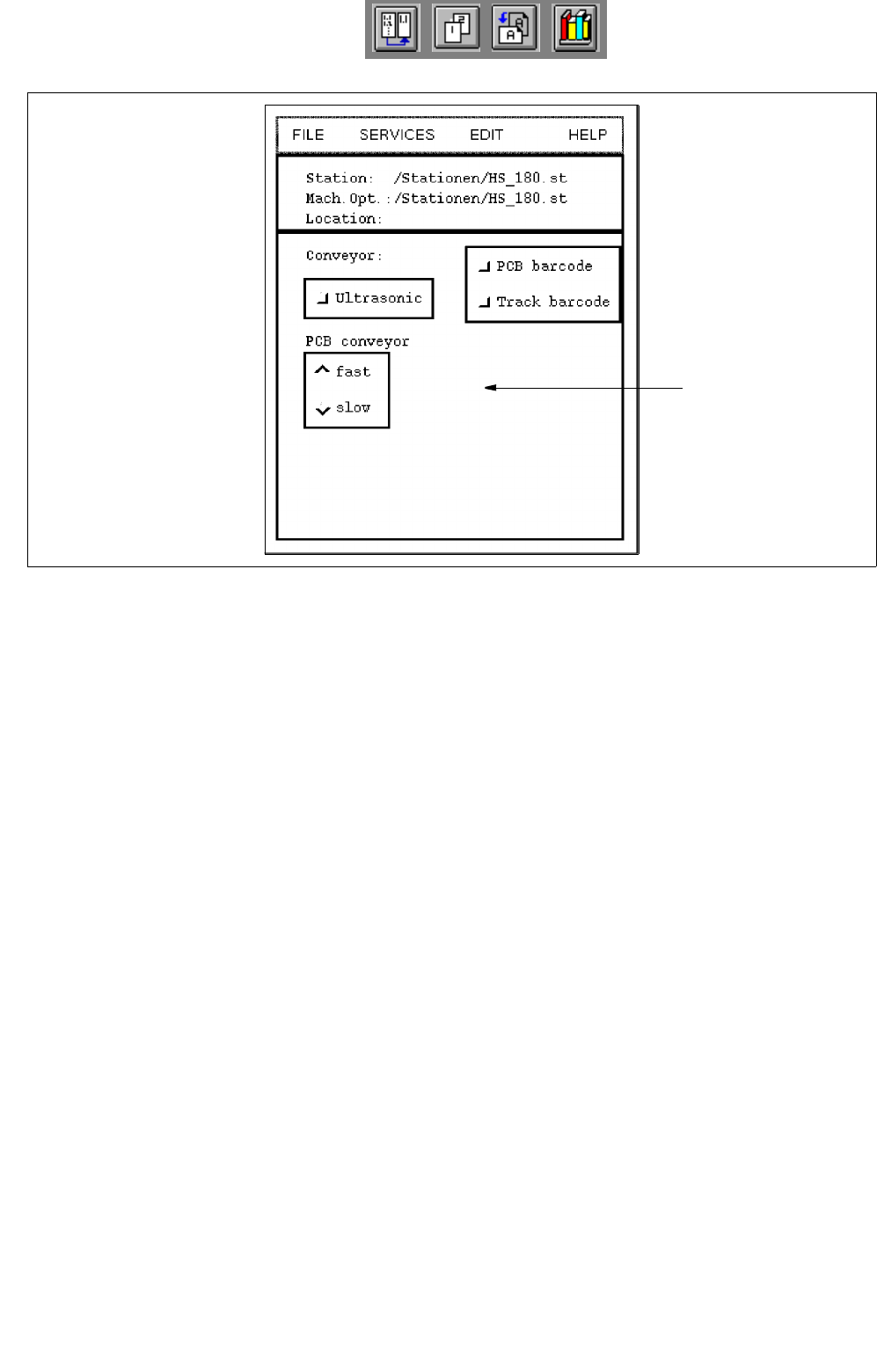
Fig. 12.1.4 Machine Options Editor "Station HS-180"
POSSIBLE SETTINGS for the machine option "HS-180 Station" (standard machine)
- Conveyor -> Ultrasonic PCB tracking with/without ultrasonic detecting system
- Conveyor -> PCB barcode PCB recognition with/without barcode
- Conveyor -> Track barcode component type recognition for track-related refilling
with/without barcode
- PCB conveyor -> fast setting the PCB conveyor to the fast or slow mode
PCB conveyor -> slow
setting area
User Manual Line Computer UNIX 12 Production Tools / Station and Line Configuration
Software Version 502.xx 10/2000 Issue 12.1 Configuration Editor
367
I
t I I
12.1.3.4 Main Window of Machine Options Editor "Head"
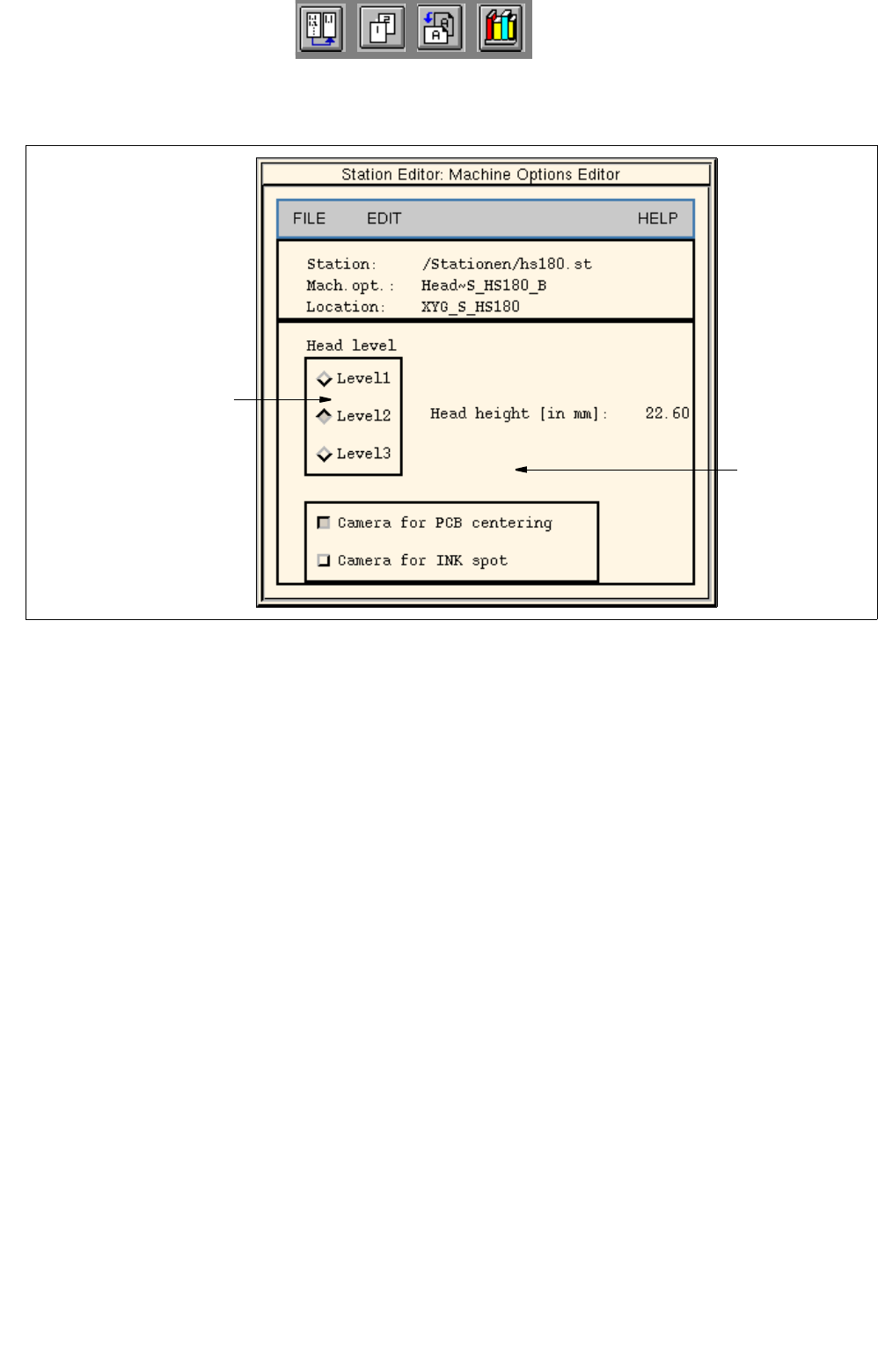
Fig. 12.1.5 Machine Options Editor "Head" (location "Gantry HS-180")
POSSIBLE SETTINGS for the machine option "Head"
- Camera for PCB centering PCB centering with/without camera
- Camera for Ink spot ink dot recognition with/without camera
- Head level selection of head mounting position in 3 stages
(does not apply to SIPLACE head) (14.60, 22.60 and 30.60 mm)
depending on the respective head type
(e.g. "Level 3" for 30mm head)
setting area
settings for"Head level"
(does not apply to
"SIPLACE head)
12 Production Tools / Station and Line Configuration User Manual Line Computer UNIX
12.1 Configuration Editor Software Version 502.xx 10/2000 Issue
368
I
t I I
12.1.3.5 Main Window of Machine Options Editor "Nozzle Changer"
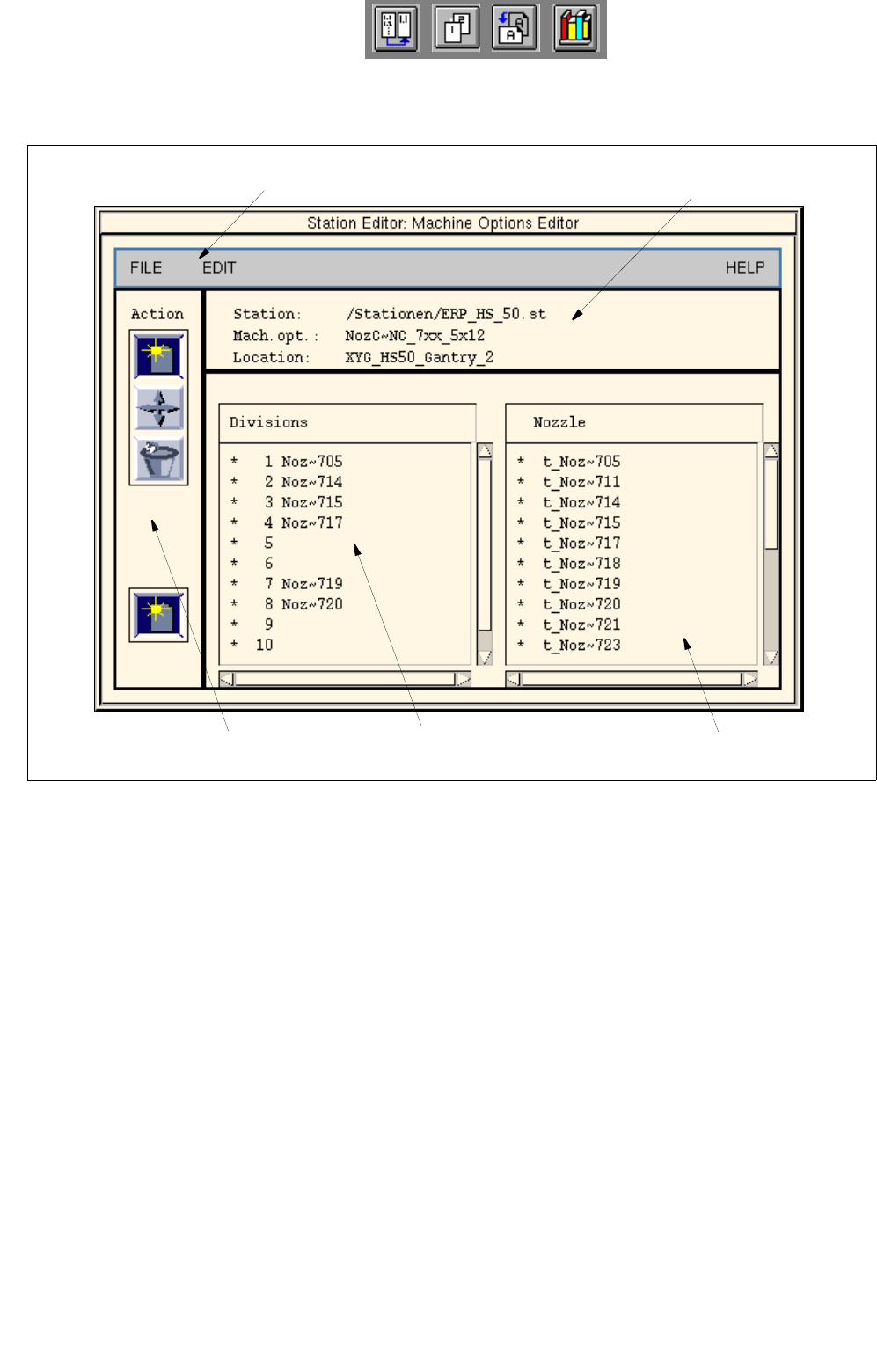
Fig. 12.1.6 Machine Options Editor "Nozzle Changer" (example HS-50)
Selection fields
The selection fields are located in the main window of the component editor (see Fig. 12.1.6) below the
identification field.
- Divisions
The manufacturer has provided all compartments of the changer with numbers. These
numbers are displayed in the selection field. A varying number of nozzle compartments is available
depending on the nozzle changer type.
- Nozzles
All factory-defined nozzles are listed in this selection field.
Entries in the selection field contain the following information:
Example: t_Pip~ 752
selection field "Divisions"
command area
menu bar
identification field
Selection field "Nozzles"
default nozzle
nozzle type no.