SIPLACE Line Computer UNIX.pdf - 第398页
13 Production Tools / Set-Up User Manual Line Compu ter UNIX 13.1 Set-Up E ditor (Feeder Part and WPC/MTC Editors) Software V ersion 502.xx 10/2000 Issue 396 I t I I - Feeder Clicking o n the "Fe eder" ico n ca…
User Manual Line Computer UNIX 13 Production Tools / Set-Up
Software Version 502.xx 10/2000 Issue 13.1 Set-Up Editor (Feeder Part and WPC/MTC Editors)
395
I
t I I
13.1.3.1 Feeder list
The feeder list contains all Siemens-defined types of feeders, modules, waffle pack trays and waffle pack tray
carriers.They can be selected individually and allocated to the tracks or levels in the display area of the main
window.
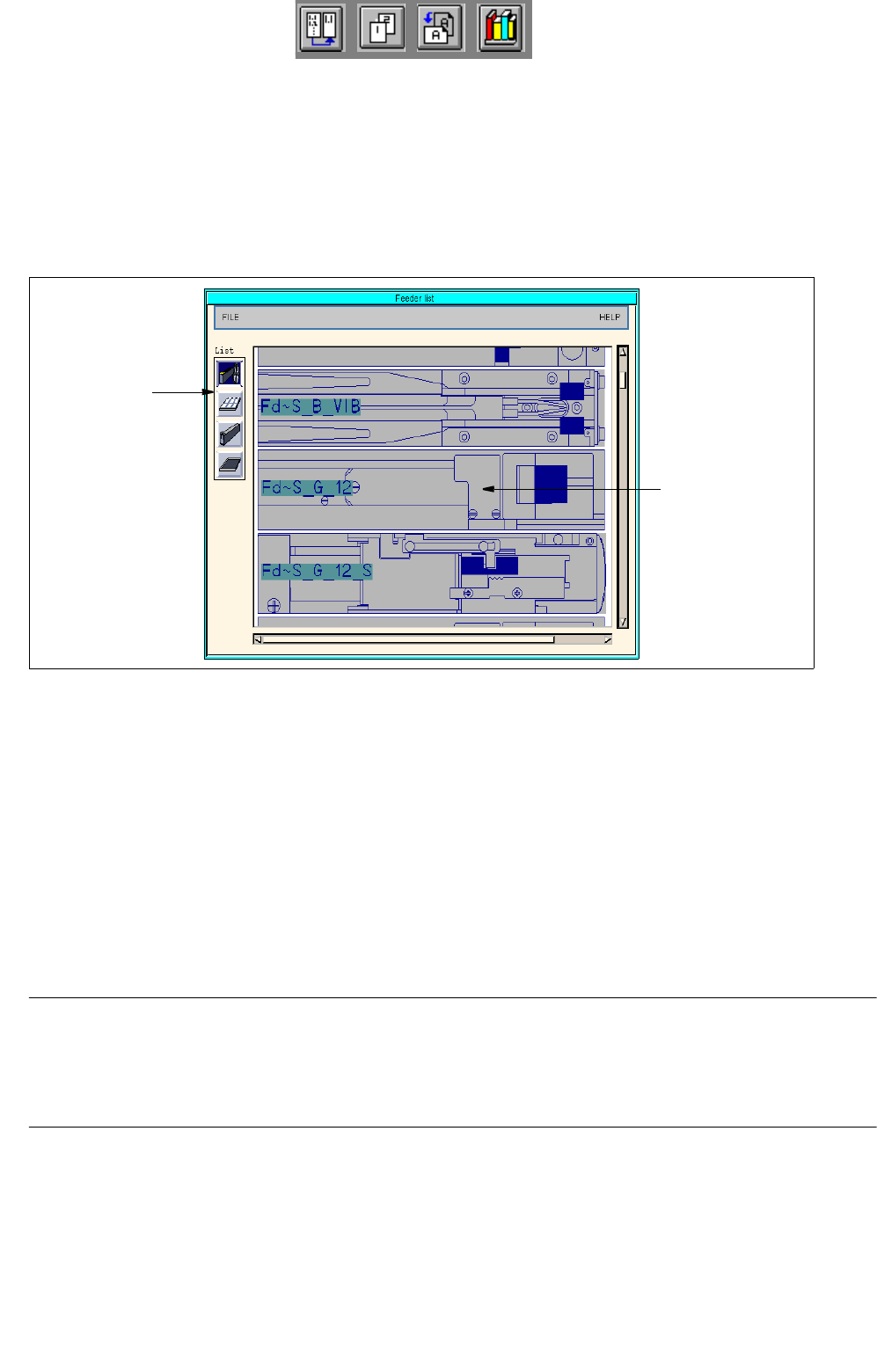
Clicking on the "Feeder list" option on the FILE menu causes the "Feeder list" window to be opened (see Fig.
13.1.8
). Moreover, the feeder list can also be opened by clicking on the "Feeder list" icon in the command area.
Fig. 13.1.8 Feeder list
The "Feeder list" window is subdivided into the following areas:
- Menu bar
- Command area "Feeders/Waffle pack trays/Modules/Waffle pack tray carriers"
- Display area "Feeder list"
Menu Bar
The menu bar contains the menus "FILE" and "HELP".
NOTE
The functions and the operation of the menus "FILE" and "HELP" are similar to those of other application
programs of the line computer and are described in detail in chapt. 2 "General Information on Using the
Program".
Command area "Feeders/Waffle pack trays/Modules/Waffle pack tray carriers"
In this area the icons for the feeders, waffle pack trays, modules and waffle pack tray carriers are displayed.
Clicking on the icons causes the respective lists to be opened and displayed in the "Feeder list" display area.
command area
"Feeders/
Waffle pack trays/
display area
"Feeder list"
Modules/
Waffle pack tray
carriers"
13 Production Tools / Set-Up User Manual Line Computer UNIX
13.1 Set-Up Editor (Feeder Part and WPC/MTC Editors) Software Version 502.xx 10/2000 Issue
396
I
t I I
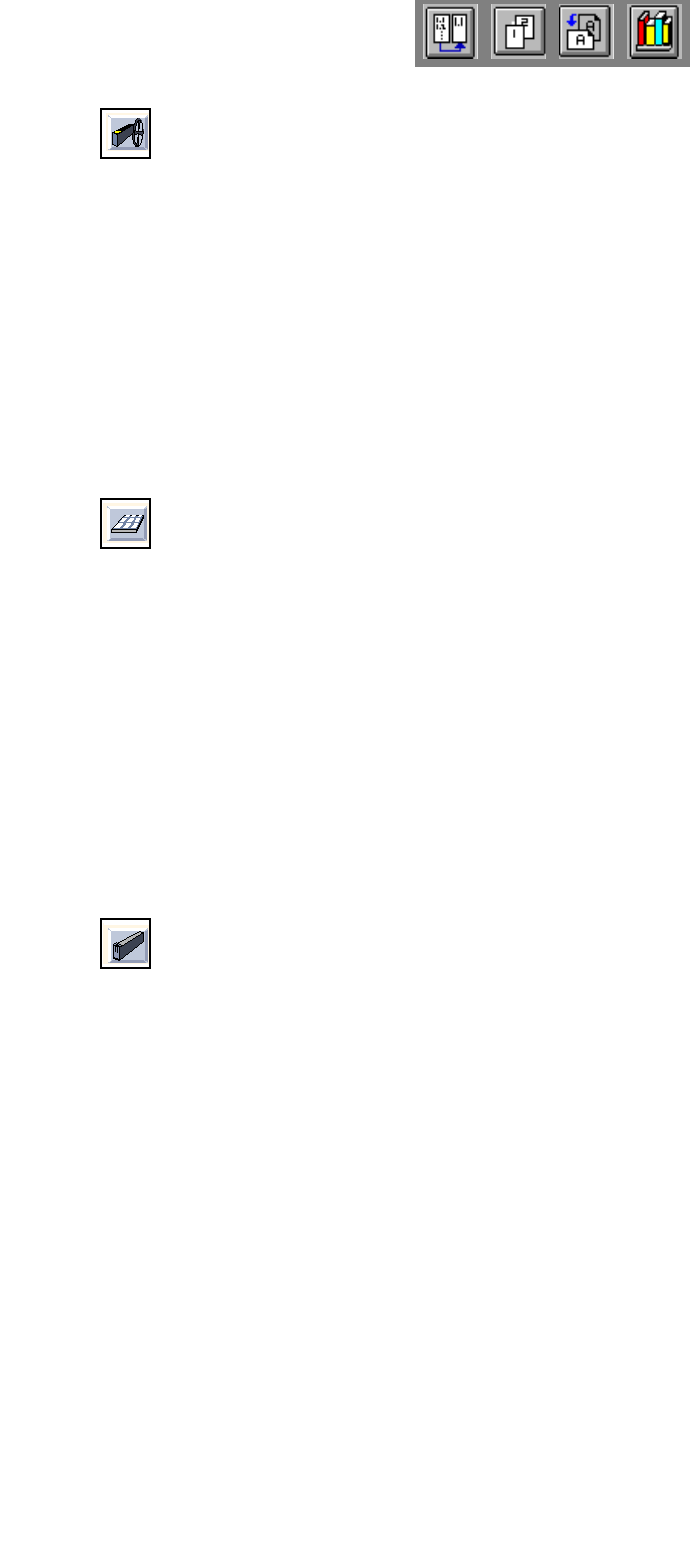
- Feeder
Clicking on the "Feeder" icon causes a list of all feeders with their designations to be displayed in the
"Feeder list" display area.
When the right scroll bar is moved downward, also those feeders can be displayed that are not visible
in the window.
Example of the designation of the feeders:
FD~S_G_8_EL FD : feeder
S_G_8_EL : type designation (8mm-tape feeder, electric)
- Waffle pack tray
Clicking on the "Waffle pack tray" icon causes one or several predefined waffle pack trays with their
designations to be displayed in the display area.
The number of the divisions and the offset values for the waffle pack trays of the customers must be
adapted in the Packaging Editor (see
section 13.1.3.3).
Example of the designation of the waffle pack trays:
FM~(5x4)~[ QFP ] FM : waffle pack tray
(5x4) : spacing: divisions in X and Y
[ QFP ] : component QFP on waffle pack tray
- Module
Clicking on the "Module" icon causes a list of all modules with their designations to be displayed in the
display area.
Example of the designation of the modules:
MD~S_L_45_95 MD : module
S_L_45_95 : type designation
User Manual Line Computer UNIX 13 Production Tools / Set-Up
Software Version 502.xx 10/2000 Issue 13.1 Set-Up Editor (Feeder Part and WPC/MTC Editors)
397
I
t I I
- Waffle pack tray carrier
Clicking on the "Waffle pack tray carrier" icon causes a list of all waffle pack tray carriers and manual
trays with their designations to be displayed in the display area.
Example of the designation of waffle pack tray carriers:
FT~S_M_FB_51 FT : waffle pack tray carrier
S_M_FB_51 : type designation
Display field "Feeder list"
In the display field the lists of the feeders, waffle pack trays, modules or waffle pack tray carriers are displayed
that were selected by means of the respective icons.
The feeding units contained in the feeder list are displayed together with their most important characteristics
and their designations. The feeding units are displayed in gray, the divisions of the feeders and waffle pack
trays are highlighted in dark-blue.
13.1.3.2 Machine Options List
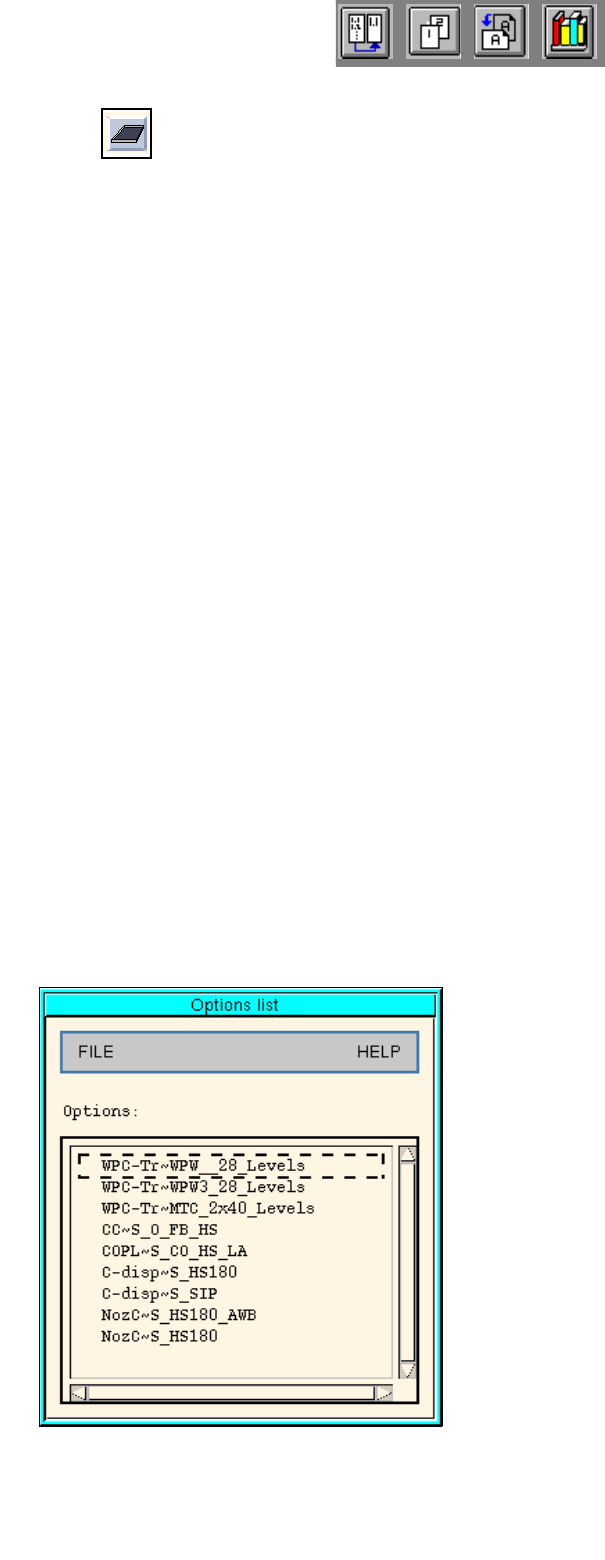
Clicking on the option "Options list" on the SERVICES menu causes the machine options list to be opened (see
Fig. 13.1.9 ).
The options list contains the options that may be defined for a line. These options are WPC, MTC, component
centering device, coplanarity module, component disposal conveyor and nozzle changer. They are allocated
to the feeder areas in the station configuration. The WPC, the MTC and the component disposal conveyor may
also be allocated to specific machine types in the Feeder Part Editor. However, they are then only defined for
the currently active setup.
.
Fig. 13.1.9 Machine Options List