SIPLACE Line Computer UNIX.pdf - 第431页
User Manual Line Computer UNIX 14 Control / Control Modules Software Version 502.xx 10/2000 Issue 14.2 Job Control 429 I t I I Or: ● Activat e the (Mer ge all) ico n. The di alog window c loses and a ll jobs ar e added t…
14 Control / Control Modules User Manual Line Computer UNIX
14.2 Job Control Software Version 502.xx 10/2000 Issue
428
I
t I I
14.2.3.2 SERVICES Menu
- Merge
This menu option allows the following operations to be initiated:
- Inserting jobs from the job list displayed in the main window into a selected lot file.
- Inserting jobs from a selected lot file into the job list displayed in the main window.
- Inserting jobs from a selected lot file into the lot file displayed in the main window.
NOTE
All or individual jobs from the job list
or individual jobs from a lot file can only be inserted into the job
list or lot file in the main window from the "Merge" dialog window
.
All jobs from a lot file can also be inserted into the current job list or lot file with the aid of the
command (in the main window) (see section 14.2.3.6).
● Click on SERVICES --> Merge... --> Job list or Lot file.
If "Lot file" is selected, the FSB containing all created lot files appears.
● Select lot file by double-clicking.
In both cases the dialog window "Merge" is now displayed.
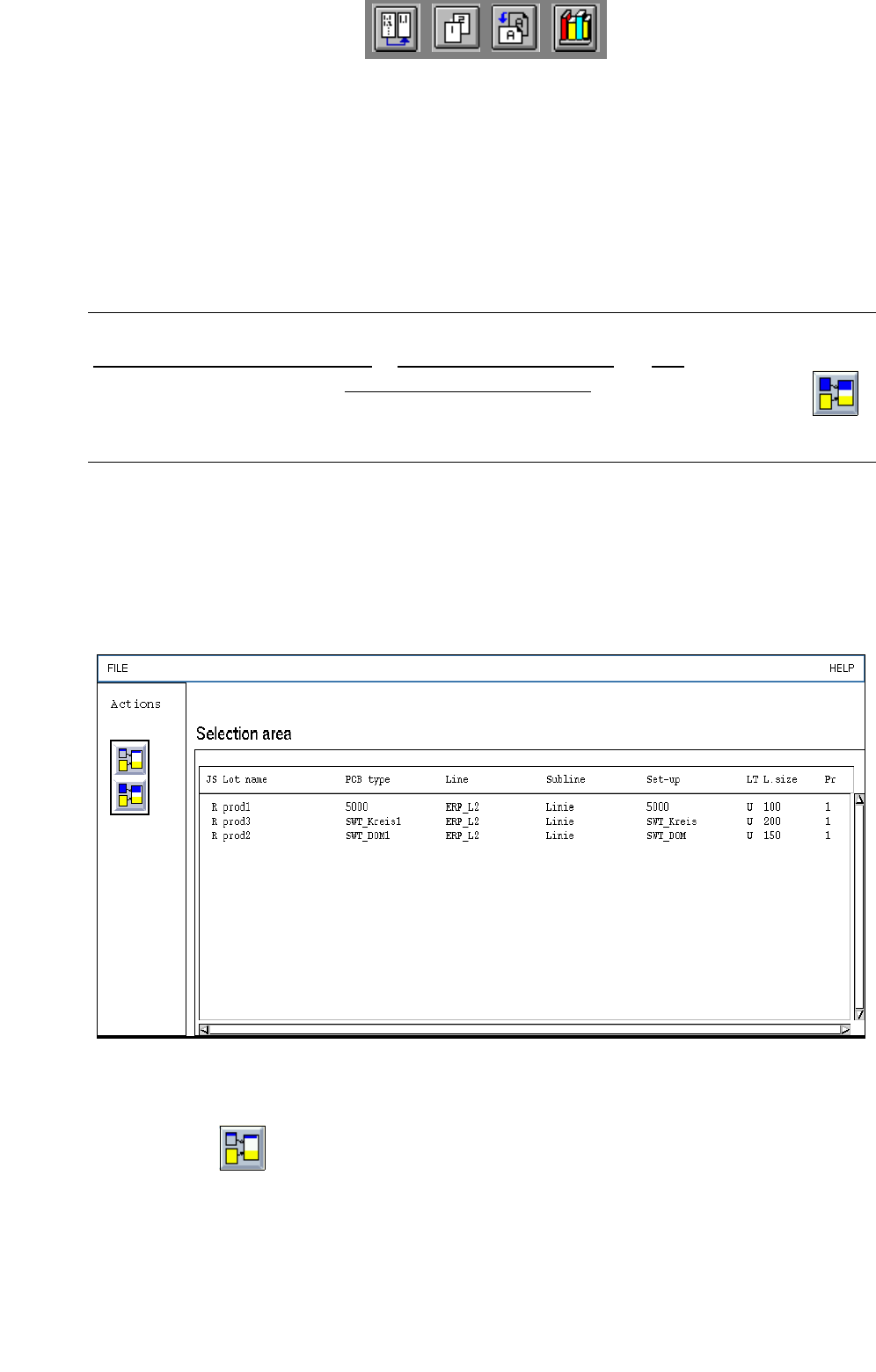
In the selection area all jobs are now listed that are contained in the job list or in the selected lot
file.
Fig. 14.2.2 "Merge" Dialog Window
● Activate the (Merge) in the dialog window.
● Select the desired jobs from the selection area.
The selected jobs are added to the current job list or lot file.
On the menu bar click on FILE --> Quit. The dialog window closes.
User Manual Line Computer UNIX 14 Control / Control Modules
Software Version 502.xx 10/2000 Issue 14.2 Job Control
429
I
t I I
Or:
● Activate the (Merge all) icon.
The dialog window closes and all jobs are added to the current job list or lot file.
●
NOTE
If jobs have been selected that already exist in the job list or lot file, the message "Error during
merging the lot file! Job name used more than once" appears.
If individual
jobs from a lot file are inserted into the current job list, these jobs are no longer contained
in the lot file.
If all
jobs from a lot file are inserted into the current job list or lot file, the lot file is automatically
deleted.
- Barcode type allocation list...
(Description see section 14.2.3.3)
- Basic optimization data...
(Description see section 14.2.3.4)
- Optimization dialog...
This menu option enables the optimization dialog (user interface of Set-Up Optimization to be opened.
● Click on SERVICES --> Optimization Dialog...
The main window of the Optimization Dialog is opened (see
chapt. 11).
- Line Control...
The Line Control main window can be opened using this menu item.
● Click on SERVICES --> Line Control...
The main window of Line Control is opened (see
section 14.3. Fig. 14.3.1).
- Setup Modification Generator...
The "Setup Modification Generator..." menu item can only be selected if a job is selected from the job
list beforehand. The applicable setup is then displayed for the selected job in the main window of the
Setup Modification Generator.
● Click on SERVICES --> Setup modification generator...
The main window of the Setup modification generator opens (see
section 14.5. Fig. 14.5.2).
The setup for the selected job is displayed in the display area.
If two jobs were selected from the job list, the difference between the setups of the two jobs is dis-
played.

14 Control / Control Modules User Manual Line Computer UNIX
14.2 Job Control Software Version 502.xx 10/2000 Issue
430
I
t I I
- Results...
The "Results..." menu option can only be selected if a job was previously selected from the job list.
The results of the producibility check can be displayed for the selected job.
● Deactivate all buttons in the command area.
● Select the desired job from the job list.
● Select SERVICES --> Results...
The window containing the results of the producibility check is opened (see
chapt. 11, Fig. 11.4.5).
The window displays the cycle time, the number of placement positions, the number of cycles and
the performance of the individual placement heads, the individual stations and the entire line.
- Error messages...
All error messages and warnings that occurred during a producibility check are stored in the "all.error"
file. The contents of the "all.error" file can be displayed by following the procedures described below.
● Deactivate all icons in the command area.
● Select faulty job by double-clicking.
(A faulty job is identified by an "F" preceding its name).
The main window of File Display is opened (see
chapt. 4). It contains all error messages and
warnings that occurred during the producibility check.
Or:
● Select faulty job by clicking on it once.
● Click on SERVICES --> Error messages...
The main window of File Display containing the contents of "all.error" file is opened.