SIPLACE Line Computer UNIX.pdf - 第531页
User Manual Line Computer UNIX 17 Practical Tips on Using the LC UNIX Software Version 502.xx 10/2000 Issue 17.3 Description of Components and PCBs 529 I t I I To enter the dimensions of the PCB, proceed as follows: 22. …
17 Practical Tips on Using the LC UNIX User Manual Line Computer UNIX
17.3 Description of Components and PCBs Software Version 502.xx 10/2000 Issue
528
I
t I I
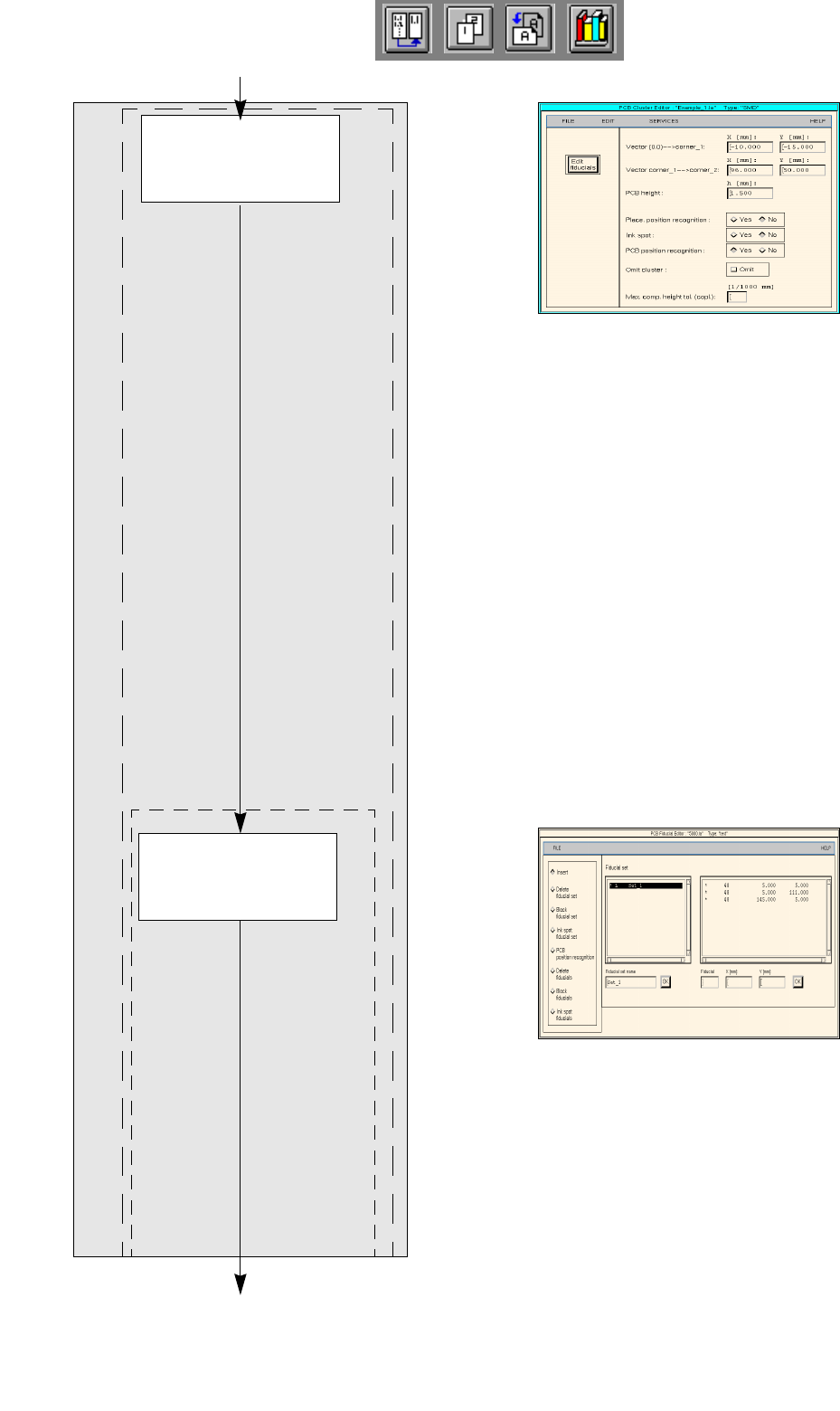
Entering the dimens-
ions of the PCB
Defining fiducials
continued from page 17-14
PCB Description
Cluster Editor
Fiducial Editor
continued on page 17-18
User Manual Line Computer UNIX 17 Practical Tips on Using the LC UNIX
Software Version 502.xx 10/2000 Issue 17.3 Description of Components and PCBs
529
I
t I I
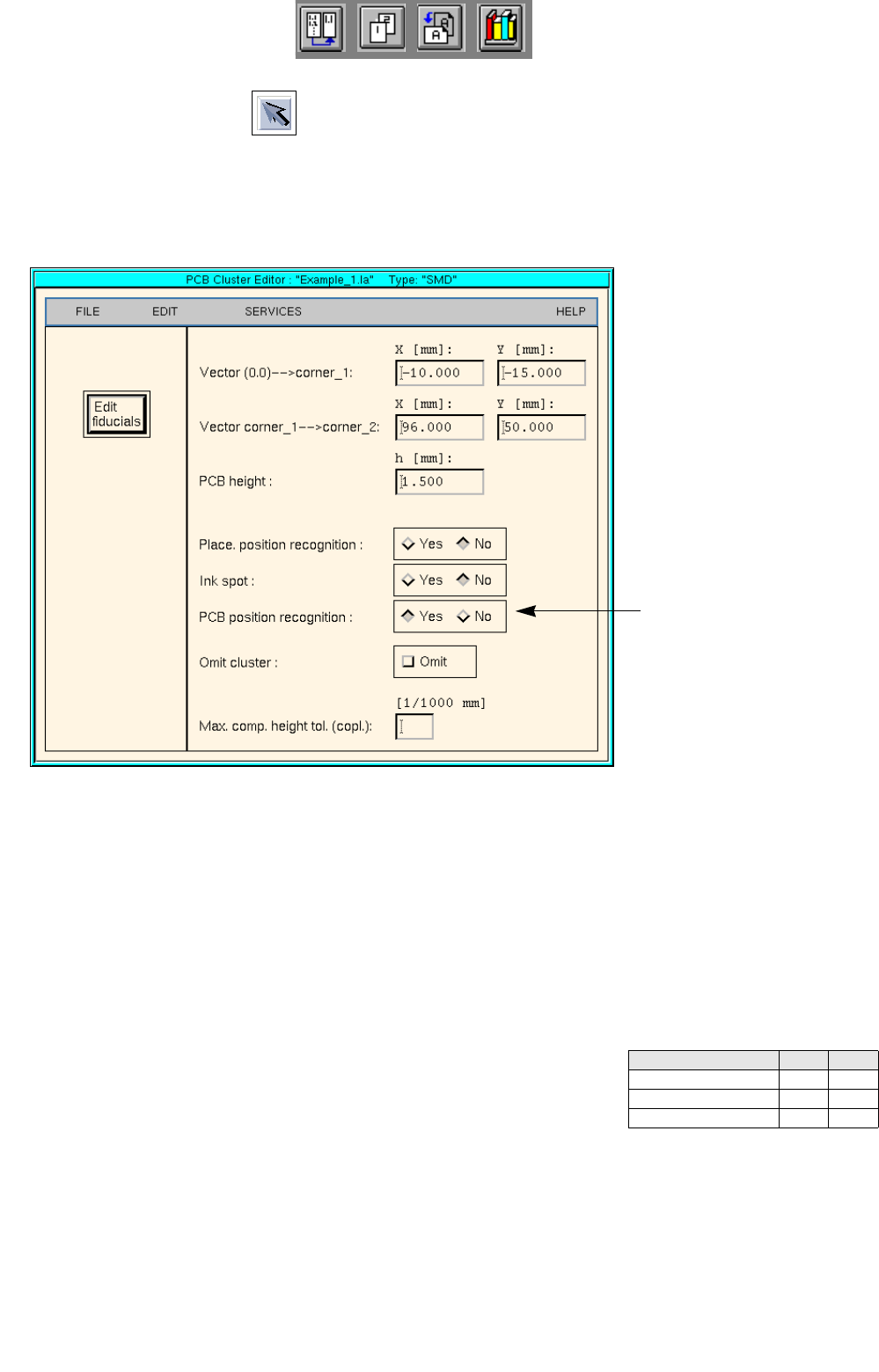
To enter the dimensions of the PCB, proceed as follows:
22. Activate the Select icon .
23. Click on the PCB (rectangle).
The rectangle is highlighted in green.
24. On the SERVICES menu click on the Cluster Editor... option.
The Cluster Editor is opened.
25. Enter the dimensions of the PCB. See Fig. 17.3.1 on page 17-524 and Fig. 17.3.2 .
Fig. 17.3.2 Cluster Editor for PCB 1
To define the fiducials, proceed as follows:
26. In the Cluster Editor click on the Edit fiducials button.
The Fiducial Editor is opened.
27. Activate the Insert button.
28. Click on the Fiducial set name editing field.
29. Enter the name for the new fiducial set, here: Set_1.
30. Click on the OK button.
Fiducial set Set_1 appears on the fiducial list.
31. Click on fiducial set Set_1 on the fiducial list.
32. Click on the Fiducial editing field.
33. Enter the fiducial number, here: 48.
34. Click on the editing fields for the coordinates, enter coordinates
(do not confirm by pressing the Enter key!), here: see chart:
35. Click on the OK button.
The fiducial data are transferred to the list of the fiducials of the fiducial set.
36. Define the other fiducials accordingly, here: fiducials 48 and 48.
37. Activate the PCB position recognition button.
38. Click on fiducial set Set_1 on the fiducial list.
The fiducial set Set_1 is marked by a preceeding
L for PCB position recognition.
Fiducial number X Y
48 -5 30
48 81 -10
48 81 30
Activate the PCB position
recognition
17 Practical Tips on Using the LC UNIX User Manual Line Computer UNIX
17.3 Description of Components and PCBs Software Version 502.xx 10/2000 Issue
530
I
t I I
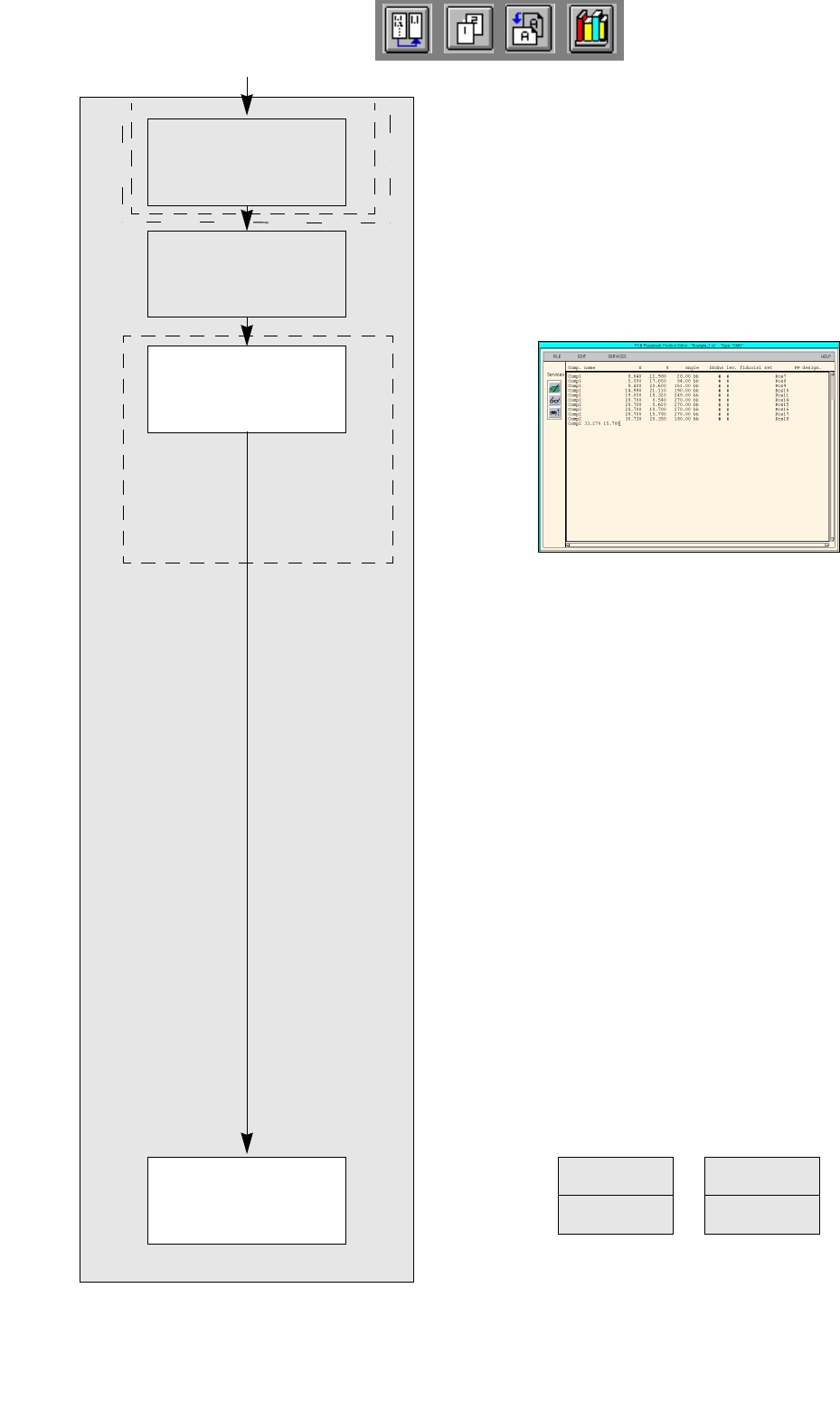
No ink spot present.
No clusters and single circuits
present.
FILE
Save
FILE
Quit
Entering placement
positions
Defining ink spot
Saving PCB data
Creating clusters and
single circuits
continued from page 17-16
PCB Description
Placement Position Editor