SIPLACE Line Computer UNIX.pdf - 第75页
User Manual Line Computer UNIX 3 Desktop (Root Window) Software Version 502.xx 10/2000 Issue 3.1 Introduction 73 I t I I Fig. 3.1.3 Example of a Layout of the Desktop with Blocked Applications (Function Groups) NOTE pert…
3 Desktop (Root Window) User Manual Line Computer UNIX
3.1 Introduction Software Version 502.xx 10/2000 Issue
72
I
t I I
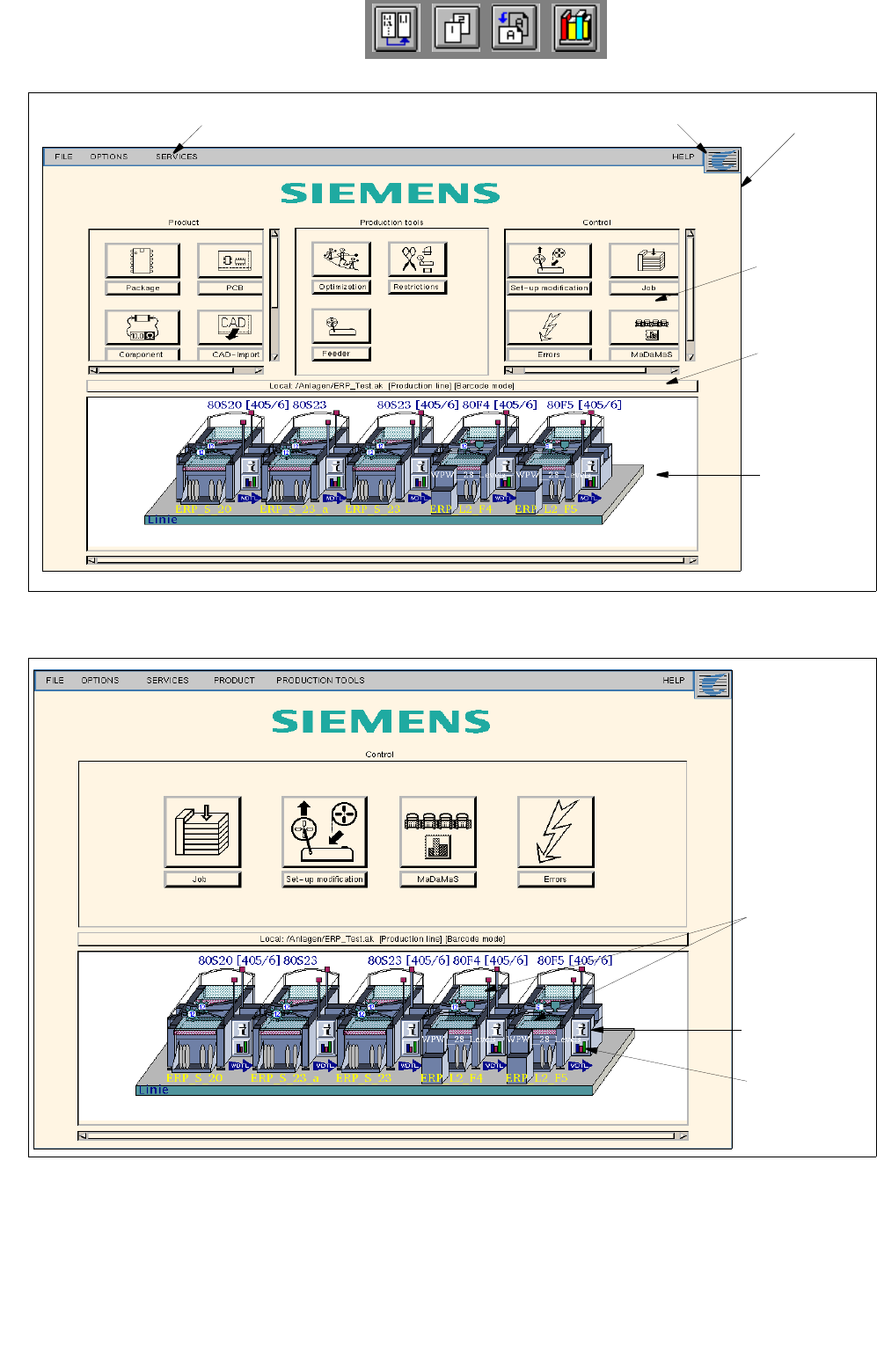
Fig. 3.1.1 Layout of the Desktop in the Programming Mode
Fig. 3.1.2 Layout of the Desktop in the Control Mode
desktop menu bar SMD symbol
main group
line selection
(current line
configuration)
main menu
display
area
button (for the
selection of a
new line)
feeder parts
symbol "i“ for
station
controller
bar chart
symbol for
MaDaMaS
User Manual Line Computer UNIX 3 Desktop (Root Window)
Software Version 502.xx 10/2000 Issue 3.1 Introduction
73
I
t I I
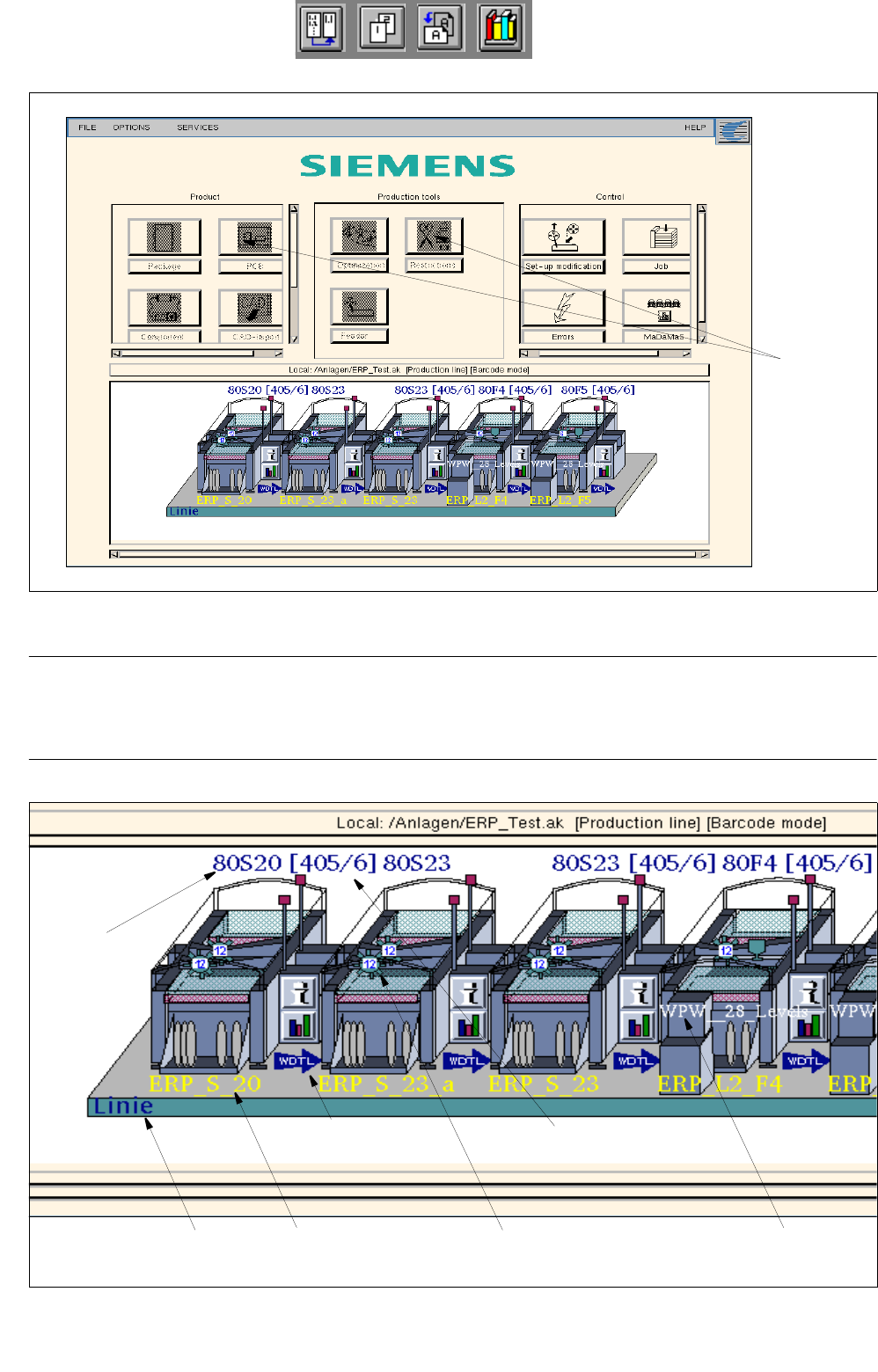
Fig. 3.1.3 Example of a Layout of the Desktop with Blocked Applications (Function Groups)
NOTE pertaining to Fig. 3.1.3
In the case that individual LC program functions or menu options are not accessible to the currently-logged on
user (see section 3.2.1.3, page 3 - 102), these will be displayed in reverse video and cannot be selected.
Fig. 3.1.4 Example of Station Characteristics of the Line Configuration Displayed
blocked
applications
Selected
Machine type
Name of the
12-nozzle revolver WPC designation
head set up
Name of the
subline
software version
station
Option "Whispering
down the line" active
3 Desktop (Root Window) User Manual Line Computer UNIX
3.1 Introduction Software Version 502.xx 10/2000 Issue
74
I
t I I
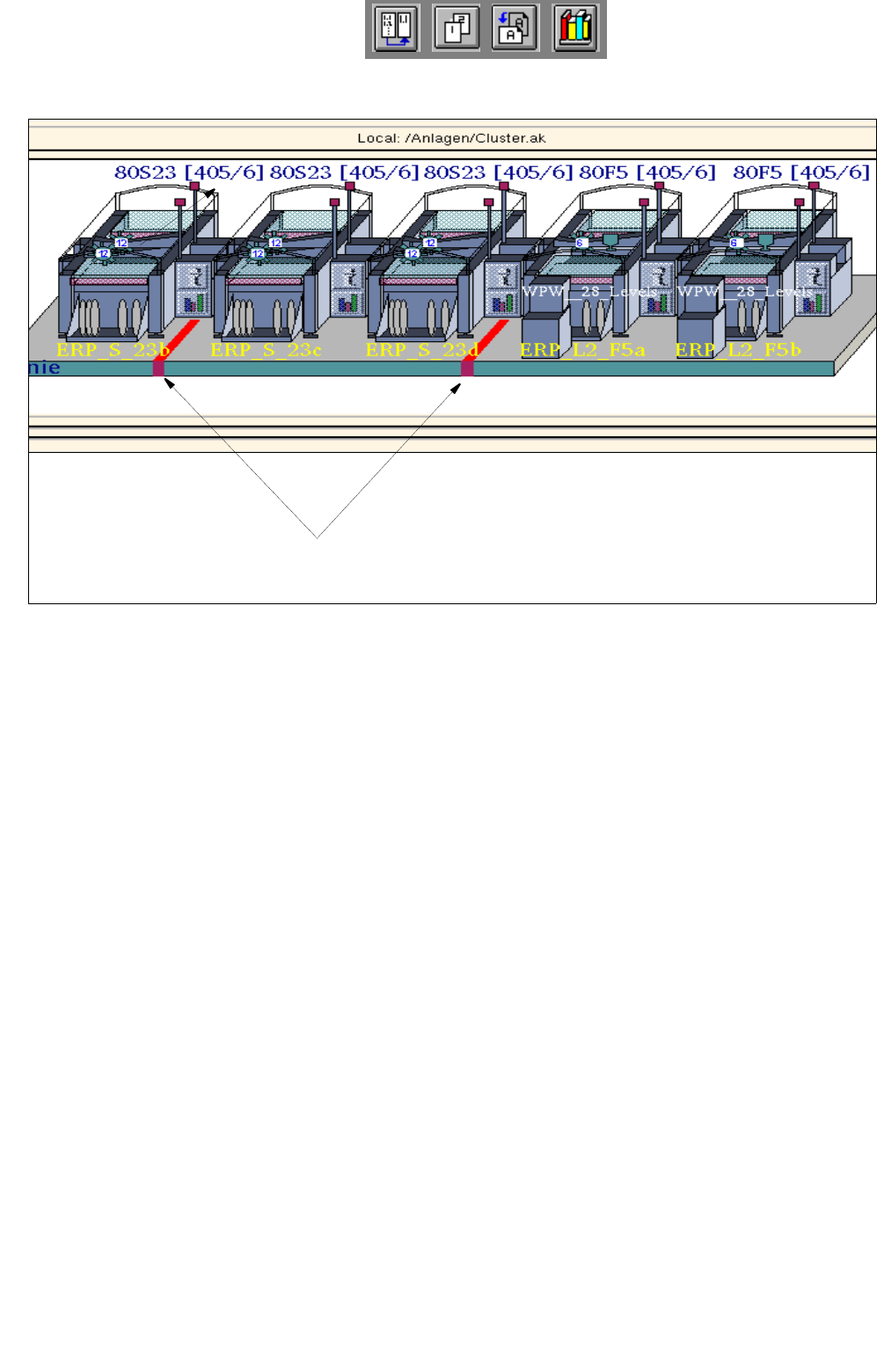
Fig. 3.1.5 Example of Cluster Limits Identified in the Line Configuration Display
The desktop is subdivided into the three sections described below:
- Upper area containing the desktop menu bar
The menu bar contains the following menus:
FILE
OPTIONS
SERVICES
PRODUCT (only available in the control mode)
PRODUCTION TOOLS (only available in the control mode)
- Middle area containing the main groups
Product (only available in the programming mode)
Production Tools (only available in the programming mode)
Control
Each of these main groups contains the modules of the LC software. These modules are the LC pro-
grams which are displayed in the respective main group as icons when they have been logged on to the
desktop.
Marking of cluster limits