SIPLACE Line Computer UNIX.pdf - 第91页
User Manual Line Computer UNIX 3 Desktop (Root Window) Software Version 502.xx 10/2000 Issue 3.2 Desktop User Interface 89 I t I I Procedu r e: ● Click on the b utton assoc iated with the desired option. ● Cli ck on OK .…
3 Desktop (Root Window) User Manual Line Computer UNIX
3.2 Desktop User Interface Software Version 502.xx 10/2000 Issue
88
I
t I I
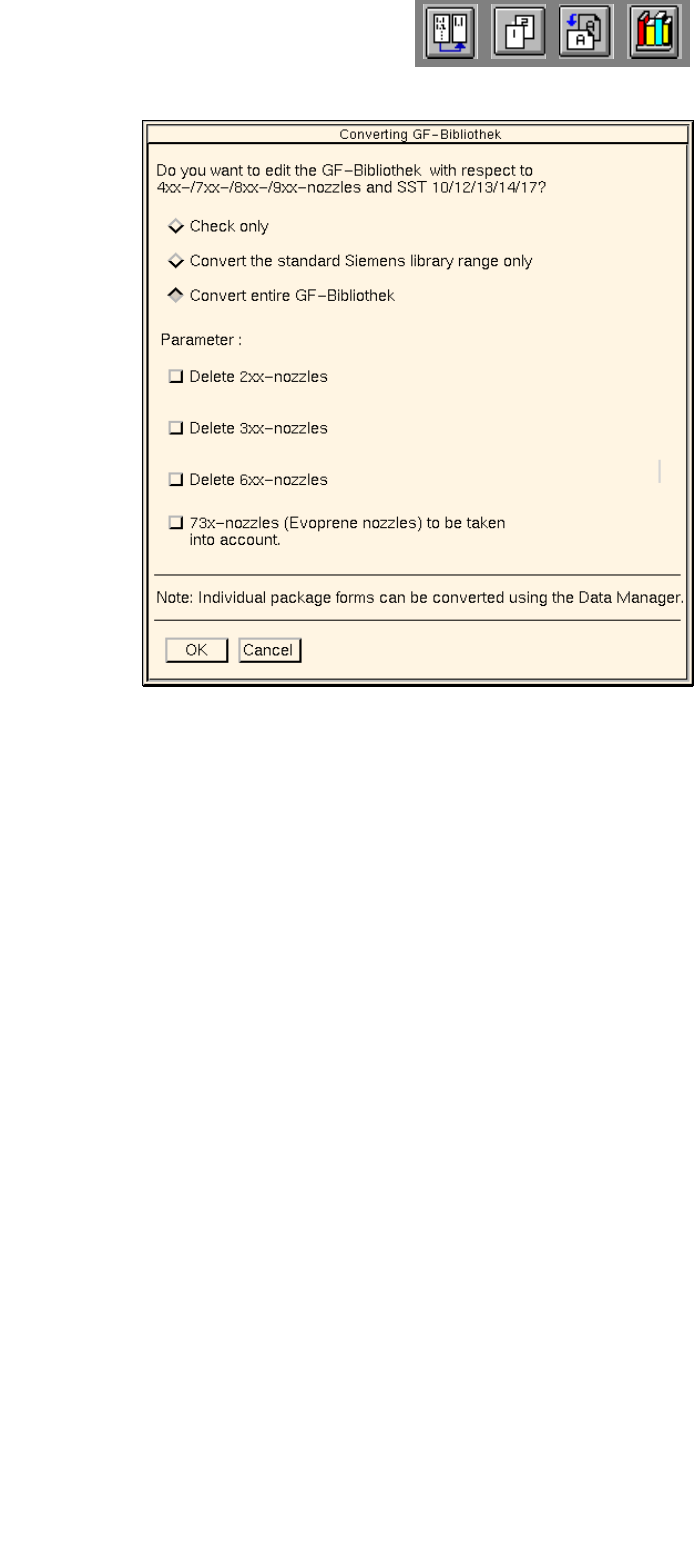
Selection Options
- Check only
This option serves to check the entire GF-Bibliothek. During this check it is determined which entries
relating to standard configurations of nozzle and sensor system types have to be changed in the
respective GF-files.
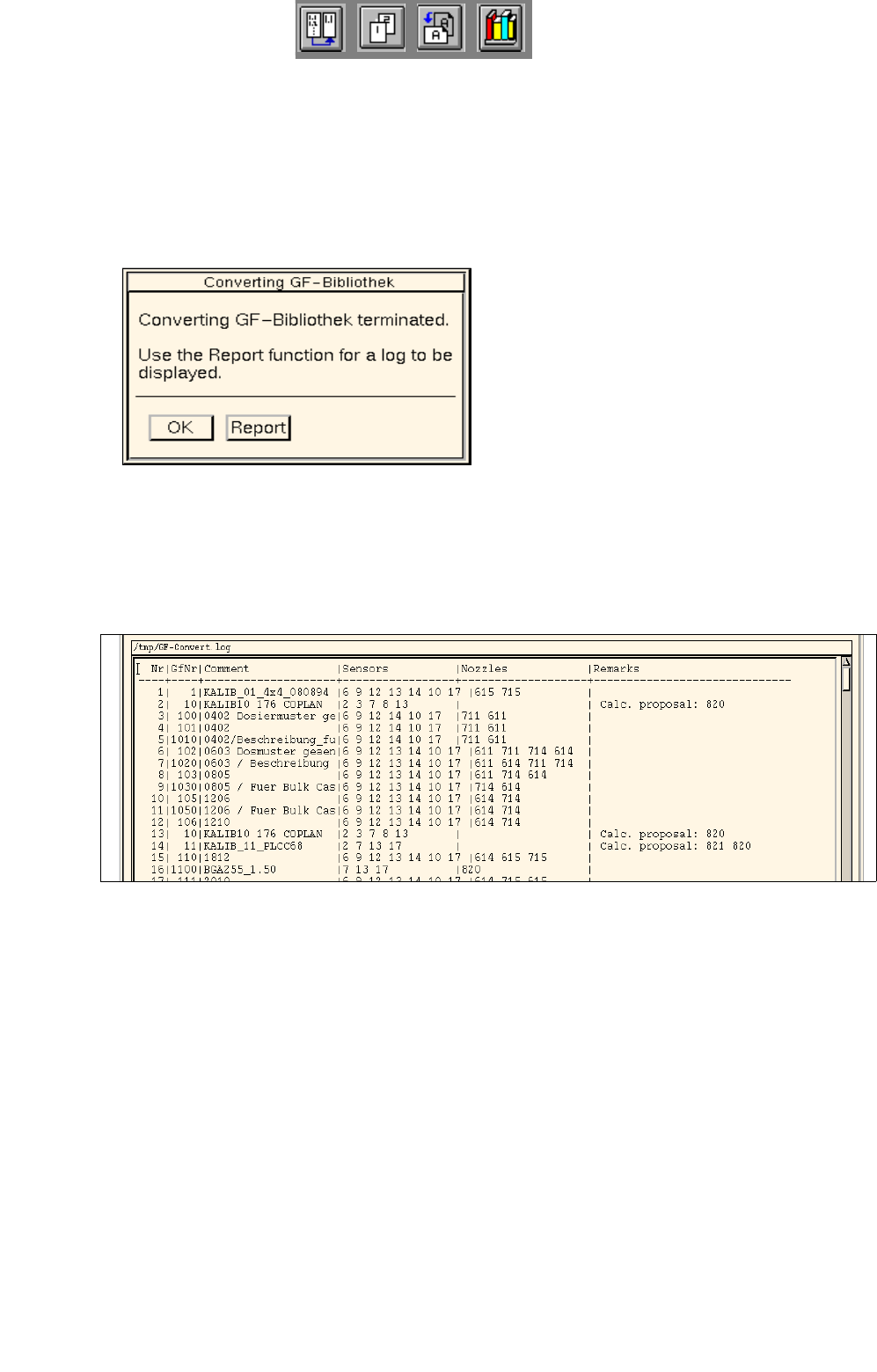
The result of the check is entered in the "GF-Convert.log" file and can be viewed using the file display
function (see
page 3 - 89).
- Convert the standard Siemens library range only
The standard configurations of nozzle and sensor system types that may still be missing will be
entered in all GF-files contained in the GF-Bibliothek within the range from 1 through 1499.
- Convert entire GF-Bibliothek
The standard configurations of nozzle and sensor system types that may still be missing will be
entered in all GF-files contained in the GF-Bibliothek.
- Delete 2xx-nozzles
All existing nozzles of the type 2xx are deleted.
- Delete 3xx-nozzles
All existing nozzles of the type 3xx are deleted.
- Delete 6xx-nozzles
All existing nozzles of the type 6xx are deleted.
- 73xx-nozzles (Evoprene nozzles) to be taken into account
If nozzles of the type 71xx already exist, nozzles of the type 73xx will be added in addition.
User Manual Line Computer UNIX 3 Desktop (Root Window)
Software Version 502.xx 10/2000 Issue 3.2 Desktop User Interface
89
I
t I I
Procedure:
● Click on the button associated with the desired option.
● Click on OK.
The checking process or conversion, respectively, starts.
When the action has been completed, the following dialog box is displayed.
Use the Report button if you wish to view the result of the check or conversion.
● Click on Report in the dialog box.
The main window of the File Display function opens. The contents of the "GF-Convert.log" log file
are displayed in the view area.
● Close the main window of File Display using the menu option FILE --> Exit.
● Click on OK in the dialog box.
The dialog box closes.
● Click on Cancel in the dialog window.
The dialog window closes.
3 Desktop (Root Window) User Manual Line Computer UNIX
3.2 Desktop User Interface Software Version 502.xx 10/2000 Issue
90
I
t I I
- Replace GF-number
Following any changes in the GF library, this menu option is used to replace the GF number
associated with given components with a different one.
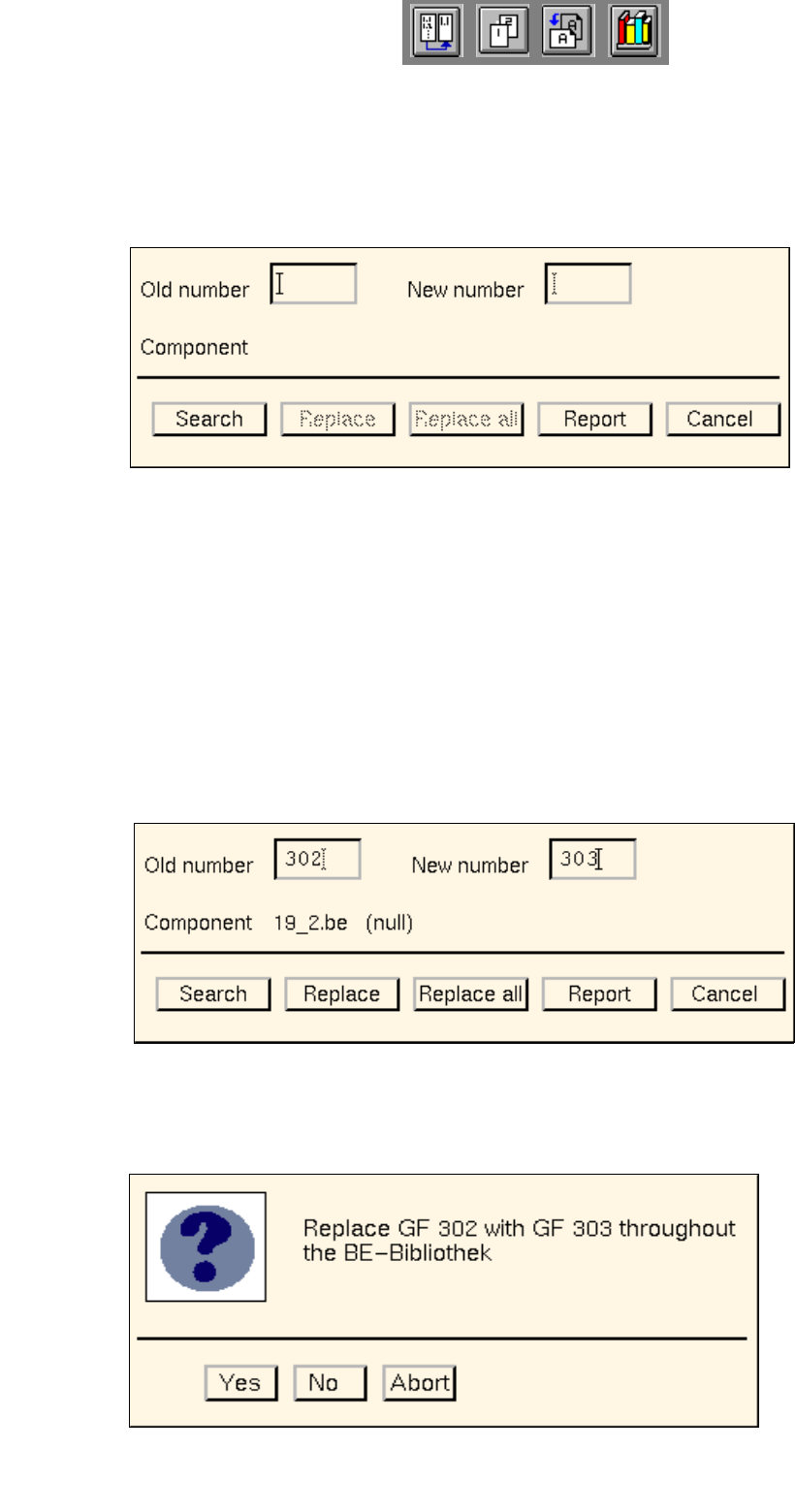
● Click on OPTIONS --> Replace GF-number.
The following dialog box opens.
Procedure:
● In the "Old number" editing field enter the GF number that is to be replaced.
● In the "New number" editing field enter the GF number that is to replace the old number.
● Click on the Search button.
The file name of the first component found that is associated with the GF number entered under
"Old number" is displayed next to the "Component" entry. In addition, the comment that may have
been entered in the Component Editor for the component concerned is displayed next to the file
name.
● Click on the Replace button.
The old GF number is replaced with the new GF number in the component file displayed, and the
search for the next matching component is started.
Or else:
● Click on the Replace all button.
The following dialog box opens.