YSH20_Ope_E.pdf - 第105页
2-48 2 asic operation 5. Settings on the machine side After installing the tape feeders and the tray changer in the machine, you must make settings for the machine. 5.1 Setting the "Package" parameter . T ape…
2-47
2
asic operation
n
Pallet clamp
1
Turn off the power to the machine.
2
Remove the wafer storage unit.
Follow the procedure for removing the wafer storage unit.
n
NOTE
The procedure for removing the wafer storage unit is described on the label located behind the door of the wafer
storage unit.
3
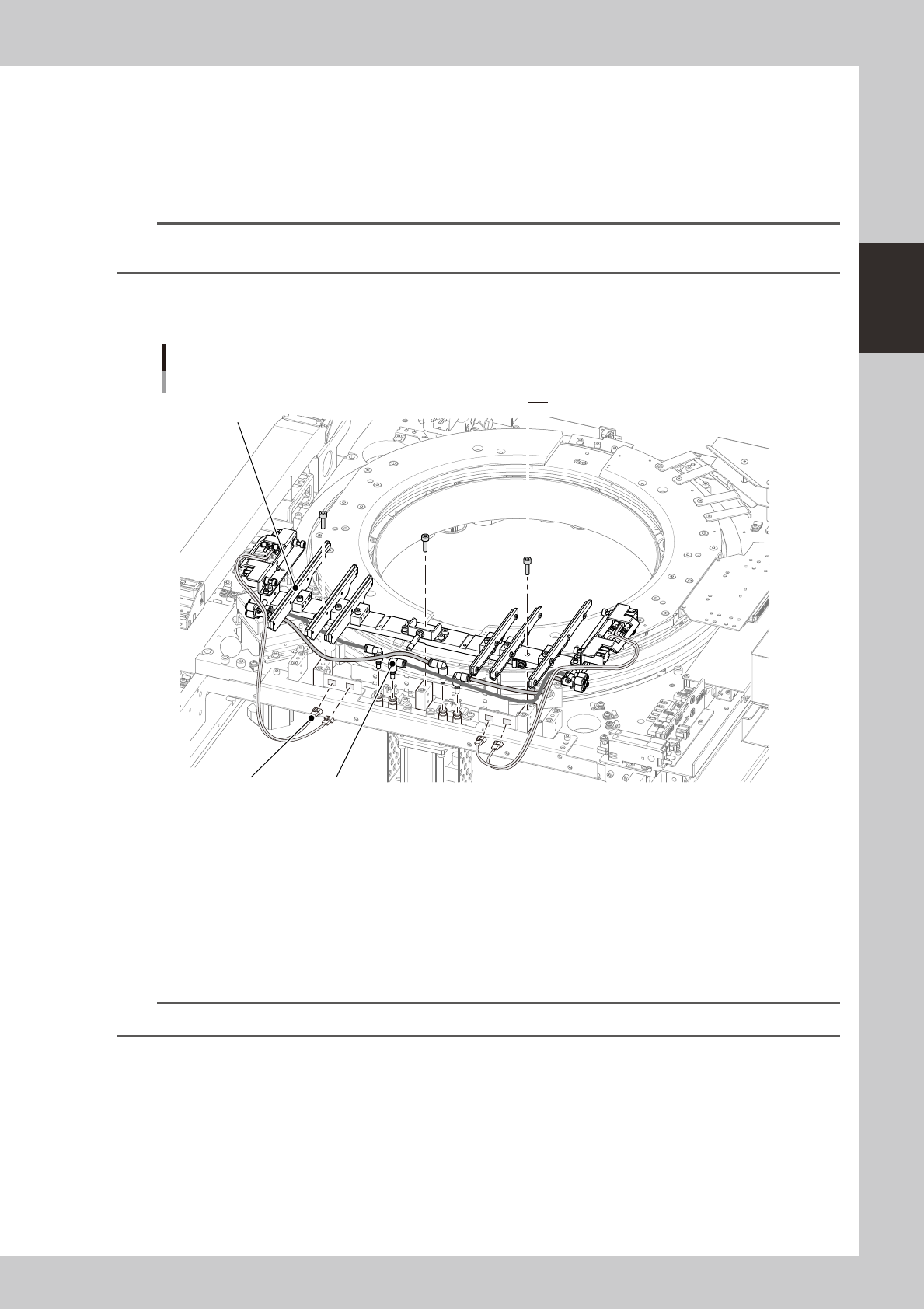
Remove the mounting bolts.
Using the 4mm wrench, remove the three bolts that secure the pallet clamp.
Exchanging the pallet clamp
Mounting bolt (3mm wrench)
PlugSensor connector
Pallet clamp
23240-H0-00
4
Unplug the connectors.
Unplug the sensor connectors for the right and left air cylinders.
5
Remove the air hoses.
Remove the orange and black air hoses along with the plug.
6
Exchange the pallet clamp.
Exchange the pallet clamp using the reverse procedure from steps 2 to 5.
n
NOTE
Plugging in the sensor connectors before tightening the mounting bolts makes it easier to install the pallet clamp.
2-48
2
asic operation
5. Settings on the machine side
After installing the tape feeders and the tray changer in the machine, you must make settings for the machine.
5.1 Setting the "Package" parameter.
Tape feeder :
Set the "Package", "Tape Type" and "Feed Pitch" parameters.
Wafer tray changer :
Set the "Package" and "Feeder Type" parameters.
1
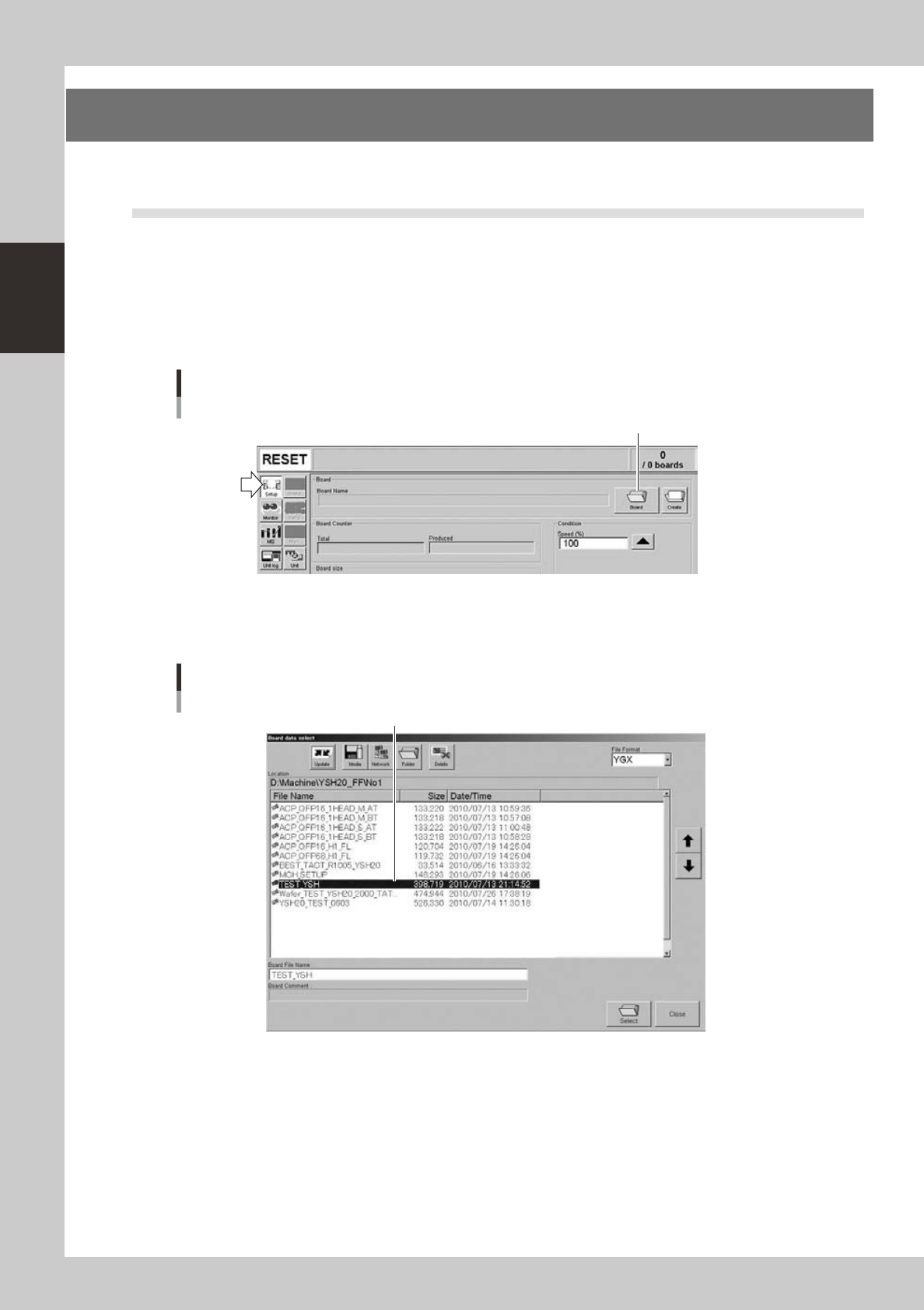
Open the "Board data select" screen.
On the Setup screen, press the [Board] to open the "Board data select" screen.
Setup screen
[Board] button
[Board] button
24223-H0-00
2
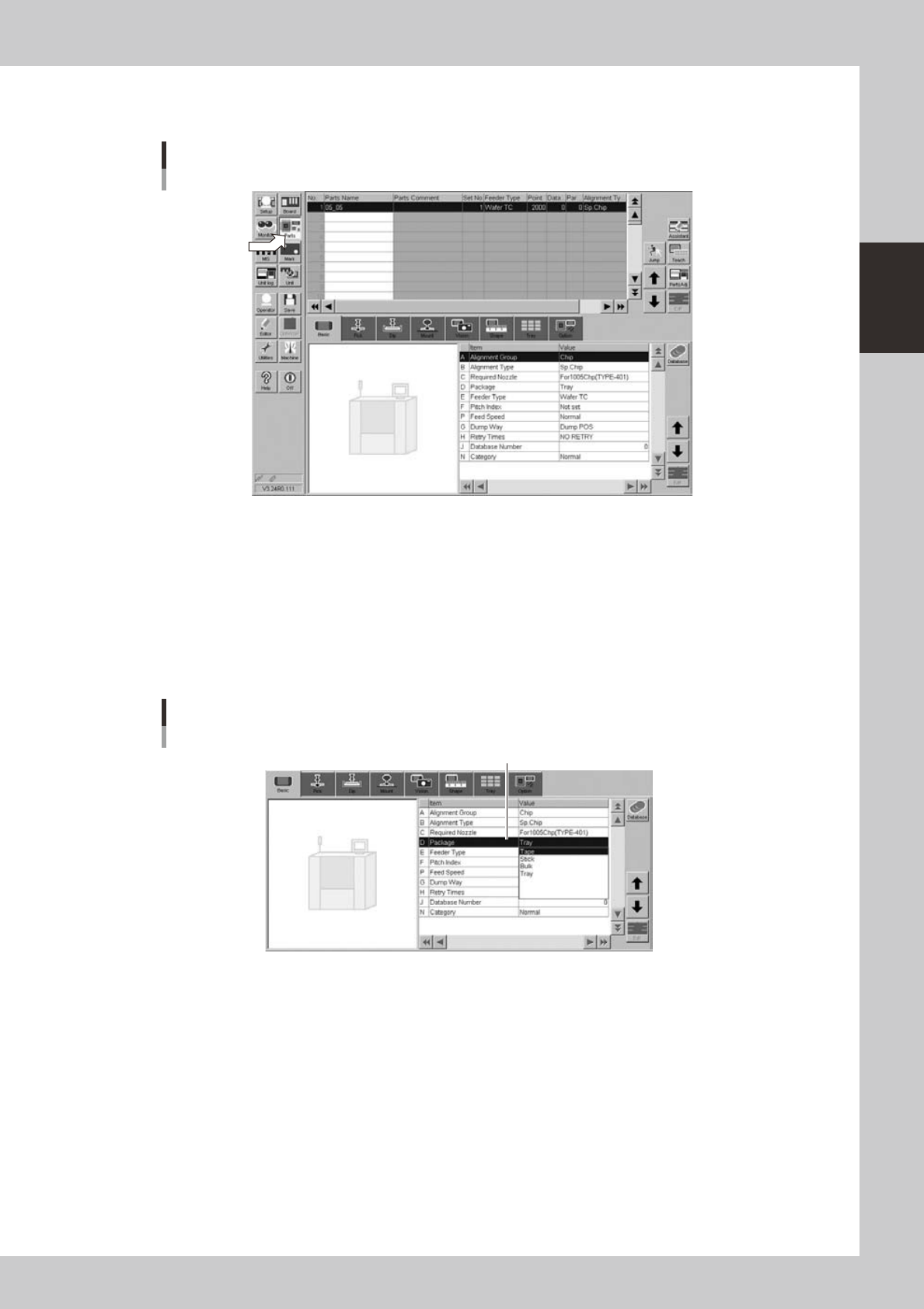
Select the board data.
Select the board data in the list and press the [Select] button.
"Board data select" screen
Select the board data.
24224-H0-00
2-49
2
asic operation
3
Open the Parts screen.
Press the [Parts] button to open the Parts screen and select the component from the upper list.
Parts screen
24225-H0-00
4
Display the basic parameters.
Select the [Basic] tab to display the basic parameters.
5
Set the "Package" parameter.
Double-click the "Package" parameter field and select an appropriate package from the drop-down
list.
• Tape components: Tape
• Tray components: Tray
Parts screen
"Package" parameter
"D. Package"
24226-H0-00