YSH20_Ope_E.pdf - 第28页
General Contents About this manual 1. Using this manual i 1.1 A vailable manuals i i 2. Contents of each chapter ii i 3. Page layout i v Chapter 1 Par t names and functions …
xxv
Safety instructions
n
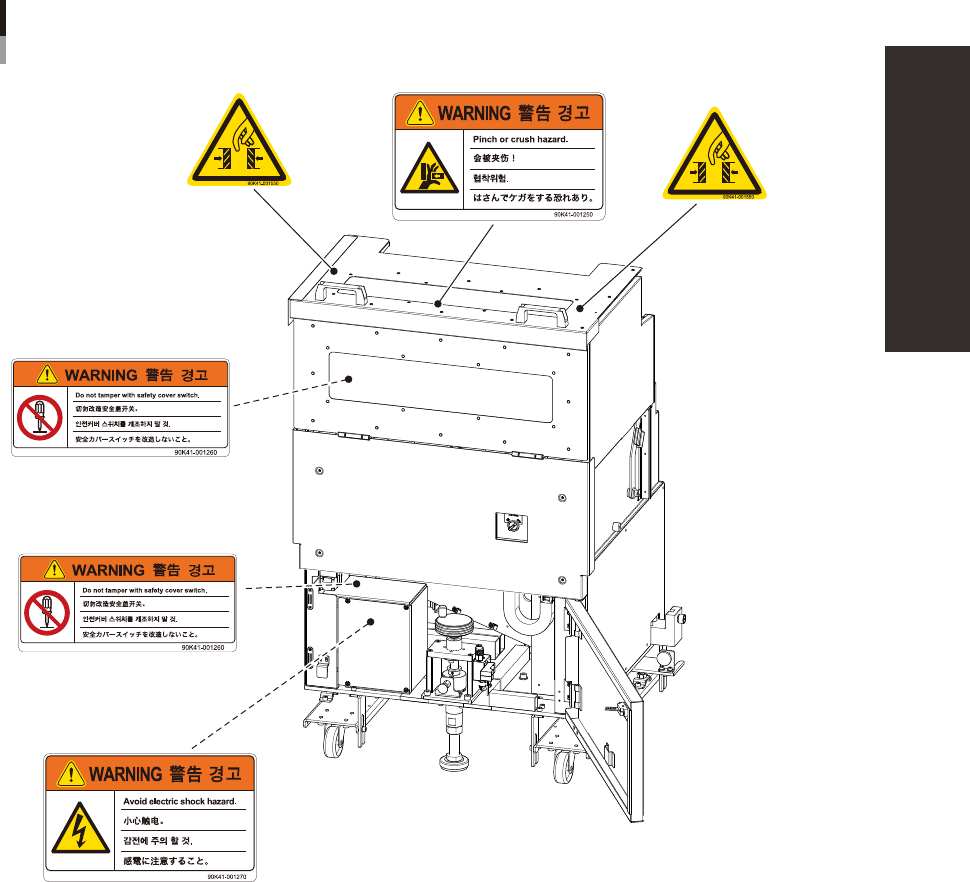
Label positions
Warning labels
YWF-300
N Door upper side
N Door inner side
93205-H0-10

General Contents
About this manual
1. Using this manual i
1.1 Available manuals i
i
2. Contents of each chapter iii
3. Page layout iv
Chapter 1 Part names and functions
1
4
7
3.1 Keyboard and mouse 1-7
8
4. Head assembly 1-9
4.1 Component pick-and-place head 1-10
4.1.1 F head 1-10
4.1.2 4M head 1-10
4.1.3 Component recognition cameras 1-11
4.2 Nozzle types 1-12
4.2.1 Nozzles for F head 1-12
3
5. Component supply section 1-14
5.1 Supplying components from feeder plates 1-14
5.2 Supplying components from a wafer tray changer 1-15
6.
Conveyor unit 1-17
6.1
Conveyor unit 1-17
6.2 Conveyor sensor positions 1-18
7. Axis configuration 1-19
Chapter 2 Basic operation
1
1.1 Canceling emergency stop 2-1
1.2 Clearing an error 2-2
1.3 Typical errors and troubleshooting 2-3
EPH0127110

8
8
2.2 Setup screen 2-11
2.3 Unit screen 2-13
3. Starting and stopping the machine 2-18
3.1 Pre-operation check 2-19
3.2 Starting the machine 2-20
3.3 Warming up the machine 2-22
3.4 Conveyor unit setup flow 2-23
4. Preparing the component supply unit 2-25
4.1 Tape feeders 2-25
4.1.1 Setting the tape 2-25
4.1.2 Setting a tape feed pitch 2-30
4.1.3 Installation on the machine 2-34
4.2 Wafer tray changer 2-35
4.2.1 Setting a dicing frame (components) in the tray. 2-35
4.2.2 Setting the components in the magazine 2-36
4.2.3 Exchanging the magazine and supplying components 2-37
4.2.4 Teaching the wafer component positions 2-39
4.2.5 Exchanging the expander unit and pallet clamp 2-45
5. Settings on the machine side 2-48
5.1 Setting the "Package" parameter. 2-48
2
Chapter 3 Starting and ending production
1. Starting production 3-1
1.1 Resuming operation from the stopped point 3-6
1.1.1 Loading the saved data 3-7
1.1.2 Editing mount flags 3-7
1.2 Using the "block skip function" 3-8
1.2.1 Selecting the blocks 3-9
1.2.2 Starting operation 3-10
2. Ending production and turning power off 3-11
3
3.1 Production 3-13
5
7
9
3.5 Alignment 3-21