YSH20_Ope_E.pdf - 第40页
1-4 1 Part names and functions 2. Optional units This section describes the part names and functions of optional units. n Magazine setup unit W afer tray changer Magazine side Magazine position selector switch Jack lift …
1-3
1
Part names and functions
n
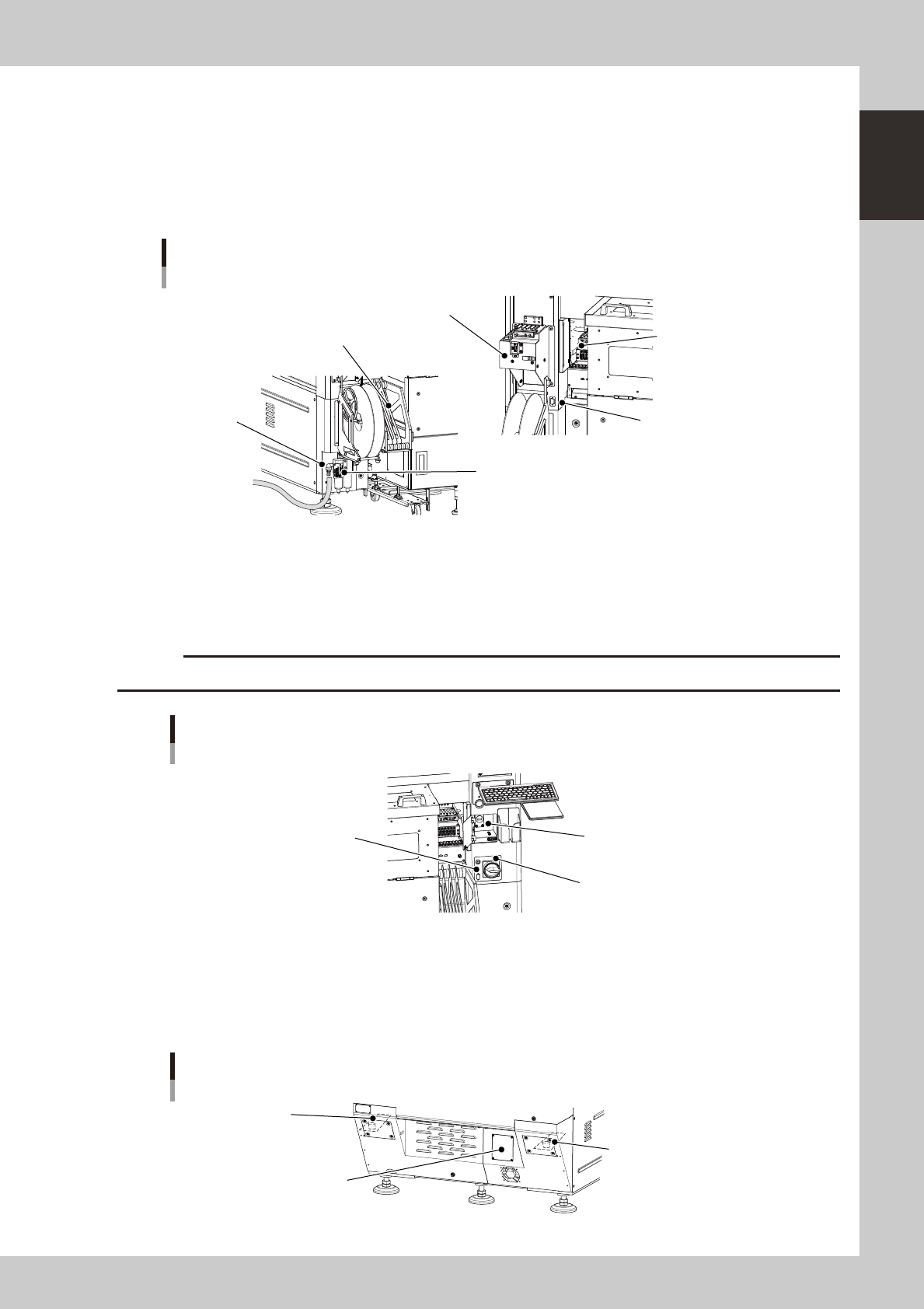
Connectors for dipping station
Connectors for the dipping station power supply and signal connection. One connector each is installed on the left and
right sides.
n
Feeder setup section
Set SS feeders (tape components) or a dipping station here.
n
Temporary tape set station (option)
This is used for setting tape components in SS feeders and for changing the feed pitch.
Supply air connector / feeder-related parts
SS feeder temporary setup station
Reel holder
Feeder setup section
Supply air
connector
Air/mist filter
Dipping station connector
23102-H0-00
n
USB port
Use this USB port when making a data backup or upgrading the software version.
n
Power switch
Turns on or off the power to the machine. The power is on when turned to the right.
c
Wait about 2 seconds before turning the power switch back on after turning it off.
Main switch
USB port
Main switch
Connector for dipping station
23103-H0-00
n
Machine-to-machine interface connectors (input/output signals between machines)
The machine ejects the board when it receives a signal from the machine in the next process, and then sends a signal to
the machine in the preceding process to request another board. The interface connector labeled "NEXT INTERFACE"
connects to the machine in the next process, and the interface connector labeled "PREVIOUS INTERFACE" connects to
the machine in the preceding process.
Machine-to-machine interface connectors
N Filter for vacuum pump
(behind cover)
N Machine-to-machine
interface connector (behind cover)
N Machine-to-machine
interface connector (behind cover)
23104-H0-00
1-4
1
Part names and functions
2. Optional units
This section describes the part names and functions of optional units.
n
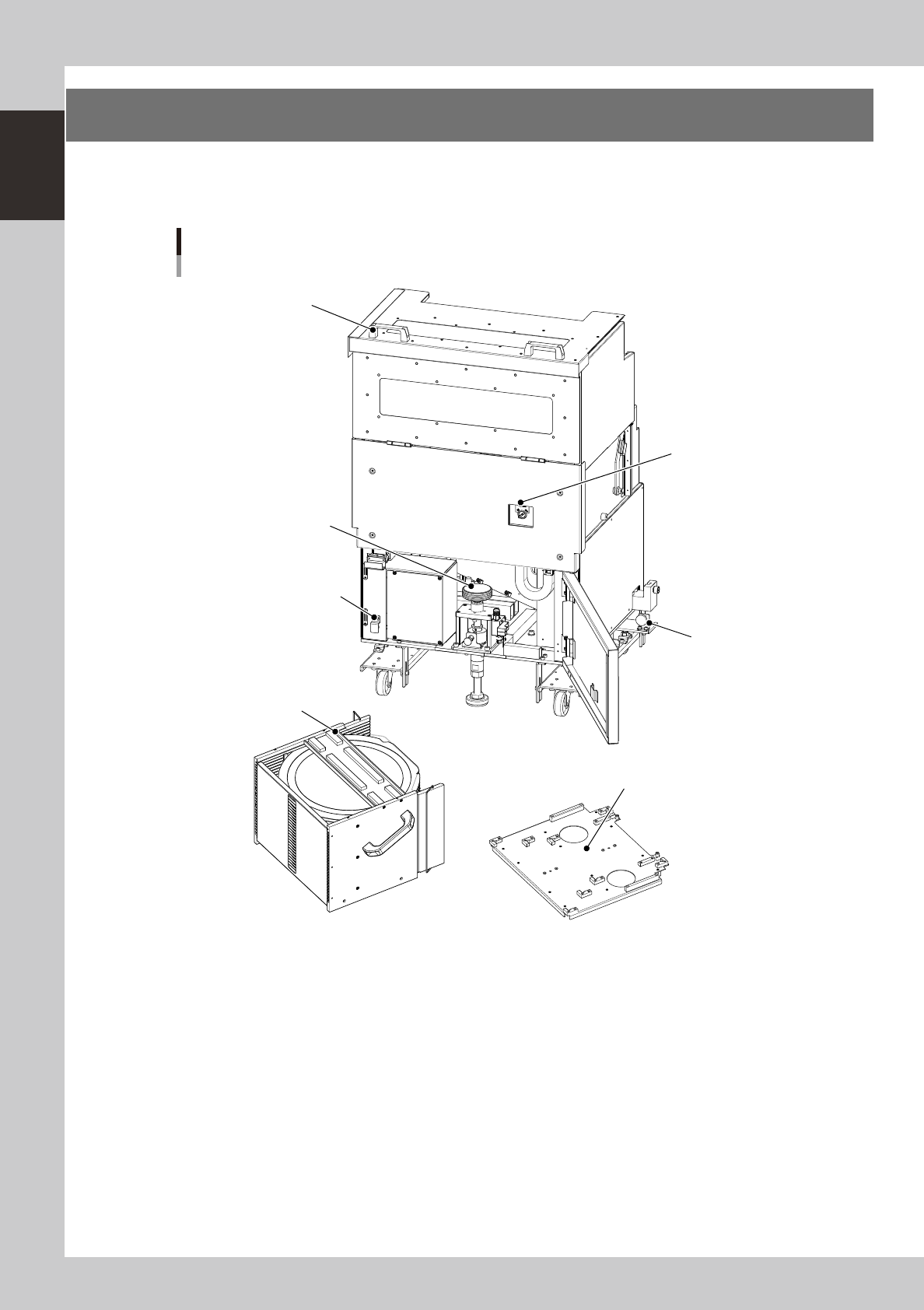
Magazine setup unit
Wafer tray changer
Magazine side
Magazine position
selector switch
Jack lift handle
LZ-axis brake release button
Lock knob
Cover open/close handle
Magazine
Magazine size attachment (6-inch / 8-inch wafer pallet)
23105-H0-00
Lock knob (one each on right and left)
Use these knobs to attach or detach the magazine setup unit.
Jack lift handle
Use this handle to lift the wafer storage unit to a position where wafers can be taken out.
Cover open/close handle
When exchanging the magazine, pull this handle toward you to open the cover.
LZ-axis brake release button
Do not use this button in normal operation. Use it only when the LZ-axis brake must be released.
Magazine position selector switch
Setting this switch in the "SET UP" position moves the elevator unit to the magazine exchange position (top position).
Leave this switch in the "AUTO" position except for exchanging the magazine.
1-5
1
Part names and functions
n
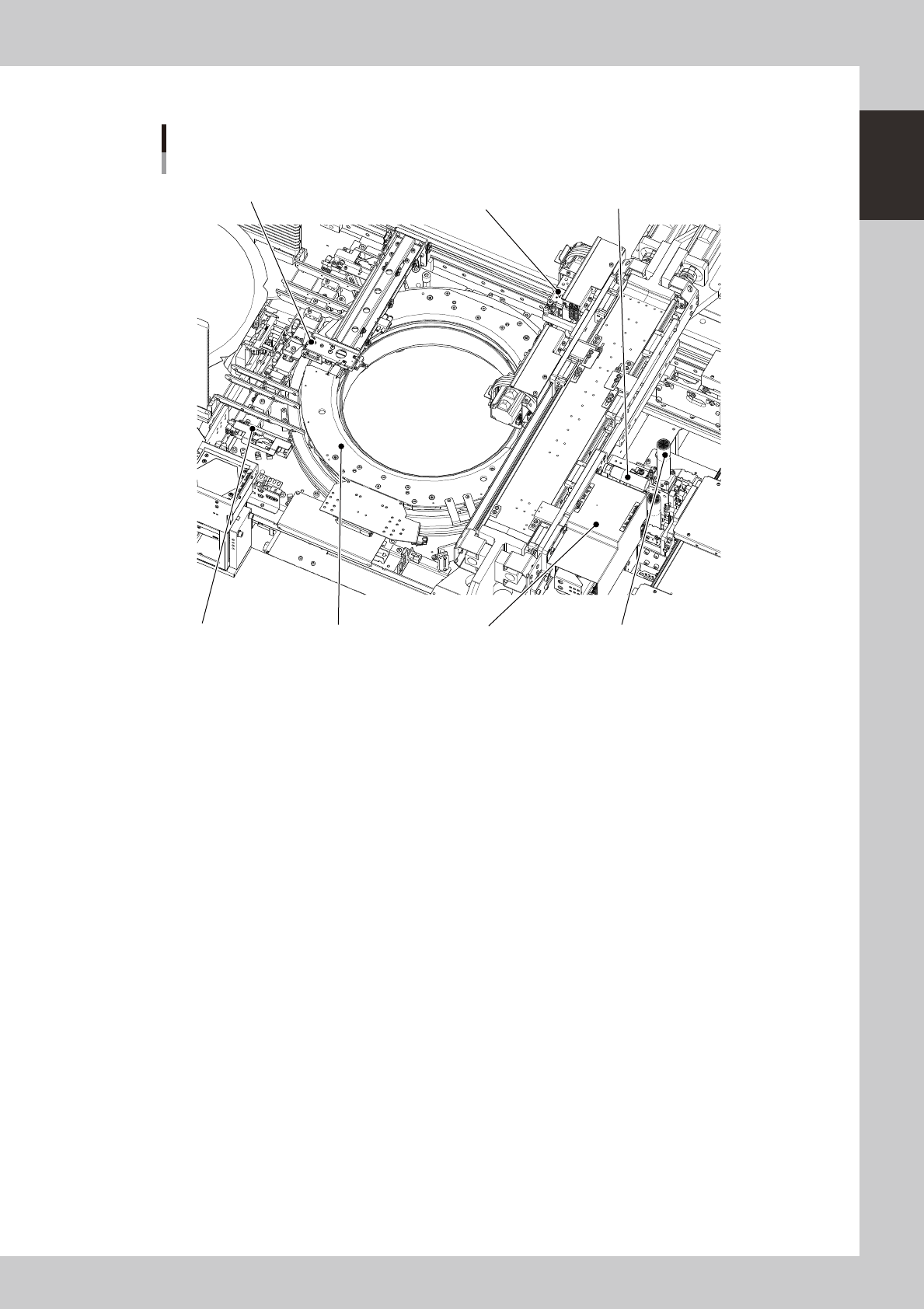
Wafer handling unit
Wafer tray changer
Main unit side
Dicing frame drawing hook
Expander unitPallet clamp
Wafer head
Push-up unit
Wafer camera
Wafer camera slide handle
23106-H0-00
• Dicing frame drawing hook
Draws the dicing frame or a wafer pallet out of the magazine
• Wafer head
Rotary head used to pick up a wafer. Two kinds of nozzles can be attached to each of the two heads A and B.
• Clamp unit (expander unit)
Secures the dicing frame or a wafer pallet by clamping it. Different sizes are available to match the wafer size of 12
inches, 8 inches and 6 inches, and also for wafer pallets.
• Push-up unit (including push-up pin)
Pushes up a wafer from the bottom with the push-up pin to separate the wafer from the dicing tape.
• Wafer camera
Camera for recognizing wafers. One of the two cameras with different field of views is selected to match the wafers to be
used, and installed at the factory prior to shipping.
• Wafer camera slide handle
Use this handle to move the wafer camera.
• Pallet clamp
Guide rail used when taking a wafer out of the storage. This also corrects the tilt of the dicing frame. As with the
expander units, there are different sizes to match the wafer size.