YSH20_Ope_E.pdf - 第41页
1-5 1 Part names and functions n W afer handling unit W afer tray changer Main unit side Dicing frame drawing hook Expander unit Pallet clamp W afer head Push-up unit W afer camera W afer camera slide handle 23106-H0-00 …
1-4
1
Part names and functions
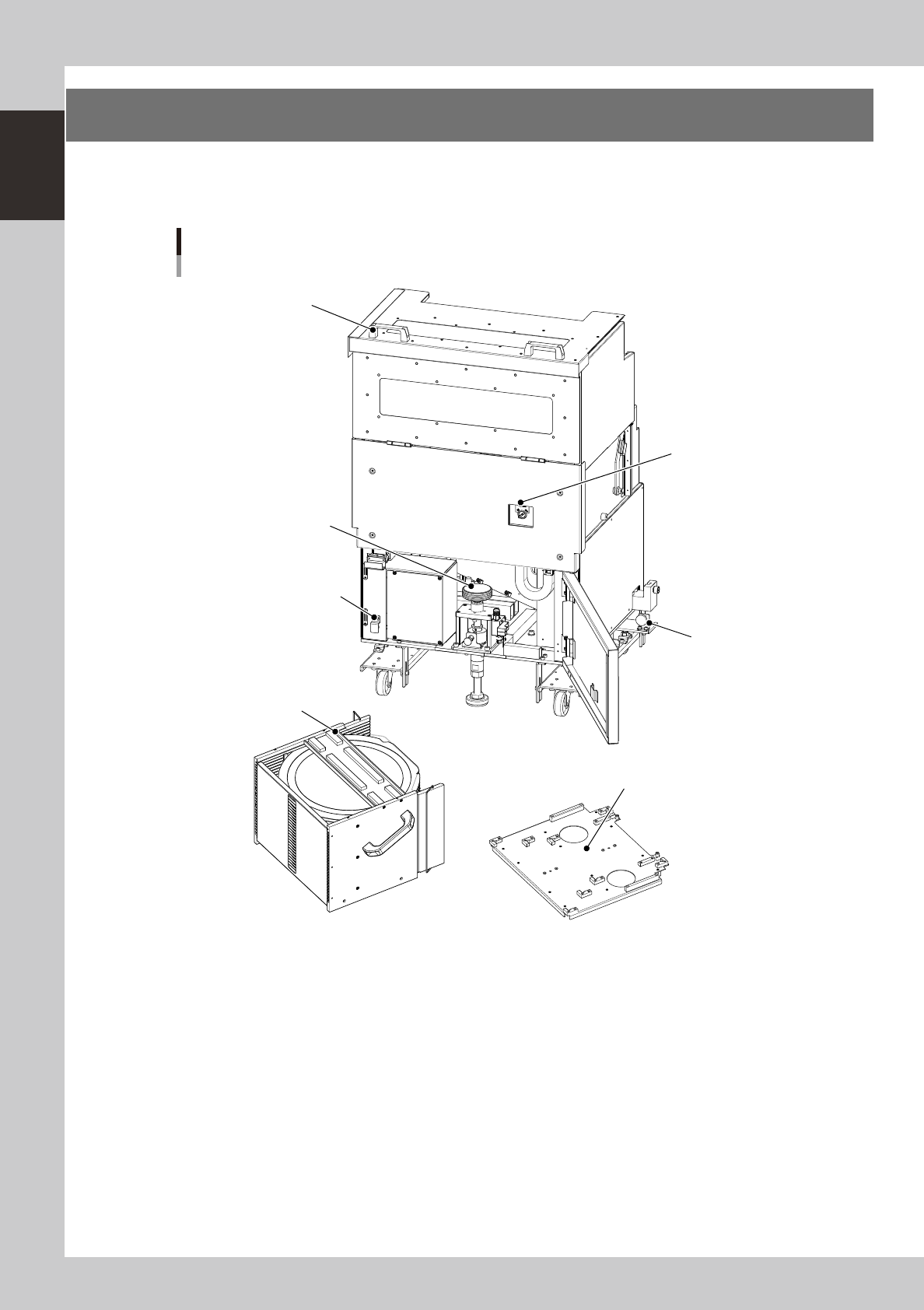
2. Optional units
This section describes the part names and functions of optional units.
n
Magazine setup unit
Wafer tray changer
Magazine side
Magazine position
selector switch
Jack lift handle
LZ-axis brake release button
Lock knob
Cover open/close handle
Magazine
Magazine size attachment (6-inch / 8-inch wafer pallet)
23105-H0-00
Lock knob (one each on right and left)
Use these knobs to attach or detach the magazine setup unit.
Jack lift handle
Use this handle to lift the wafer storage unit to a position where wafers can be taken out.
Cover open/close handle
When exchanging the magazine, pull this handle toward you to open the cover.
LZ-axis brake release button
Do not use this button in normal operation. Use it only when the LZ-axis brake must be released.
Magazine position selector switch
Setting this switch in the "SET UP" position moves the elevator unit to the magazine exchange position (top position).
Leave this switch in the "AUTO" position except for exchanging the magazine.
1-5
1
Part names and functions
n
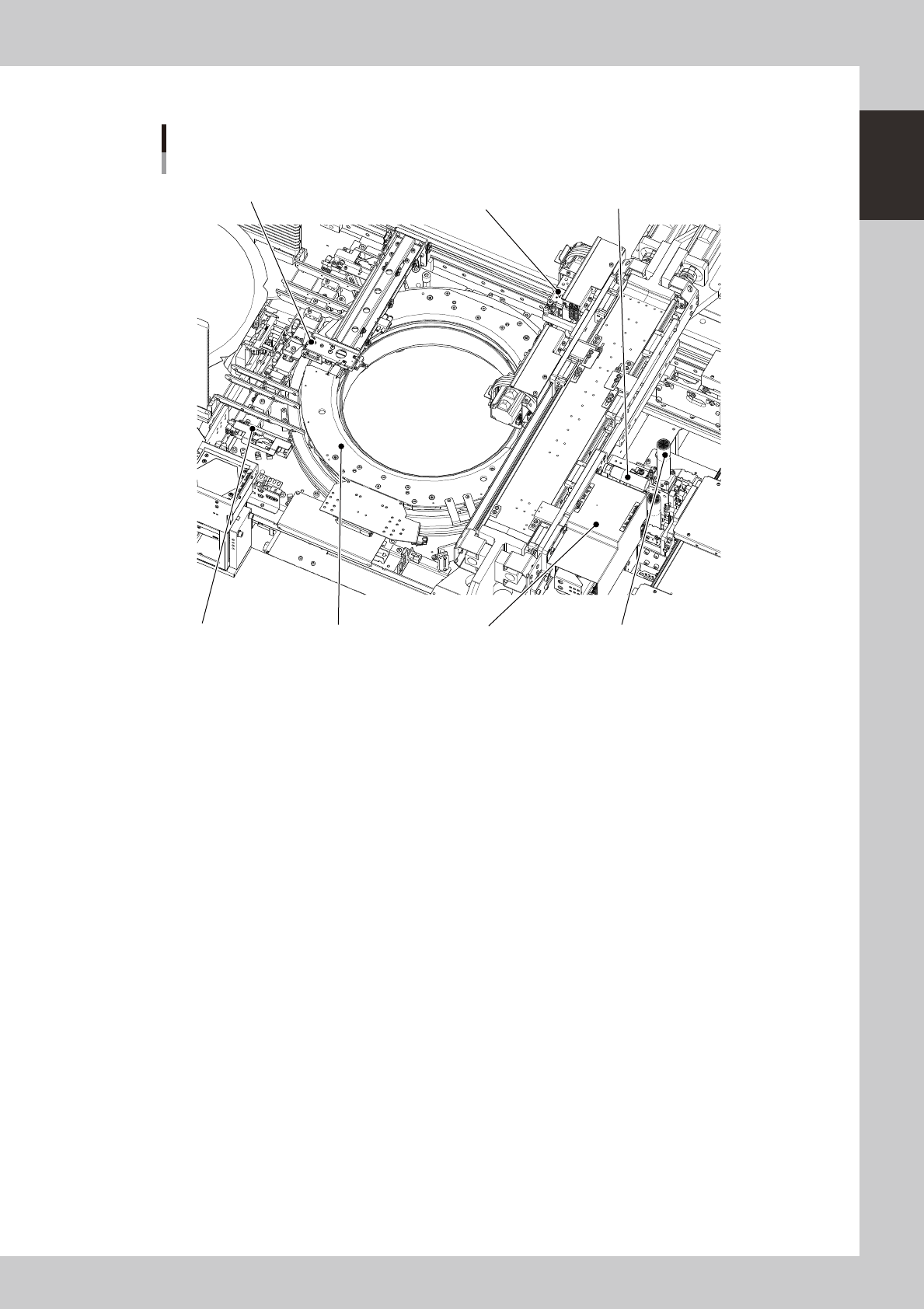
Wafer handling unit
Wafer tray changer
Main unit side
Dicing frame drawing hook
Expander unitPallet clamp
Wafer head
Push-up unit
Wafer camera
Wafer camera slide handle
23106-H0-00
• Dicing frame drawing hook
Draws the dicing frame or a wafer pallet out of the magazine
• Wafer head
Rotary head used to pick up a wafer. Two kinds of nozzles can be attached to each of the two heads A and B.
• Clamp unit (expander unit)
Secures the dicing frame or a wafer pallet by clamping it. Different sizes are available to match the wafer size of 12
inches, 8 inches and 6 inches, and also for wafer pallets.
• Push-up unit (including push-up pin)
Pushes up a wafer from the bottom with the push-up pin to separate the wafer from the dicing tape.
• Wafer camera
Camera for recognizing wafers. One of the two cameras with different field of views is selected to match the wafers to be
used, and installed at the factory prior to shipping.
• Wafer camera slide handle
Use this handle to move the wafer camera.
• Pallet clamp
Guide rail used when taking a wafer out of the storage. This also corrects the tilt of the dicing frame. As with the
expander units, there are different sizes to match the wafer size.
1-6
1
Part names and functions
n
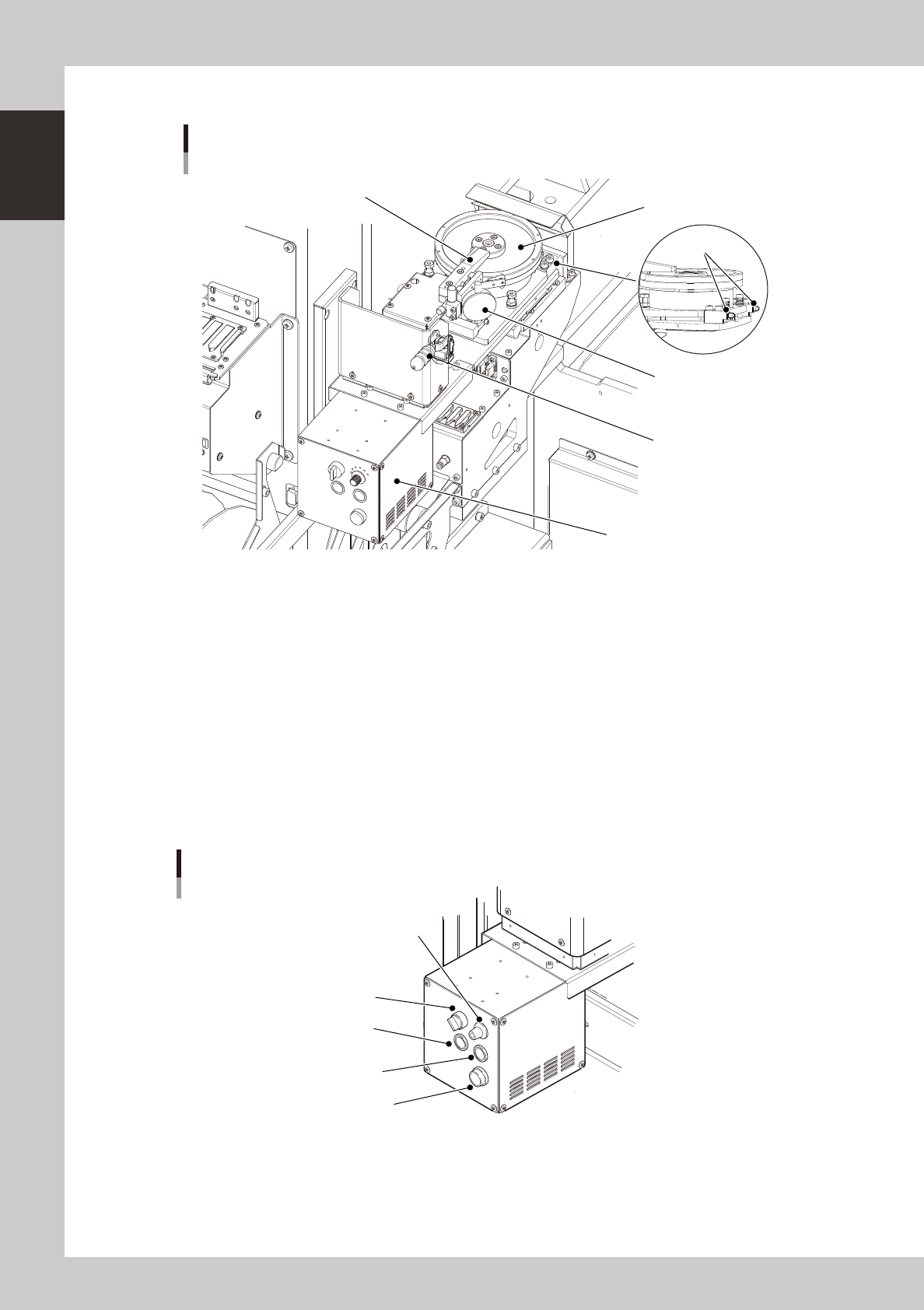
Dipping station
Dipping station
Squeegee
Dipping table
Film pressure setting gauge
Control box
Clamp lever
(Toggle-type)
Locate pin
23107-H0-00
• Film pressure setting gauge
Use this gauge when adjusting the film pressure while moving the squeegee arm up or down.
• Clamp lever (Toggle-type) and locate pin
Use these to position and clamp the dipping station.
• Control box
Use this control box to select manual or auto mode, reset an alarm, or adjust speed.
MANUAL/AUTO : Select manual or auto mode.
SPEED : Select the rotating speed of the dipping table. (6 steps)
SQUEEGEE : Turns the dipping table in MANU mode.
RESET : Resets an alarm.
ALARM : Lights up if for some reason an excessive load is applied to the motor.
ALARM
AUTO/MANU
SPEED
SQUEEGEE
RESET
Control box
23108-H0-00