YSH20_Ope_E.pdf - 第42页
1-6 1 Part names and functions n Dipping station Dipping station Squeegee Dipping table Film pressure setting gauge Control box Clamp lever (T oggle-type) Locate pin 23107-H0-00 • Film pressure setting gauge Use this gau…
1-5
1
Part names and functions
n
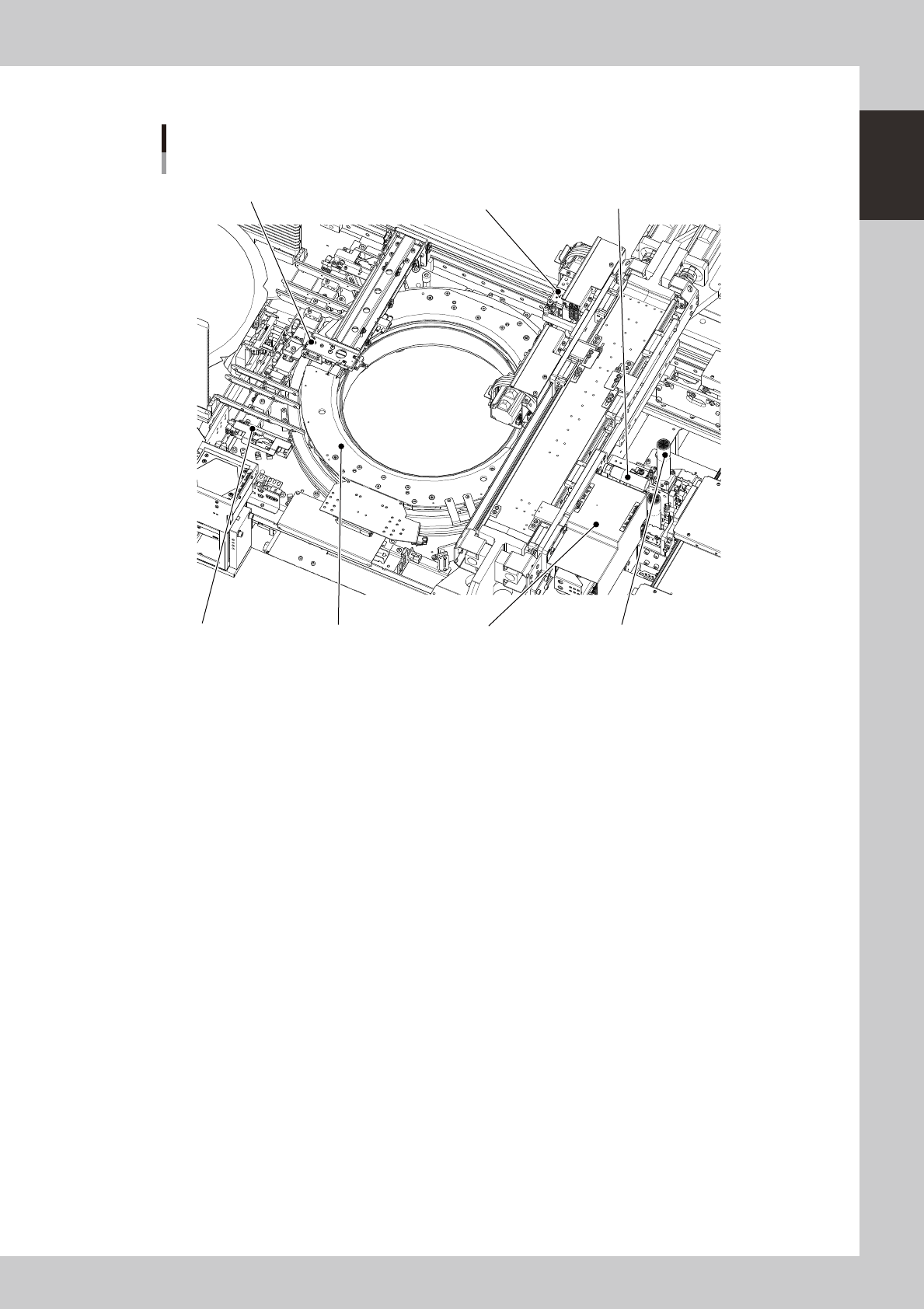
Wafer handling unit
Wafer tray changer
Main unit side
Dicing frame drawing hook
Expander unitPallet clamp
Wafer head
Push-up unit
Wafer camera
Wafer camera slide handle
23106-H0-00
• Dicing frame drawing hook
Draws the dicing frame or a wafer pallet out of the magazine
• Wafer head
Rotary head used to pick up a wafer. Two kinds of nozzles can be attached to each of the two heads A and B.
• Clamp unit (expander unit)
Secures the dicing frame or a wafer pallet by clamping it. Different sizes are available to match the wafer size of 12
inches, 8 inches and 6 inches, and also for wafer pallets.
• Push-up unit (including push-up pin)
Pushes up a wafer from the bottom with the push-up pin to separate the wafer from the dicing tape.
• Wafer camera
Camera for recognizing wafers. One of the two cameras with different field of views is selected to match the wafers to be
used, and installed at the factory prior to shipping.
• Wafer camera slide handle
Use this handle to move the wafer camera.
• Pallet clamp
Guide rail used when taking a wafer out of the storage. This also corrects the tilt of the dicing frame. As with the
expander units, there are different sizes to match the wafer size.
1-6
1
Part names and functions
n
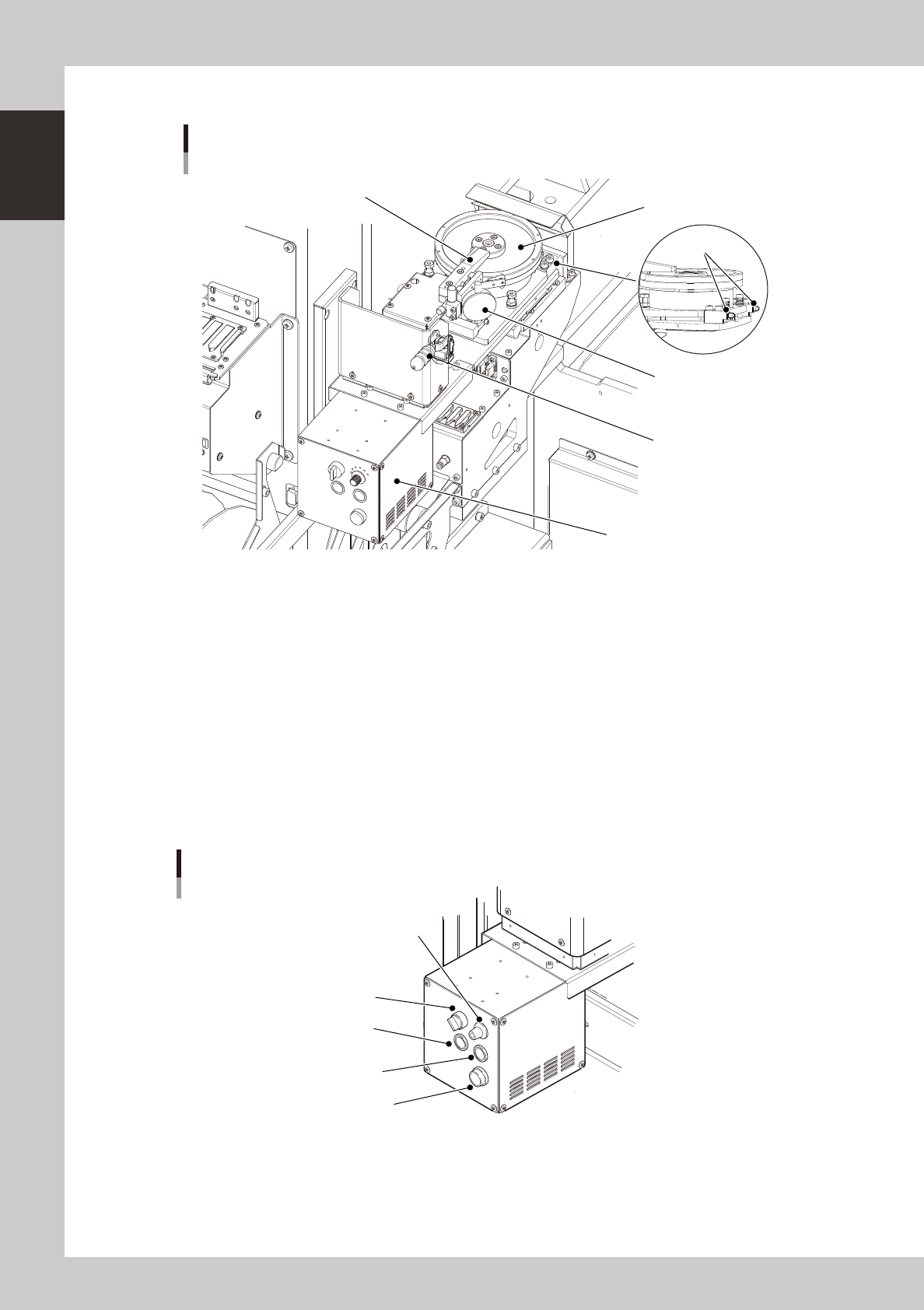
Dipping station
Dipping station
Squeegee
Dipping table
Film pressure setting gauge
Control box
Clamp lever
(Toggle-type)
Locate pin
23107-H0-00
• Film pressure setting gauge
Use this gauge when adjusting the film pressure while moving the squeegee arm up or down.
• Clamp lever (Toggle-type) and locate pin
Use these to position and clamp the dipping station.
• Control box
Use this control box to select manual or auto mode, reset an alarm, or adjust speed.
MANUAL/AUTO : Select manual or auto mode.
SPEED : Select the rotating speed of the dipping table. (6 steps)
SQUEEGEE : Turns the dipping table in MANU mode.
RESET : Resets an alarm.
ALARM : Lights up if for some reason an excessive load is applied to the motor.
ALARM
AUTO/MANU
SPEED
SQUEEGEE
RESET
Control box
23108-H0-00
1-7
1
Part names and functions
3. Operation panel and data input unit
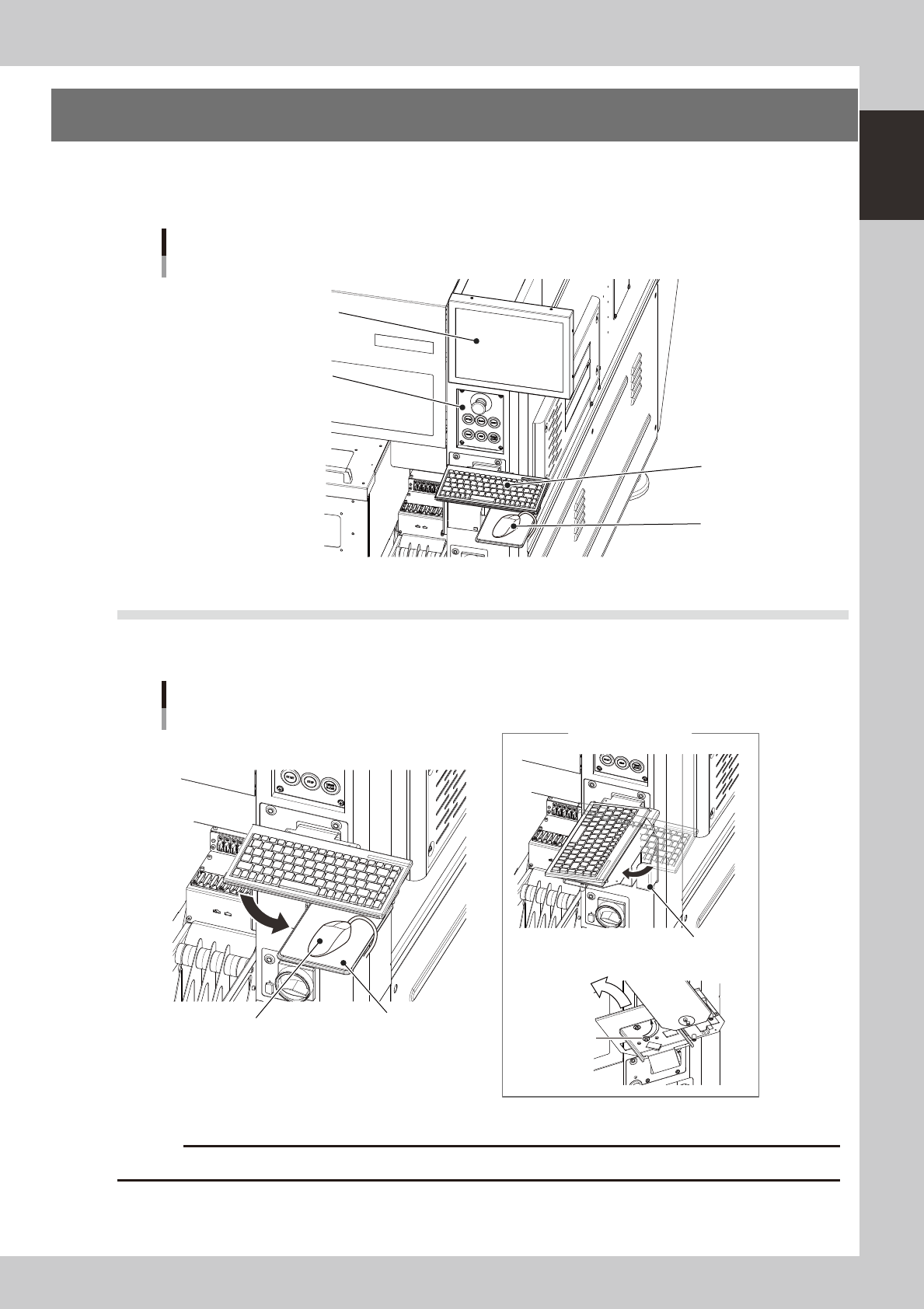
Standard machines are equipped with an operation display, operation panel buttons, a keyboard and a
mouse on the front and rear (option) of the machine, to operate the machine and make data settings. The
functions of these units are explained below.
Operation display
(touch screen is optional)
Mouse
Keyboard
Operation panel buttons
Operation and data input section
23109-H0-00
3.1 Keyboard and mouse
This machine is equipped with a keyboard and mouse as standard features to operate the machine or edit data
settings. To select a menu button or parameter item on the operation screen, click it with the left mouse button.
Mouse holder
Keyboard and mouse
Back of keyboard
Mouse
Loosen this bolt.
Mouse pad
Turning the keyboard
23110-H0-00
c
Store the mouse in holder when not in use or it may drop and be damaged.