YSH20_Ope_E.pdf - 第94页
2-37 2 asic operation 4.2.3 Exchanging the magazine and supplying components When exchanging the magazine in the w afer tra y changer (hereafter called "tra y changer") or supplying components, the machine mu…
2-36
2
asic operation
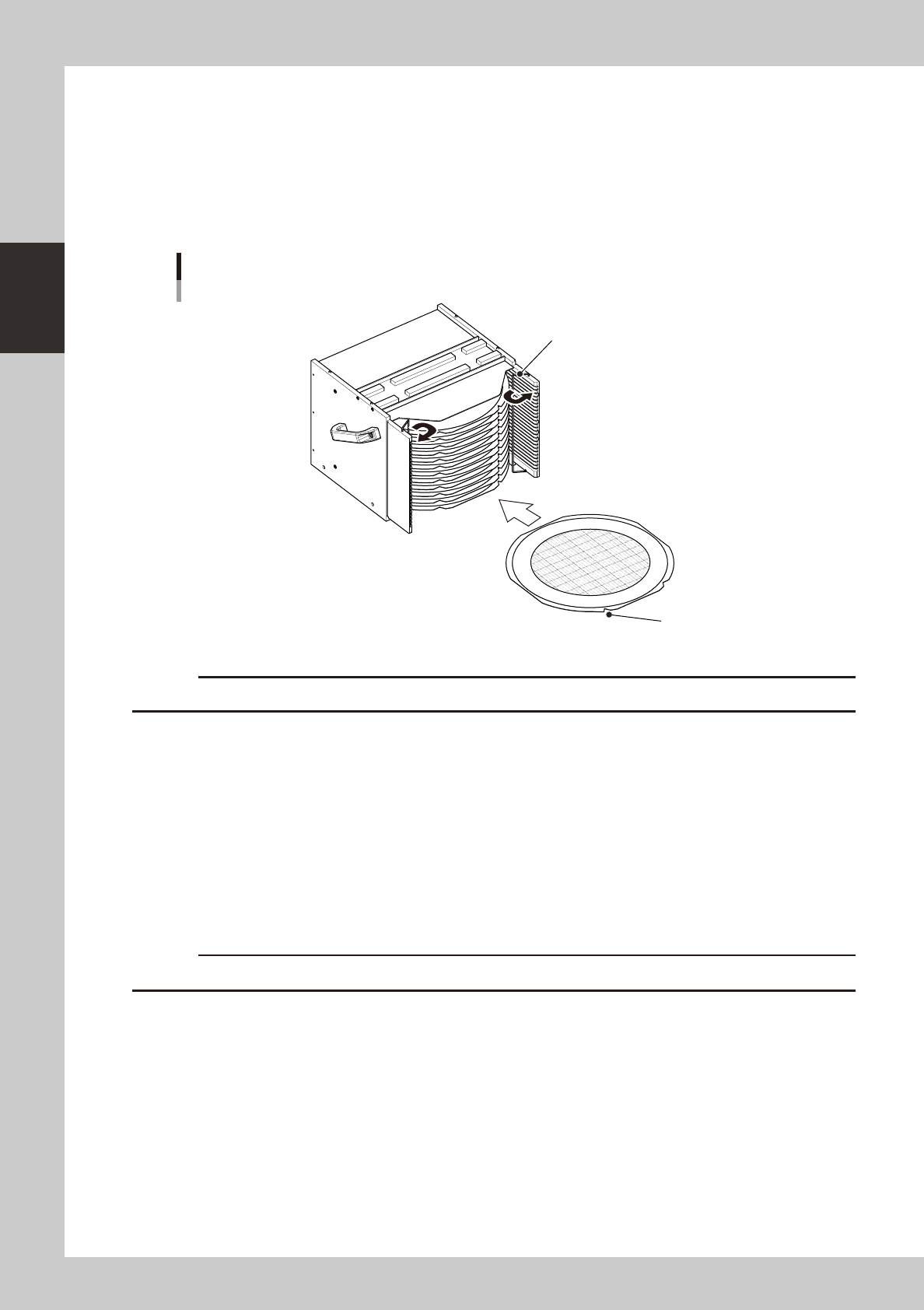
4.2.2 Setting the components in the magazine
The following describes the method for setting a dicing frame or wafer pallet (hereafter called "wafer
component") into the magazine.
1
Place the magazine on a flat and level surface.
2
Open the stoppers.
Open the stoppers so that the wafer component can be easily inserted into the magazine.
Setting the component into the magazine
Stopper
Notch
23230-H0-00
c
A custom magazine is required when using wafer pallets.
3
Insert the wafer component into the magazine.
While keeping the wafer component level, insert it into the correct magazine shelf. The notch and flat
side should face outward as shown in the above figure. Insert the wafer component until it lightly
contacts the inner side.
4
Check the wafer component you inserted.
Make sure it is correctly inserted and is not tilted. Trouble will occur during component supply if inserted
in the wrong left or right shelf.
5
Close the stoppers.
This will prevent the wafer components stored in the magazine from slipping out while being carried.
c
Always open the stoppers when setting the magazine in the wafer tray changer.
2-37
2
asic operation
4.2.3 Exchanging the magazine and supplying components
When exchanging the magazine in the wafer tray changer (hereafter called "tray changer") or supplying
components, the machine must be in an emergency stop state. The methods for exchanging the magazine and
supplying components are described below.
1
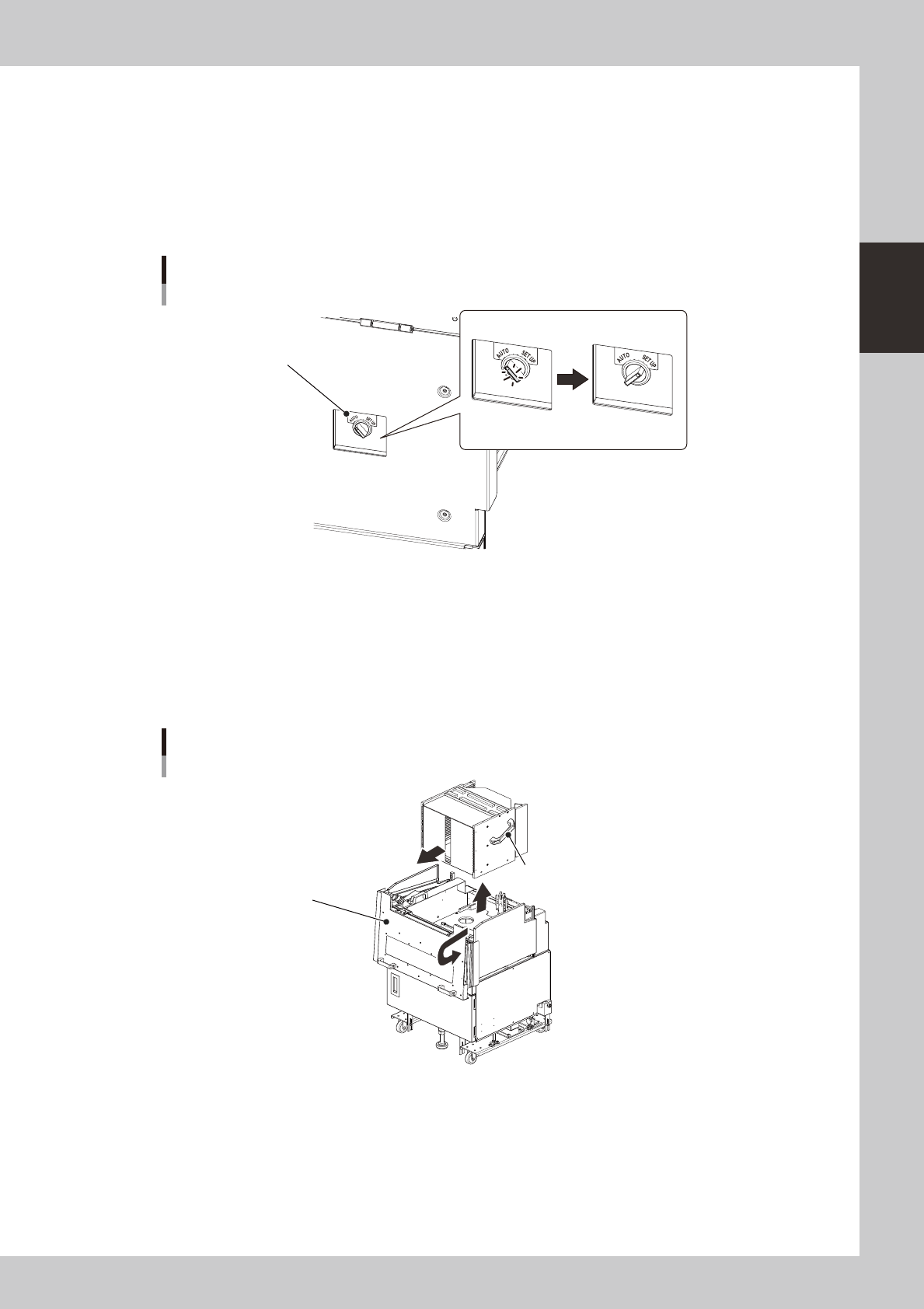
Move the magazine to the exchange position.
Set the magazine position selector switch on the tray changer to "SET UP".
The switch lamp turns off and the magazine moves to the exchange position (top position).
Magazine position selector switch
Lamp ON Lamp OFF
Magazine position selector switch
23233-H0-00
e
2
Press the emergency stop button and open the cover.
Always first press the emergency stop button and then open the cover on the machine side. Then pull
the handle on the magazine side toward you and open the cover on the tray changer side.
3
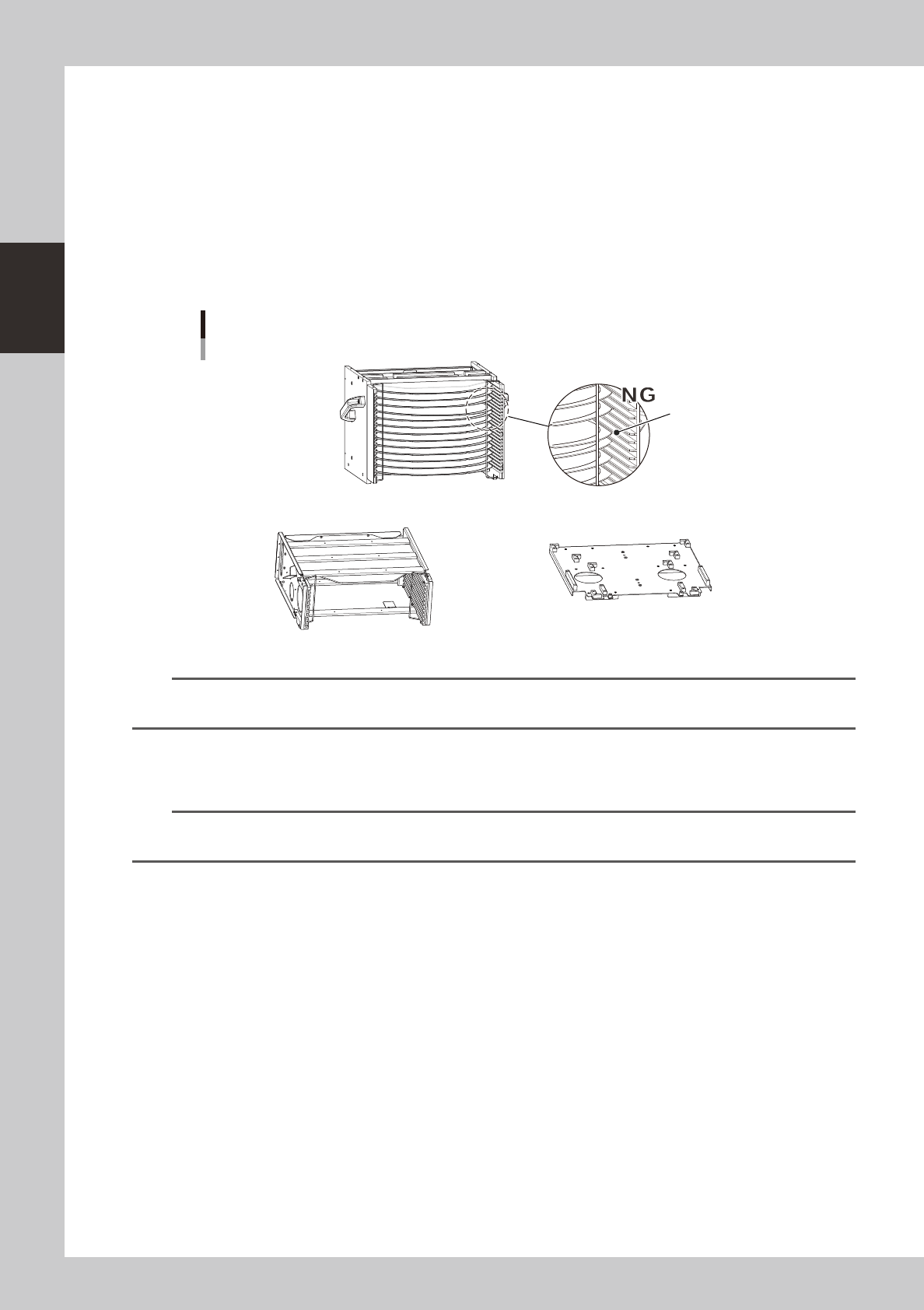
Remove the magazine.
There are handles on the sides or top of the magazine. Grip them firmly with both hands to remove the
magazine.
Removing the magazine
Handle
(located on top for 6-inch or 8-inch wafer magazine)
Magazine side cover
23234-H0-00
2-38
2
asic operation
4
Supply wafer components.
Proceed to step 5 when exchanging the magazine.
1. Open the stoppers.
2. Remove the used components and replace them with new components.
3. Close the stoppers.
5
Prepare for exchanging the magazine.
Prepare the magazine to be used, and check that wafer components are correctly set in that
magazine.
Checking the magazine setup
Insertion position is incorrect.
N Magazine for wafer pallet N Magazine size attachment
23235-H0-00
n
NOTE
A magazine size attachment is required when using a magazine for 8-inch or 6-inch wafers (other than 12-inch wafers)
or wafer pallets.
6
Set the magazine.
Set the magazine while aligning it with each guide in the magazine installation position.
n
NOTE
If the magazine size was changed, the expander unit and pallet clamp must also be changed. To exchange those
units, refer to "4.2.5 Exchanging the expander unit and pallet clamp" described later in this manual.
7
Return the machine to operation ready status.
1. Close the covers of this machine and wafer tray changer, and then press the [READY] button.
2. Set the magazine position selector switch to "AUTO". The switch lamp lights up indicating the
automatic operation is ready to start.