YSH20_Ope_E.pdf - 第95页
2-38 2 asic operation 4 Supply wafer components. Proceed to step 5 when exchanging the maga zine. 1. Open the stoppers. 2. Remove the used components and replace them with new components. 3. Close the stoppers. 5 Pr ep…
2-37
2
asic operation
4.2.3 Exchanging the magazine and supplying components
When exchanging the magazine in the wafer tray changer (hereafter called "tray changer") or supplying
components, the machine must be in an emergency stop state. The methods for exchanging the magazine and
supplying components are described below.
1
Move the magazine to the exchange position.
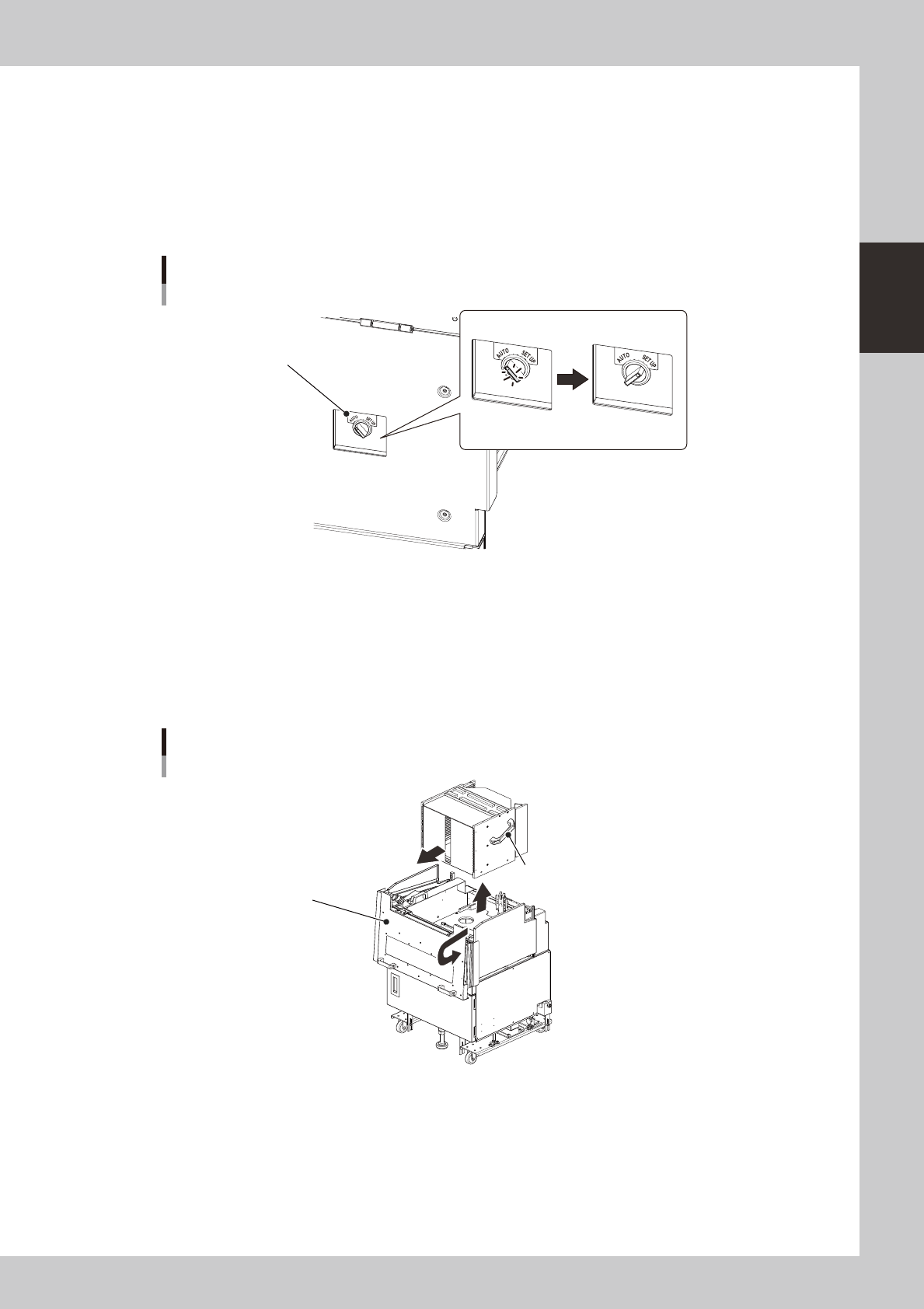
Set the magazine position selector switch on the tray changer to "SET UP".
The switch lamp turns off and the magazine moves to the exchange position (top position).
Magazine position selector switch
Lamp ON Lamp OFF
Magazine position selector switch
23233-H0-00
e
2
Press the emergency stop button and open the cover.
Always first press the emergency stop button and then open the cover on the machine side. Then pull
the handle on the magazine side toward you and open the cover on the tray changer side.
3
Remove the magazine.
There are handles on the sides or top of the magazine. Grip them firmly with both hands to remove the
magazine.
Removing the magazine
Handle
(located on top for 6-inch or 8-inch wafer magazine)
Magazine side cover
23234-H0-00
2-38
2
asic operation
4
Supply wafer components.
Proceed to step 5 when exchanging the magazine.
1. Open the stoppers.
2. Remove the used components and replace them with new components.
3. Close the stoppers.
5
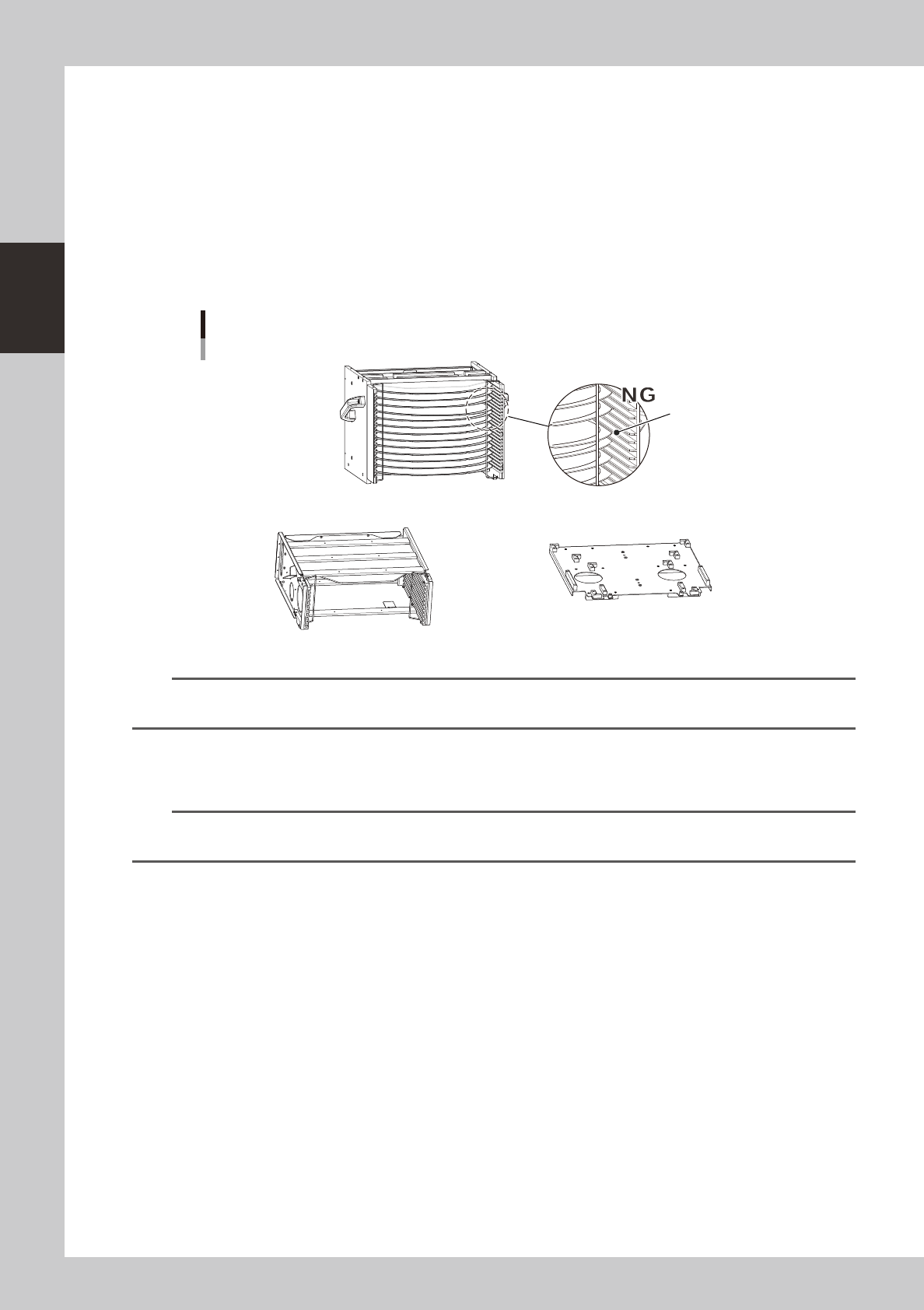
Prepare for exchanging the magazine.
Prepare the magazine to be used, and check that wafer components are correctly set in that
magazine.
Checking the magazine setup
Insertion position is incorrect.
N Magazine for wafer pallet N Magazine size attachment
23235-H0-00
n
NOTE
A magazine size attachment is required when using a magazine for 8-inch or 6-inch wafers (other than 12-inch wafers)
or wafer pallets.
6
Set the magazine.
Set the magazine while aligning it with each guide in the magazine installation position.
n
NOTE
If the magazine size was changed, the expander unit and pallet clamp must also be changed. To exchange those
units, refer to "4.2.5 Exchanging the expander unit and pallet clamp" described later in this manual.
7
Return the machine to operation ready status.
1. Close the covers of this machine and wafer tray changer, and then press the [READY] button.
2. Set the magazine position selector switch to "AUTO". The switch lamp lights up indicating the
automatic operation is ready to start.
2-39
2
asic operation
4.2.4 Teaching the wafer component positions
After wafer components run out during production and new components are supplied, you must teach their
positions using the procedures described below. Teaching must be performed in the specified order: "Angle
teach"
→
"Alignment teach"
→
"Pitch teach"
→
"Position teach".
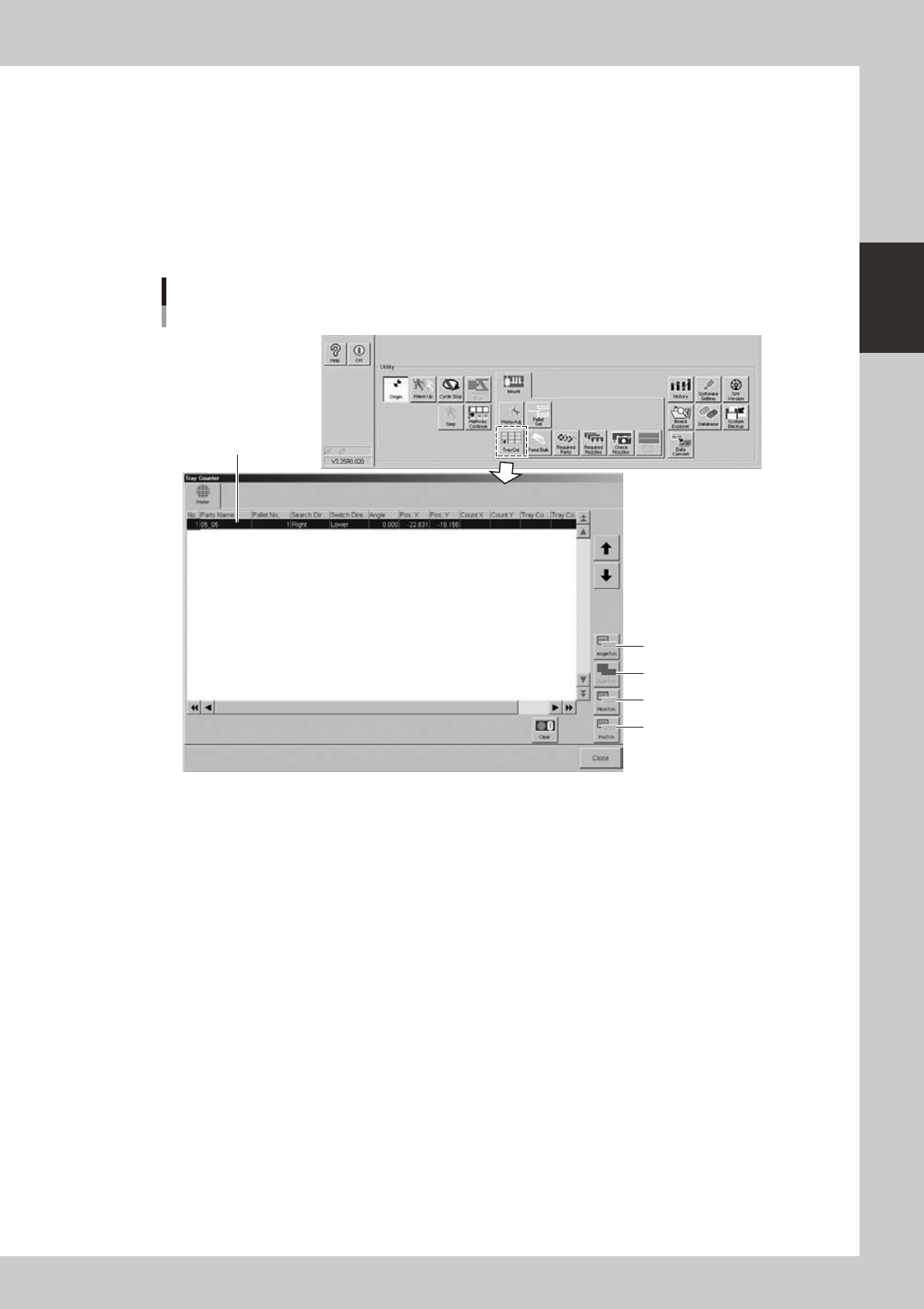
The teach screens can be opened with the buttons on the "Tray Counter" screen that opens when you press the
[TrayCnt] button in the "Utility" group box on the Setup screen, or with the buttons on the "Wafer Information"
screen that opens when you press the [Wafer] button on the [Parts]-[Tray] screen.
n
Using the [TrayCnt] button on the Setup screen
1. Angle teach
2. Alignment teach
3. Pitch teach
4. Position teach
Selected component data
"Tray Counter" screen
24234-H0-00