Panasonic NPM Feeder 操作手册.pdf - 第93页
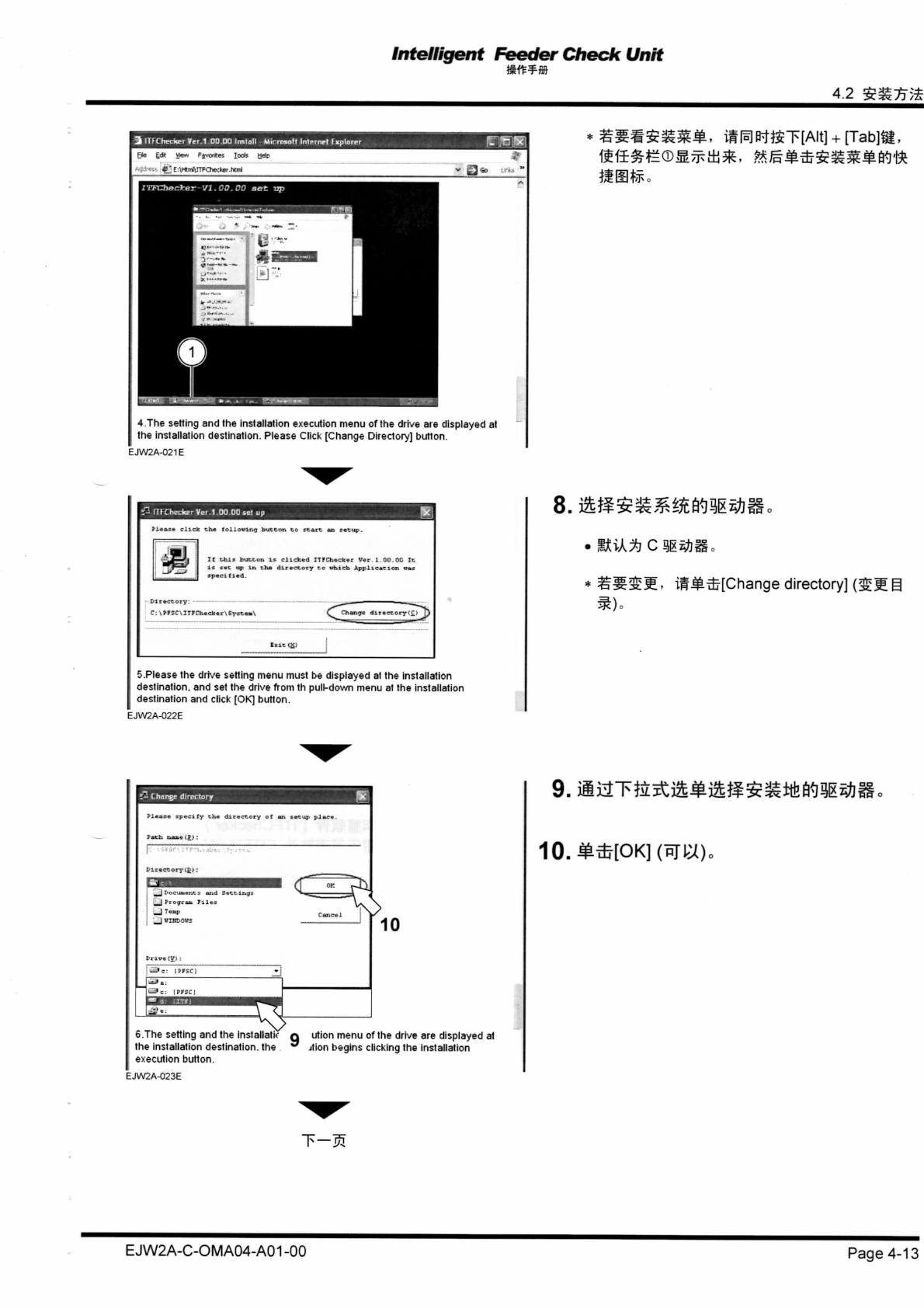
Intelligent Feeder Check Unit 4. 2 $m7j% 3 11 K he r ke r Ve r 1.00.0 0 Instal l - Microsof t Interne t I xplore r Fi e Ea> . Vrer r Fjvortte s Tool s Hel p •• *2 E:\HtrrfliTFChe-:ke r .htm l £3 * 4.Th e settin g an d…
Intelligent
Feeder Chew
Unit
7.
iftfif
EJW2A-C-OMA07-A00-00
Page
7-1
Intelligent
Feeder
Check
Unit
4.2
$m7j%
3 11K her ker Ver
1.00.00
Install
-
Microsoft
Internet
I
xplorer
Fie
Ea>.
Vrerr
Fjvorttes
Tools
Help
•• *2
E:\HtrrfliTFChe-:ker
.html
£3*
4.The setting and the installation execution menu of the drive aie displayed at
the installation destination. Please Click [Change Directory] button.
EJW2A-021E
mm***
•
nrChedter Ver 1 00 00 sol up
Please
click
Che
tollovit-.g
bu
If
phis ftasSSSSS)
ir.
clicked ITFChecker
Ver.1.00.00
It
is
«•£ up in ch*
directory
to
which Application
utc
specitied.
C:
\prSC\IT7Ch«c)rer\Syip««\
^^"chsrigt di rictoryfcT^)
5.Please the drive setting menu must be displayed at the installation
destination, and set the drive from th pull-down menu at the installation
destination and click [OK] button.
EJW2A-022E
* ^^^M-
iSH-LTj[Change
directory]
Change
directory
Pl«*»*
jpscTify
th«
directory
of an
setup
pla
_Jl.„cu..np.
uid
Settings
let
!
_jT..p
_j eupow
9.
iiaTfe^m^^S^ttkfi^Ll^i
10.H*[OK]
(BIW)„
6.The setting and the installatir Q ution menu of the drive are displayed at
the installation destination, the ttion begins clicking the installation
execution button.
EJW2A-023E
E J W2A-C-OM A04-A01 -00
Page 4-13
Intelligent
Feeder
Chew
Unit
7.1
mftws
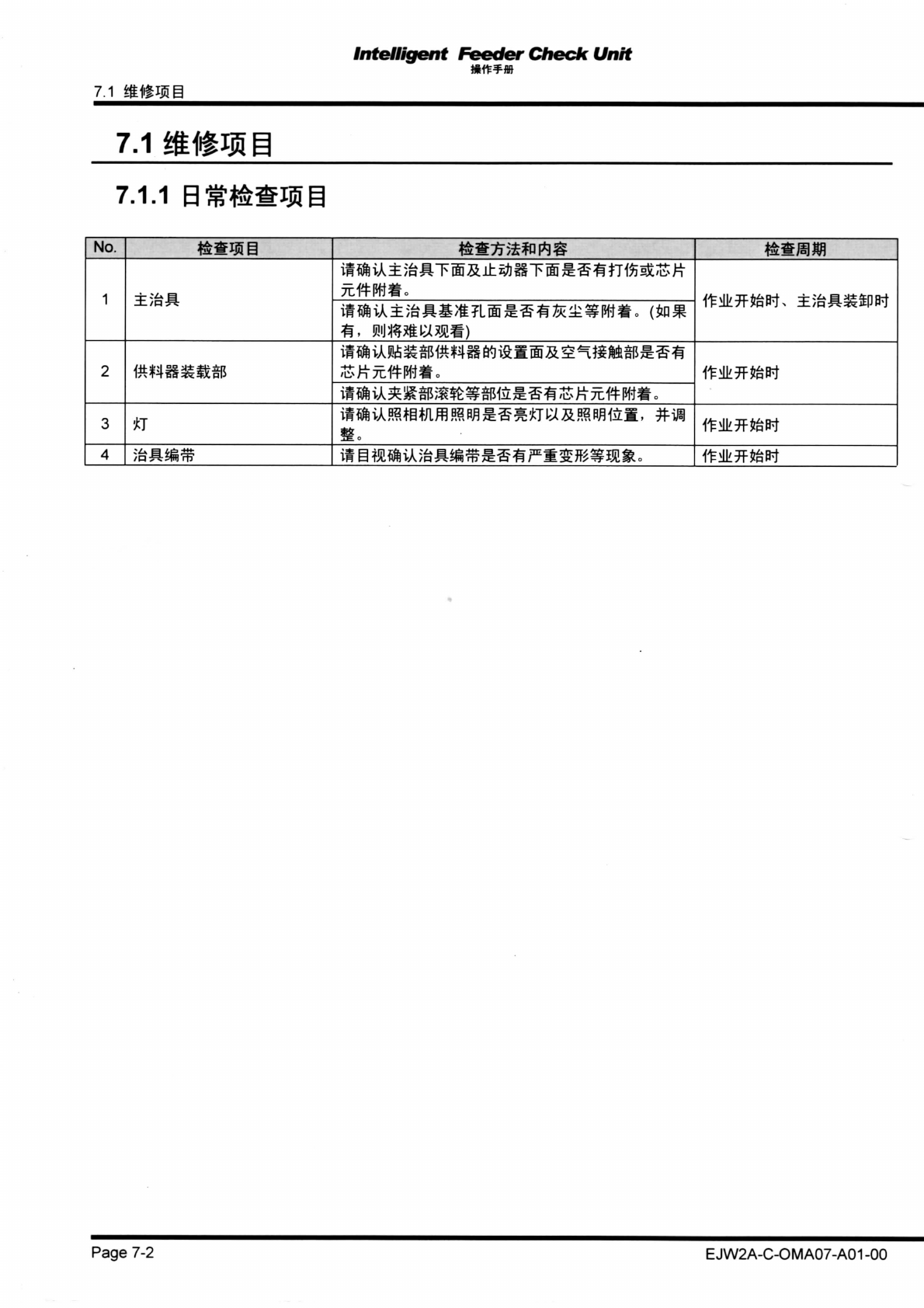
7.1 m%mn
7.1.1
B3t*&§iJ5@
No.
1 1
2 2
3
iff^ftvAKtgmfflwn*TwRmmmm,
#w
4
mmmik^m^m^^^m^mmmm*
Page
7-2
EJW2A-C-OMA07-A01
-00