00195655-04_SM_X-Series_FSE_en.pdf - 第73页
Service Work 3.3.11 Fitting and Removing the Y Axis Bumper Gantries Service Manual (internal ver sion) SIPLACE HF and X Series 73 ► Fit the torque key onto the screw to b e tightened and mark the bump er block appropria …
Service Work
Gantries 3.3.11 Fitting and Removing the Y Axis Bumper
72 Service Manual (internal version) SIPLACE HF and X Series
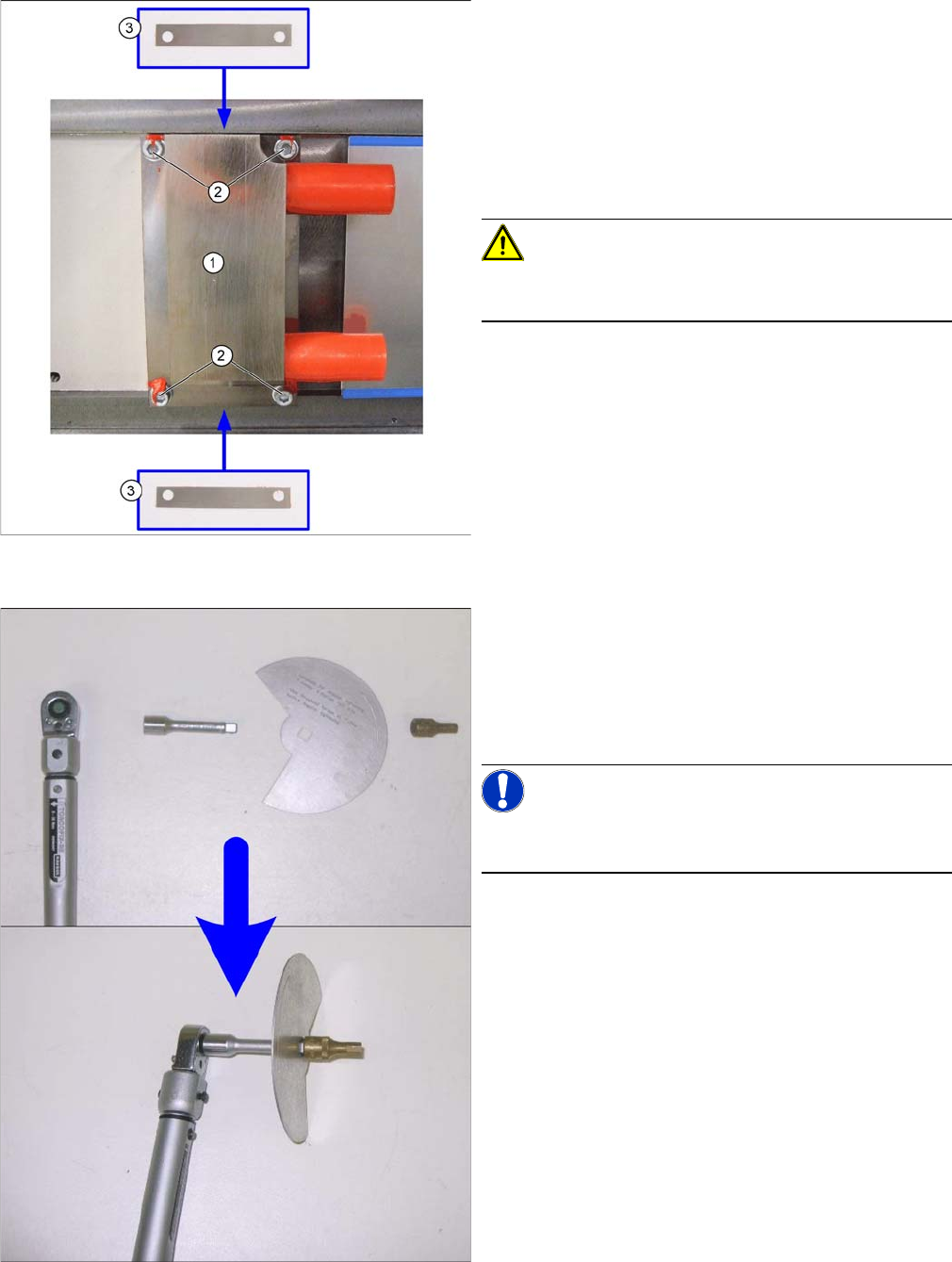
► Tighten the four screws fastening the stopper with a torque of 3Nm.
1. Y stopper
2. Fastening screws with washers
3. Friction foils
► Place the friction foils (3) between the stopper and
machine base, at the angle shown in the diagram.
Observe the asymmetrical drillings on the friction
foils. Screw the stopper loosely on the machine base
with the washers and the new screws (2).
CAUTION!
Make sure that you always use new screws. Do not use
the old screws as these could break!
► Fit the torque key together with the extension, rotary
angle disc and a screwdriver bit for hexagonal sock
-
et-head screws (size 5), as shown in the following di
-
agrams. Set a torque of over 20 Nm, as the expected
torque after tightening the angle disc will be approx.
18 Nm.
NOTICE!
You can also use a conventional ratchet as only the angle
is important for correctly tightening the screws.
Service Work
3.3.11 Fitting and Removing the Y Axis Bumper Gantries
Service Manual (internal version) SIPLACE HF and X Series 73
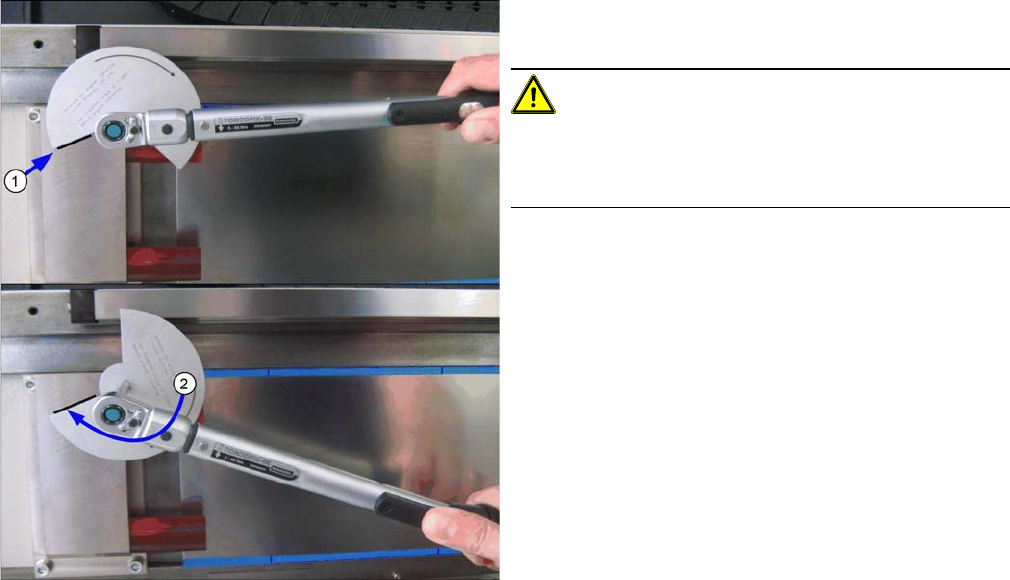
► Fit the torque key onto the screw to be tightened and
mark the bumper block appropriately (1).
CAUTION!
Highlight
When marking and tightening, try to look at the disc from
a straight angle, to avoid parallax errors.
► Turn the screw in a clockwise direction until the sec
-
ond edge of the recess is level with the mark. This is
an angle of 112 degrees.
► After performing this task, apply locking varnish to all
four Y stopper fastening screws.
Service Work
Modular PCB Conveyor System 3.4.1 Replacing the Drive Toothed Belt for the Width Adjustment System
74 Service Manual (internal version) SIPLACE HF and X Series
3.4
3.4 Modular PCB Conveyor System
Modular PCB Conveyor System
3.4.1
3.4.1 Replacing the Drive Toothed Belt for the Width Adjustment System [00369662-xx]
Replacing the Drive Toothed Belt for the Width Adjustment System [00369662-xx]
Tools
▪ 3 small or medium screw clamps
Overview
Removal/Installation
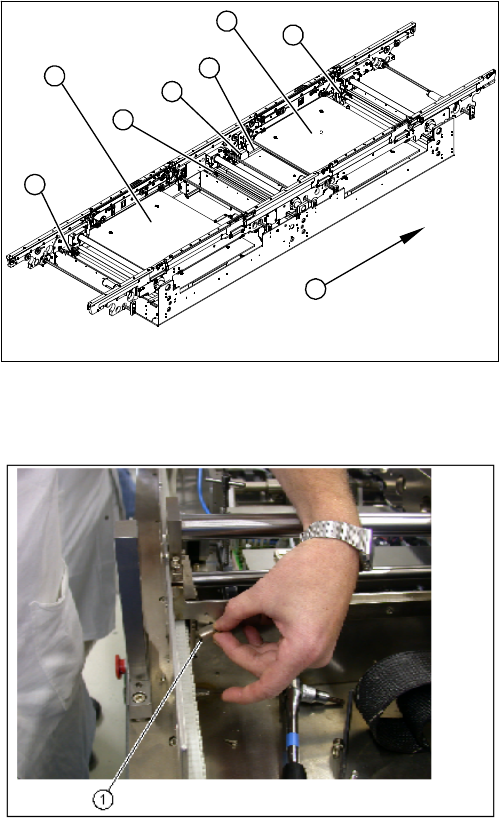
1. Adjustment unit 1,2 and 3 with recirculating spindles
2. Width adjustment stepping motor
3. Toothed belt for the drive
4. Lifting table plates PA1 and PA2
5. Transport direction
1
1
2
4
4
1
5
3
► Move the conveyor system to minimum width.
► Undo the screws fastening the lifting table plates and
remove the lifting table plates from the lifting table
unit.
► Remove the slides (1) on the deflection bearings of
the width adjustment motor.