00192211-02_RI_ObliqueLighting - 第22页
Retrofit Instructions Oblique Lighting for SIPLACE 80 S-20 /F4/S-23/ F5 /HS-50/HF 8.3 Installing the Oblique Lighting 05/15 Issue 24 8.3 Inst a lling the Oblique Lighting ► Undo the 5 screws and remove the cover from the…
Oblique Lighting for SIPLACE 80 S-20 /F4/S-23/ F5 /HS-50/HF Retrofit Instructions
05/15 Issue 8.1 Moving Out the Movable Component Changeover Table
23
8 Mounting
8.1 Moving Out the Movable Component Changeover
Table
(Note: You will find detailed instructions in the User Manual for the placement machine.) 8
► Turn the placement machine ON at the main switch.
► Open the safety hood protecting gantry 1.
► Unlock and lift the movable component changeover table and move it out as far as possible
without damaging the cables.
► Turn the placement machine OFF at the main switch.
► Run cable and hose connections to the movable component changeover table.
► Pull the movable component changeover table all the way out.
8.2 Moving Out the Component Changeover Table
(Note: There are detailed instructions in the User Manual for the placement machine.)
► Unplug the power connector for the component changeover table.
► Unplug the communications connector.
► If necessary, disconnect the coupling for the component changeover table compressed air sup-
ply.
► Push the pallet jack under the component changeover table.
► Loosen the 2 socket hex head screws fastening the component changeover table.
► Open the horizontal clamping devices.
► With the pallet jack, lift the component changeover table carefully until the centering pins are
no longer in the holes.
► Now move the component changeover table out.
Retrofit Instructions Oblique Lighting for SIPLACE 80 S-20 /F4/S-23/ F5 /HS-50/HF
8.3 Installing the Oblique Lighting 05/15 Issue
24
8.3 Installing the Oblique Lighting
► Undo the 5 screws and remove the cover from the placement head.
8
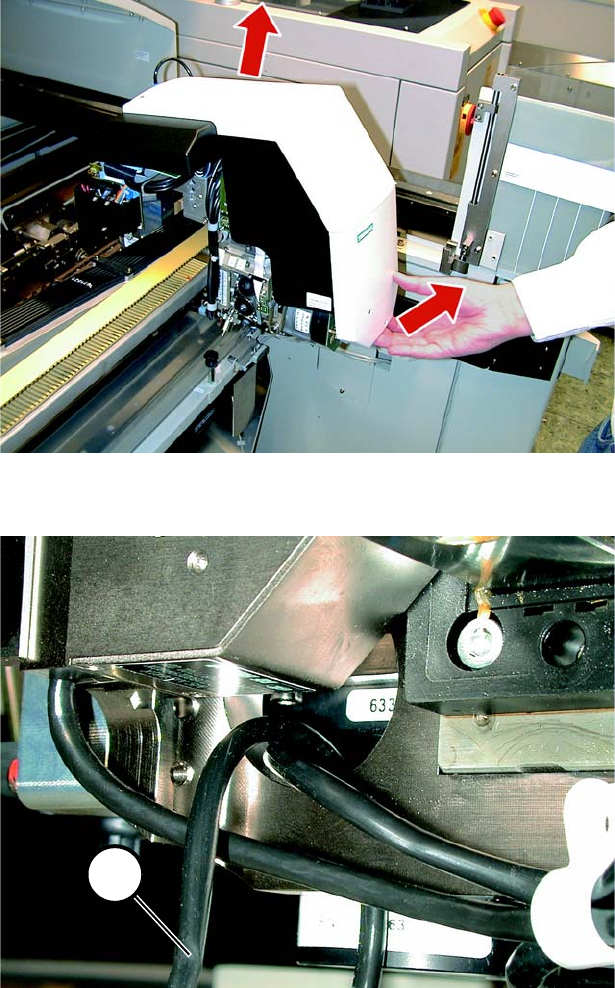
Fig. 8.3.1 Removing the Cover
8
Fig. 8.3.2 Important: Laying the Cable between Oblique Lighting and PCB Camera
► S23: Lay the 2-core cable (1 in Fig. 8.3.2 and 8.3.3) up into the camera and to the left through
the opening. The cable must be laid like this otherwise it would be pinched by the head support.
1
Oblique Lighting for SIPLACE 80 S-20 /F4/S-23/ F5 /HS-50/HF Retrofit Instructions
05/15 Issue 8.3 Installing the Oblique Lighting
25
8
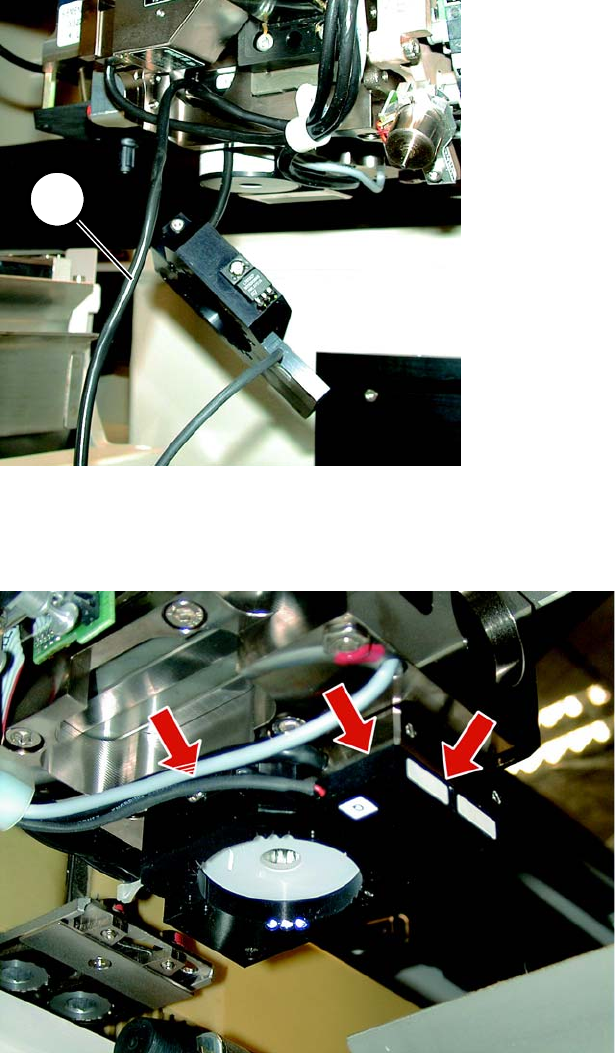
Fig. 8.3.3 2-Core Cable with Oblique Lighting
► S23/HS50: Now push up the oblique lighting. It must rest flush against the head support.
8
Fig. 8.3.4 The oblique lighting must rest flush against the PCB camera
► S23/HS50: Make certain that the oblique lighting is resting flat against the PCB camera at the
top right and against the head support at the front (see Fig. 8.3.4).
1