00194474-0702_AI_HeadReconfig_X_605_DE+EN.pdf - 第153页
Head Reconfiguration Kits 2 Assemb ly Instructions - SIPLACE X-Series Head Reconfiguration Kits 07/2010 Edition 153 2 1. Make a backup for the exist machine configurat ion. 2. Machine data - backup wit h the Sitest and c…
2 Assembly Instructions - SIPLACE X-Series Head Reconfiguration Kits Head Reconfiguration Kits
07/2010 Edition
152
2.5 Placement head replacement sequence
Head Reconfiguration Kits 2 Assembly Instructions - SIPLACE X-Series Head Reconfiguration Kits
07/2010 Edition
153
2
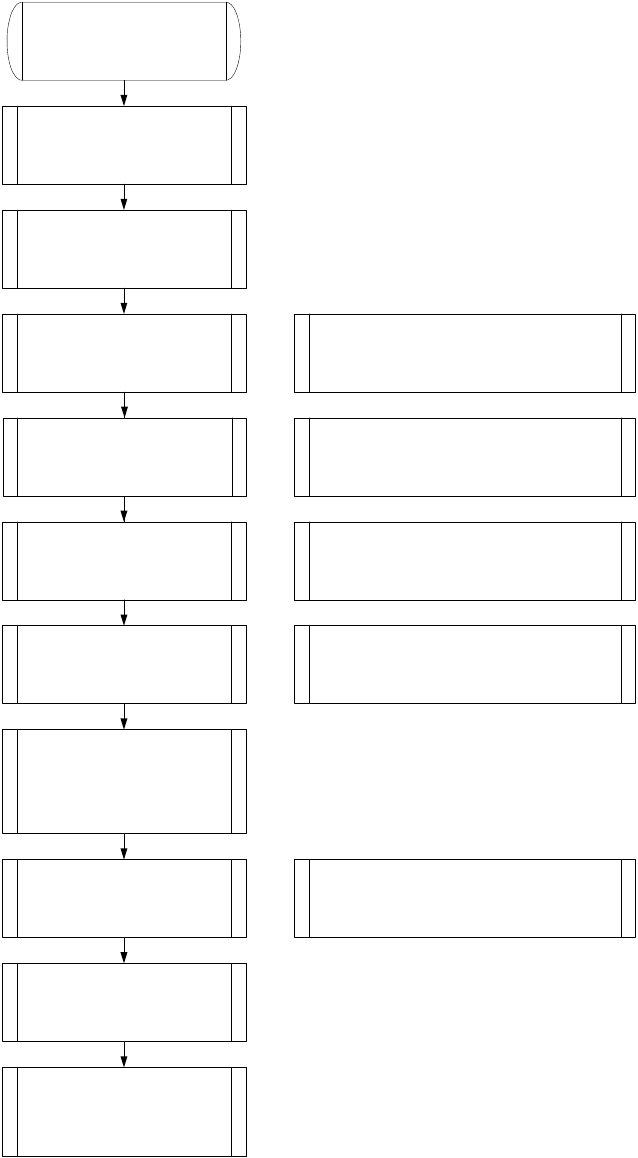
1. Make a backup for the exist
machine configuration.
2. Machine data - backup with the
Sitest and create a folder
e.g. Backup and store the folder
SRCMA.
4. Confirm the configuration,
machine will shutdown
automatically
Switch off the machine!
6. Mechanical works:
Mount the Head, adapterboard
and Nozzlechanger.
7. Switch ON the machine
Look to the error messages
Set the nozzle on the head and
check the nozzle changer.
Note: Save the zero point correction from the
EEPROM to the Achsver.ma.
Check the firmware!
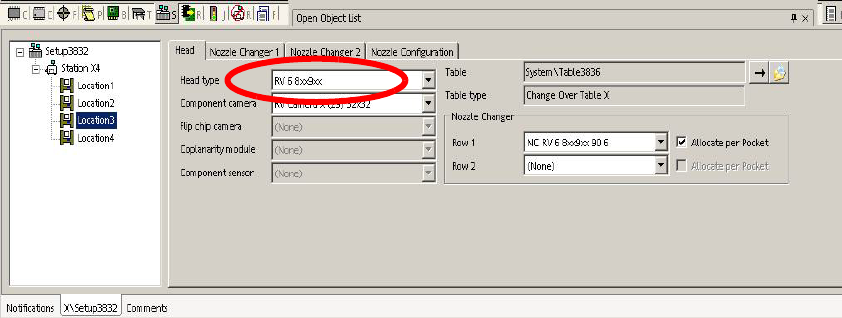
8. Siplace Pro computer:
Make a copy of the exist basic set
up and configure into the copy the
new head type and
nozzlechanger
Note: As a result the new configuration will be
send to the station.
9. Siplace Pro computer:
Send a placement program, e.g.
with one component to the
station.
10. Station:
Check the axis dynamic and
calibrate all heads and cameras.
11. Station:
Start the production.
Note: Stop the current job from Siplace Pro
before you shutdown the machine.
5. Mechanical works:
Head, Nozzlechanger and
adapterboard exchange.
Note: Don`t change the adapterboard if you
change from C&P6 < -- > C&P12 head. Change
the Servo amplifier and don`t forget the DC/DC
converter for C&P 20 head.
Note: Preparations of the head plate (sealing with grub
screw, attention different length of the head screws)
Height adjustment nozzlechanger and different pressure
air supply for C&P20 head!
C&P20 X-Feeder Docking unit
3. SITEST: Machine configuration
(Head type, nozzle changer,
cameras).
2 Assembly Instructions - SIPLACE X-Series Head Reconfiguration Kits Head Reconfiguration Kits
07/2010 Edition
154
2.6 Configuring the placement head with the machine
configuration wizard
: Start the machine configuration wizard: Start--> Programs --> Machine Configuration Wizard
or
Start SITEST and select "Settings --> Machine Configuration".
: Set the new placement head and the cameras and nozzle changers in the machine configura-
tion wizard.
: Shut down the station computer and switch off the placement machine.
2.7 Configuring the placement heads with SIPLACE
Pro
2.7.1 Configuring the placement head with SIPLACE Pro
: Enter the new placement head type, the camera type and the nozzle changer configuration for
the corresponding machine location in the "Set-up Properties" dialog.
2
: Reoptimize the set-up in SIPLACE Pro.
2
2
2