00194474-0702_AI_HeadReconfig_X_605_DE+EN.pdf - 第159页
Head Reconfiguration Kits 2 Assemb ly Instructions - SIPLACE X-Series Head Reconfiguration Kits 07/2010 Edition 159 : Detach the com ponent camera cable an d the four cables as show n in the ph otograph . 2 : Release the…
2 Assembly Instructions - SIPLACE X-Series Head Reconfiguration Kits Head Reconfiguration Kits
07/2010 Edition
158
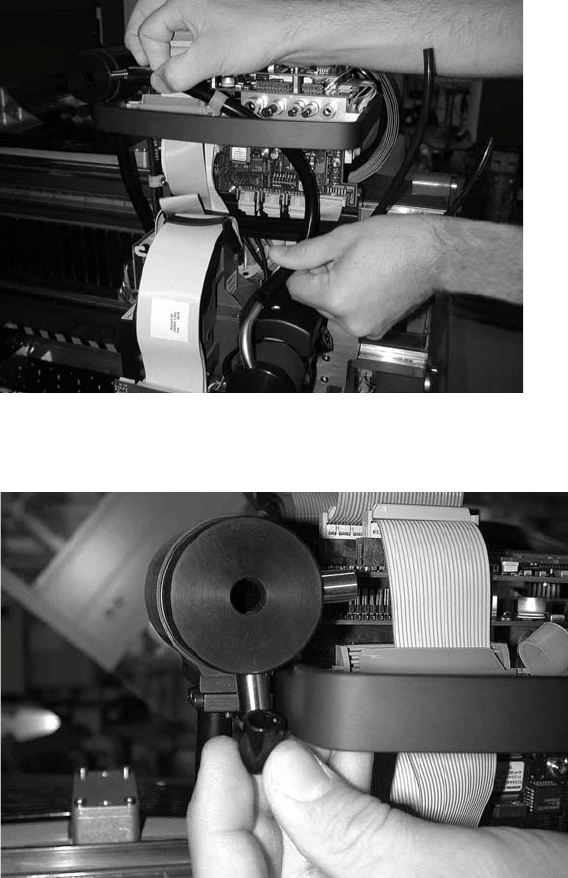
: Remove the cooling air hose and the plug on the silencer.
2
: Remove the plug on the silencer.
2
Head Reconfiguration Kits 2 Assembly Instructions - SIPLACE X-Series Head Reconfiguration Kits
07/2010 Edition
159
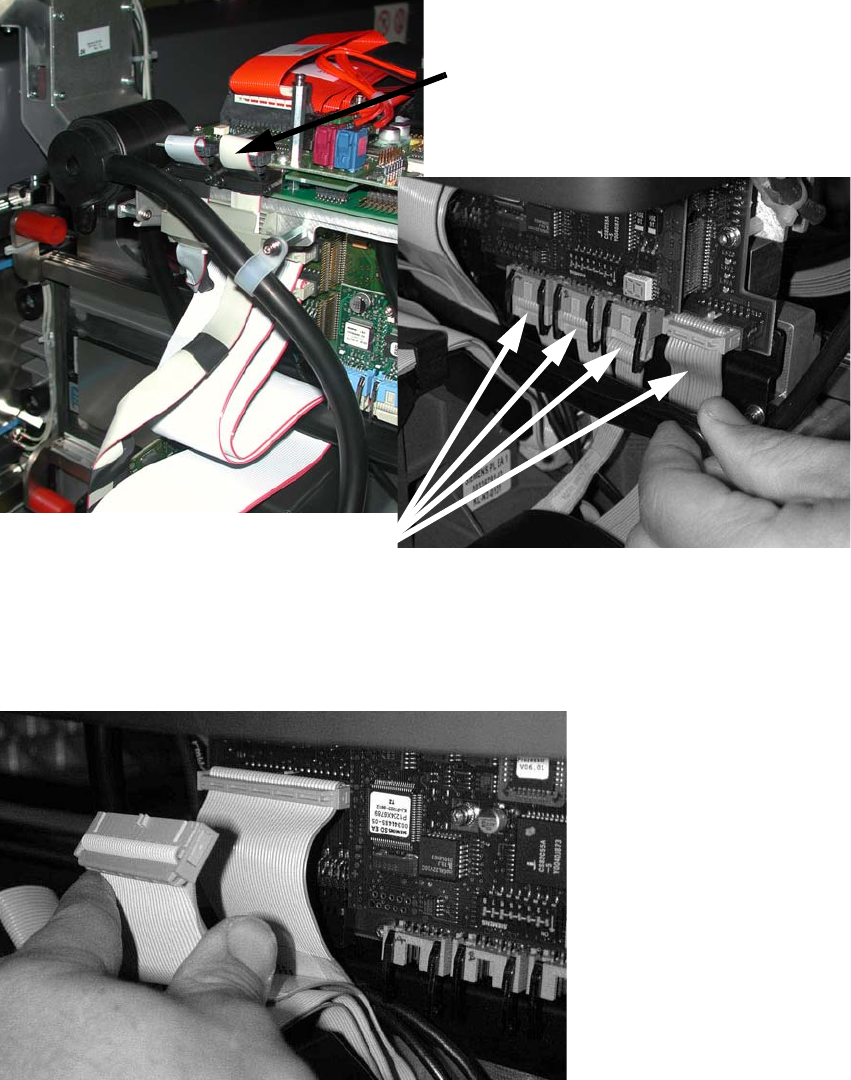
: Detach the component camera cable and the four cables as shown in the photograph .
2
: Release the pushbutton and remove the strain relief over the cables.
: Detach the two cables (see the photograph below).
2
2
Component camera cable
Four cables
2 Assembly Instructions - SIPLACE X-Series Head Reconfiguration Kits Head Reconfiguration Kits
07/2010 Edition
160
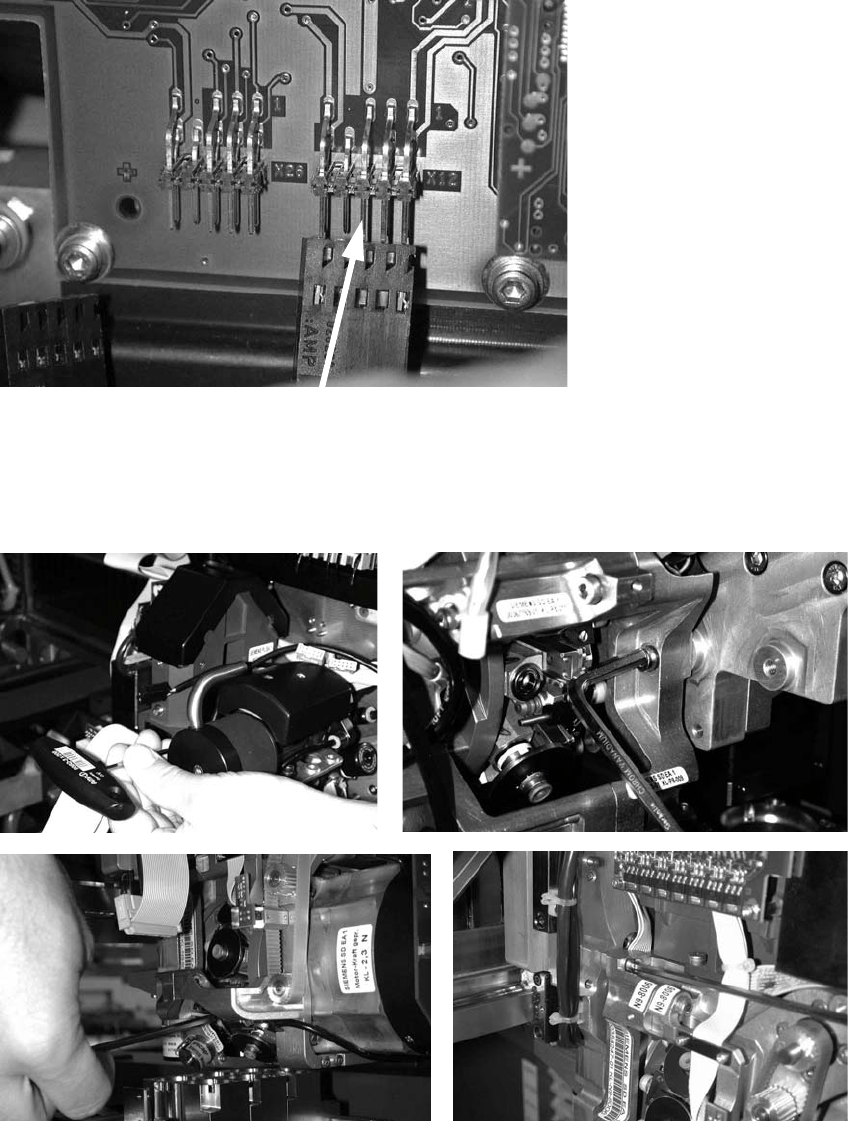
: Unplug the connector for the DP axis (see photograph below).
2
: Loosen the four screws used to fix the placement head.
With screws two and three, you should first remove one sleeve to make the screws more ac-
cessible.
2
2