00194474-0702_AI_HeadReconfig_X_605_DE+EN.pdf - 第222页
2 Assembly Instructions - SIPLACE X-Series Head Reconfiguration Kits Head Reconfiguration Kits 07/2010 Edition 222 : Fix the camera masking plate to the bottom of the modules. 2.12.9 Replacing the servo cards 2 Wear an E…
Head Reconfiguration Kits 2 Assembly Instructions - SIPLACE X-Series Head Reconfiguration Kits
07/2010 Edition
221
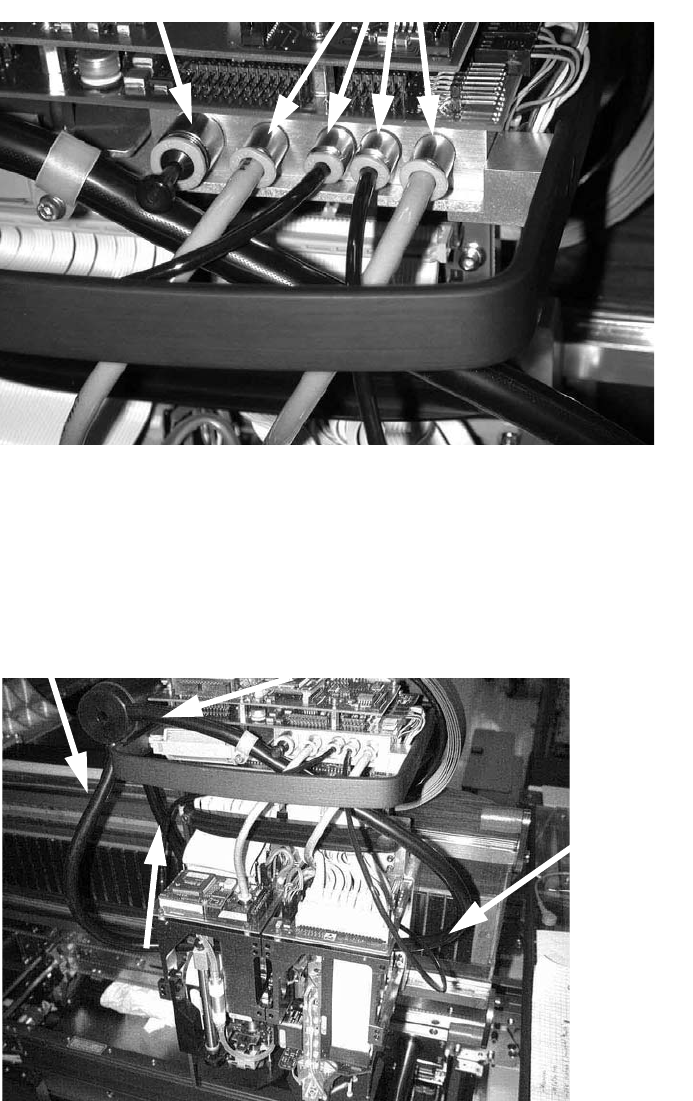
: Attach these hoses and the blanking plug.
2
: Fix the cooling air hose for the second module using a spacer bolt and a cable clamp.
Spacer bolt, type B i/a-M3x50-Al-F28 Item no. 03004626-
Cable clamp d=12.5mm H 7P polyamide Item no. 00308143-
DIN912 M3x8 - 8.8 Item no. 00845014-
DIN9021 - 3.2 - 140 HV - A2 Item no. 00343075-
Blanking plug
Hoses

2 Assembly Instructions - SIPLACE X-Series Head Reconfiguration Kits Head Reconfiguration Kits
07/2010 Edition
222
: Fix the camera masking plate to the bottom of the modules.
2.12.9 Replacing the servo cards
2
Wear an ESD armband for the whole time you are working on the placement head and servos. 2
2
: Use the machine key to open the door of the servo unit.
2
Insert the axis and servo cards in accordance with your machine configuration.
Please note the overviews in the appendix Chapter 2.14.1 or Chapter 2.14.2.
2
2
The conversion is easiest to carry out from locations 2 and 4.
2
2.12.10 Configuring the TwinHead in SITEST
Detailed instructions for configuring the placement head can be found in the SITEST online help
under Settings / Settings for the TwinHead. 2
2
Camera masking plate, TwinHead Item no. 03001846-
ISO7380 M3x6 - 10.9 black chromed Item no. 03012691-
Head Reconfiguration Kits 2 Assembly Instructions - SIPLACE X-Series Head Reconfiguration Kits
07/2010 Edition
223
2.12.11 Firmware download
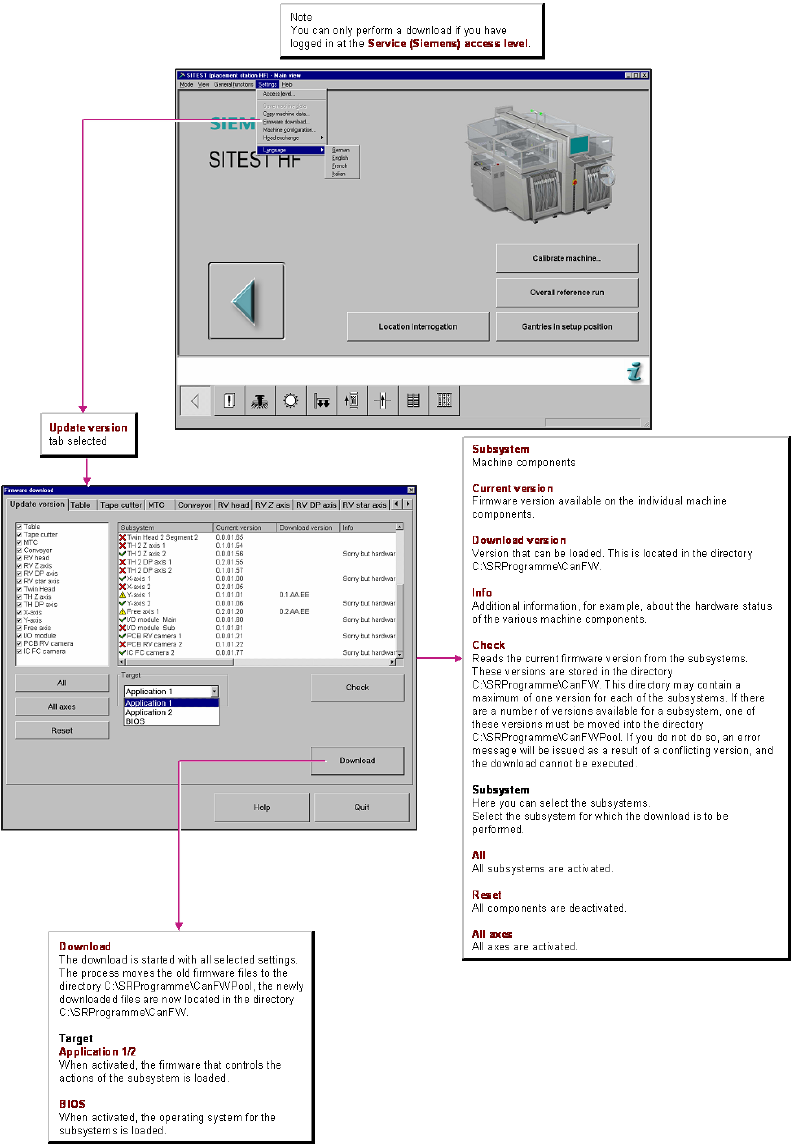
: Download the TwinHead firmware.