00194474-0702_AI_HeadReconfig_X_605_DE+EN.pdf - 第226页
2 Assembly Instructions - SIPLACE X-Series Head Reconfiguration Kits Head Reconfiguration Kits 07/2010 Edition 226 2.13 Inst alling the C&P 20 placement head 2 The C&P 20 placement head m ust be fitted on both ga…
Head Reconfiguration Kits 2 Assembly Instructions - SIPLACE X-Series Head Reconfiguration Kits
07/2010 Edition
225
: Calibrate the TwinHead, camera and nozzle changer.
: Carry out the mapping, if necessary.
2
: Restart again.
This completes the conversion. 2
2

2 Assembly Instructions - SIPLACE X-Series Head Reconfiguration Kits Head Reconfiguration Kits
07/2010 Edition
226
2.13 Installing the C&P 20 placement head
2
The C&P 20 placement head must be fitted on both gantries on placement areas with two gantries.
It cannot be used together with other placement heads in a placement area. 2
The C&P 20 placement head can only be used in conjunction with the component trolley docking
unit for the X-series and X feeder modules. 2
2.13.1 Installing the nozzle changer for the C&P 20 placement head
: To install the nozzle changer, please read the assembly instructions for the X series nozzle
changer (item no.:00194482-).
2
Risk of a head crash: Always run the placement heads with the appropriate nozzle changer. The
wrong nozzle changer causes a risk of a head crash. 2
2
2
On the subject of the reject bin sensor, also read the
assembly instructions for the reject bin sensor, SIPLACE HF series / X series
(item no.:00194550-). 2
2
Head Reconfiguration Kits 2 Assembly Instructions - SIPLACE X-Series Head Reconfiguration Kits
07/2010 Edition
227
2.13.2 Installing and setting the height of the nozzle station
(description for component trolley docking unit 03015680-06 with
1-wire hub)
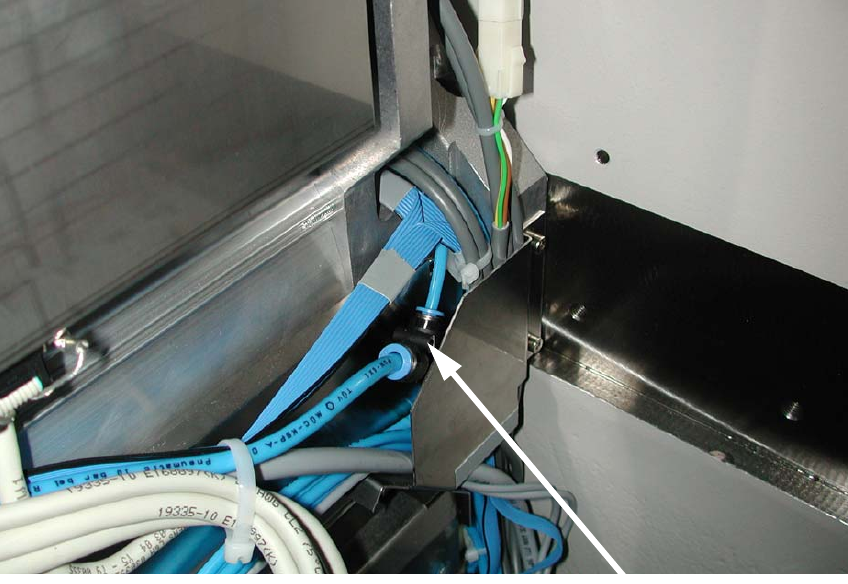
: Disconnect the air hose from the component trolley docking unit.
2
: Connect the T-piece "Plug-in connector QSMT-4" (item no.: 03046434-) with the PUN-CM
4x0.75 40 mm (item no.: 03046289-) to the T-piece and PUN hose from the component trolley
docking unit (see photograph).
2
2
2
2
2
2
2
2
T-piece on the component