00194474-0702_AI_HeadReconfig_X_605_DE+EN.pdf - 第248页
2 Assembly Instructions - SIPLACE X-Series Head Reconfiguration Kits Head Reconfiguration Kits 07/2010 Edition 248 : Calibrate the camera an d the nozzle changer . : Carry out the mapping, if necessa ry . 2 : Restart aga…
Head Reconfiguration Kits 2 Assembly Instructions - SIPLACE X-Series Head Reconfiguration Kits
07/2010 Edition
247
Note
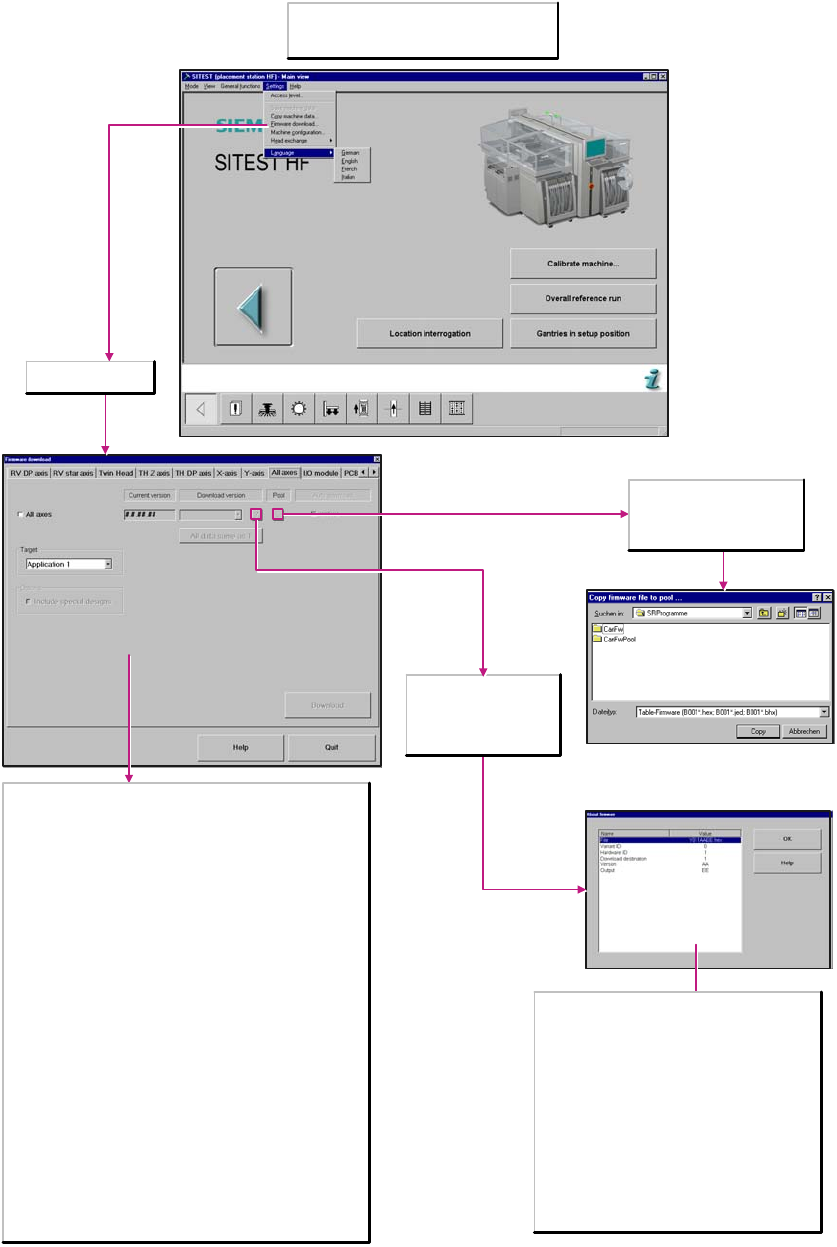
You can only perform a download if you have
logged in at the Service (SIPLACE) a
ccess level.
All axes tab selected
Opens the About
firmware dialog box which
allows you to display
information about the
current download version.
Opens a dialog box which
allows you to copy the selected
firmware file into the directory
C:\SRProgramme\CanFW.
File
The following file extensions are permitted: hex, jed
and bhx. These have no effect on the firmware.
Variant ID
Gives information about the type of firmware version.
O: Series status
A-Z: Special design solution
Hardware ID
Gives information about the hardware status of the
subsystems.
1-3: Conveyor
Download destination
1: Application
0: BIOS
This allows you to update the new axis firmware simultaneously for all
axes.
All axes
Activate/Deactivate
Current version
Firmware version available on the individual machine components.
Download version
The version which may be loaded can be found in the directory
C:\SRProgramme\CanFW.
Auto download
active:
When this option is activated this automatic download is carried out.
All data same as 1
If all subsystems have the same hardware status, the same download
version will be used.
Target
Application 1 / 2
When activated, the firmware that controls the actions of the
subsystem is loaded.
BIOS
When activated, the operating system for the subsystems is loaded.
Options
Include special designs
When the special designs feature is activated, the range of download
versions to select from is larger.
2 Assembly Instructions - SIPLACE X-Series Head Reconfiguration Kits Head Reconfiguration Kits
07/2010 Edition
248
: Calibrate the camera and the nozzle changer.
: Carry out the mapping, if necessary.
2
: Restart again.
This completes the conversion. 2
2
Head Reconfiguration Kits 2 Assembly Instructions - SIPLACE X-Series Head Reconfiguration Kits
07/2010 Edition
249
2.14 Attachment
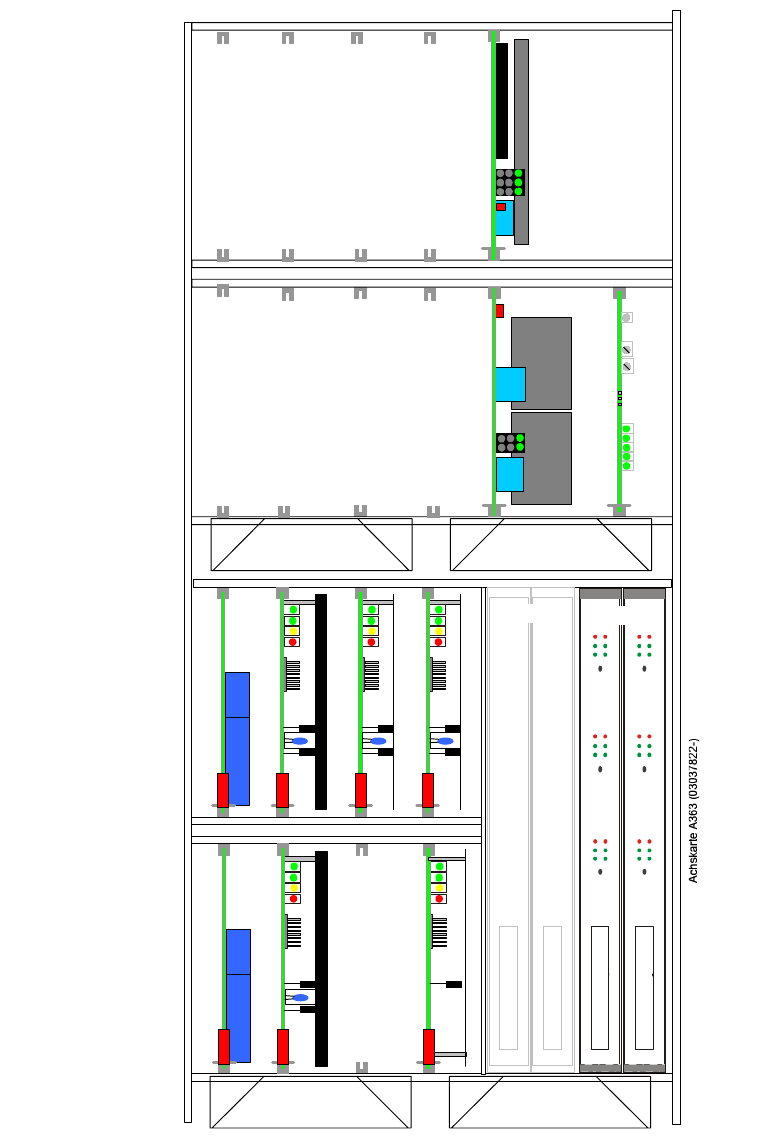
2.14.1 Axis unit A363 configuration
5 V / 15A 15V/1,7A 15V/ 1,7A
SDS 60/1D1-02
TBS 250/10X
TBS 250 /20Y
DBM/3P-06
SDS 120/2.5S1-03 (00353445-)
SDS 60 3Z1-02 (03002141-)
SDS 60/1D1-02 (03002142-)
DBM/3P-06
15 V / 5A 15 V / 5A
Anti crash board
Gantry 3
X
Z
X
dp
Star
Free
C+P 6/12
Gantry 3
AxisUnit A363 X2 + X3 / PA 2 / C+P 6/12
Gantry 2