00195166-0402_SM_D4_EN.pdf - 第156页
Service Work C&P12 Placement Head Replacing the DP Rocker 156 Serv ice Manual SIPLACE D4 4.5.6 Replacing the DP Rocker The swivel-in rocker of the DP station has been fi tted with 2 cones from version 7 onwards. Th e…
Service Work
Replacing the Turning Station (D Series) [00341780-xx] C&P12 Placement Head
Service Manual SIPLACE D4
155
4.5.5 Replacing the Turning Station (D Series) [00341780-xx]
Removal/Installation
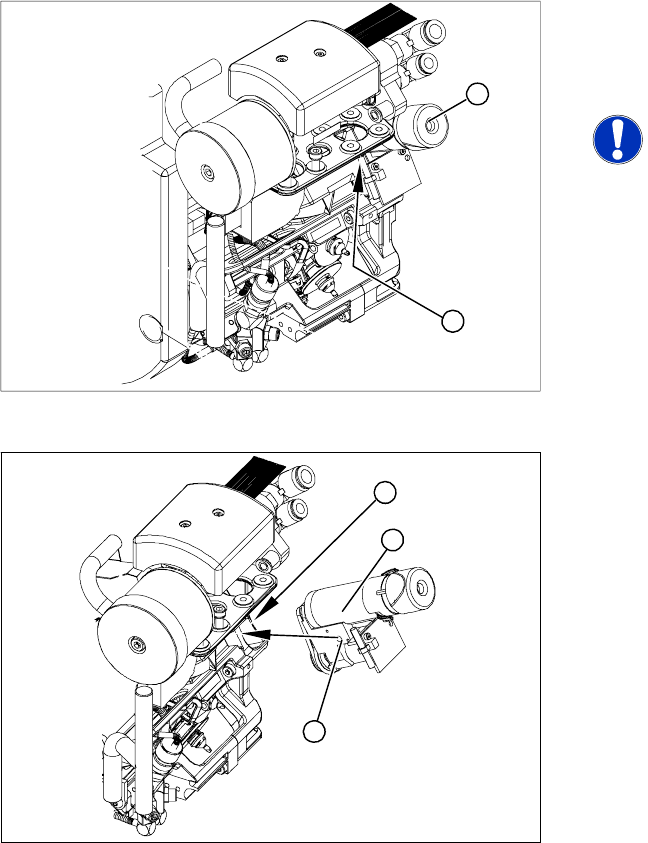
Legend
1. Turning station
2. Fastening screw for turning station
NOTE:
The head does not need to be removed
when dismantling the turning station.
X Switch off the machine and secure it to prevent
unauthorized reactivation.
X Open the strain relief at the gantry head
distributor.
X Disconnect the motor cable and flat ribbon
cable from the sockets on the gantry head
distributor.
1
2
X Loosen the screw fastening the turning station
(2).
X Carefully lever the turning station (1)
backwards, off the locating pins and gently pull
it (1) out.
X Make sure that the contact surfaces on the
turning station and back part (3) are clean.
X Insert the turning station holes (1) onto the
parallel pins.
X Carefully push the turning station towards the
front part until it reaches the stop.
X Move the C&P head to a suitable position.
(Move the X/Y gantry axes so that you can
easily access the turning station.)
X Fasten the turning station with the screw
provided (2).
X Plug the cable into the slots on the gantry head
distributor. Make sure the cables are run
correctly.
X Fasten the strain relief at the gantry head
distributor.
X Switch the machine on and start it up.
X Use the SITEST program to run a function test.
3
1
2
Service Work
C&P12 Placement Head Replacing the DP Rocker
156 Service Manual SIPLACE D4
4.5.6 Replacing the DP Rocker
The swivel-in rocker of the DP station has been fitted with 2 cones from version 7 onwards. The DP
station [00320041-05] can be upgraded to accommodate this improvement by simply replacing the old
part.
Tools and Equipment
Standard tool
Retrofit assembly for rocker [03063649S01]
Belt tensioning device for DP station
Removal
X Carefully disconnect the toothed belt from the
motor toothed wheel.
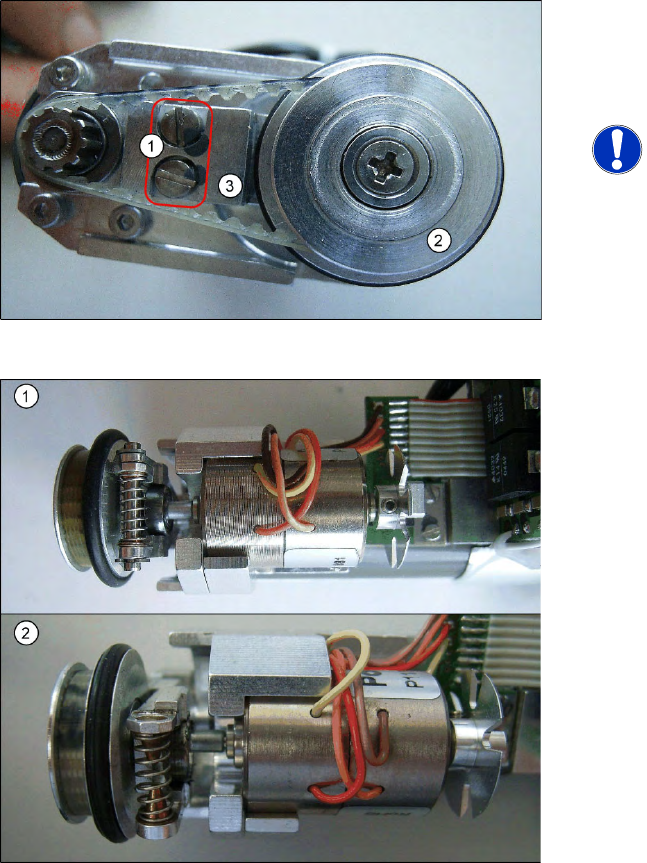
X Loosen the two screwed fittings on the rocker
arm.
NOTE:
The rocker arm is located under the
drive arm (3). The drive arm is fixed to
the rocker arm with the two screws (1).
X Swing the rocker arm on the motor to one side
and remove the rocker arm with drive wheel
(2) from the swivel-in ball bearing.
The adjacent diagram shows a comparison of the
spring mechanism on the DP rocker with version 5
(1) and version 7 (2) plus 2 cones.
Service Work
Replacing the DP Rocker C&P12 Placement Head
Service Manual SIPLACE D4
157
Installation
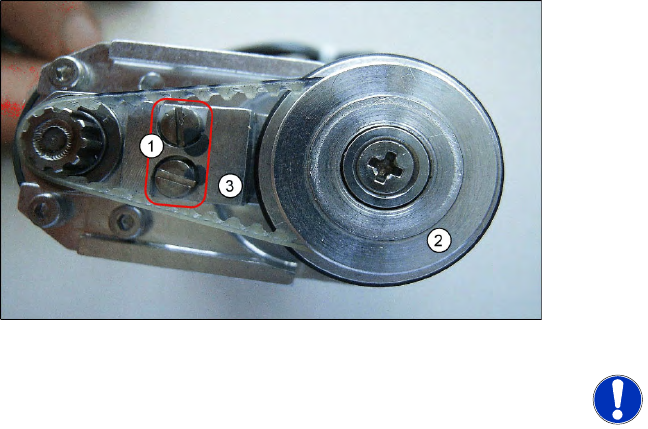
X Fit the drive arm (3) with drive wheel back on
the swivel-in ball bearing.
X Swivel the rocker arm on the motor back and
refit the M2x3.5 screws.
X See also section (4.5.7 Replacing the Toothed
Belt for the DLM Turning Station (from version
07) [00320041-xx]
J
158 ) for the following
tasks.
X Place the belt back on the drive wheel and pull
it over the motor toothed wheel.
X Fit the belt tensioning device for the DP
station.
X Tighten the two screws.
NOTE:
X When replacing the DP rocker, you
also need to replace the drive
toothed belt.
X The version 7 DP station with new
rocker should be available from early
2009 onwards.