00195166-0402_SM_D4_EN.pdf - 第170页
Service Work C&P12 Placement Head Replacing the Valve Posi tioning Drive for the Reject Circuit [00367768] 170 Serv ice Manual SIPLACE D4 X Use a po inted ob ject to car efully turn the cam disk so that it is in the …
Service Work
Replacing the Valve Positioning Drive for the Reject Circuit [00367768] C&P12 Placement Head
Service Manual SIPLACE D4
169
4.5.9.3 Mechanical Adjustment (From Version 03)
Setting the valve positioning drive for the reject position
NOTE:
The valve positioning drives of the DLM1 and DLM3 head reject position can be set with the
adjustment valve plungers.
ATTENTION:
Even if your placement machine does not use the valve positioning drive for rejecting
components (rejection vertically down), the position of this drive must still be correct. If this is
not the case, an incorrectly set valve positioning drive could have a negative influence on the
plunger positions during the reference run and during star rotation.
X Fit the dismantled placement head onto the
head mount and place this down on the front
or place the placement head down on a soft,
ESD conductible surface on its front.
X The lockscrew (at the bottom side of the
placement head) and the fastening screw of
the valve positioning drive need to be
loosened or are only screwed in slightly during
assembly of the drive.
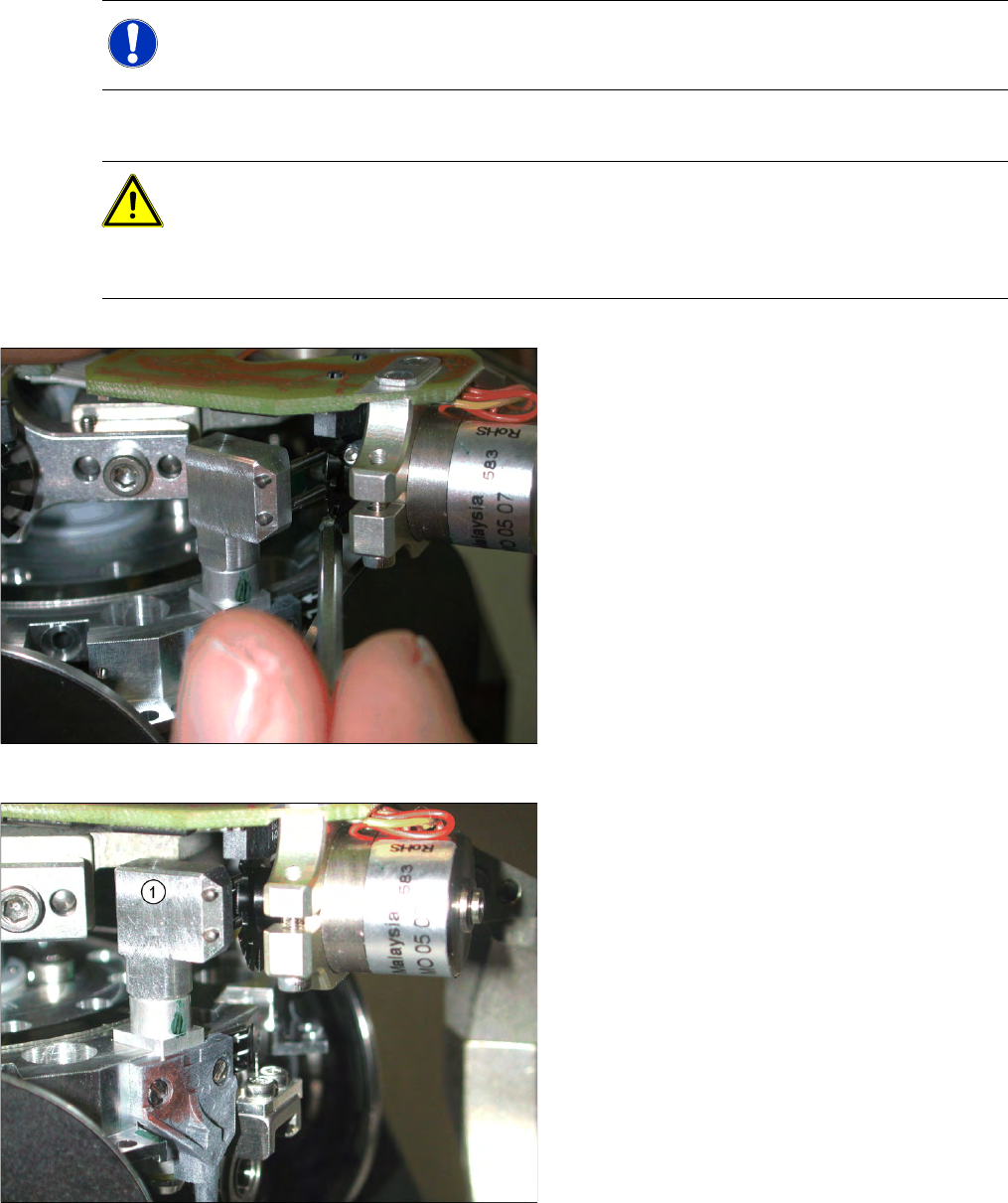
X Fit the adjustment valve plunger (1) in place of
the valve plunger, for the reject position (R) -
as shown in the diagram.
X Turn the adjustment valve plunger so that the
tips of the two centering pins are near to the
cam disk behind the ball bearing.
Service Work
C&P12 Placement Head Replacing the Valve Positioning Drive for the Reject Circuit [00367768]
170 Service Manual SIPLACE D4
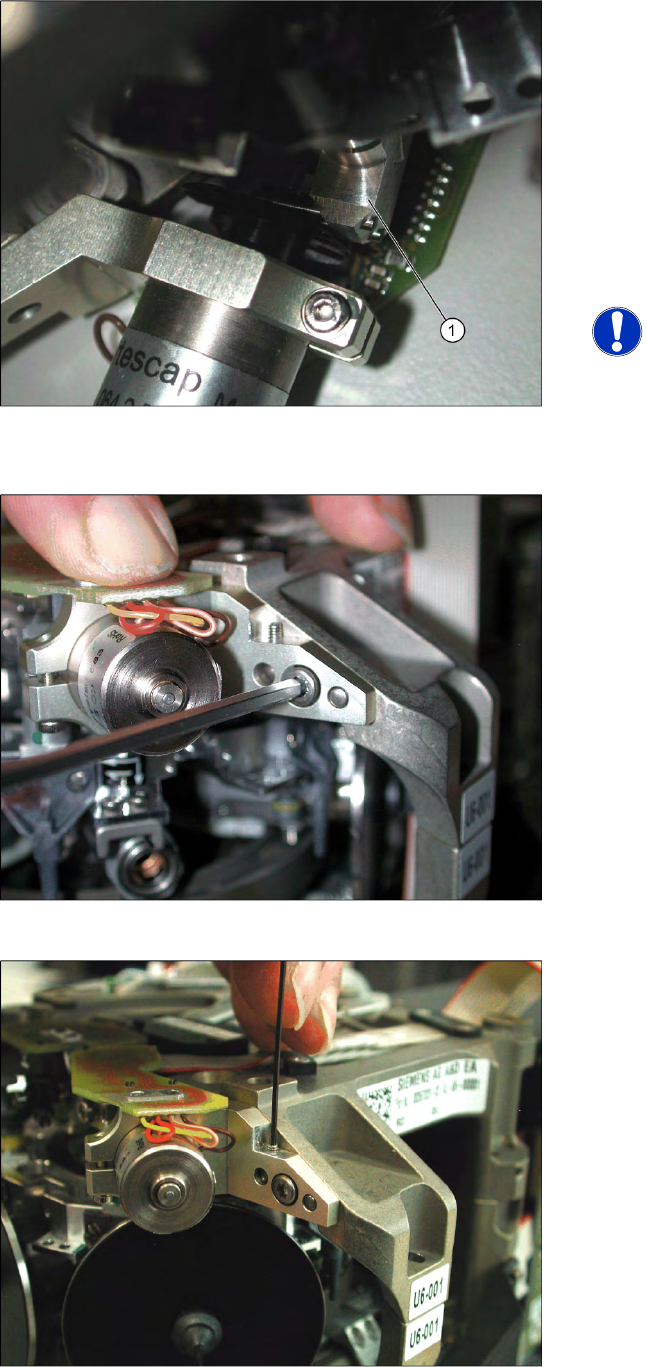
X Use a pointed object to carefully turn the cam
disk so that it is in the "starting position" (ball
bearing horizontally aligned next to the drive
shaft).
X Carefully turn the placement star in the
direction of the valve positioning drive so that
the two centering pins behind the ball bearing
grasp the fixtures on the cam disk. The
adjustment valve plunger (1) swivels into the
correct position (centering pins parallel to cam
disk).
NOTE:
As the cam disk of the reject valve
positioning drive is behind the
connection board, this setting is slightly
more complex than that for the
placement circuit.
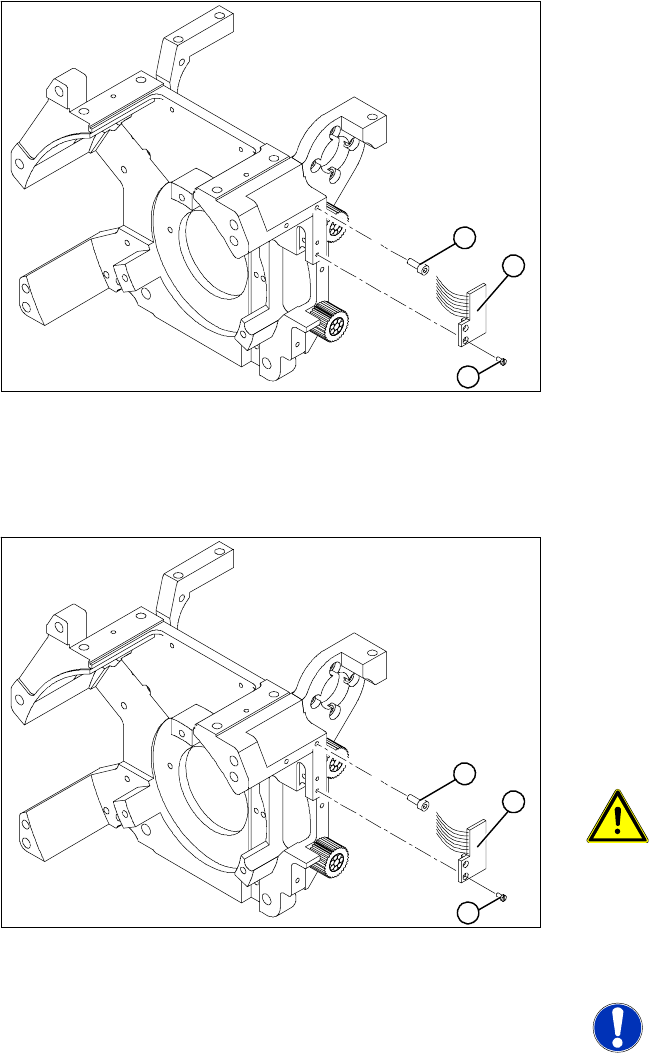
X Press the valve positioning drive in the
direction of the placement star and fasten the
drive holder with a 2.5 mm Allen key.
X Now tighten the locking threaded pin with an
Allen key of size 0.89 mm. Press the valve
positioning drive against it. Do not tighten
excessively as this could push the valve
positioning drive "backwards".
X Remove the adjustment plunger by turning the
placement star back and then rotating the
adjustment plunger out of the valve housing.
X Then replace the adjustment plunger with a
plunger and protection ring.
Service Work
Replacing the Light Barrier "Z Axis Up" [03053294-xx] C&P12 Placement Head
Service Manual SIPLACE D4
171
4.5.10 Replacing the Light Barrier "Z Axis Up" [03053294-xx]
Removal
Installation
Legend
1. 2 x M2.0x4 hexagon socket-head screws
2. 2 Phillips screws (1.6x3)
3. Light barrier board "Z axis up"
X Switch off the machine and secure it to prevent
unauthorized reactivation.
X Remove the plug from the slot on the
intermediate distributor.
X Undo the two M2.0x4 hexagon socket-head
screws (1) and remove the ribbon cable
clamp.
X Loosen the two M1.6x3 Phillips screws (2).
X Remove the light barrier "Z axis up" (3) with its
cable.
1
3
2
X Use the two M1.6x3 Phillips screws (2) to fix
the "Z axis up" light barrier board (3). Move the
board as far upwards as the screws will
tolerate.
X Connect the ribbon cable plug to the slot on
the intermediate distributor.
X Use the flat ribbon cable clamp and the two
hexagon socket-head screws (1) to fix the flat
ribbon cables.
ATTENTION: Check how the cables
are run!
Make sure that the flat ribbon cable is
not pinched in the guide channel.
Make sure that you push the folded part
of the flat ribbon cable for the "Z axis
up" light barrier back under the
illumination board.
NOTE: Shortened cable
A new version is available with a
shortened flat ribbon.
1
3
2