00196428-0102_AI_Reconfig_Kit_X-Serie_CPP_DE EN - 第111页
Head Reconfiguration Kit 2 Assembly Instructions Head Reconfiguration Kit CPP fo r the SIPLACE X Ser ies Issue 03/2010 2.7 Installing the CPP Placement H ead 111 X Plug a USB stick or ano ther appropriate storage medium …
2 Assembly Instructions Head Reconfiguration Kit CPP for the SIPLACE X Series Head Reconfiguration Kit
2.7 Installing the CPP Placement Head Issue 03/2010
110
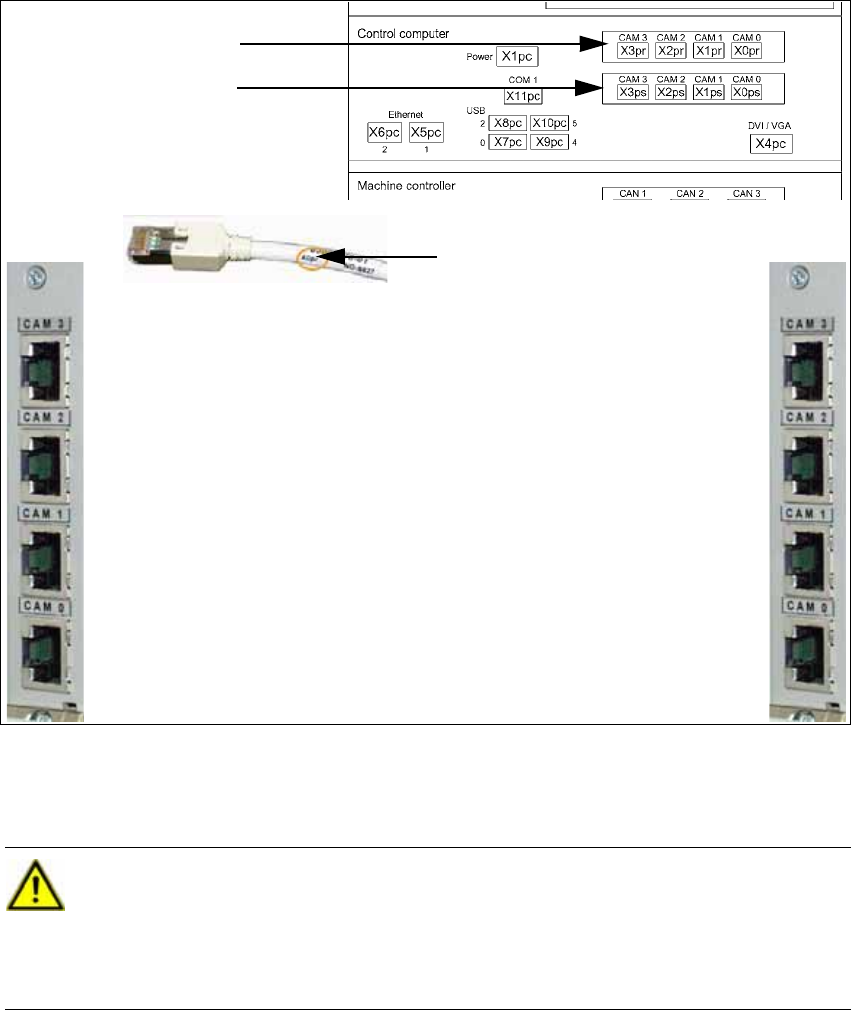
2.7.11 Connections on the Hotlink Board (Box PC)
2
2
X Connect the hotlink cables for the corresponding component camera.
IC/FC camera in PA 1
X3pr
PCB/component cam-
eras in PA 1, gantry 1,
X0pr
PCB/component cam-
eras in PA 1, gantry 4,
X1ps
IC camera in PA 1
X2ps
IC/FC camera in PA 2
X3pr
IC camera in PA 2
X2ps
PCB/component cameras in
PA 2, gantry 3,
X1ps
PCB/component cameras in
PA 2, gantry 2,
X1ps
Labeling of the hotlink cable
Hotlink board for cam-
eras in PA 1
Hotlink board for cam-
eras in PA 2
CAUTION:
The hotlink cables of the IC and FC cameras must be disconnected for the placement
area where a C&P20 head is used!
Unused hotlink cables must not be connected!
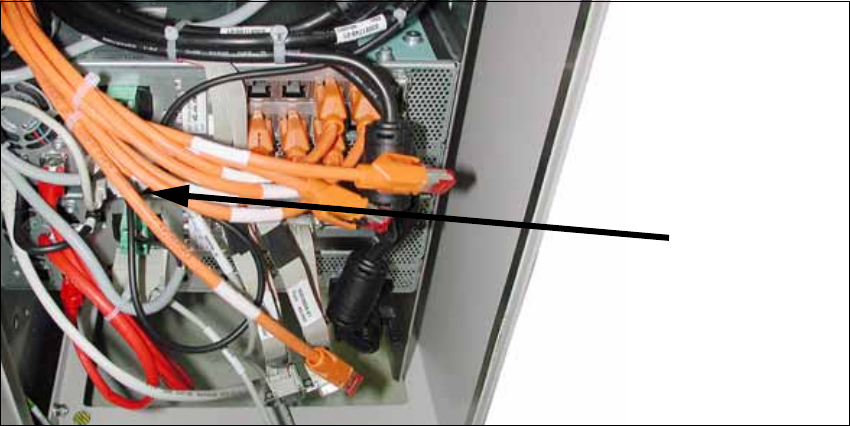
Do not confuse the hotlink cables with twisted pair cables! 2
Head Reconfiguration Kit 2 Assembly Instructions Head Reconfiguration Kit CPP for the SIPLACE X Series
Issue 03/2010 2.7 Installing the CPP Placement Head
111
X Plug a USB stick or another appropriate storage medium into the USB port of the station com-
puter.
2
2
X Save the machine data from the storage medium to the station computer.
2.7.12 Completing Tasks
X Switch the placement machine on at the main switch.
X Switch to the menu for service engineers. (See Section 2.6 "Replacing the Placement Head -
Procedure" on page 77, items 13 to 15)
X Accept the data (zero point correction for star and Z axis) from the placement head.
If the placement head is installed on a machine for the first time, it does not contain any cali-
bration data.
X Calibrate the placement head.
If the placement head was already installed on another machine, you can use the calibration
data from the placement head memory.
USB stick
BoxPC
2 Assembly Instructions Head Reconfiguration Kit CPP for the SIPLACE X Series Head Reconfiguration Kit
2.7 Installing the CPP Placement Head Issue 03/2010
112
2.7.13 Completing Tasks in the Station SW
X Load the firmware for the CPP head.
X Measure camera and nozzle changer.
X Carry out a mapping procedure, if necessary.
X Perform another restart.
Thus, the reconfiguration is completed. 2
2.7.14 SIPLACE Pro
See Section 2.8.1 "Configuration of the Placement Heads with SIPLACE Pro" on page 113. 2