00196428-0102_AI_Reconfig_Kit_X-Serie_CPP_DE EN - 第92页
2 Assembly Instructions Head Reconfiguration Kit CPP for the SIPLACE X Series Head Reconfiguration Kit 2.7 Installing the CPP Placement Head Issue 03/2010 92 2.7.4.2 Prep aring the Head for the Inst allation Height X Pre…
Head Reconfiguration Kit 2 Assembly Instructions Head Reconfiguration Kit CPP for the SIPLACE X Series
Issue 03/2010 2.7 Installing the CPP Placement Head
91
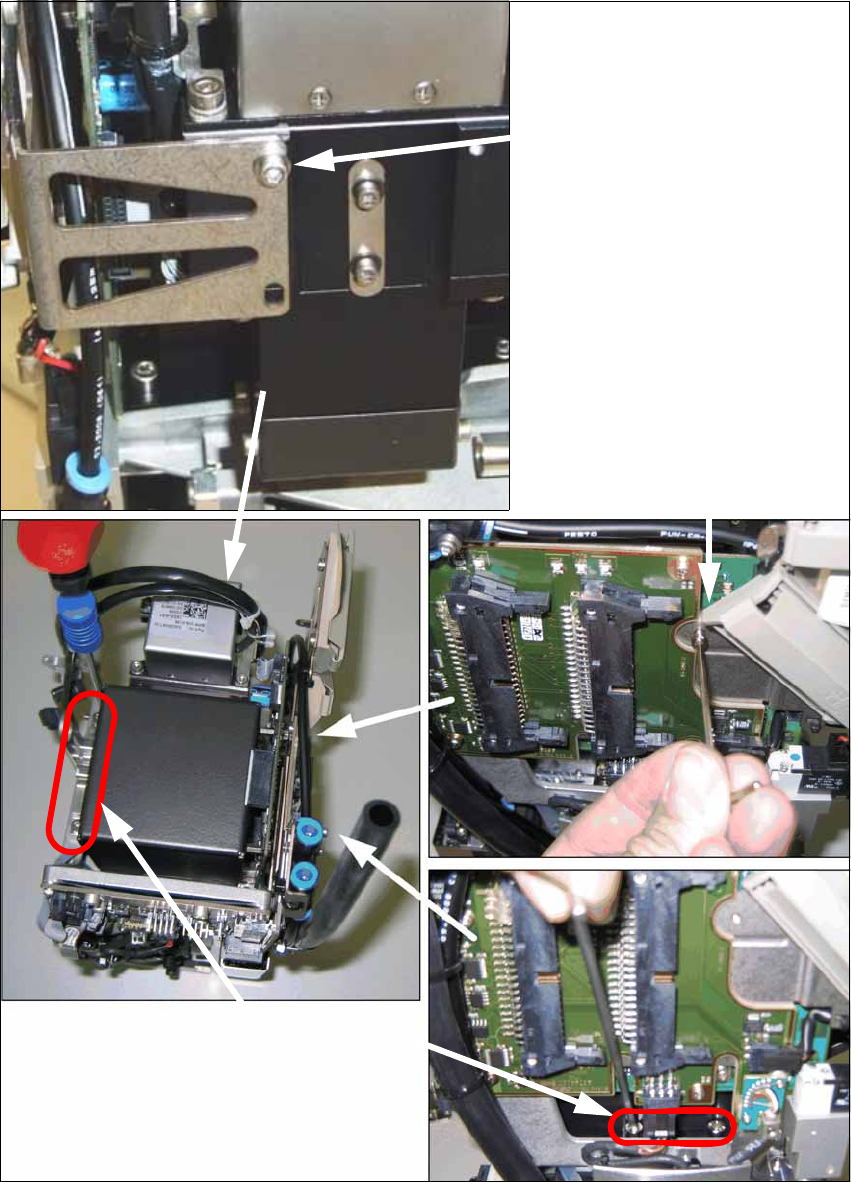
X Install the component camera with the 4 screws at the CPP head and with one screw at the
board holder.
Screw at the board holder
DIN 912-M2,5 x 12-A2-70
[00304134-xx]
DIN 125-A 2.7-140HV-A2
[00201583-xx]
4 screws at the camera foot
DIN 912-M3 x 16-A2-70
[00325349-xx]
(in camera package)
Screw on the mounting bracket
DIN 912-M2,5x12-A2-70
[00304134-xx]
DIN 125-A 2.7-140HV-A2
[00201583-xx]
2 Assembly Instructions Head Reconfiguration Kit CPP for the SIPLACE X Series Head Reconfiguration Kit
2.7 Installing the CPP Placement Head Issue 03/2010
92
2.7.4.2 Preparing the Head for the Installation Height
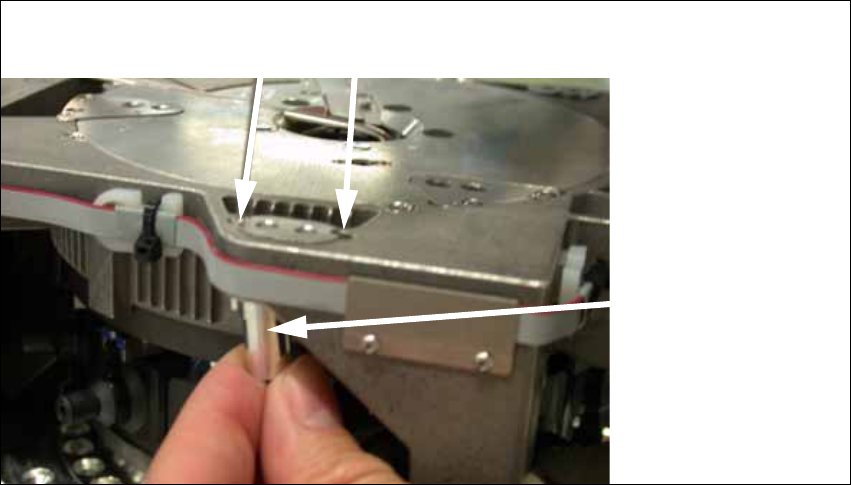
X Prepare the head for its required installation height. The four bushings and the retaining
bracket must be fixed in their correct top or bottom position.
Should it be necessary to replace the bushings, loosen the fixing screws of the bushings and
place the bushing at its correct position (top or bottom). Carry out this step for all four fixing
bushings and the holding bracket of the head.
2
Holes for the fixing screws of the bushings 2
bushing 2
top 2
bottom2
Head Reconfiguration Kit 2 Assembly Instructions Head Reconfiguration Kit CPP for the SIPLACE X Series
Issue 03/2010 2.7 Installing the CPP Placement Head
93
2
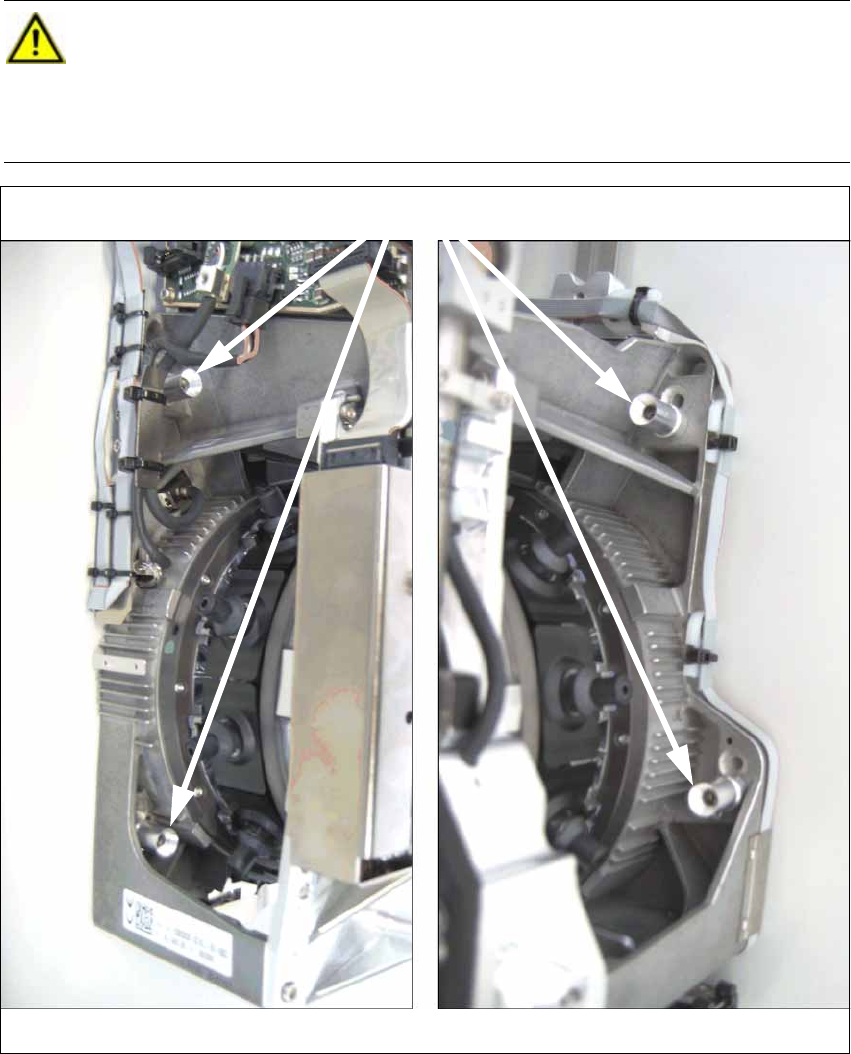
CAUTION:
The placement head can be installed at two different heights. CPP_L corresponds to a
component height of 6 mm. CPP_H corresponds to a height of 11.5 mm.
If the CPP head is used in a placement area with a stationary camera, a TwinHead or an
MTC, it must be installed in the high position only. 2
Head screws (here in "head high" position)
on the left on the right