00194591_02.pdf - 第31页
Installation Manual SIPLACE Setup Center RF 2.1 3 Installation Edition 09/2005 EN 3.3 Installation of SIPLACE Setup Center and Possible Setup Types 31 3.3.2.3 Setup T ype - SIPLACE Pro Complete This setup type contains a…
3 Installation Installation Manual SIPLACE Setup Center RF 2.1
3.3 Installation of SIPLACE Setup Center and Possible Setup Types Edition 09/2005 EN
30
Step 5
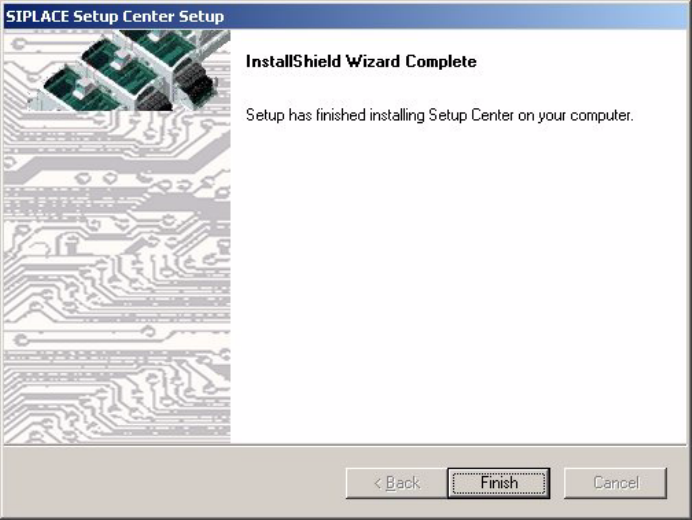
→ The installation routine is now started.
The Setup Complete dialog box confirms that the installation has been completed success-
fully. 3
3
Fig. 3.3 - 18 "InstallShield Wizard Complete" dialog box
Installation Manual SIPLACE Setup Center RF 2.1 3 Installation
Edition 09/2005 EN 3.3 Installation of SIPLACE Setup Center and Possible Setup Types
31
3.3.2.3 Setup Type - SIPLACE Pro Complete
This setup type contains all SIPLACE Setup Center components for operating the system on a
single computer. It is used to install a Setup Center stand alone system. 3
Setup detects if SQL Server or MSDE (Microsoft Data Desktop Engine) has already been in-
stalled. 3
Select this type to install all SIPLACE Setup Center system components (GUI, Database) on one
computer. However, it is possible to integrate further clients on other computers. 3
Step 1
→ Run through the steps in “Starting Installation - First Steps” on page 14.
3
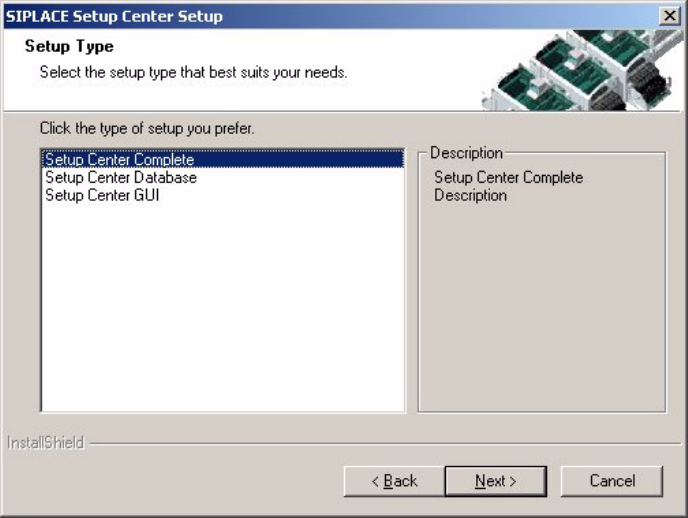
Fig. 3.3 - 19 "Setup Type" dialog box
→ Select the Setup Center Complete system setup type.
→ Click Next.
3
3 Installation Installation Manual SIPLACE Setup Center RF 2.1
3.3 Installation of SIPLACE Setup Center and Possible Setup Types Edition 09/2005 EN
32
Step 2
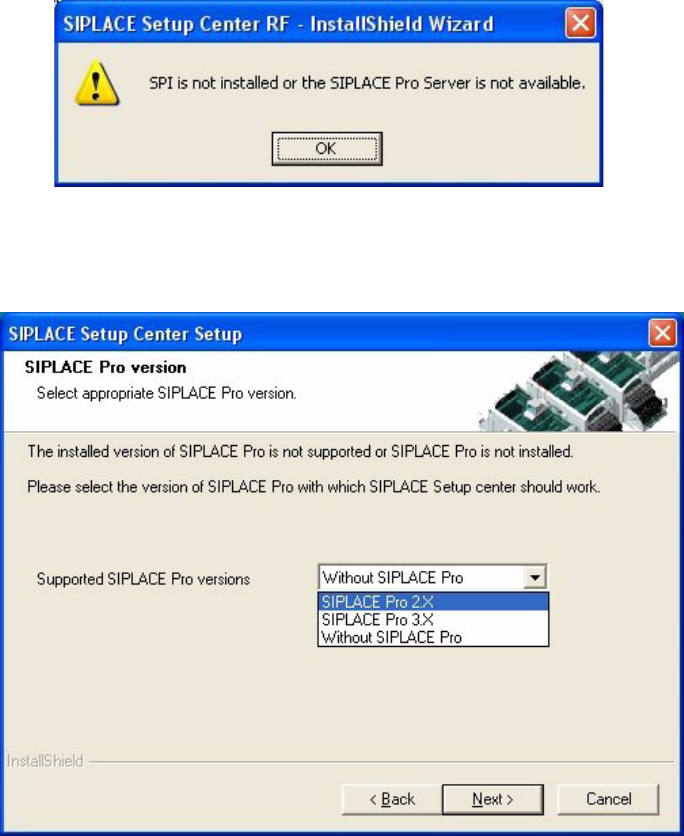
The installation detects the existing SPI version and installs the according SIPLACE Setup Center
files. 3
In case no SPI is detected, the installation displays a warning. 3
3
Fig. 3.3 - 20 "Setup Type" dialog box
After this the installation prompts you to select a SIPLACE Pro version. SIPLACE Setup Center
will be installed with the files to support the selected SIPLACE Pro version 3
3
Fig. 3.3 - 21 "Setup Type" dialog box
→ Select the SIPLACE Pro version and
→ Click Next.