00196962-04-BA-SX12-V2-EN.pdf - 第221页
User manual SIPLACE SX1/SX2 4 Setting up and commissioning From software version SC 706.1 SP1 Version 10/2014 4.6 Commissioning the machine 221 4.6 Commissioning the machine 4.6.1 Commissioning the machine at the custome…
4 Setting up and commissioning User manual SIPLACE SX1/SX2
4.5 Adjusting the empty tape duct to the component height From software version SC 706.1 SP1 Version 10/2014
220
4.5 Adjusting the empty tape duct to the component
height
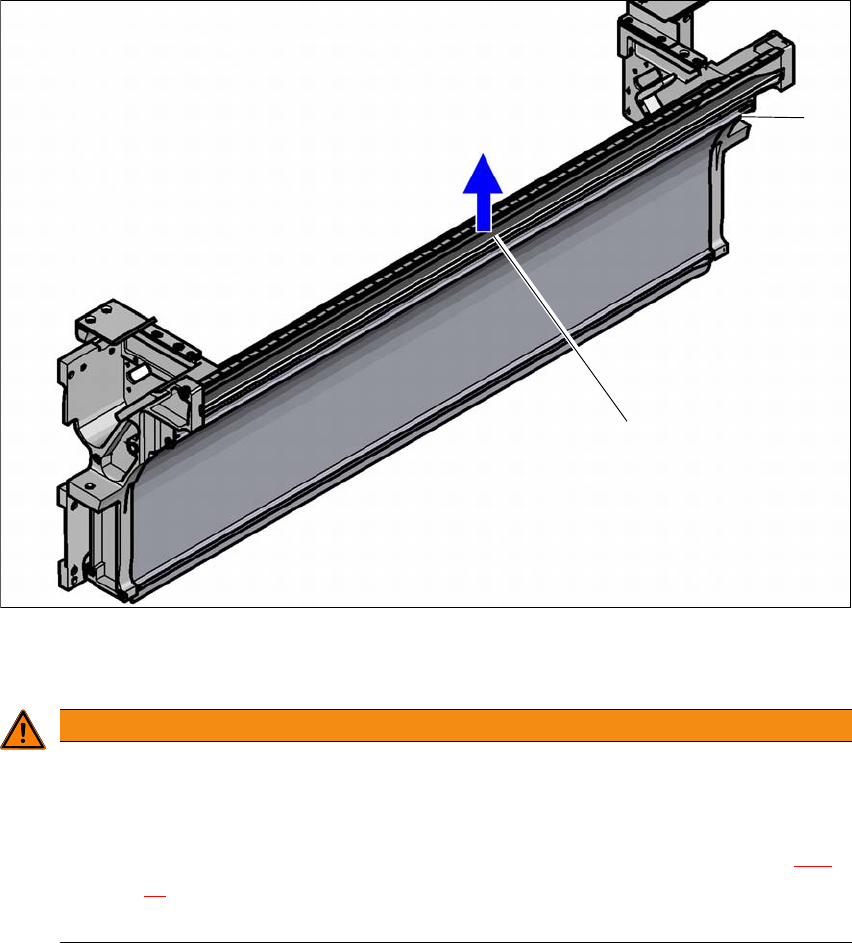
If feeder modules which use tapes with a pocket height of > 12 mm are used, remove the sepa-
rating plate (1).
4
(1) separating plate for tapes > 12 mm, removable
(2) Fastening screws
4
Loosen the fastening screws.
Pull out the separating plate.
WARNING
Removing the dividing plate!
Switch the machine off at the main switch to remove the dividing plate.
Disconnect the machine from the power and compressed air supply.
Lock the machine to prevent unauthorized reactivation, as described in section 2.11,
page 87
.
Wait until the operating pressure for the tape cutter has dropped to 0 MPa.
(1)
(2)

User manual SIPLACE SX1/SX2 4 Setting up and commissioning
From software version SC 706.1 SP1 Version 10/2014 4.6 Commissioning the machine
221
4.6 Commissioning the machine
4.6.1 Commissioning the machine at the customer's premises
Check all modules for correct seating.
Wipe off the linear guide rails with a lint-free cloth before removing the shipping braces for the
X/Y axis. Do not use any solvents (see section 4.3.11
, page 217).
Switch on the machine and perform a reference run.
Copy the placement program onto the computer and test it.
Check the machine zero point after a period of warming up of 3 - 4 h.
Get the customer's operating personnel to equip the feeder modules according to the cus-
tomer's placement program.
Instruct them in handling the feeder modules using the JobGuide.
Check all customer-specific installed options (in particular software) for good functioning and
order any necessary spare parts using the order form or by fax.
After installing the machine, perform Y mapping.
4.6.2 Instructing the customer's personnel
Explain all customer-specific installed options, in particular software / software compatibility.
Explain programming of the program editors on the line computer / SIPLACE Pro.
Instruct the operators and line engineers in using the station software.
Explain about password protection.
Instruct the customer's personnel according to the user manual and the preventive mainte-
nance.
4.6.3 A test run or starting production
Test the line using the test PCB or a PCB provided by the customer.
Record the customer product and performance data, prepare the data and document the data
in the installation report.
Secure the data and give the customer security copies.
4 Setting up and commissioning User manual SIPLACE SX1/SX2
4.6 Commissioning the machine From software version SC 706.1 SP1 Version 10/2014
222