SYS-CP842-1.1E.pdf - 第143页
4.Commands SYS-CP842-1.1E 134 CP-842E / CP-842ME System Reference Main Production Operation Mode : Command name : Screen name Production : Command group ▲ : Continued on the next page : Press to scroll upwards Legend ▼ :…
SYS-CP842-1.1E 4.Commands
CP-842E / CP-842ME System Reference 133
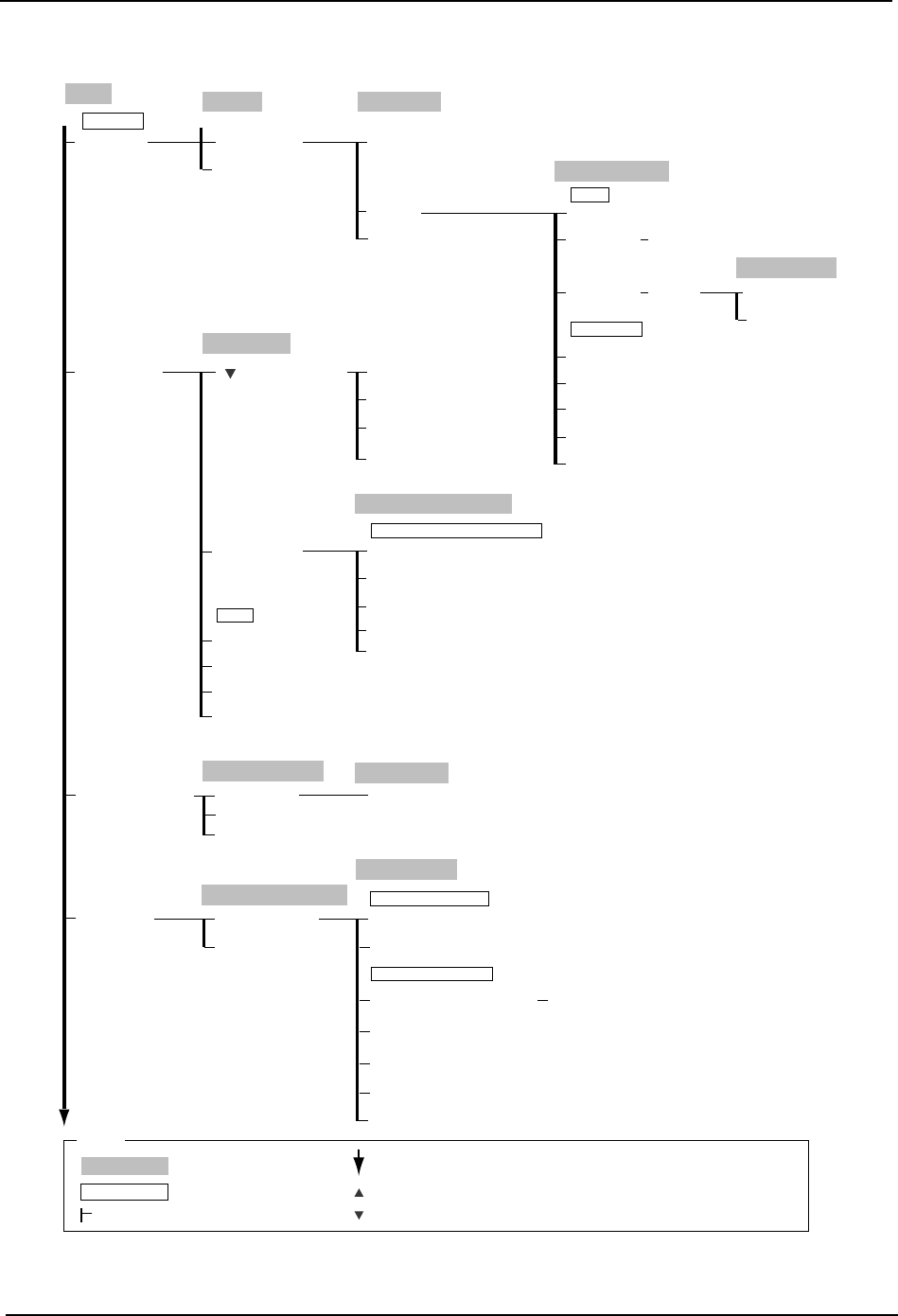
Seq. Search
→
To Sequence Search
Program
Device Check
Recipe Edit
Selection Display Mode
Recipe Edit
Sequence Offset
Target
Offset value
All Boards
Close
Select Board
Select Device
Setting
→
Numeric Keypad
Setting (Device number)
Offset X
→ Numeric Keypad
Offset Y
→ Numeric Keypad
Offset Q
→ Numeric Keypad
Offset
Close
C73SC002Ed-6
Program
Changeover
Offset
Close
Device Info
Skip Info
Part Out Warning Info
Next Prog. Device Info
Error Device
Used Device
All Device
OK
Cancel
Device Select
Close
(Display Change)
Device Check
Close
Display Mode
Select All
Set Devices
Statistical Error Reset
Select device check display mode
Check
Close
Close
Nozzle Allocation
Holder1-6
Set
Nozzle Allocation
Nozzle Detail
Close
Conveyor
Conveyor Width
Conveyor Width Select
Close
Panel Width
Conveyor Width
Width Change Settings
Margin → Numeric Keypad
Width Change Preparation [START button]
Maximum Width
Specified Width
Margin Measurement
Width Change Selection
Production
Operation Mode
: Command name
: Screen name
Production
: Command group
: Continued on the next page
: Press to scroll upwards
Legend
: Press to scroll downwards
( )
: General description
[ ]
: Push button
→
: Displays separate dialog box
Main
4.Commands SYS-CP842-1.1E
134 CP-842E / CP-842ME System Reference
Main
Production
Operation Mode
: Command name
: Screen name
Production
: Command group
▲
: Continued on the next page
: Press to scroll upwards
Legend
▼
: Press to scroll downwards
( )
: General description
[ ]
: Push button
→
: Displays separate dialog box
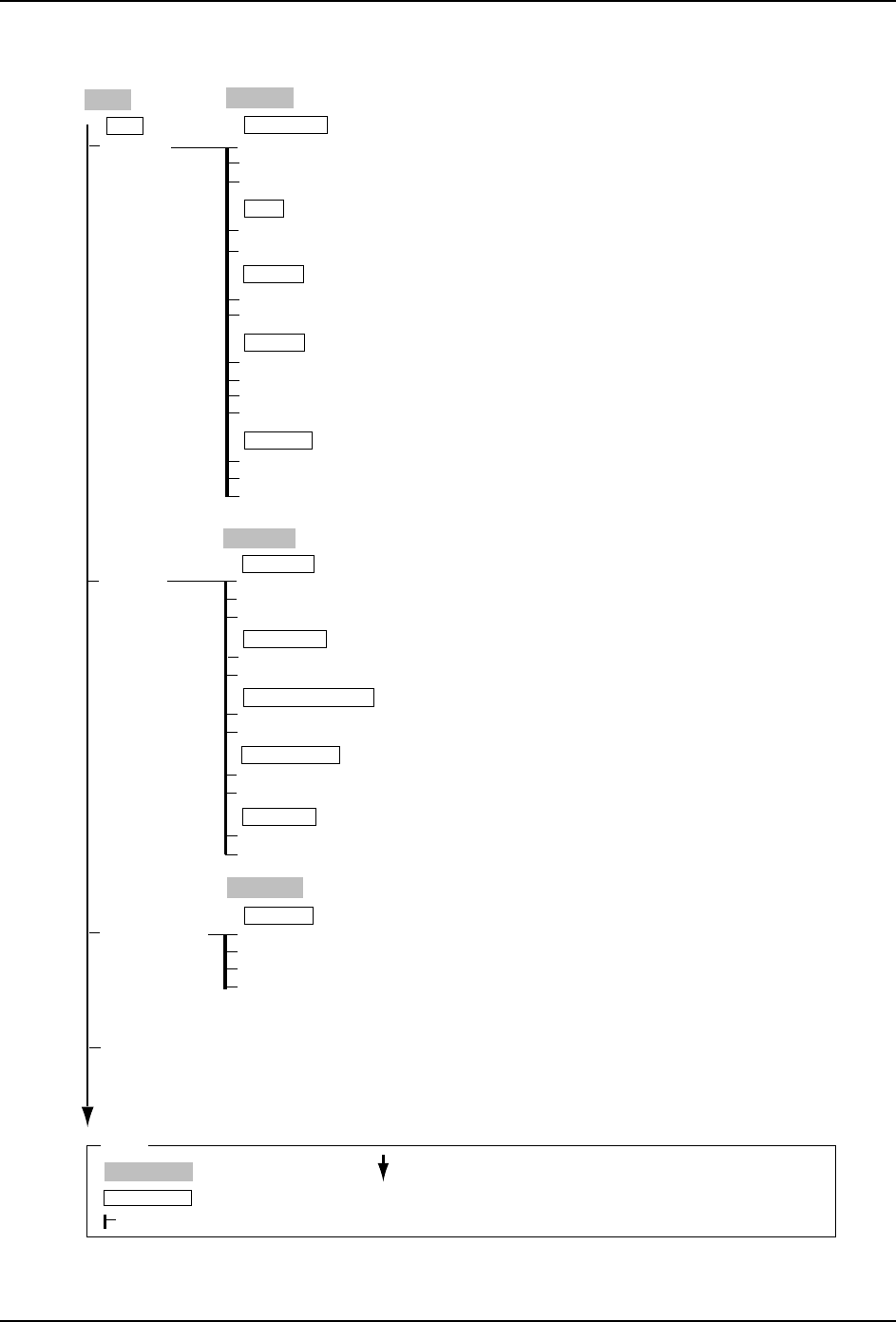
Production
Operation
Read
Ignore
Close
Skip Marks
Idle
Pass
Operation
Mode
Operation Mode
Joint
Joint Resupply
Table Mode
Device Change
Changeover
Stage 1
Stage 2
Original Table
Loader
No Pick-up
Idle 2
Nozzle Skip
Remaining Panels
Current Panels
Board No.
→
Numeric Keypad
Board Skip
Board Skip Data
Target Panel
Close
C73SC012Ea
Auto Recovery
Error Stop
Machine
Close
Recovery Reference
Error Handling
Error Pass
Recovery
Immediate
Recovery Timing
Delayed
Stop
Continuous
Part Data
Change
Recovery Limit
Stop Mode AtRecovery Up
Recovery
→ Numeric Keypad
SYS-CP842-1.1E 4.Commands
CP-842E / CP-842ME System Reference 135
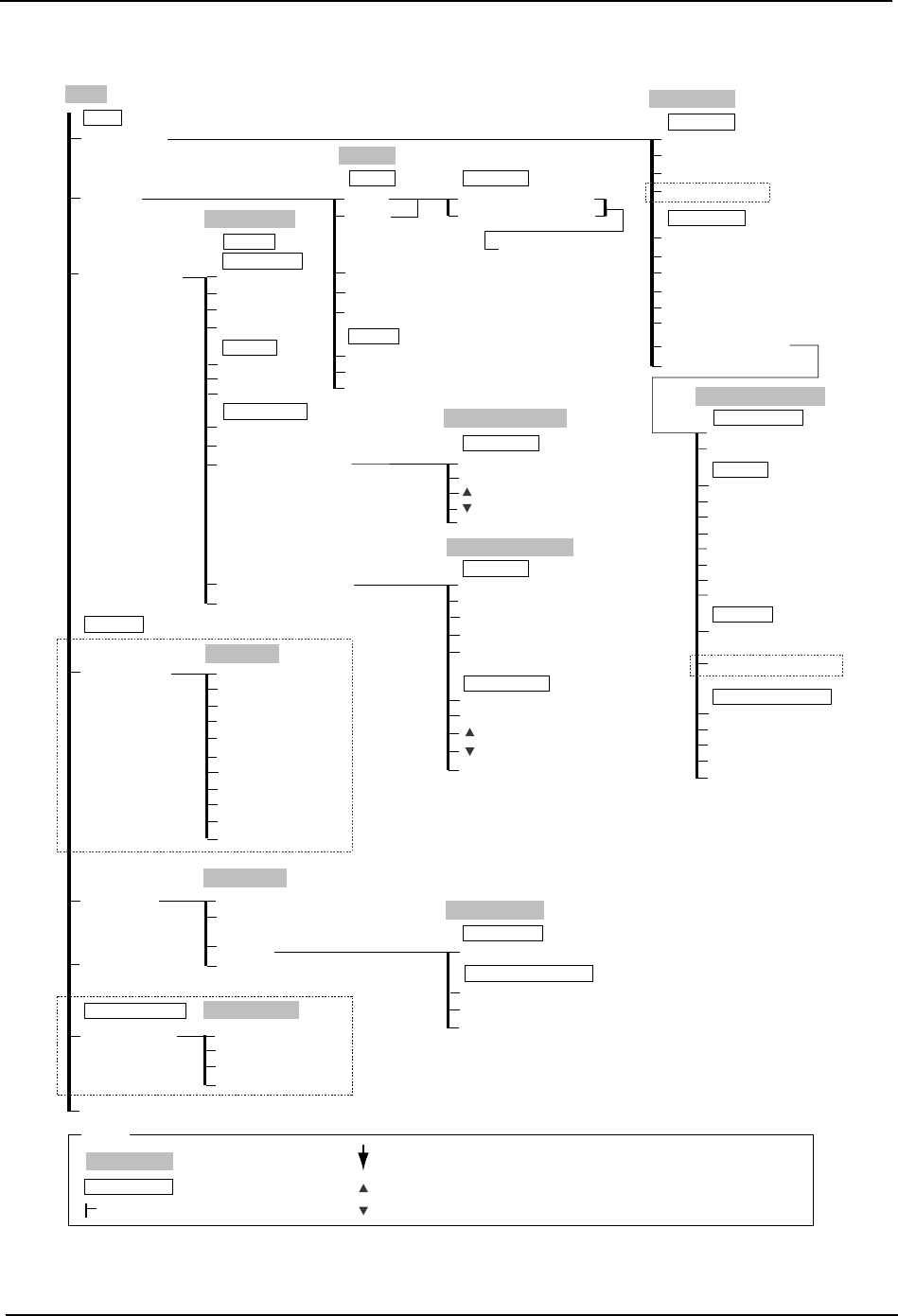
Unload
Flush Out
Panel Loader
Panel Loader
Main
Close
Move to Loading Position
Main Conveyor
Move to Unloading Position
Lifter Up
Lifter Down
Clamp
Loader Maintenance
Unclamp
Load Panel
Load Two Panels (Option)
Position
Close
X-axis
Y-axis
Inspection
Nozzle Check
Nozzle Size
Nozzle Length
Holder Center
Nozzle Bend
Setup
Load/Unload
Position
Position
Program Coordinates
Servo Coordinates
Target Value
Nozzle Check
D1-axis → Numeric Keypad
D2-axis → Numeric Keypad
D1/2-axis → Numeric Keypad
D1-axis
D2-axis
Retract
Inspection Item
1 - 6
All
Enter
Holder
Wide Camera
Change Camera
Narrow Camera
Nozzle Check Limits
Nozzle Check Details
Close
Nozzle Bend → Numeric Keypad
Nozzle Check Limit
Close
Nozzle Length → Numeric Keypad
Set Limit Value
→ Numeric Keypad
Stage 1 Start
Stage 1 Set
Stage 1 Cancel
Stage 1 Clamp
Stage 1 Unclamp
Change Pallet
Pickup offset
Part Supply
Pallet Change
Part Rejection
Maintenance → Next page
Read Feeder ID
Changeover Support
Stage 2 Start
Stage 2 Set
Stage 2 Cancel
Stage 2 Clamp
Stage 2 Unclamp
Clear auto
pickup offsets
Change
Close
Settings
In-side
Out-side
Carrier Advance
Carrier Unclamp
Actuator Position
Mid-stopper Up
Command
Mid-stopper Down
Lifter Up
Lifter Down
Carrier Retract
Carrier Clamp
In-Carrier Pick-up
Panel Transport Position
Main Conveyor Pick-up
Out-Carrier Pick-up
Out-Lifter Pick-up
Close
Loader Maintenance
Load Panel
Step Action
Load Two Panels
Nozzle Size
Nozzle Bend
Check Items
Nozzle Length
Holder Center
Shutter Speed
Close
Nozzle Check Result
Wide Camera
Change Camera
Narrow Camera
Pickup offset
Select All
Change Stage
Read Start
Close
Read Feeder ID
Close
C73SC003Ea
(CP-842ME Option)
(Fujitrax Option)
Pickup Offset X
Auto pickup offset settings
Changing Setting
Change → Numeric Keypad
Change
Change
Close
Production
Operation Mode
: Command name
: Screen name
Production
: Command group
: Continued on the next page
: Press to scroll upwards
Legend
: Press to scroll downwards
( )
: General description
[ ]
: Push button
→
: Displays separate dialog box
(Option)