00198051-01_IM_SetupCenter_8.0_EN.pdf - 第18页
Important Preparations Database Installation 18 Installation Manual SIPLACE Setup Center 8.0

Important Preparations
Operation System Installation
Installation Manual SIPLACE Setup Center 8.0 17
4
4 Important Preparations
Important Preparations
All computers must have been set up and prepared appropriately in advance of the complete installation
of SIPLACE Setup Center to function correctly.
These preparatory measures demand knowledge about the administrative functions of Windows and
SQL Server. Please contact your system administrator for assistance if required.
4.1
4.1 Operation System Installation
Operation System Installation
The following steps are essential before conducting the installation of SIPLACE Setup Center:
▪ Installation of operation system Windows
▪ Furthermore, you require Windows administrative rights and write rights for all computers on which
you are installing SIPLACE Setup Center.
4.2
4.2 Database Installation
Database Installation
If the database decision of SIPLACE Setup Center Database is made to use SQL Express installation,
this must be done prior installing SIPLACE Setup Center.
The prerequisite product SQL Express is available on the Support Media DVD.
NOTICE
Always exit the running Setup Center before the installation or uninstallation of Setup Center.
NOTICE
Execute the Prerequisit Analyzer from the Support Media, including the respective profiles, on
all computers where you want to install Setup Center
Important Preparations
Database Installation
18 Installation Manual SIPLACE Setup Center 8.0
Setup Center Application Installation
General Settings
Installation Manual SIPLACE Setup Center 8.0 19
5
5 Setup Center Application Installation
Setup Center Application Installation
5.1
5.1 General Settings
General Settings
These steps are identical for all setup types. The subsequent steps only differ once you have selected
the setup type you require.
Run through the following steps to start the installation and then refer to the relevant section for your
specific setup type.
Step 1
► Insert the SIPLACE Setup Center installation CD into the CD-ROM drive. The installation routine
starts automatically.
► You can also start the installation by running the Autorun.cmd program located in the root directory
on the installation CD.
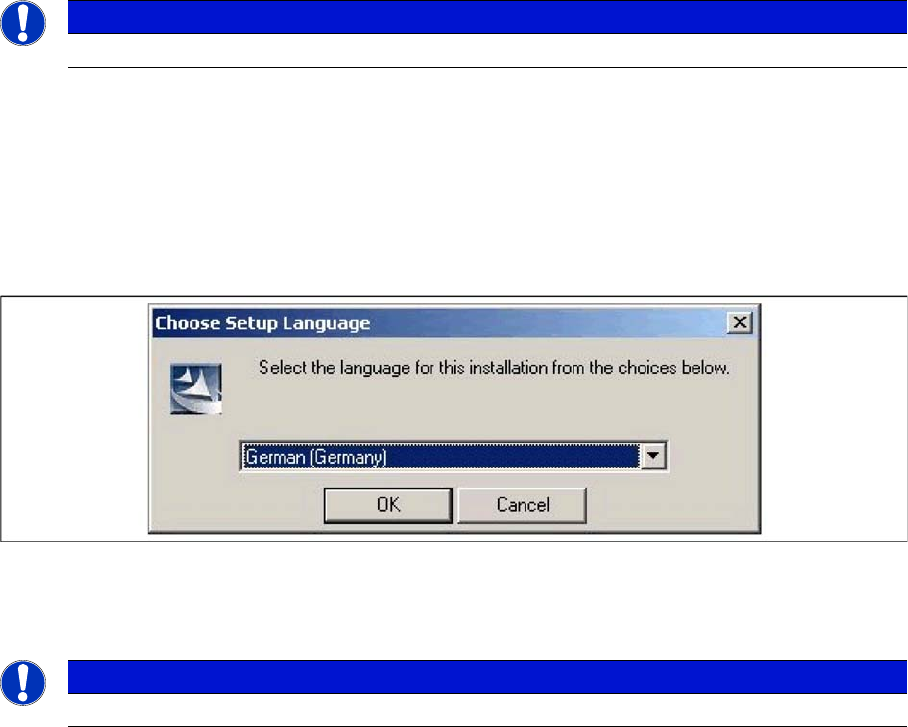
► This starts the user-controlled installation of SIPLACE Setup Center; you are prompted to select the
installation language.
"Choose setup language" dialog box
► Select the language you want.
► Click OK.
NOTICE
You require administrator rights for the installation procedure!
NOTICE
This decision only relates to the language used during the installation routine!